This widget could not be displayed.
This widget could not be displayed.
Turn on suggestions
Auto-suggest helps you quickly narrow down your search results by suggesting possible matches as you type.
Showing results for
- English
- ROG Phone Series
- ROG Phone 3
- Re: Pubg at 144 FPS in ASUS ROG 3
Options
- Subscribe to RSS Feed
- Mark Topic as New
- Mark Topic as Read
- Float this Topic for Current User
- Bookmark
- Subscribe
- Mute
- Printer Friendly Page
Pubg at 144 FPS in ASUS ROG 3

Options
- Mark as New
- Bookmark
- Subscribe
- Mute
- Subscribe to RSS Feed
- Permalink
- Report Inappropriate Content
03-04-2021 10:07 AM
Please tell us some basic information before asking for help:
Model Name:
Firmware Version:
Rooted or not:
Frequency of Occurrence:
APP Name & APP Version (If your issue relates to the app):
In addition to information above, please also provide as much details as you can, e.g., using scenario, what troubleshooting you've already done, screenshot, etc.
========================================
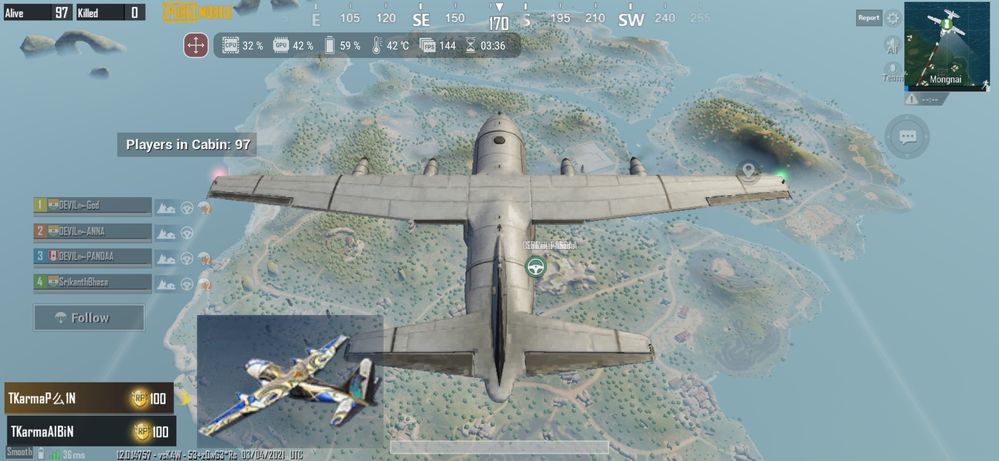
Today I watched some of videos I found pubg can run maximum resolution of our display , asus rog 3 support 144hz so I just make a try if it Yes 144 fps is working superb can't explain the feeling of playing at 144 fps pubg
Model Name:
Firmware Version:
Rooted or not:
Frequency of Occurrence:
APP Name & APP Version (If your issue relates to the app):
In addition to information above, please also provide as much details as you can, e.g., using scenario, what troubleshooting you've already done, screenshot, etc.
========================================
Today I watched some of videos I found pubg can run maximum resolution of our display , asus rog 3 support 144hz so I just make a try if it Yes 144 fps is working superb can't explain the feeling of playing at 144 fps pubg
60 REPLIES 60
Options
- Mark as New
- Bookmark
- Subscribe
- Mute
- Subscribe to RSS Feed
- Permalink
- Report Inappropriate Content
03-04-2021 10:11 PM
before doing this setps switch of the anti-aliasing which restrict the FPS

Options
- Mark as New
- Bookmark
- Subscribe
- Mute
- Subscribe to RSS Feed
- Permalink
- Report Inappropriate Content
03-04-2021 10:15 PM
atmsriram6I will definitely try it now.https://zentalk.asus.com/en/discussion/comment/155414#Comment_155414
I am a person to workout if any thing distrub me bro just saw an youtube video the channel name is Master Mini tech after seeing that I am out of mind even tho I am an auditor nothing last dates for me to attend office so taken sick leave and worked it out
View post
I thought u will be working from home just like everyone ..
Anyways.. keep working..
I will definitely try 144 fps and will tell u later on about experience..
Thanks for sharing
Options
- Mark as New
- Bookmark
- Subscribe
- Mute
- Subscribe to RSS Feed
- Permalink
- Report Inappropriate Content
03-04-2021 10:24 PM
Aman89053Mine was direct audit works not work at home even in lockdown also I have to go (Press T News)https://zentalk.asus.com/en/discussion/comment/155419#Comment_155419
I will definitely try it now.
I thought u will be working from home just like everyone ..
Anyways.. keep working..
I will definitely try 144 fps and will tell u later on about experience..
Thanks for sharing
View post
Options
- Mark as New
- Bookmark
- Subscribe
- Mute
- Subscribe to RSS Feed
- Permalink
- Report Inappropriate Content
03-04-2021 10:29 PM
MASTER mini TECH
just watch his game play of 144 fps youtube channel MASTER mini TECH

Options
- Mark as New
- Bookmark
- Subscribe
- Mute
- Subscribe to RSS Feed
- Permalink
- Report Inappropriate Content
03-04-2021 11:07 PM
Well I followed the steps and yes the device can achieve 144fps with screen set to 144hz. It's buttery smooth.
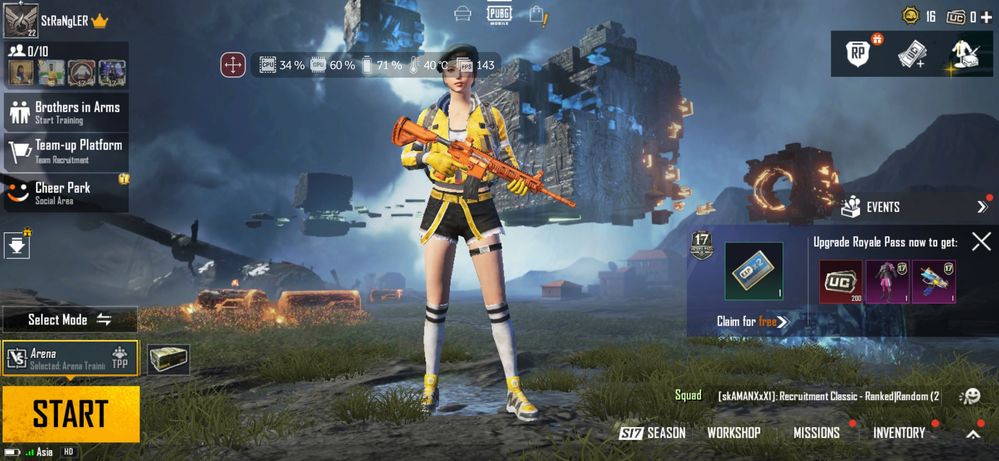
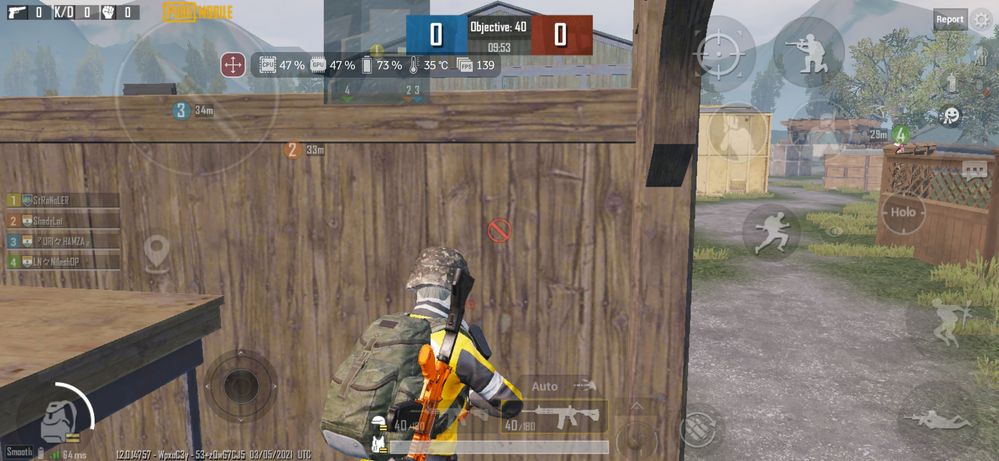
It fluctuates in between 123-144fps. But the experience was great. Thanks brother for the info.
If anyone still couldn't understand the steps, let me break it down.
(Turn off anti-aliasing)
1. Download the config file.
If you don't have the link, https://drive(dot)google.com/file/d/1LQl2F0TxECCDiwHc5eWxDO4sKWnVubNp/view?usp=drivesdk
(Replace (dot) with .)
2. After downloading the file extract it. The inbuilt file manager doesn't support the extraction of .rar file. Install RAR application from playstore and extract it. It'll ask for the password. Password is NERO888
3. After extraction copy the config file into
-> if you have pubg mobile KR version, android-> data->com.pubg.krmobile->files->UE4game->ShadowTrackersExtra->ShadowTrackersExtra (paste it here)
-> if you have pubg mobile global version, android-> data->com.tencent.ig->files->UE4game->ShadowTrackersExtra->ShadowTrackersExtra (paste it here)
4. Clear the cache if the game.
5. Set the refresh rate of display to 144hz. (Settings->display->Refresh Rate->select 144Hz. If you have unlocked 160hz, you can select it too.
6. If you feel 144hz is too smooth you can select 120 or 90 accordingly. The FPS will be restricted to that only.
7. Open the game and enjoy.
It fluctuates in between 123-144fps. But the experience was great. Thanks brother for the info.
If anyone still couldn't understand the steps, let me break it down.
(Turn off anti-aliasing)
1. Download the config file.
If you don't have the link, https://drive(dot)google.com/file/d/1LQl2F0TxECCDiwHc5eWxDO4sKWnVubNp/view?usp=drivesdk
(Replace (dot) with .)
2. After downloading the file extract it. The inbuilt file manager doesn't support the extraction of .rar file. Install RAR application from playstore and extract it. It'll ask for the password. Password is NERO888
3. After extraction copy the config file into
-> if you have pubg mobile KR version, android-> data->com.pubg.krmobile->files->UE4game->ShadowTrackersExtra->ShadowTrackersExtra (paste it here)
-> if you have pubg mobile global version, android-> data->com.tencent.ig->files->UE4game->ShadowTrackersExtra->ShadowTrackersExtra (paste it here)
4. Clear the cache if the game.
5. Set the refresh rate of display to 144hz. (Settings->display->Refresh Rate->select 144Hz. If you have unlocked 160hz, you can select it too.
6. If you feel 144hz is too smooth you can select 120 or 90 accordingly. The FPS will be restricted to that only.
7. Open the game and enjoy.

Related Content
