This widget could not be displayed.
This widget could not be displayed.
Turn on suggestions
Auto-suggest helps you quickly narrow down your search results by suggesting possible matches as you type.
Showing results for
- English
- ROG Phone Series
- ROG Phone 3
- Re: Why my phone stuttering
Options
- Subscribe to RSS Feed
- Mark Topic as New
- Mark Topic as Read
- Float this Topic for Current User
- Bookmark
- Subscribe
- Mute
- Printer Friendly Page
Why my phone stuttering

Options
- Mark as New
- Bookmark
- Subscribe
- Mute
- Subscribe to RSS Feed
- Permalink
- Report Inappropriate Content
01-03-2021 01:50 PM
Please tell us some basic information before asking for help:
Model Name:rog phone 3 12/128
Firmware Version:122
Rooted or not:Not
Frequency of Occurrence:
APP Name & APP Version (If your issue relates to the app):
In addition to information above, please also provide as much details as you can, e.g., using scenario, what troubleshooting you've already done, screenshot, etc.
========================================
My phone stuttering . İ play pubg but not smooth. Frame drop and stuttering. İ dont play pubg. İ try 60 FPS but same 45 FPS play. İ try 90 FPS and stuttering game. Whats problem . This telefon i think best cpu and ram but i have problem games. İ watching other players they are smooth play game. . Sory my English bad . Help.
Model Name:rog phone 3 12/128
Firmware Version:122
Rooted or not:Not
Frequency of Occurrence:
APP Name & APP Version (If your issue relates to the app):
In addition to information above, please also provide as much details as you can, e.g., using scenario, what troubleshooting you've already done, screenshot, etc.
========================================
My phone stuttering . İ play pubg but not smooth. Frame drop and stuttering. İ dont play pubg. İ try 60 FPS but same 45 FPS play. İ try 90 FPS and stuttering game. Whats problem . This telefon i think best cpu and ram but i have problem games. İ watching other players they are smooth play game. . Sory my English bad . Help.
7 REPLIES 7

Options
- Mark as New
- Bookmark
- Subscribe
- Mute
- Subscribe to RSS Feed
- Permalink
- Report Inappropriate Content
01-04-2021 01:57 AM
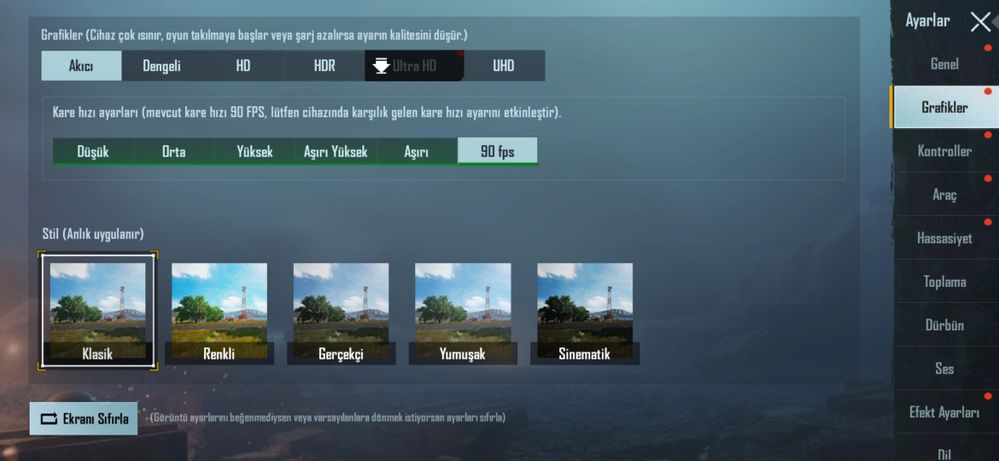
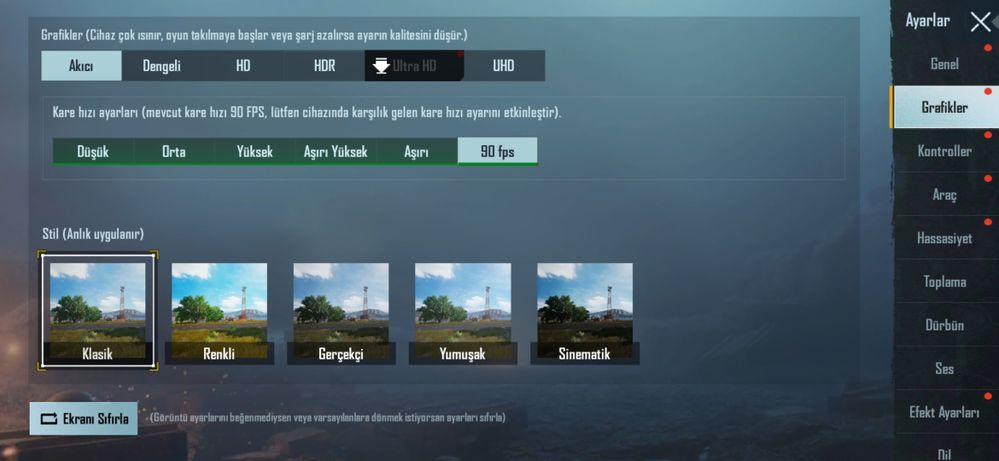
You're not sharing your settings. How do we know you're not using resource-demanding options like UHD or whatever? I play on 144hz/Smooth/90 fps/Ultra Audio and even with 720p recording enabled and i still get no stuttering, maybe an occasional "enemy rendering" type of stuttering but that's it, not a big deal. No X-mode required and no Aero cooler too. If you're playing on the lowest configuration and still experience stuttering, then you need to either repair PUBGM or do a factory reset. If neither works, then you have faulty hardware, my friend.
Options
- Mark as New
- Bookmark
- Subscribe
- Mute
- Subscribe to RSS Feed
- Permalink
- Report Inappropriate Content
01-04-2021 03:23 AM
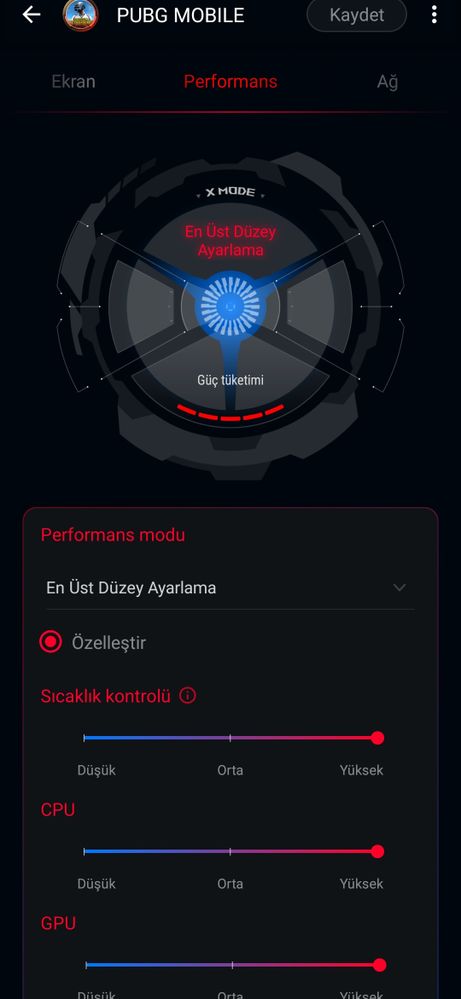
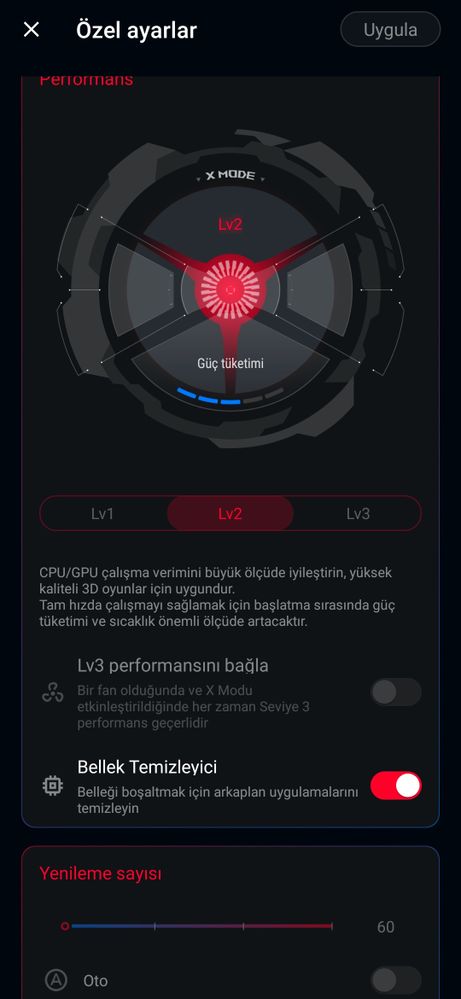
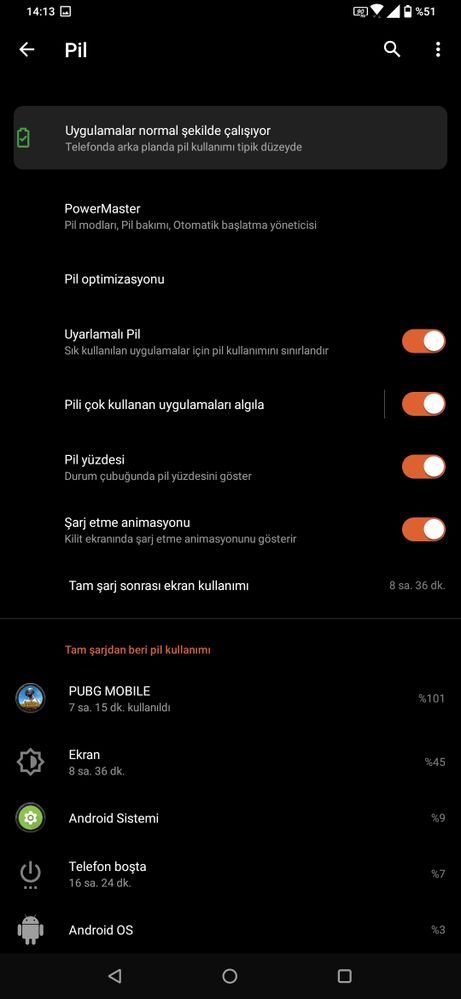
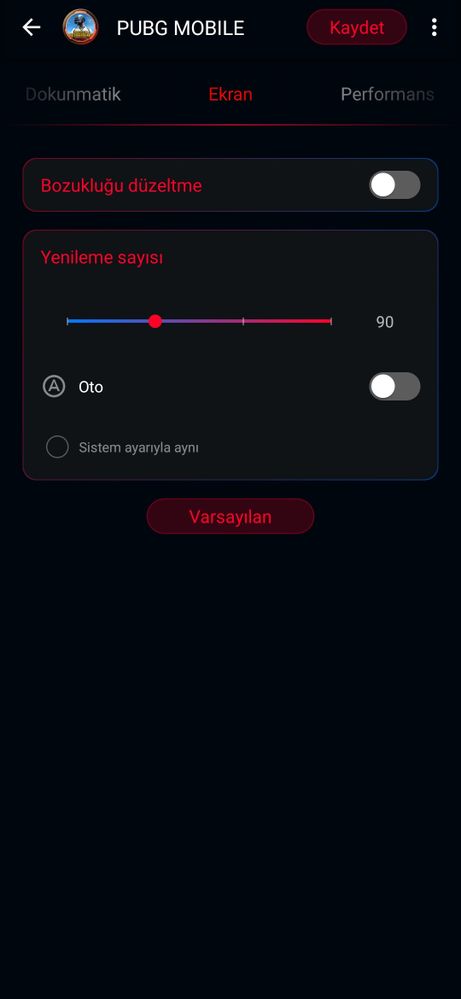
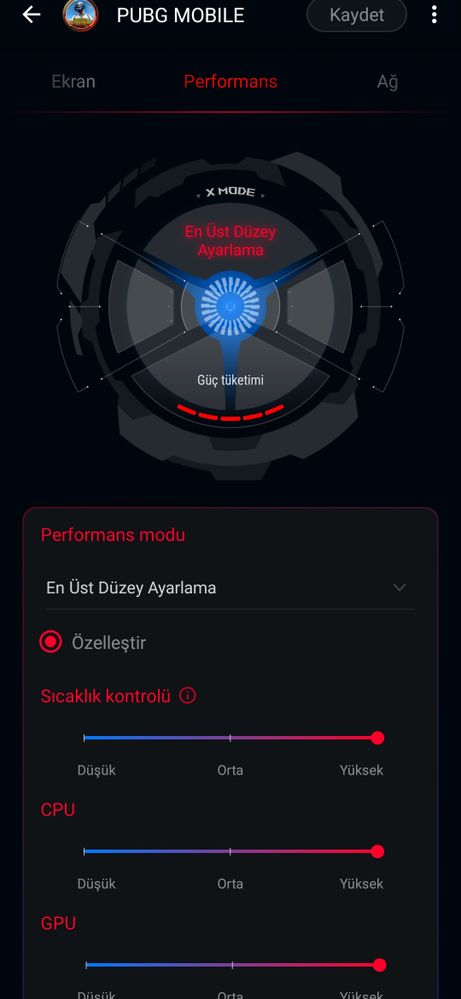
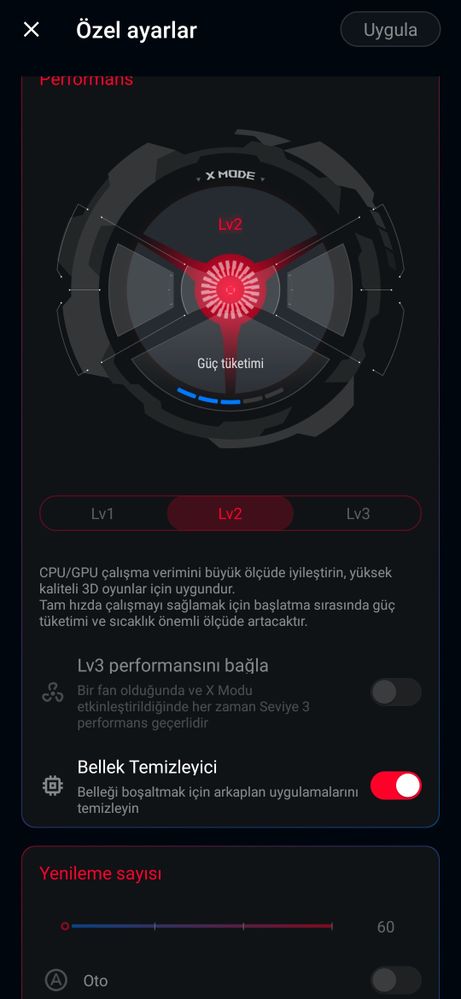
CravenMy settings this.You're not sharing your settings. How do we know you're not using resource-demanding options like UHD or whatever? I play on 144hz/Smooth/90 fps/Ultra Audio and even with 720p recording enabled and i still get no stuttering, maybe an occasional "enemy rendering" type of stuttering but that's it, not a big deal. No X-mode required and no Aero cooler too. If you're playing on the lowest configuration and still experience stuttering, then you need to either repair PUBGM or do a factory reset. If neither works, then you have faulty hardware, my friend.
View post
Options
- Mark as New
- Bookmark
- Subscribe
- Mute
- Subscribe to RSS Feed
- Permalink
- Report Inappropriate Content
01-04-2021 03:25 AM
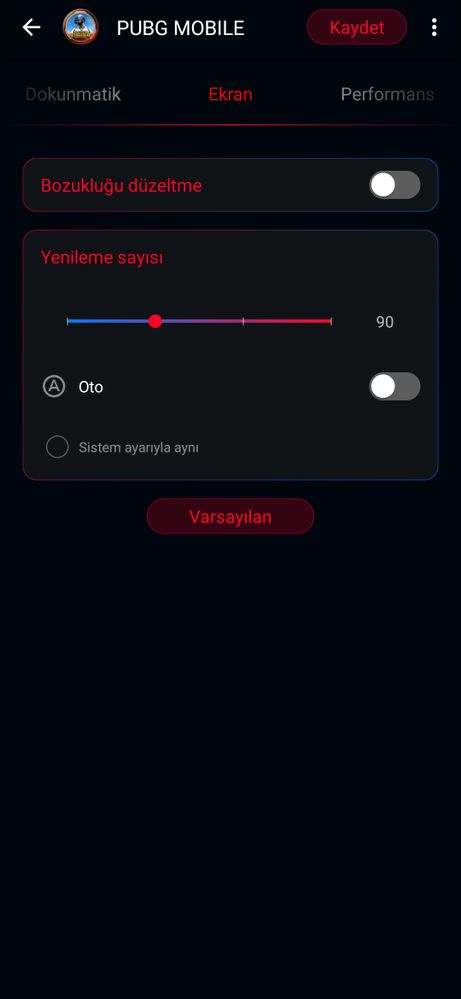
GREEKLEADERShare my setting. Look at pleasehttps://zentalk.asus.com/en/discussion/42824/why-my-phone-stuttering
For pubg specifically,try to use X mode always,also use hardcore tuning to overclock the chip and make it give out better results in game
Just saying,you can play this game on ultra HD with water reflections on and on a stable 90 FPS with 20 ms stable
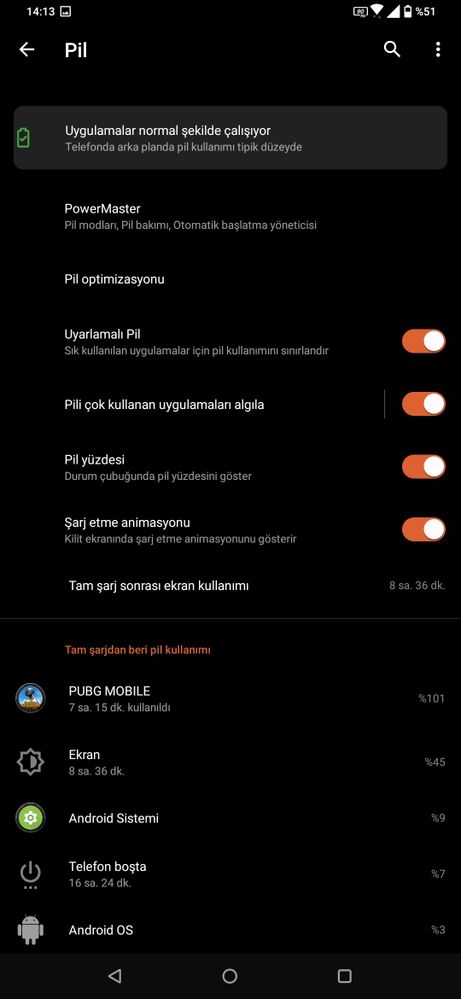
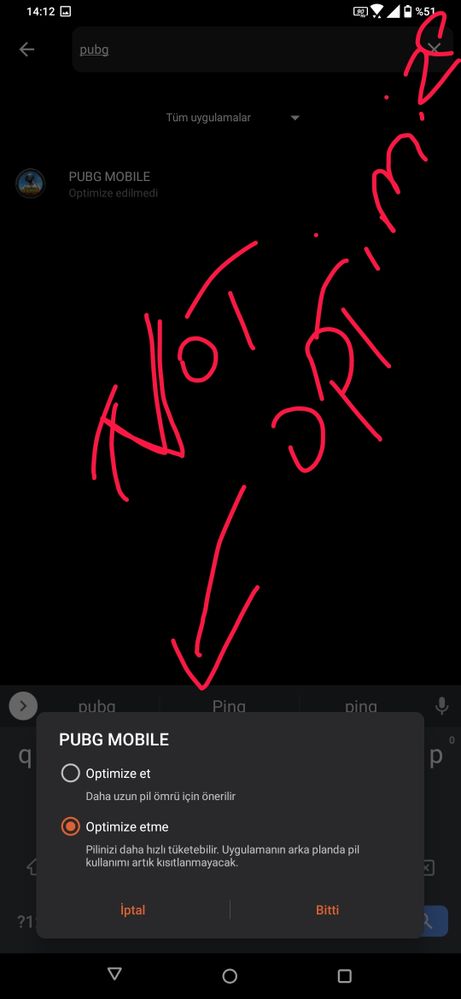
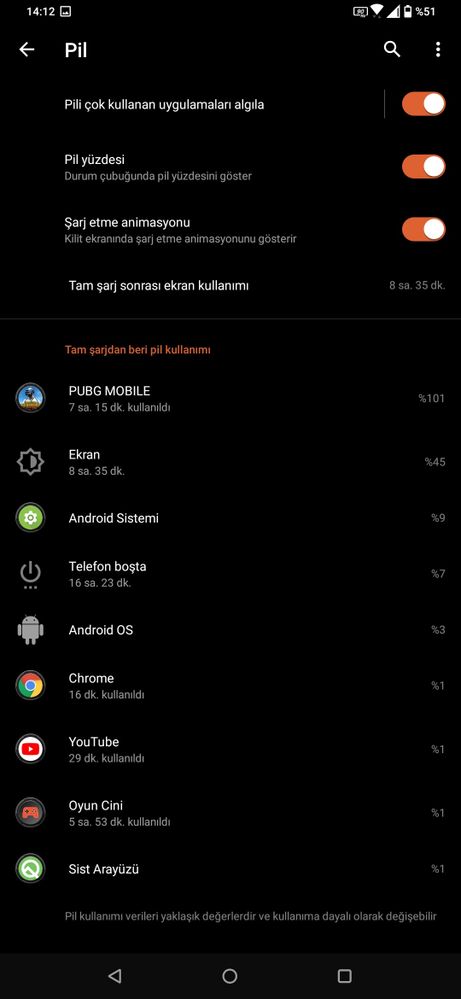
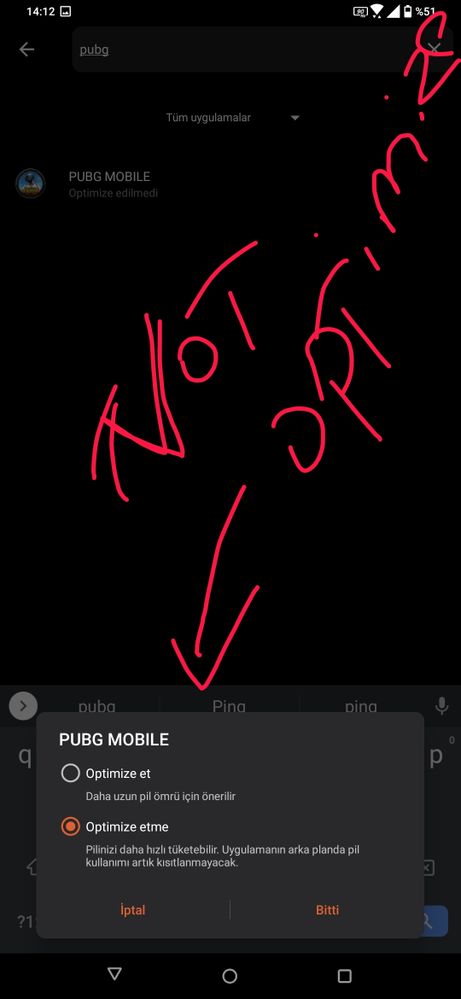
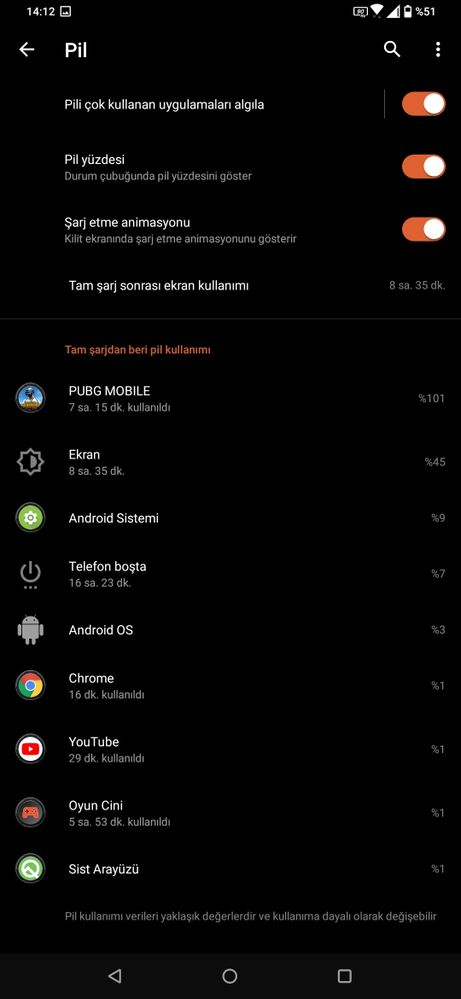
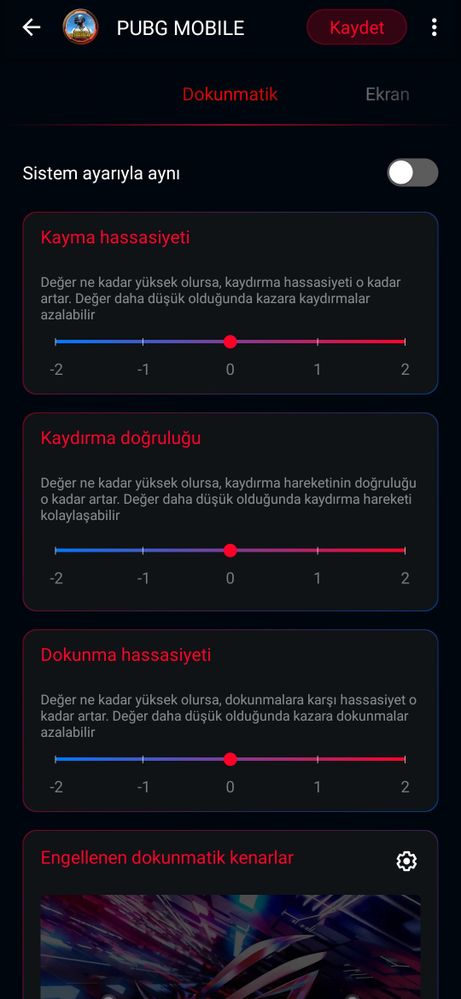
Don't worry,your phone probably is fine and some options hold it back,care to share some screenshots of your X mode settings and your battery optimization settings? That play quite a roll in performance
View post
Options
- Mark as New
- Bookmark
- Subscribe
- Mute
- Subscribe to RSS Feed
- Permalink
- Report Inappropriate Content
01-04-2021 05:07 AM
ufuk9933I can't understand this language but game genie aside, your PUBG shouldn't even be having any stuttering at that configuration even without turning on x mode. Unless you have the strix version which has the weaker, un-overclocked SD865, your device shouldn't have any problems with maintaining 90 fps. If you don't mind, do a factory reset, reinstall pubg and see if it'll run better. If it still won't, then there's something wrong with your hardware.https://zentalk.asus.com/en/discussion/comment/144670#Comment_144670
My settings this.
View post