[Wireless Router] How to set up the hard drive hibernation of ASUS router?
What is the hard drive hibernation feature of ASUS router?
When this feature is enabled, the USB hard disks will hibernate for the configured time period when no program accesses the USB hard disks.
Note: Since the manufacturer of each external hard drive controls the hard drive turntable with a different drive chip, the actual hibernation time of each hard drive will not necessarily match the set time.
Support model list:(This feature is not supported if your router model is not on the list.)
- RT-AC1750_B1/RT-AC1900U/ RT-AC1900P
- RT-AC3100/RT-AC3200
- RT-AC5300
- RT-AC66U_B1/RT-AC68U
- RT-AC86U/RT-AC87U/RT-AC88U
- RT-N66U_C1
-
The steps are as follows:
Step1: To set up your wireless router via wired connection:
Take router [RT-AC66U B1] as examples.
a. Insert your wireless router’s AC adapter to the DC-IN port and plug it to a power outlet.
b. Using the bundled network cable, connect your computer to your wireless router’s LAN port.

Step2: Open a web browser and navigate to WebGUI (http://www.asusrouter.com).

Note: Please refer to How to enter the router setting page(Web GUI) (ASUSWRT)? to learn more.
Step3: Key in your router's username and password to log in.
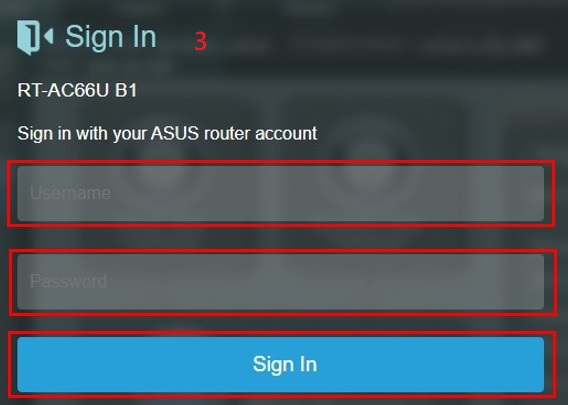
Note: If you forget the user name and/or password, please restore the router to the factory default status and setup.
Please refer to [Wireless Router] How to reset the router to factory default setting? for how to restore the router to default status.
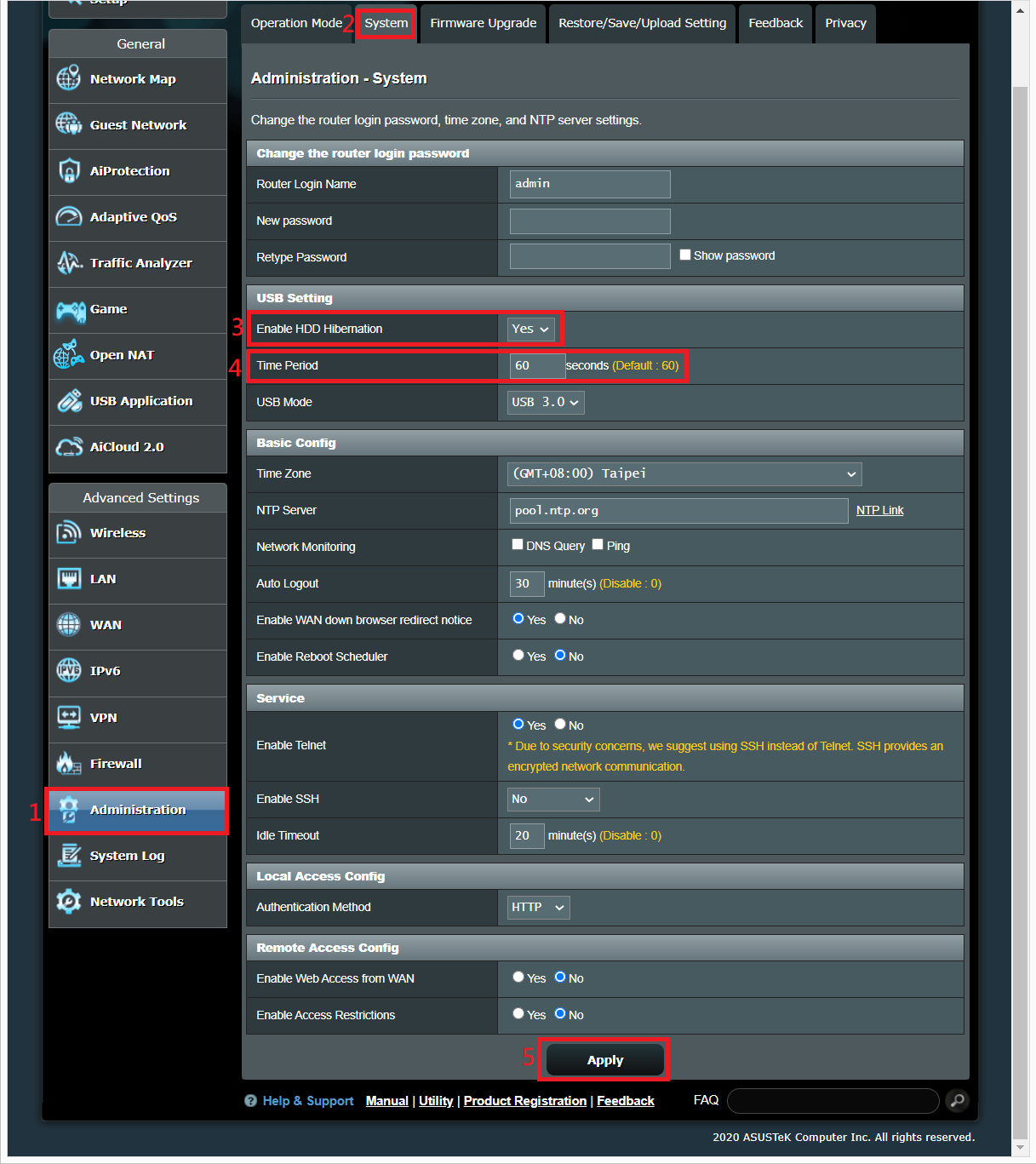
Step4: HDD hibernation settings
(1)(2) Click > [Administration] > [System] tab.
(3) Enable HDD hibernation set [Yes]
(4) Time Period set 60 seconds ,(Default: 60, Range 60-3600 seconds)
(5) Click [Apply] to save the setting.
How to get the (Utility / Firmware)?
You can download the latest drivers, software, firmware and user manuals in the ASUS Download Center.
If you need more information about the ASUS Download Center, please refer this link.


