[Wireless Router] How to Set up AP Isolated feature?
What is AP Isolated feature?
When this feature is enabled, wireless clients or devices will not be able to communicate with each other. You may want to utilize this feature if you have many guests frequently using your wireless network.
Where is AP Isolated feature in Router WebGUI?
Connect your computer to the router via wired or WiFi connection and enter your router LAN IP or router URL http://www.asusrouter.com to the WEB GUI.

Note: Please refer to How to enter the router setting page(Web GUI) (ASUSWRT)? to learn more.
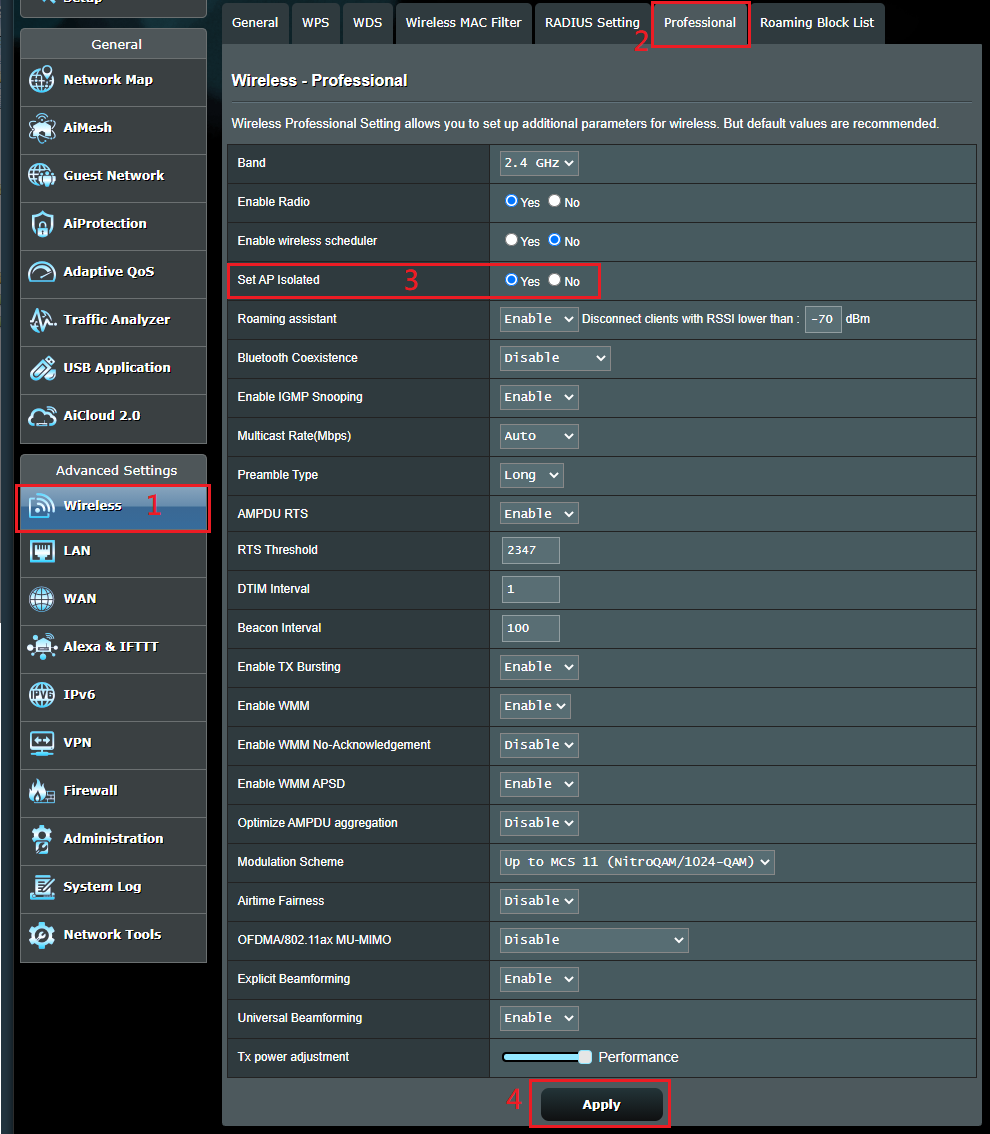
[Wireless] >> [Professional] then you can configure the [Set AP isolated] option to choose to Yes or No.
Click [Apply] to save the configuration.
Here is how AP Isolation works:
AP Isolation works per interface (hardware-wise), which means device on the same interface will see other devices that are located on the same interface.
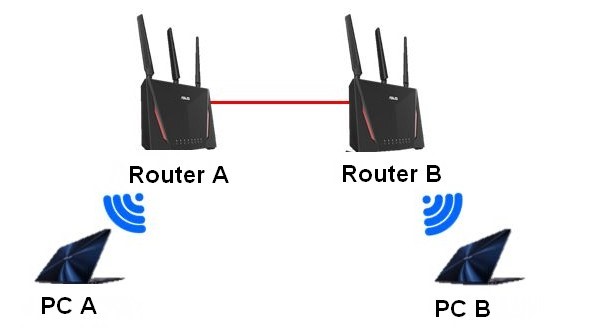
Scenario 1: Router B as Access Point mode is connected to the Router A via cable, since packets are transferring throughout the network cable, thus AP isolation does not take effect.
2.4GHz Client(PC A) <--Wi-Fi--> [Router A] --network cable-> [Router B(AP)] <--Wi-F--> 2.4GHz Client(PC B)
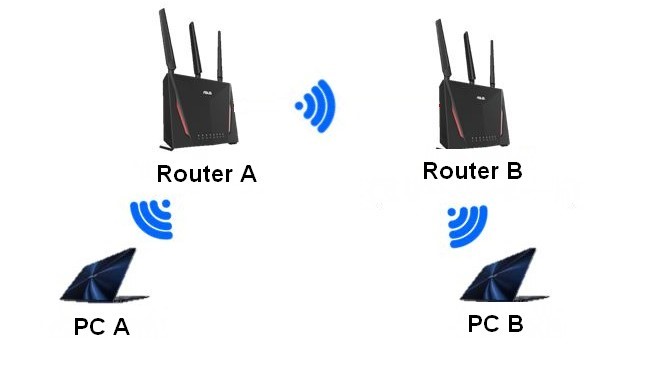
Scenario 2: Router B connects to Router A over Wi-Fi as a repeater mode because Router B connects wirelessly to Router A.
Neither PC A nor PC B can transfer data to each other, thus AP isolation does take effect.
2.4GHz Client(PC A) <--Wi-Fi--> [Router A] --Wi-Fi--> [Router B(Repeater)] <-Wi-Fi-> 2.4GHz Client(PC B)
FAQ
1. Is there a way with my current network topology to have Wi-Fi isolation among all Wi-Fi devices connected on both Router_A and Router_B?
- No, since wired connectivity between Router and AP will be seen as same network.
2. If I changed Router_A to be in "Repeater mode", would there be isolation among all Wi-Fi devices connected on both Router_A and Router_B?
- Yes, devices will be isolated between Router_A and Router_B if it is using Repeater mode.
3. If Router has multiple SSID's configured, is there AP isolation among the devices connected on different SSIDs?
- No, Isolation works per interface, not SSID.
How to get the (Utility / Firmware)?
You can download the latest drivers, software, firmware and user manuals in the ASUS Download Center.
If you need more information about the ASUS Download Center, please refer this link.


