[Wireless Router] How to set up a DNS server on a VPN server in the router?
Note: The VPN feature does not support IPv6, ads cannot be blocked.
General VPN server setting information, please refer to [Wireless Router] How to set up VPN server/VPN client on ASUS router and connect using different dev...
Please check the IP address of the device before setting up, please refer to this [Wireless Router] How to check for devices connected on ASUS router?
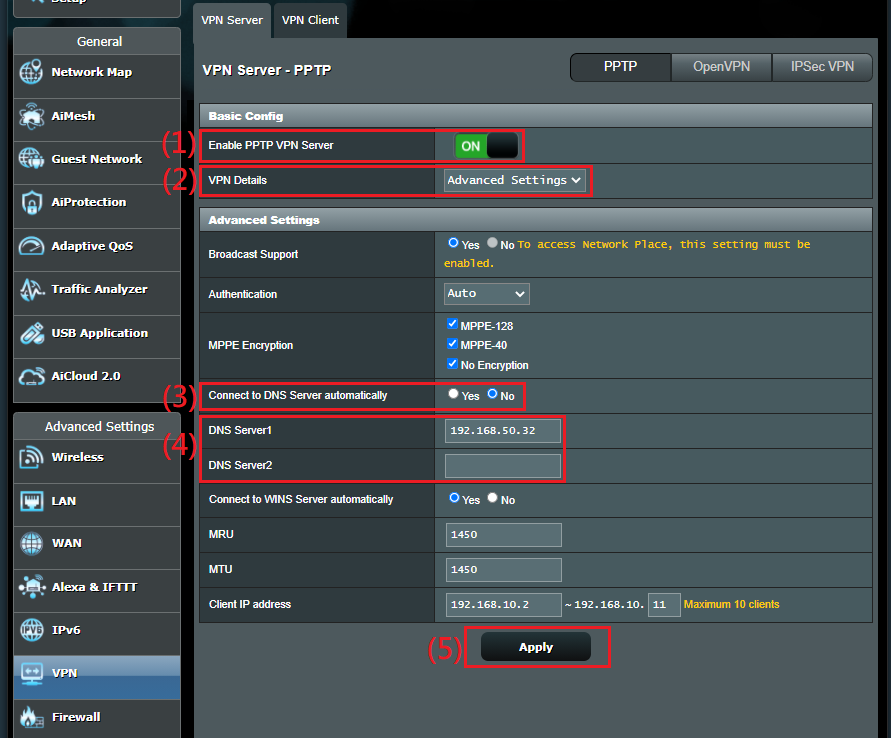
1. PPTP VPN server
Step1: Enable PPTP VPN Server
Step2: Choose [Advanced Settings] for VPN Details
Step3: Set Connect to DNS Server automatically as [No]
Step4: Enter device IP address on DNS server.
Step5: Click [Apply] to save.
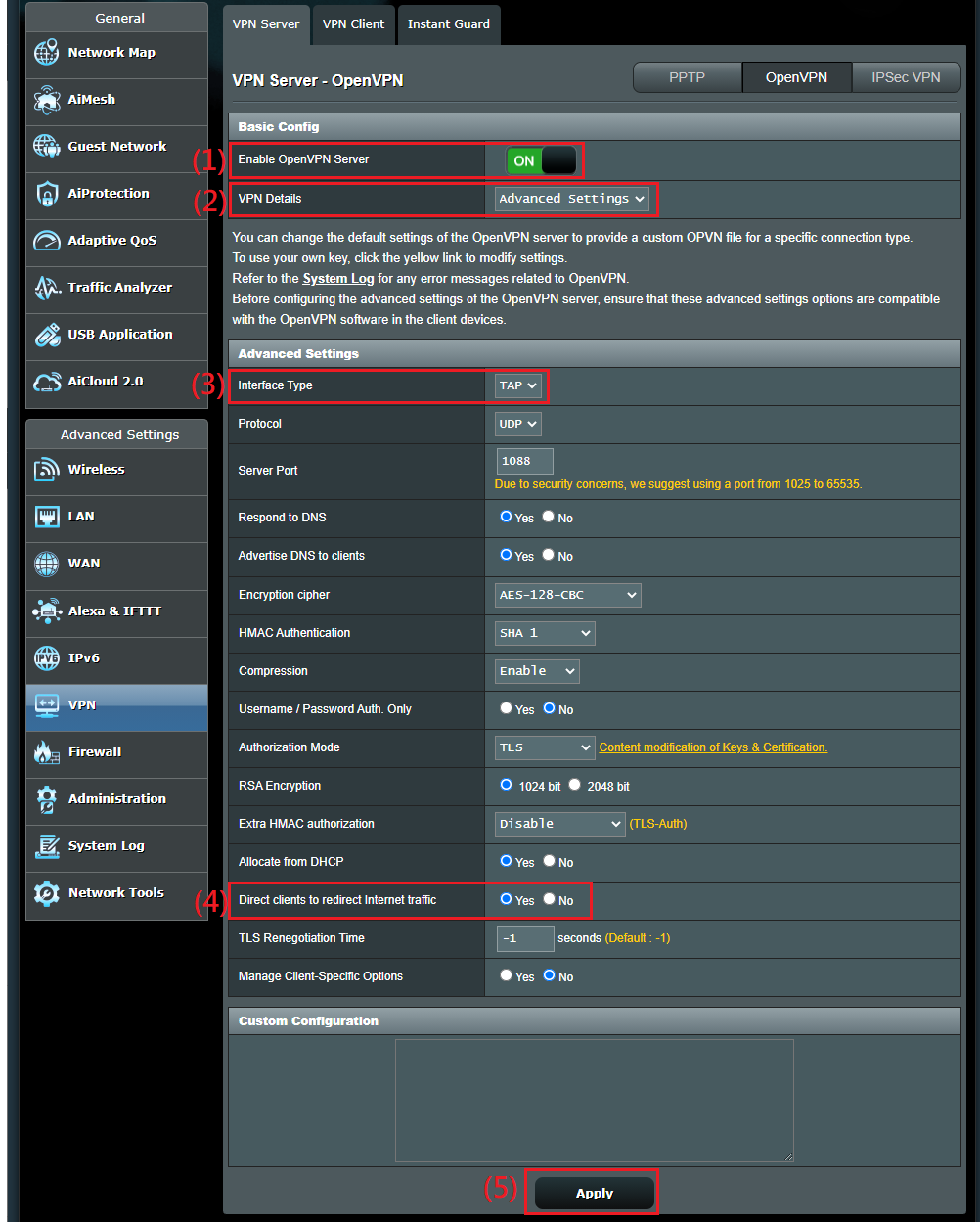
2. OpenVPN server
Step1: Enable OpenVPN Server
Step2: Choose [Advanced Settings] for VPN Details
Step3: Choose [TAP] for Interface type
Step4: Set Direct clients to redirect internet traffic as [Yes]
Step5: Click [Apply] to save.
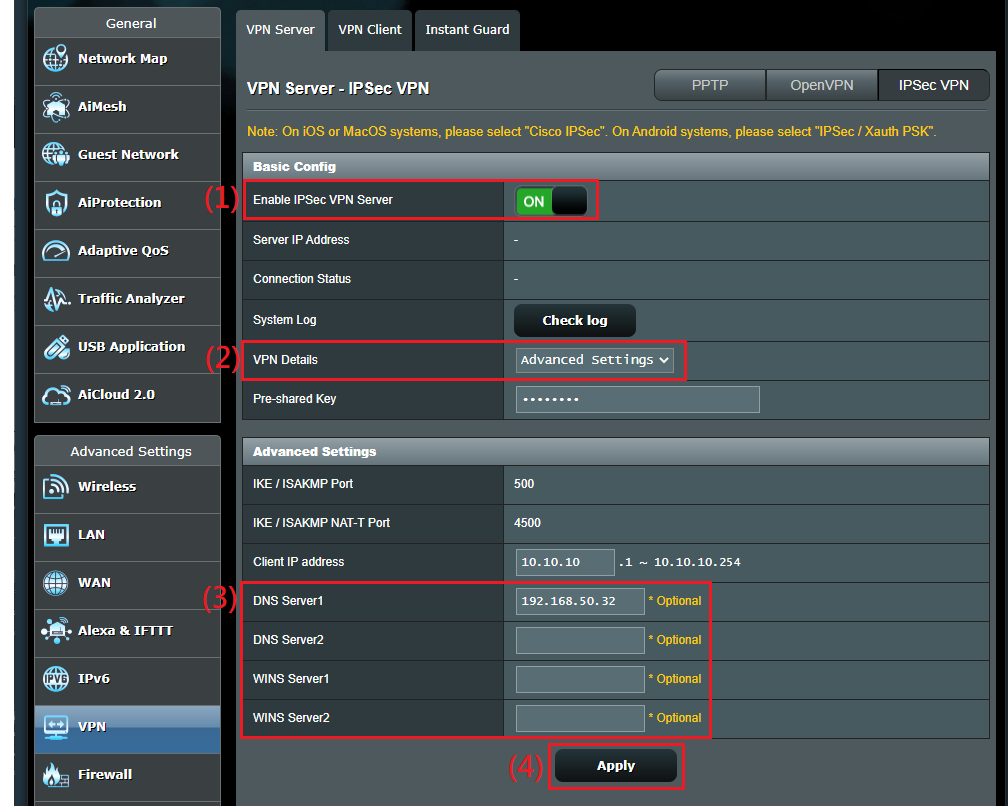
3. IPSec VPN server
Step1: Enable IPSec VPN Server
Step2: Choose [Advanced Settings] for VPN Details
Step3: Enter device IP address on DNS server.
Step4: Click [Apply] to save.
How to get the (Utility / Firmware)?
You can download the latest drivers, software, firmware and user manuals in the ASUS Download Center.
If you need more information about the ASUS Download Center, please refer this link.


