[Wireless] How to forget WiFi connection password on Windows/MacOS/Android/iOS?
Introduction
Windows:
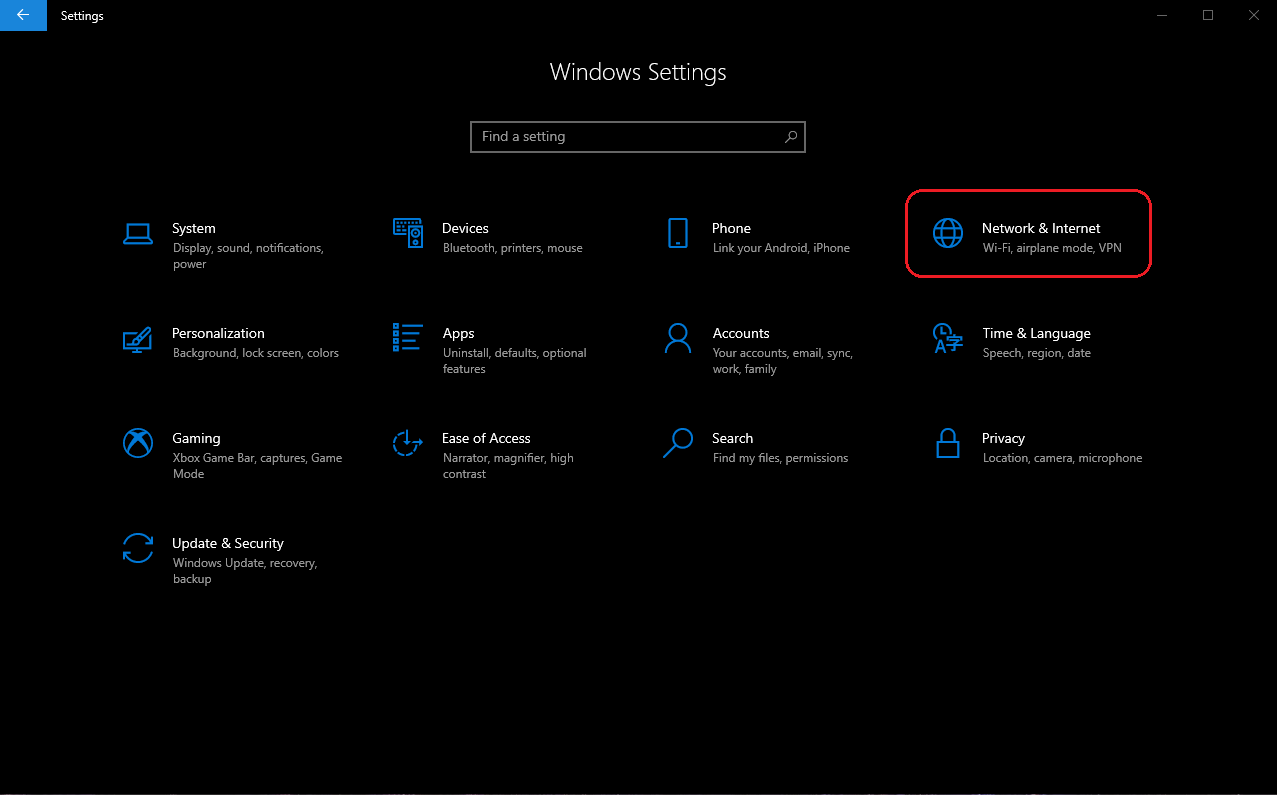
1. Go to "Windows settings", select "Network & Internet".
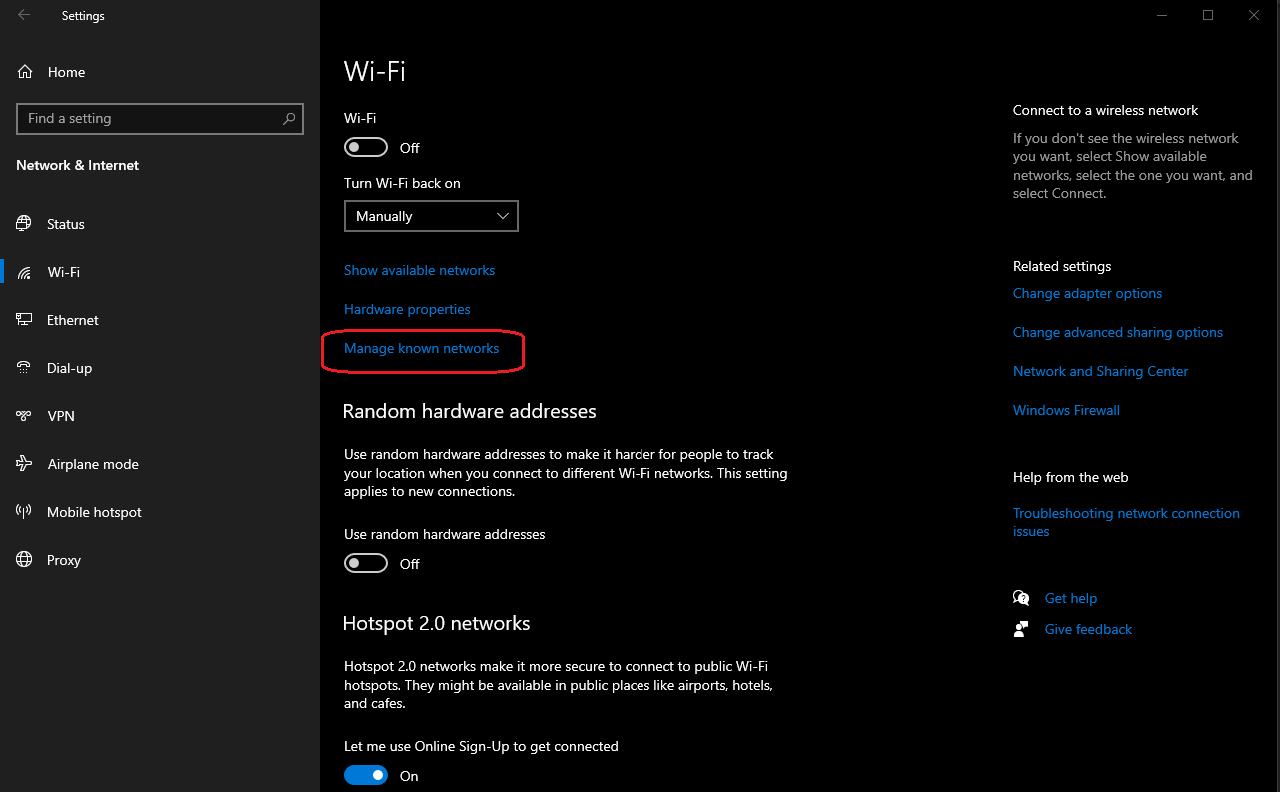
2. Enter "Wi-Fi" page and click "Manage known networks".
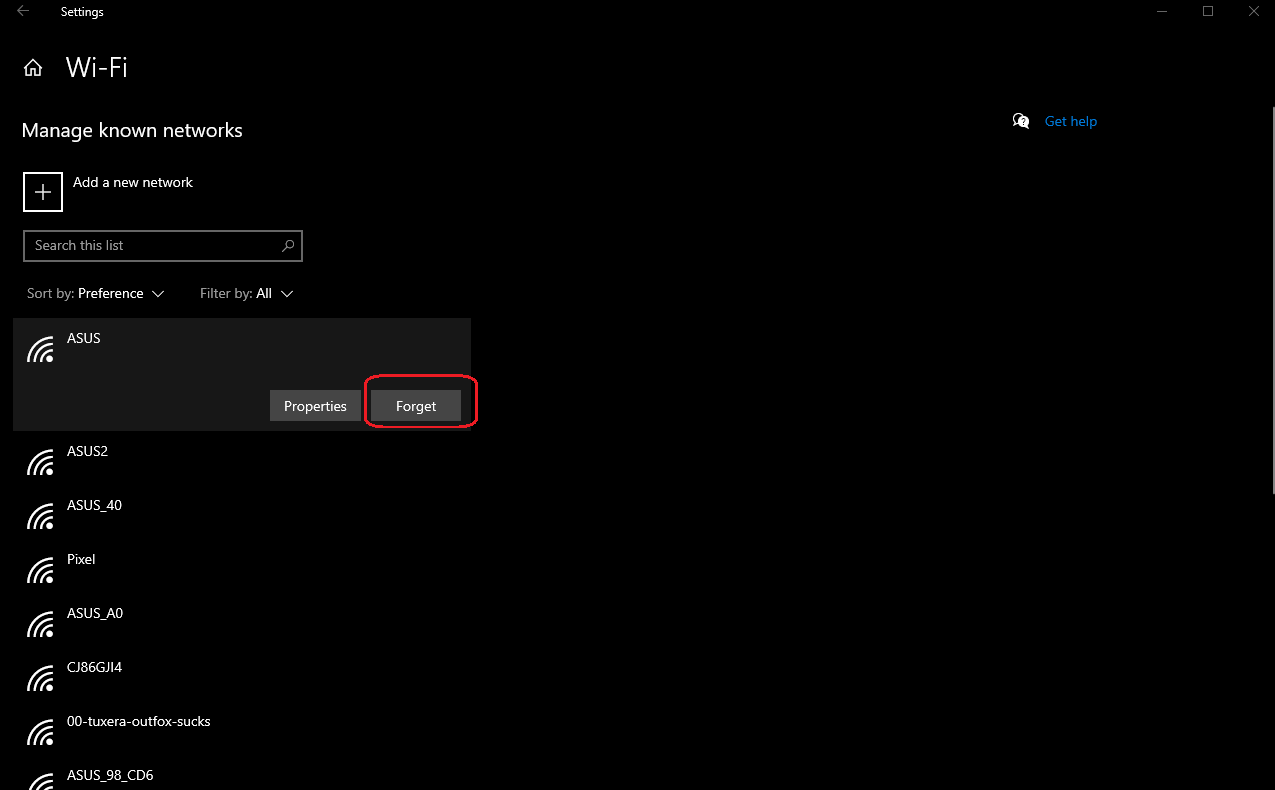
3. Select the target Wi-Fi network you want to forget and click "Forget".
MacOS:
1. Go to "System Preferences" and click "Network".
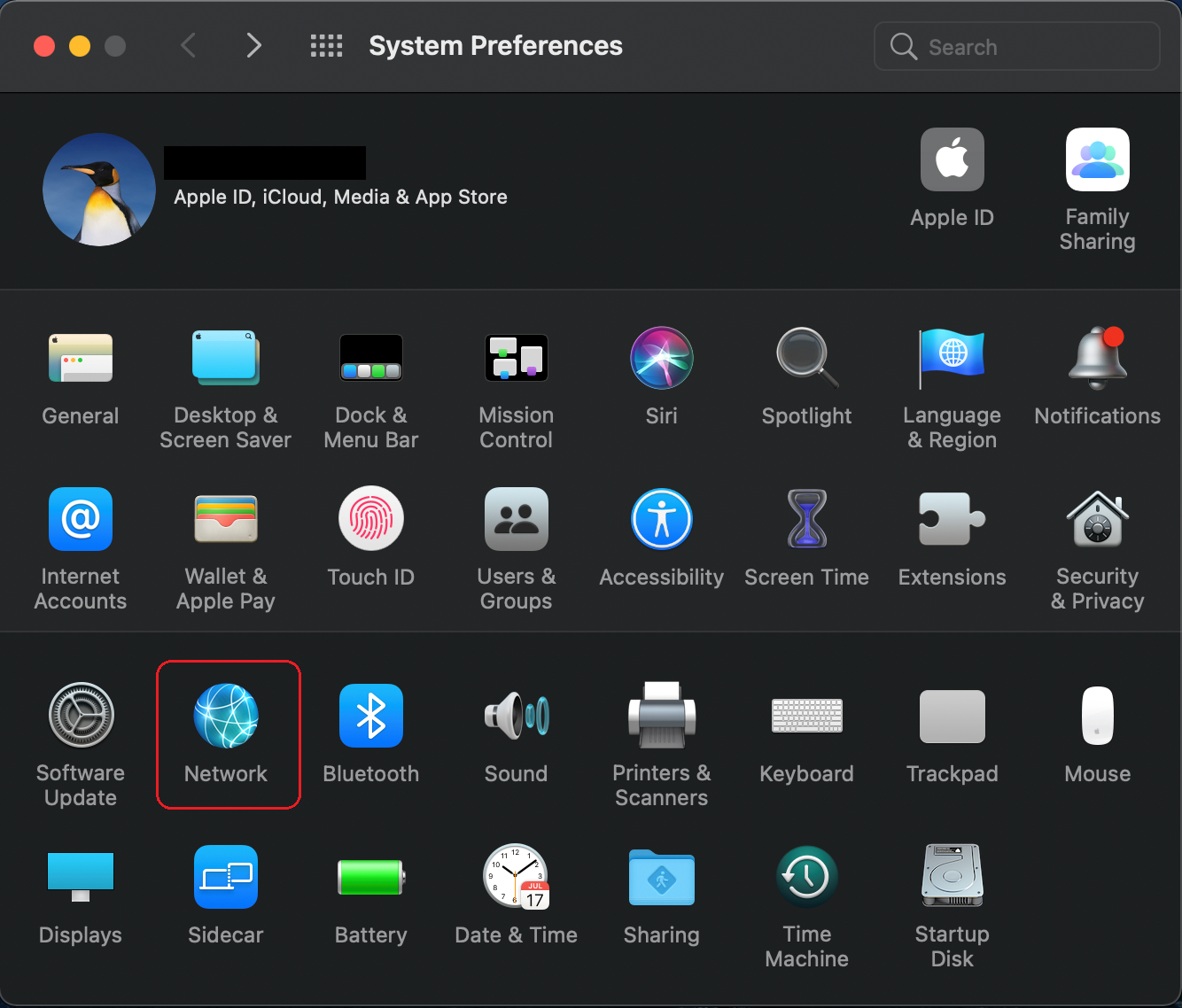
2. Click "Wi-Fi" from left column, then click "Advanced…".

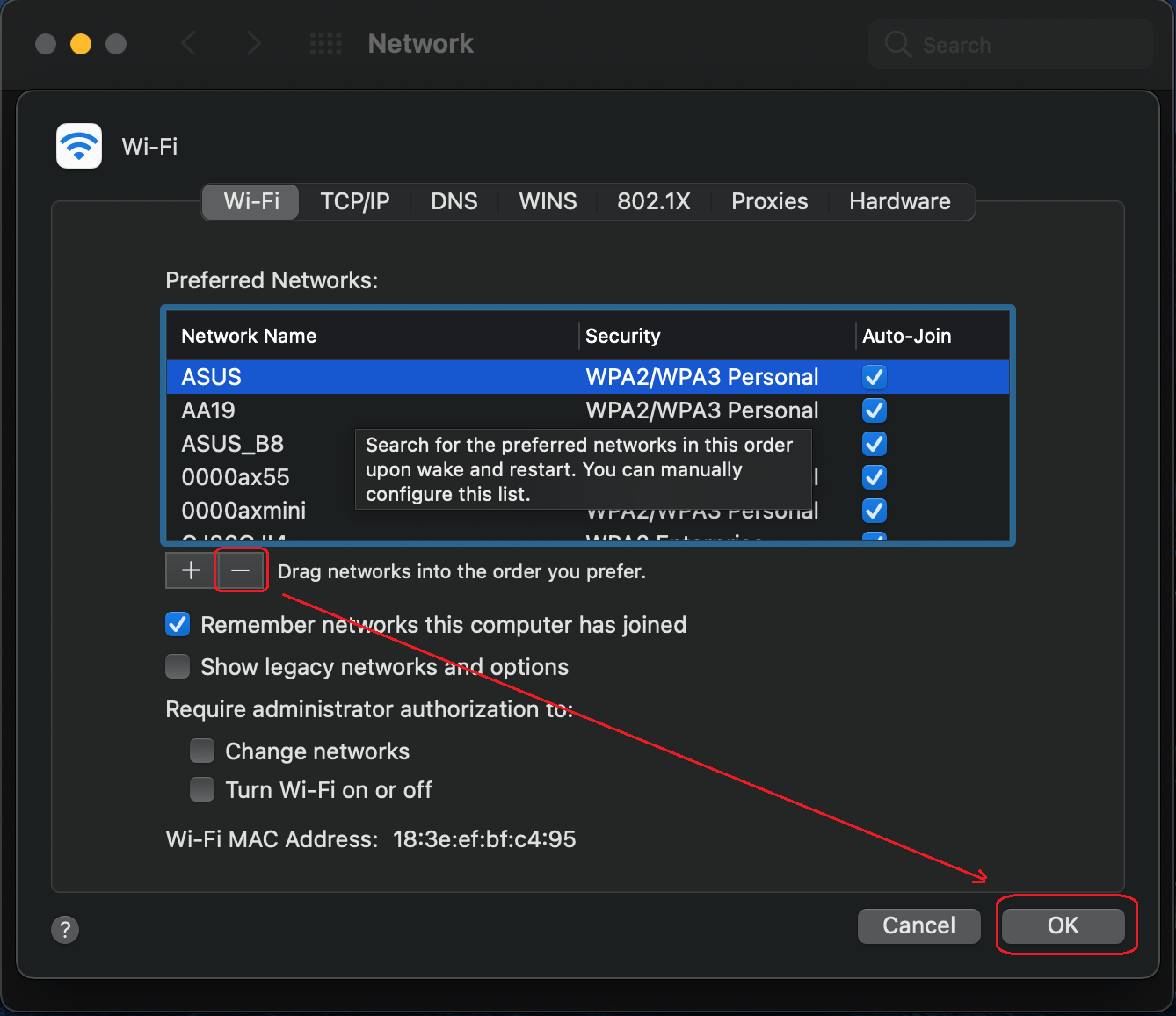
3. Select the target Wi-Fi network name from "Preferred Networks", then click "-" to remove the Wi-Fi network from list, and click "ok".
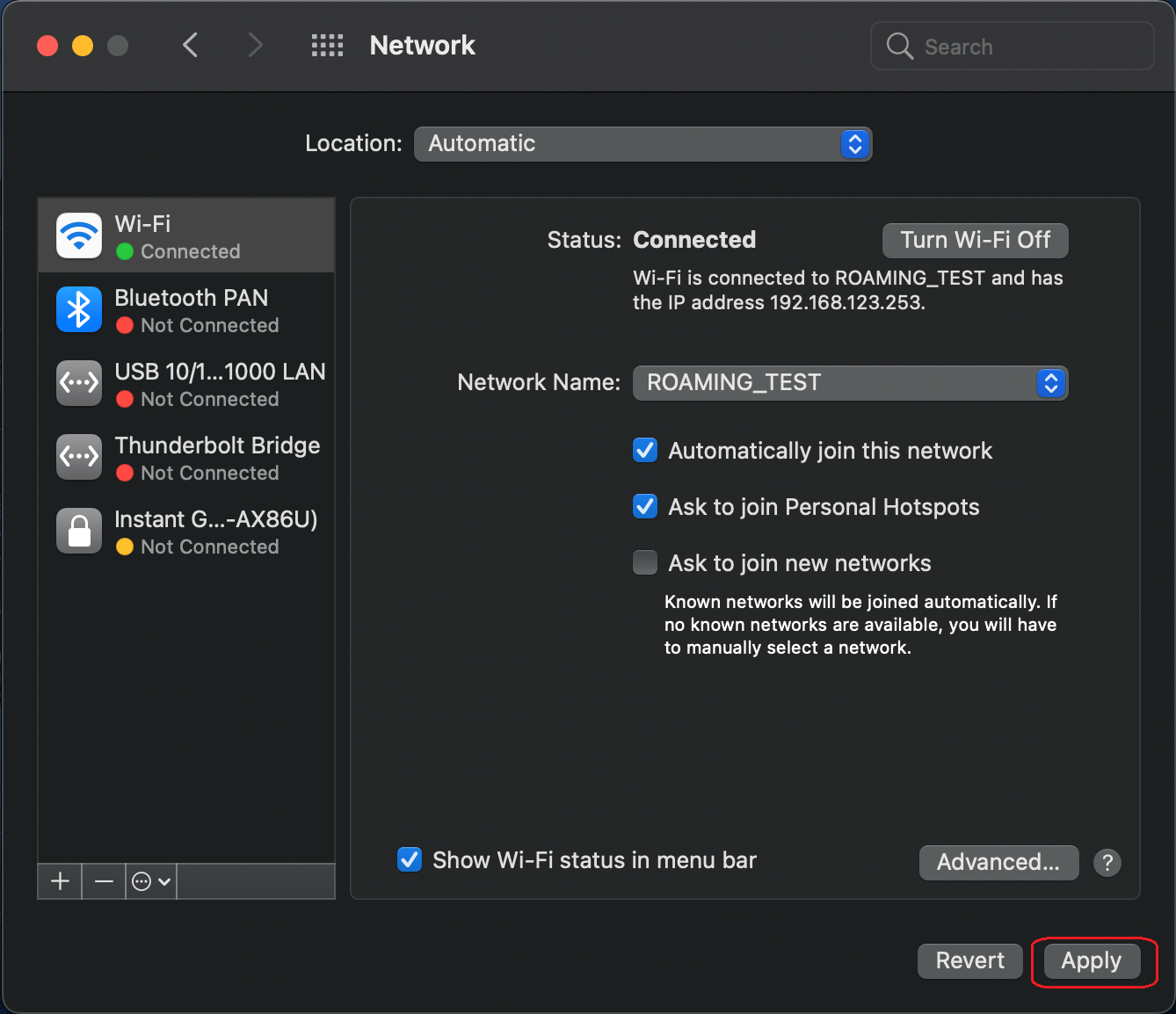
4. Click "Apply".
iOS devices:
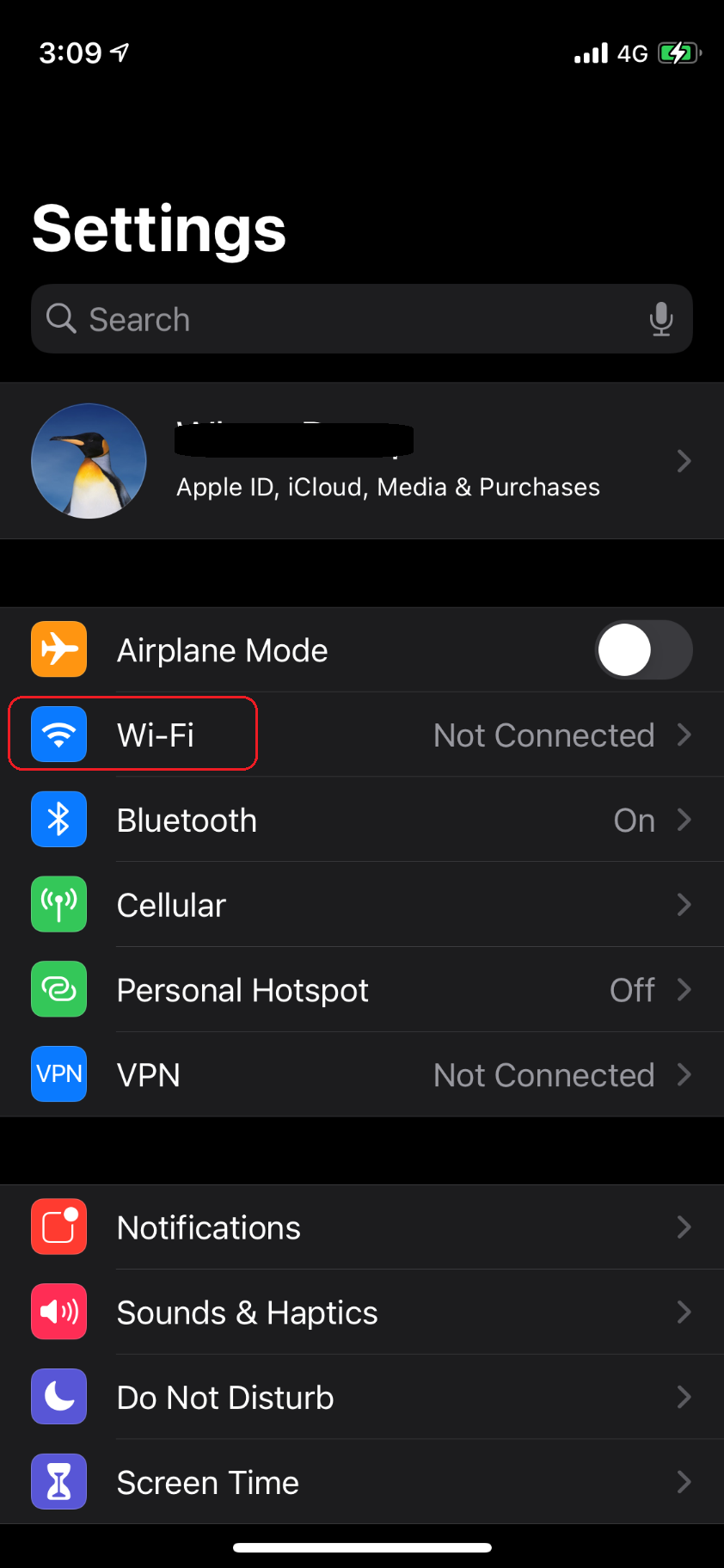
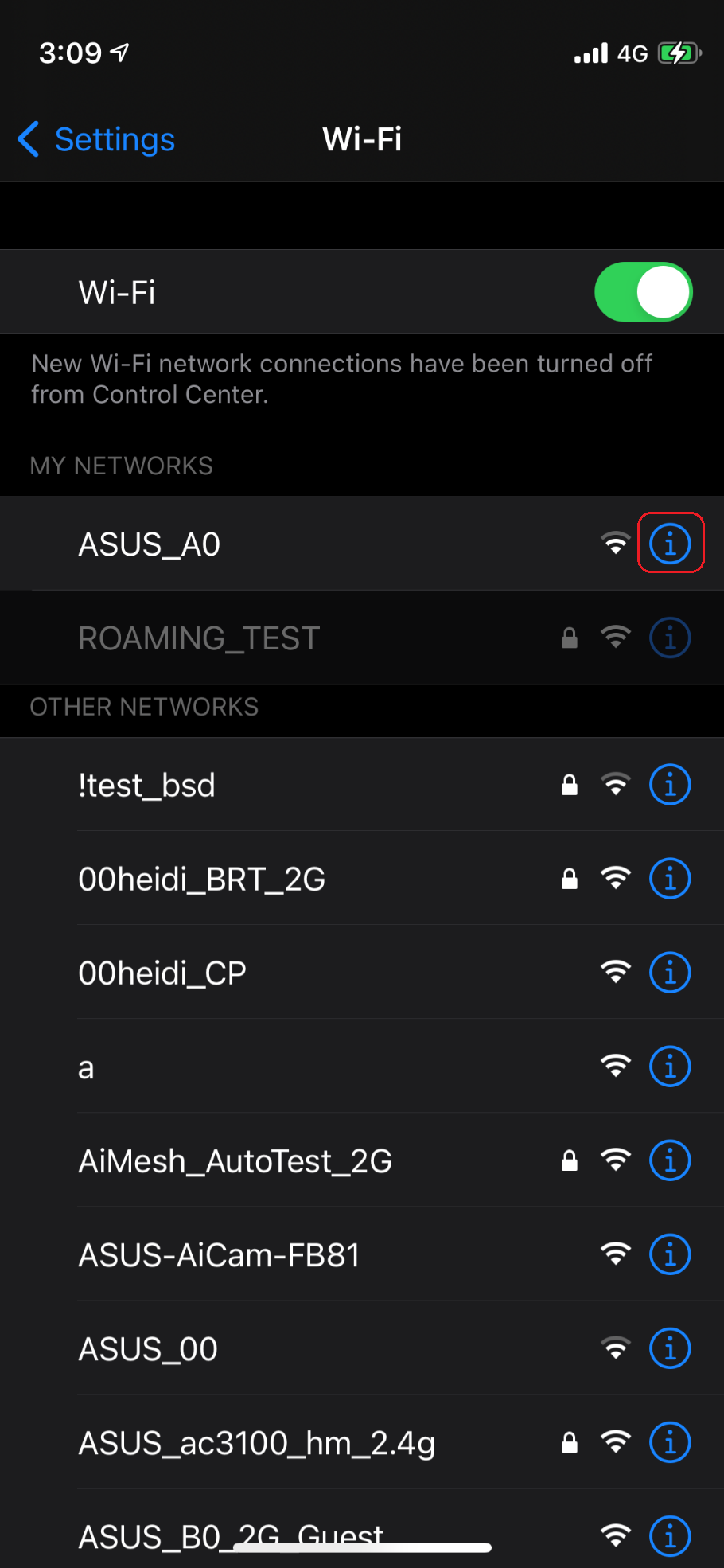
- Go to "Settings", and select "Wi-Fi"
- Select a Wi-Fi network from "MY NETWORKS" list and click "i" icon on the right.
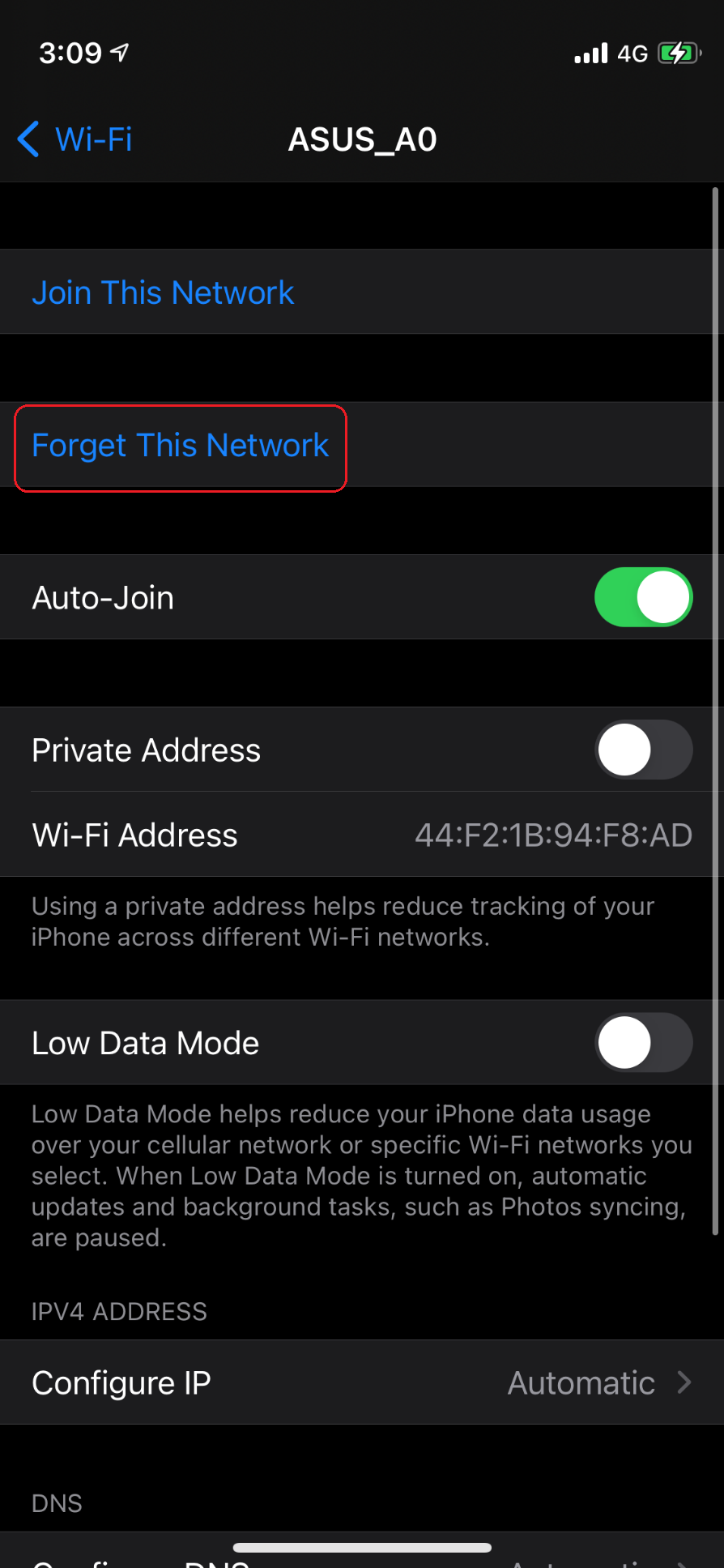
- Click "Forget This Network".
Android:
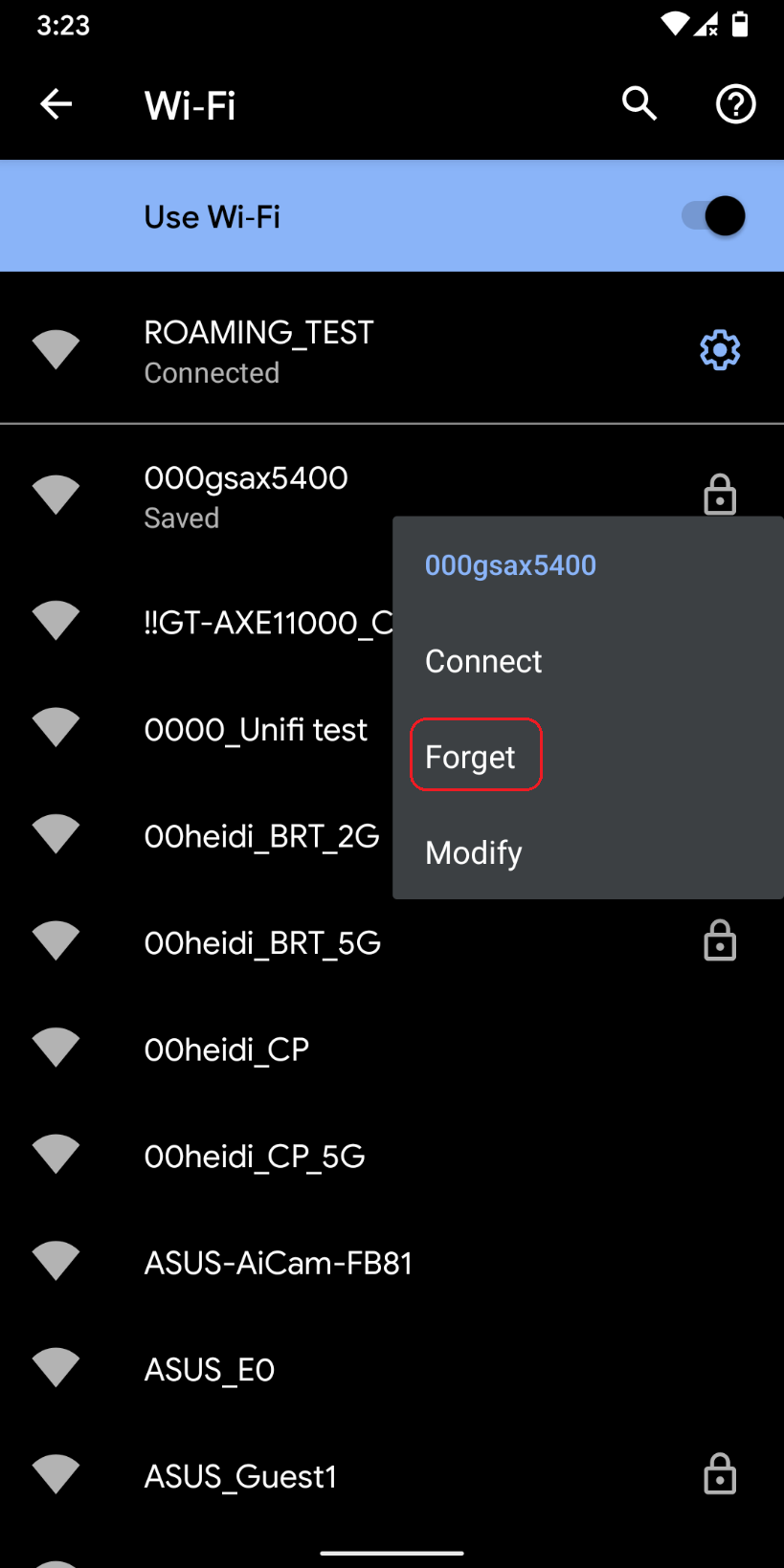
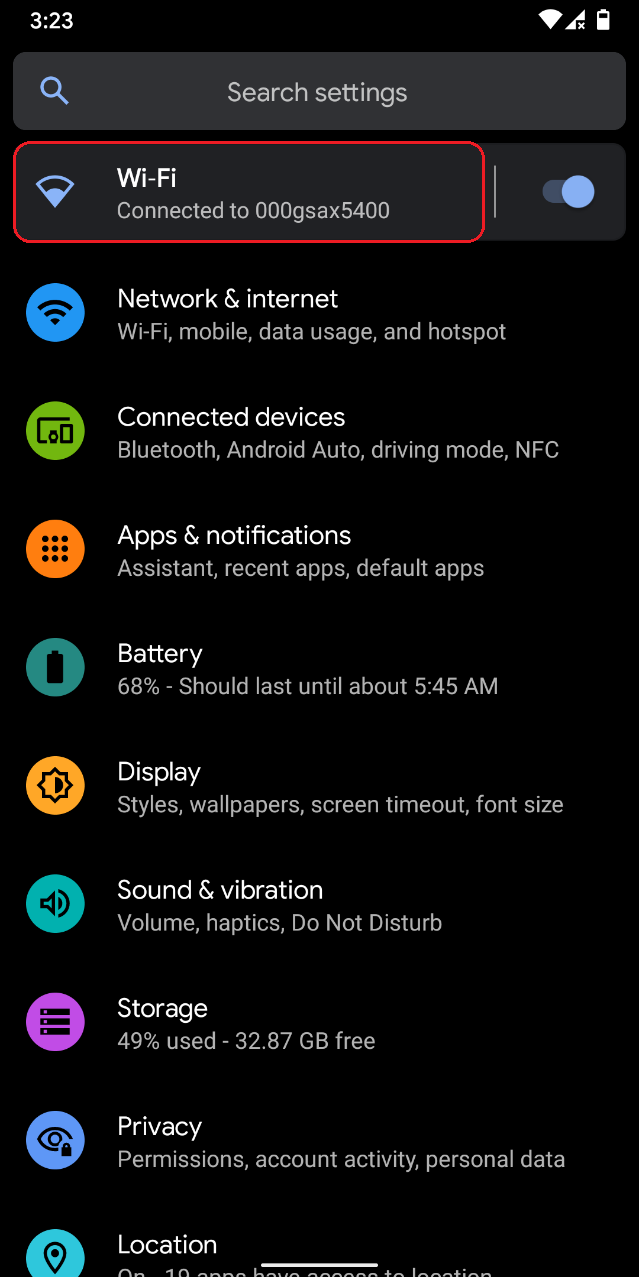
- Go to "Setting" and click "Wi-Fi".
- Select a Wi-Fi network and long press on the name.
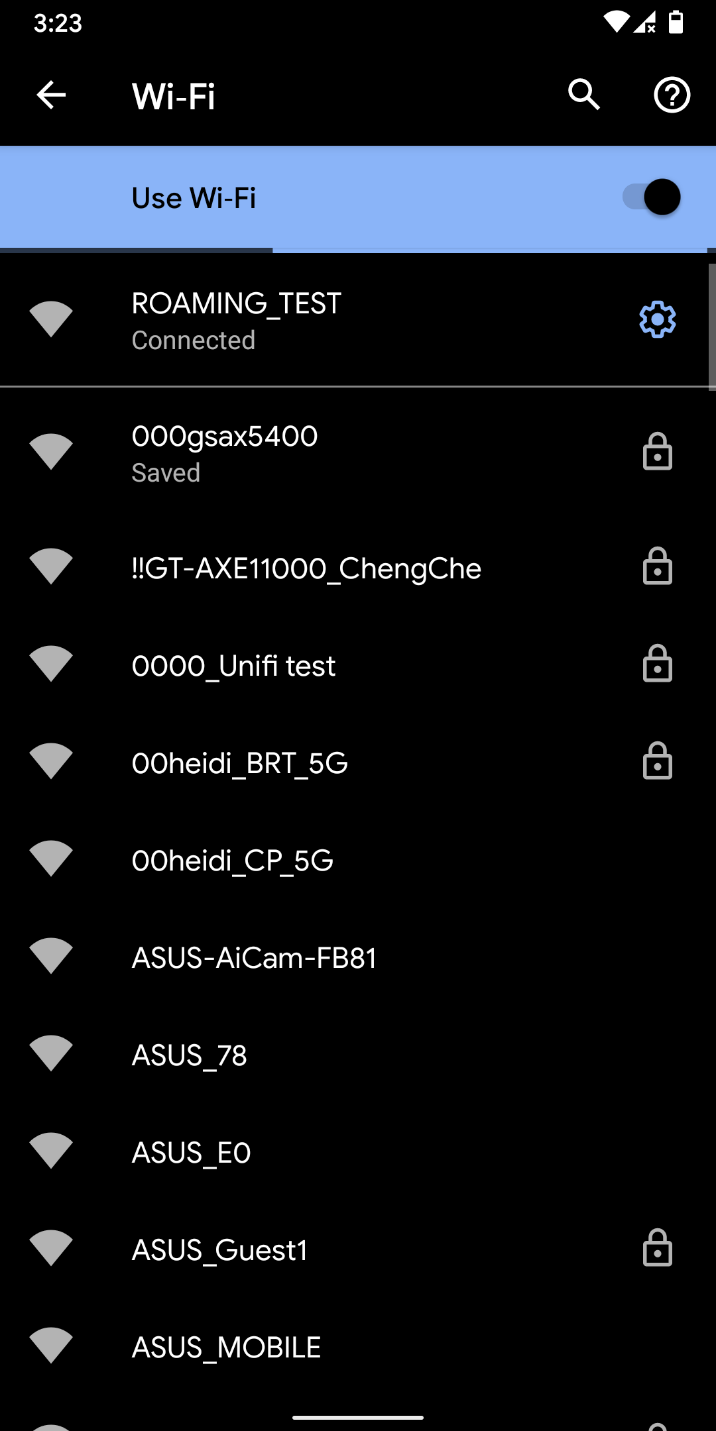
- Click "Forget" from the pop-up menu.