[Windows 11] Change brightness based on content
Applicable Products: Notebook, Gaming Handheld
Some Windows 11 devices can automatically adjust the screen brightness and contrast based on content that’s displayed on your built-in screen. For example, if you’re watching a video that has a dark scene, followed by a brighter scene (for example, one that shows a bright sunny day), the brightness and contrast may change. This is normal.
Content adaptive brightness control provides ideal brightness and contrast levels, while saving power and providing longer battery life at the same time. If these sudden brightness changes are distracting, or if you work in photo and video apps where color accuracy is important to you, these settings can be adjusted to best meet your needs between providing appropriate brightness and contrast and conserving battery life.
Please follow the steps below to adjust the 'Change brightness based on content' setting:
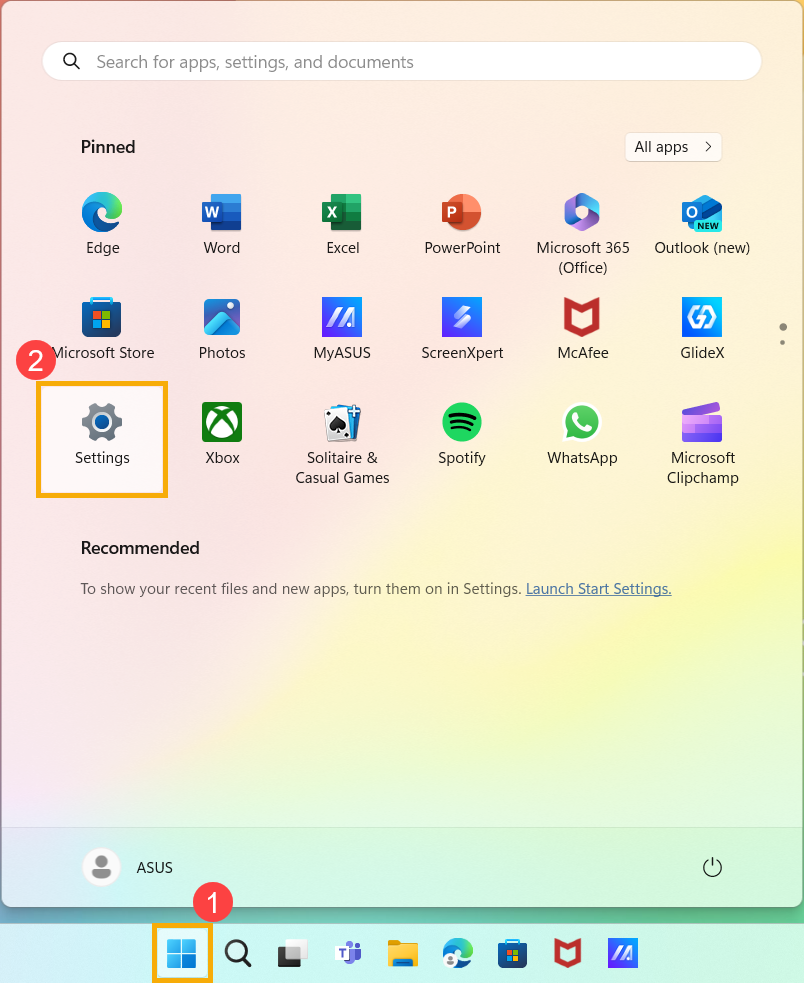
- Click on the [Start]
 icon① on the taskbar, then select [Settings]
 ②.
②.
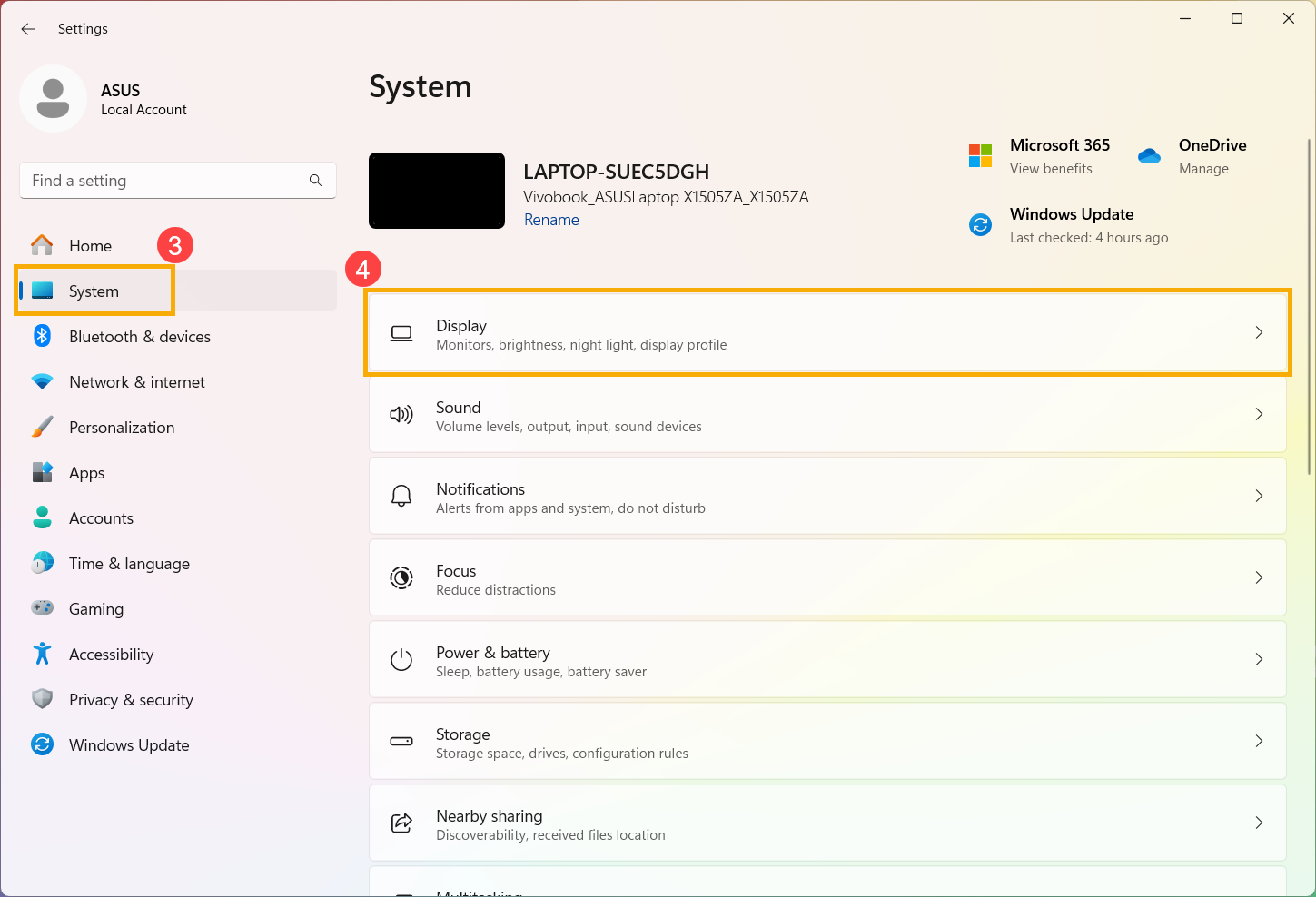
- In Windows Settings, click on [System]③, then select [Display]④.
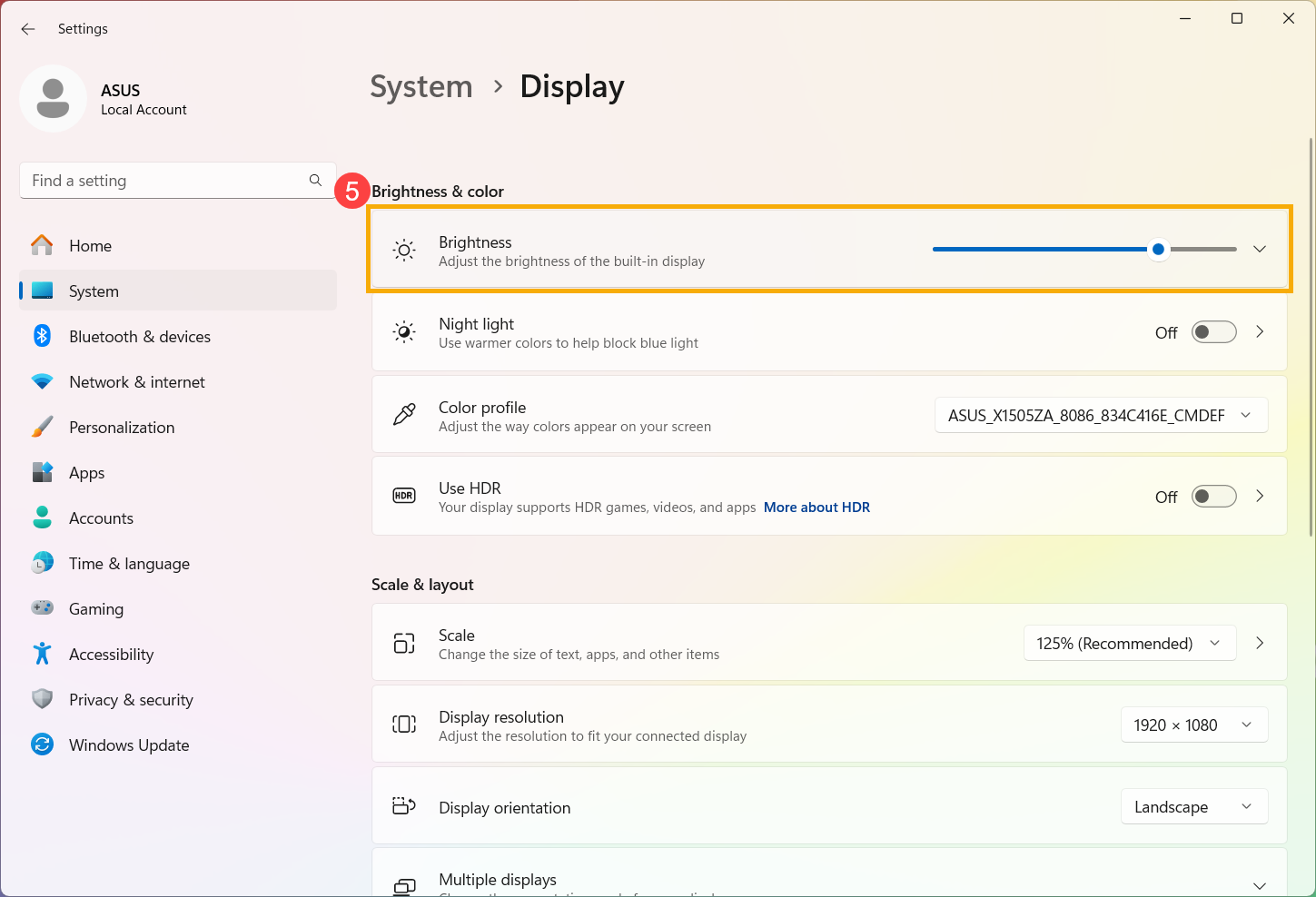
- Under Brightness and color, click on [Brightness]⑤ to expand more options.
- Click on the dropdown menu of the [Change brightness based on content] setting⑥, then adjust the setting according to your preference.
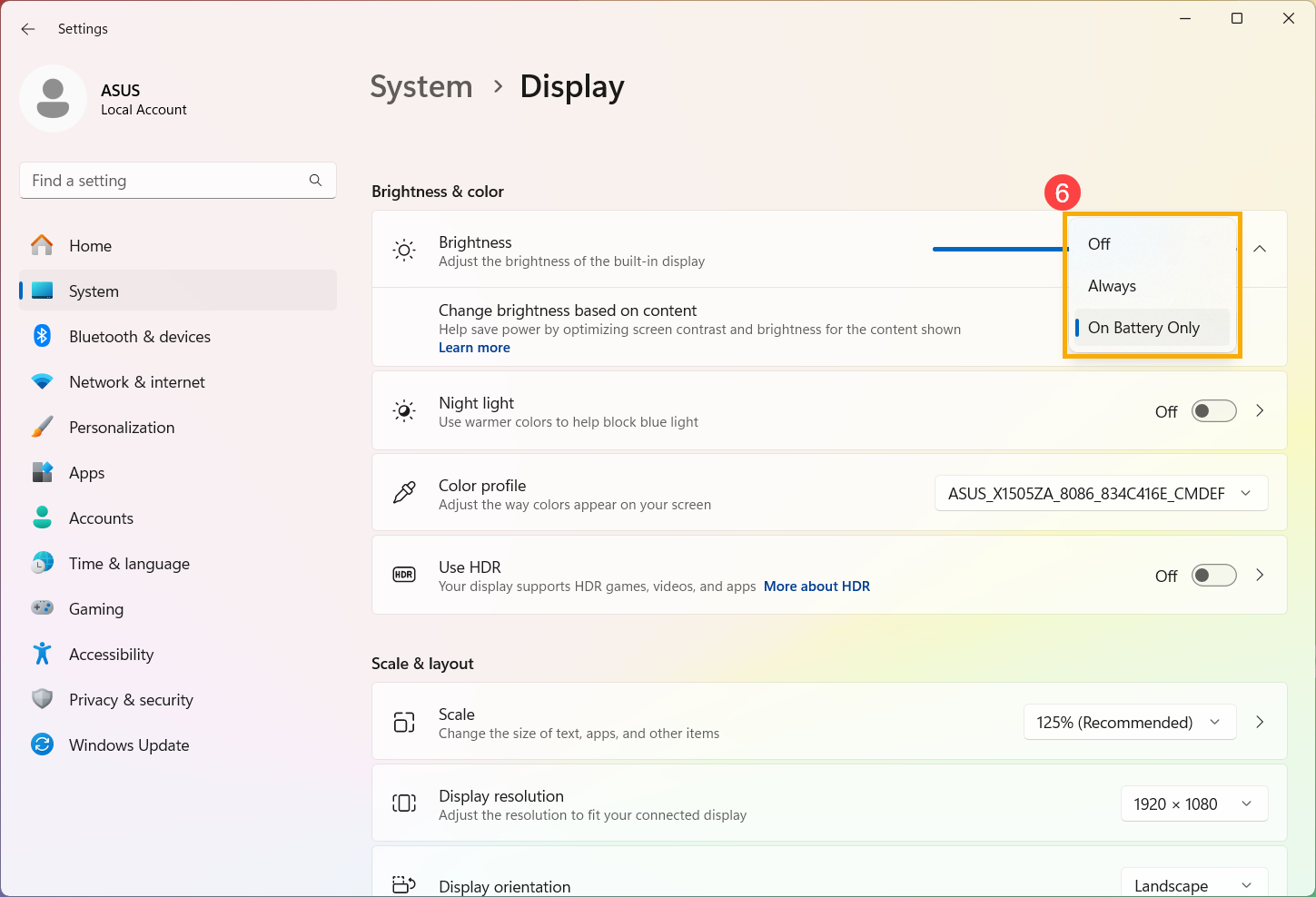
- Off: Adaptive brightness control will be turned off and screen brightness and contrast will not be adjusted. This can result in shorter battery life.
- Always: Adaptive brightness control will always run regardless of whether the device is plugged in or on battery.
- On Battery Only: Adaptive brightness control will only be activated when the device is on battery power.
The above information is sourced from Microsoft's Content adaptive brightness control in Windows.


