[Windows 11/10] Troubleshooting - How to fix the issue that the desktop background becomes dark
Applicable Products: Notebook, Desktop, All-in-One PC, Gaming Handheld
If your device encounters an issue where the main screen, extended screen, or ScreenPad screen wallpaper background turns completely black after upgrading to Windows 10 2004 (OS build 18362.657) or higher (including Windows 11), please refer to the following troubleshooting steps.
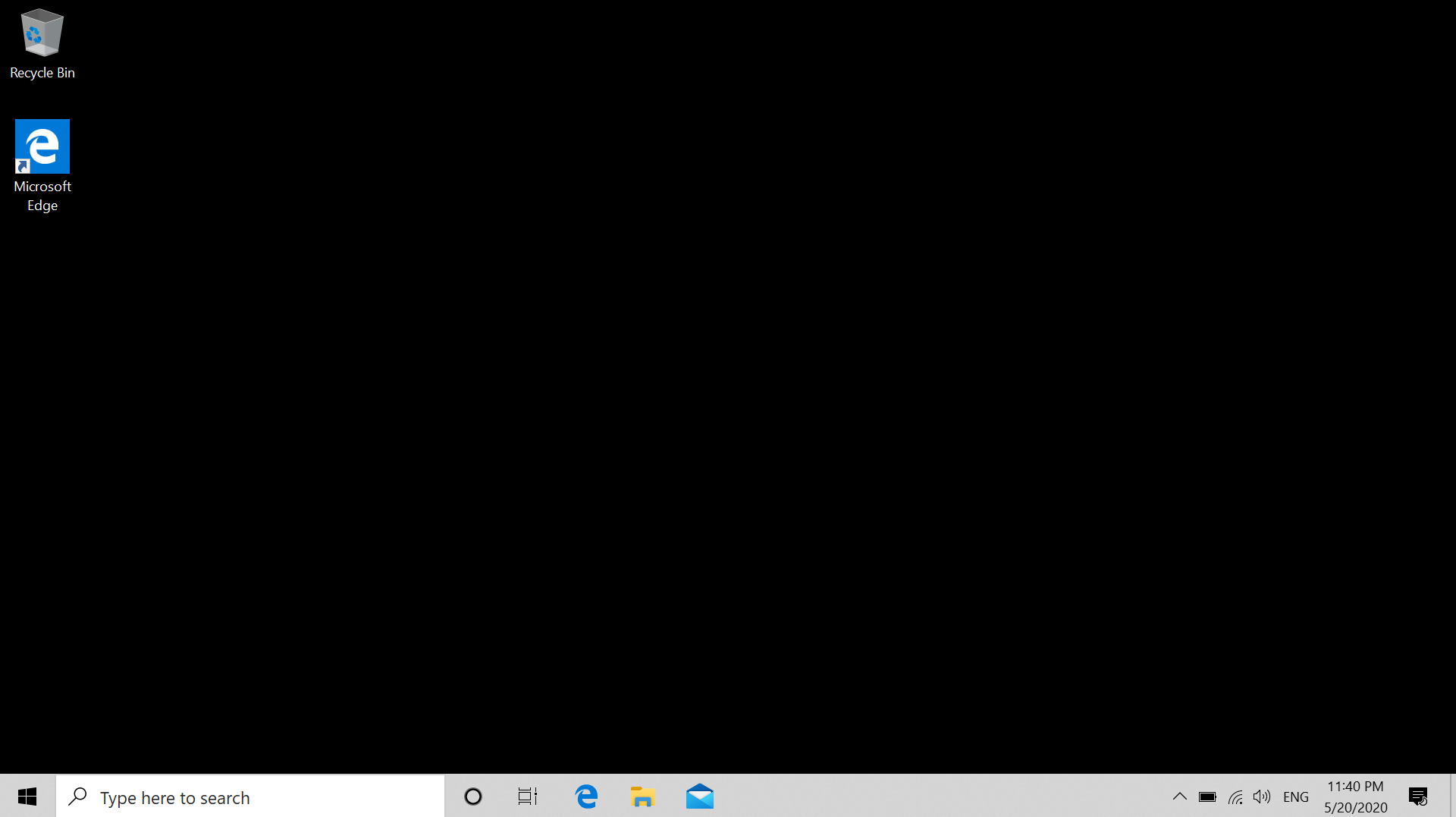
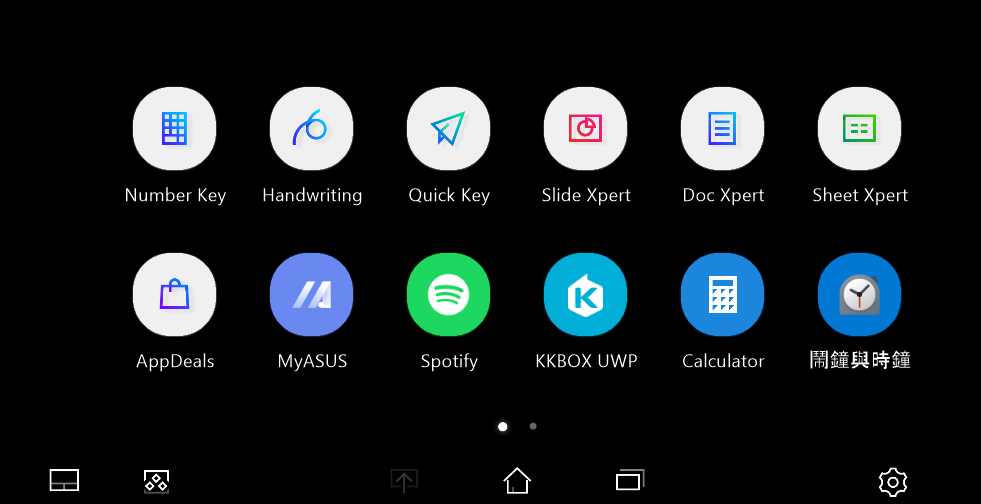
You may find that the background of main screen, extended screen or ScreenPad become black. If you encounter this issue, you just need to reset the background and then the problem will be resolved.
Please go to the corresponding instruction based on the current Windows operating system on your device:
Windows 11 operating system
How to reset the desktop background
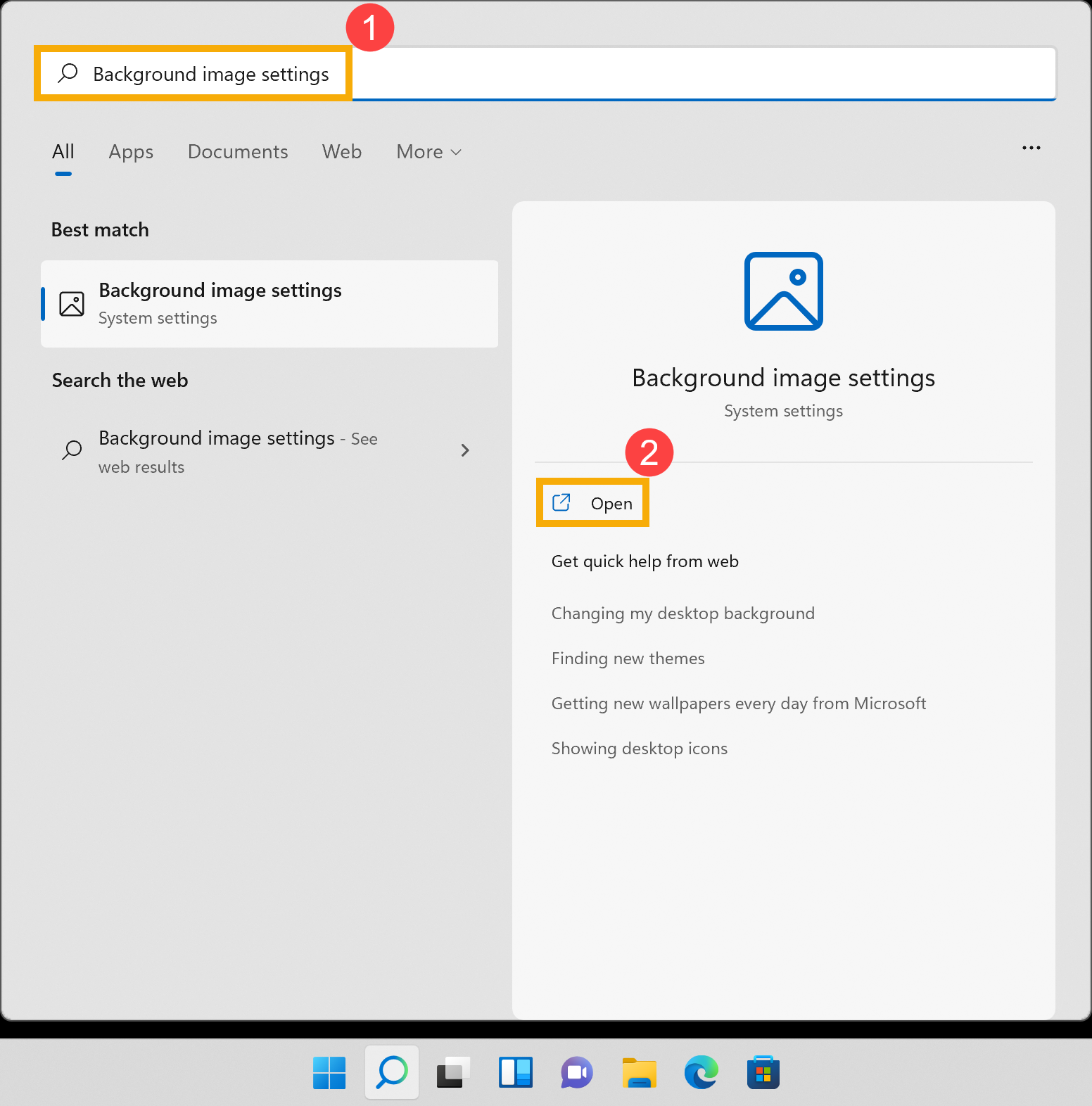
- Type and search [Background image settings] on the Windows search bar①, then click [Open]②.
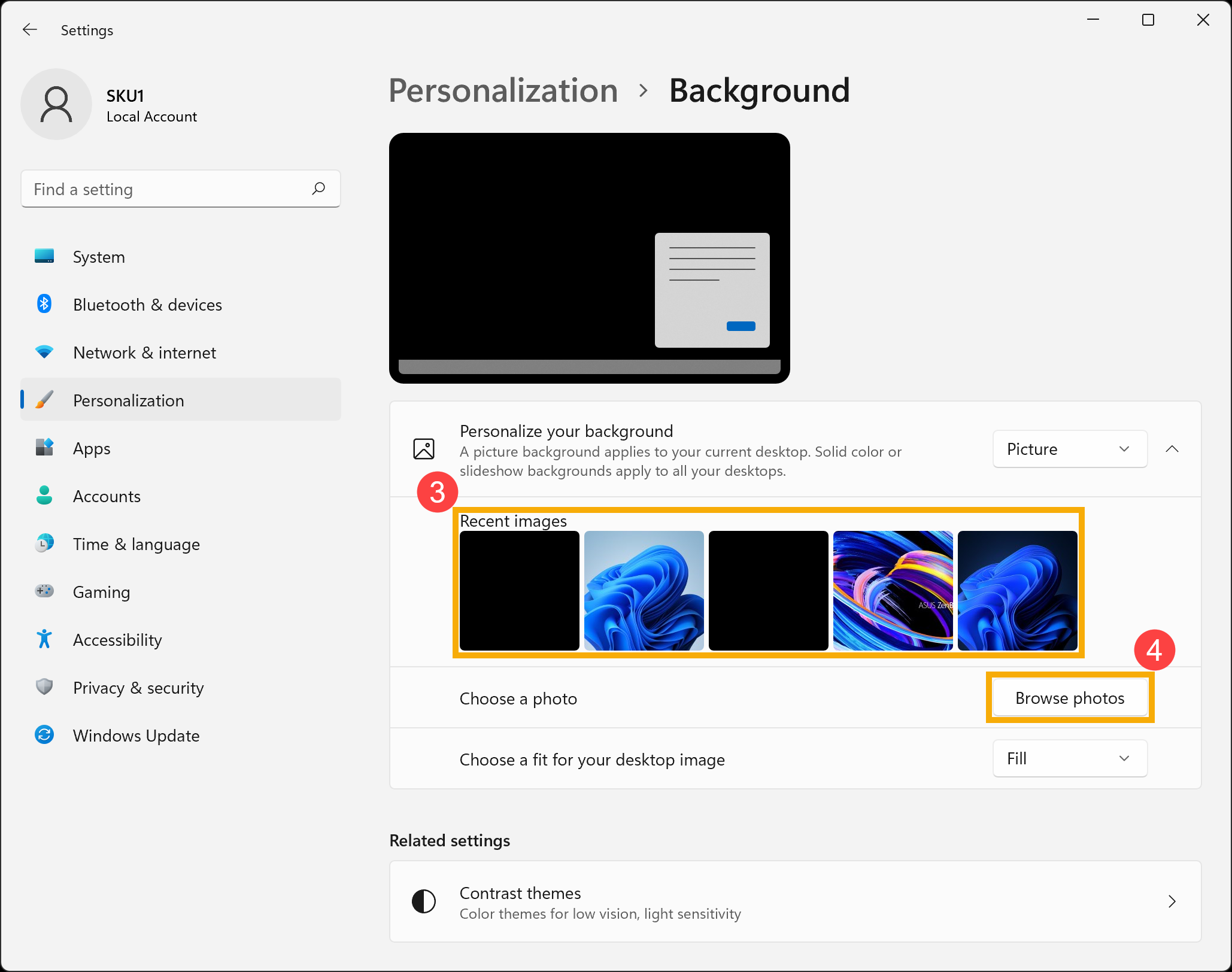
- Choose your picture③ or click [Browse photos]④ to choose the images from other paths to set as the desktop background. Here you can learn more about [Windows 11/10] Change Background image and Theme.
How to reset the ScreenPad background
The following takes ScreenPad Plus as an example. Here you can learn more about ASUS ScreenXpert (Screenpad 2.0) Introduction, ScreenPad Plus with ScreenXpert 3 Introduction.
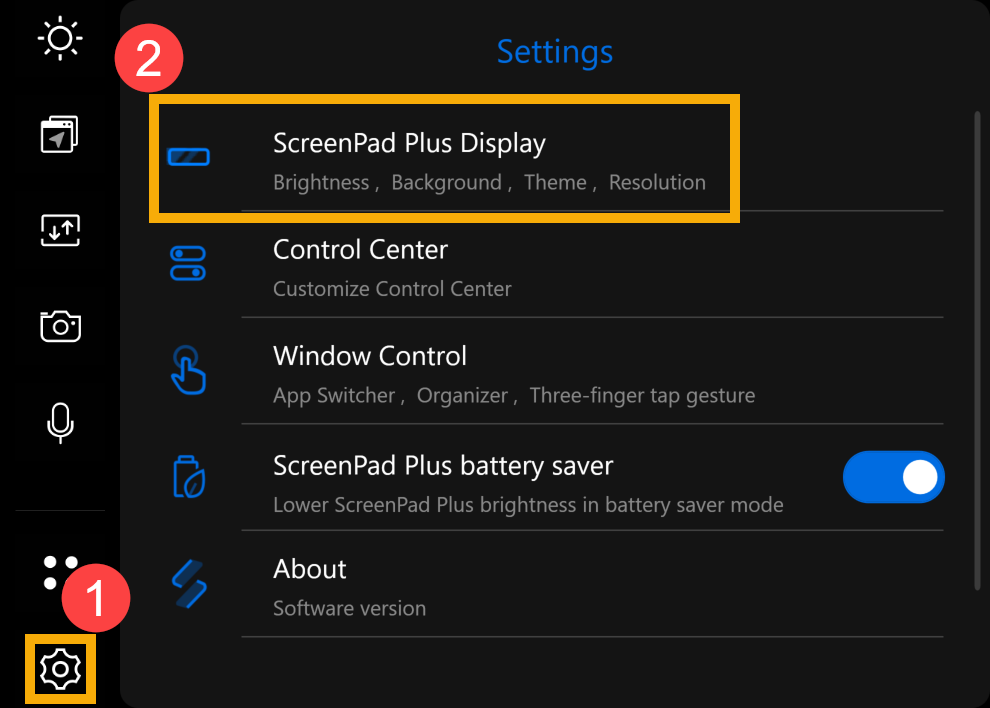
- In ScreenPad Plus, click [Settings]
 ① on the screen, then select [ScreenPad Plus Display]②.
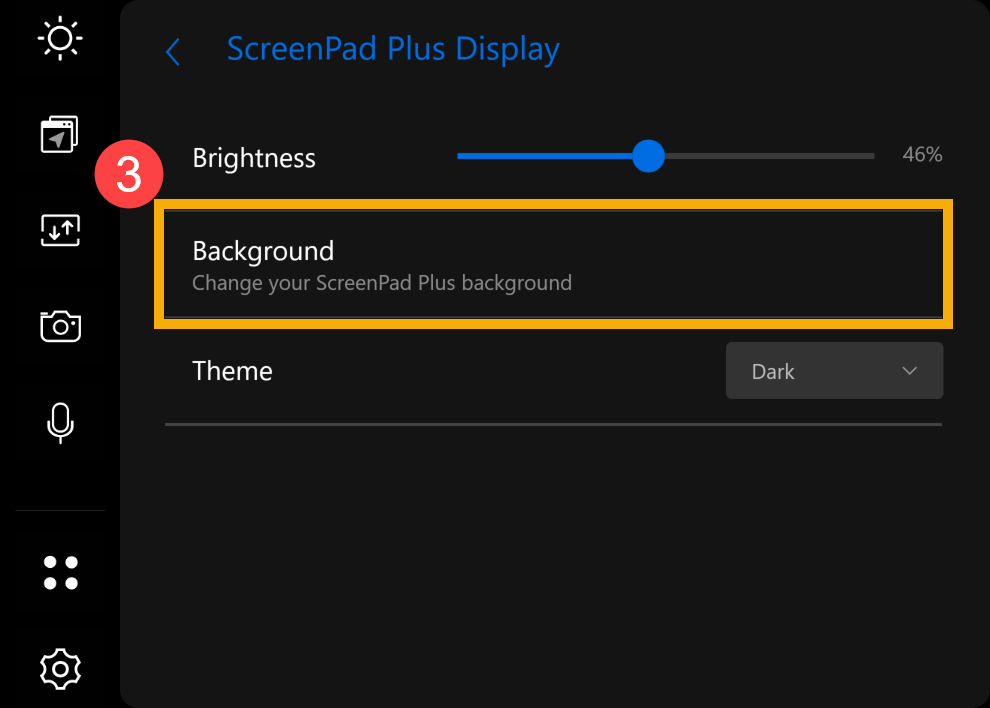
- Click [Background]③.
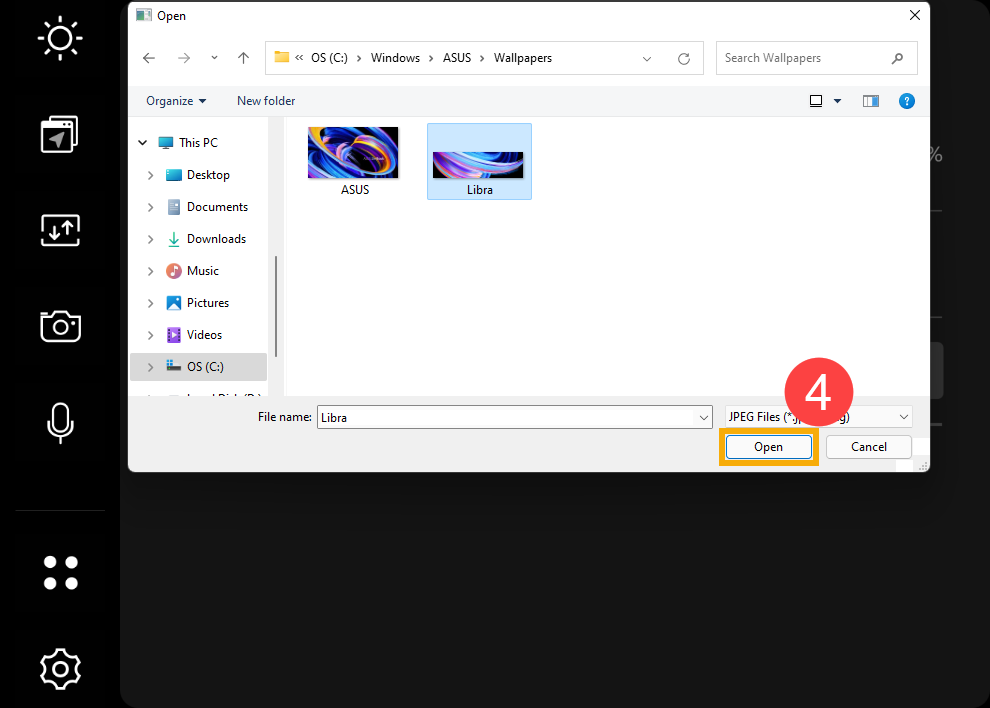
- Select a picture by using the file selector on your screen or choose any other pictures you like, and then click [Open]④ to set as the ScreenPad Plus's background.
Windows 10 operating system
How to reset the desktop background
- Type and search [Background image settings] on the Windows search bar①, then click [Open]②.
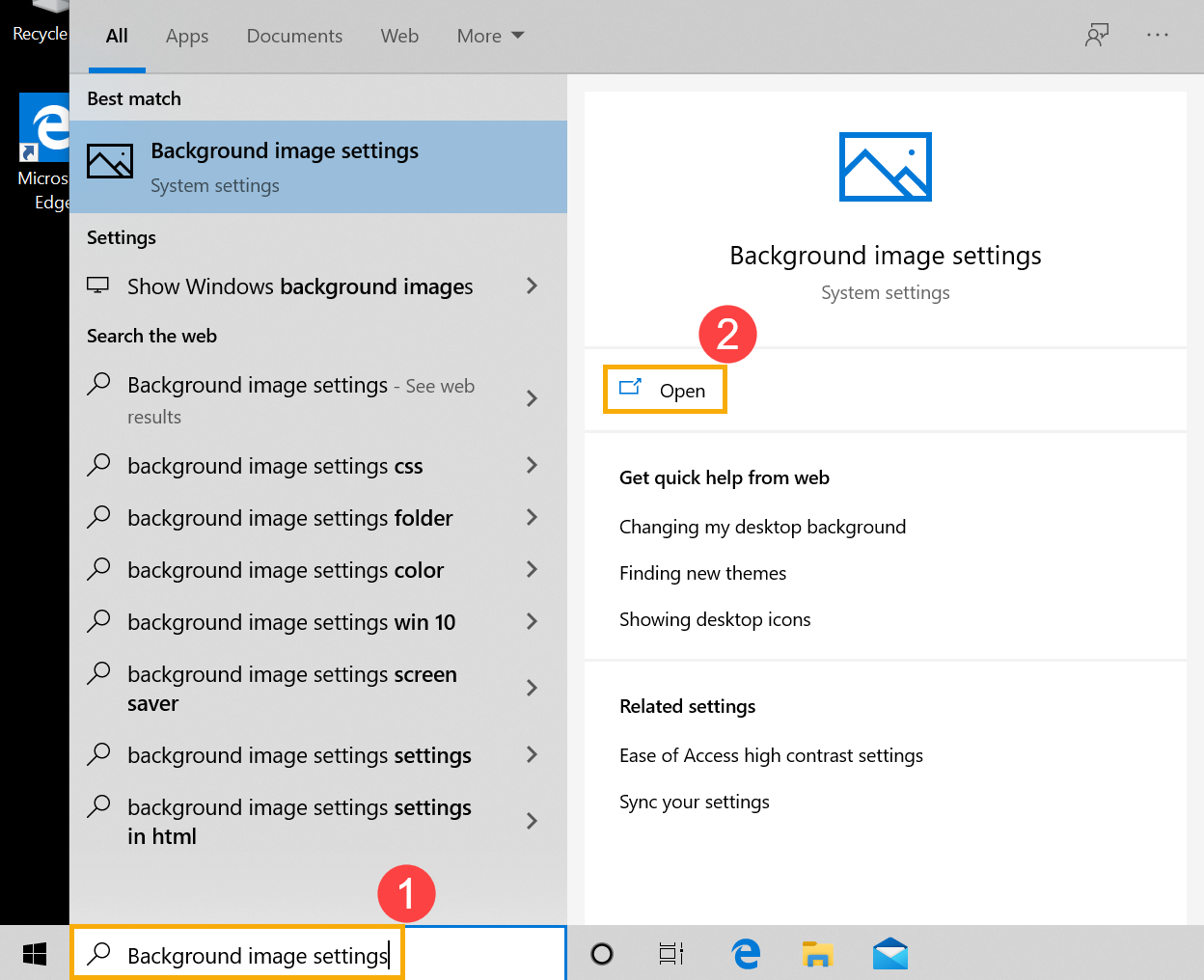
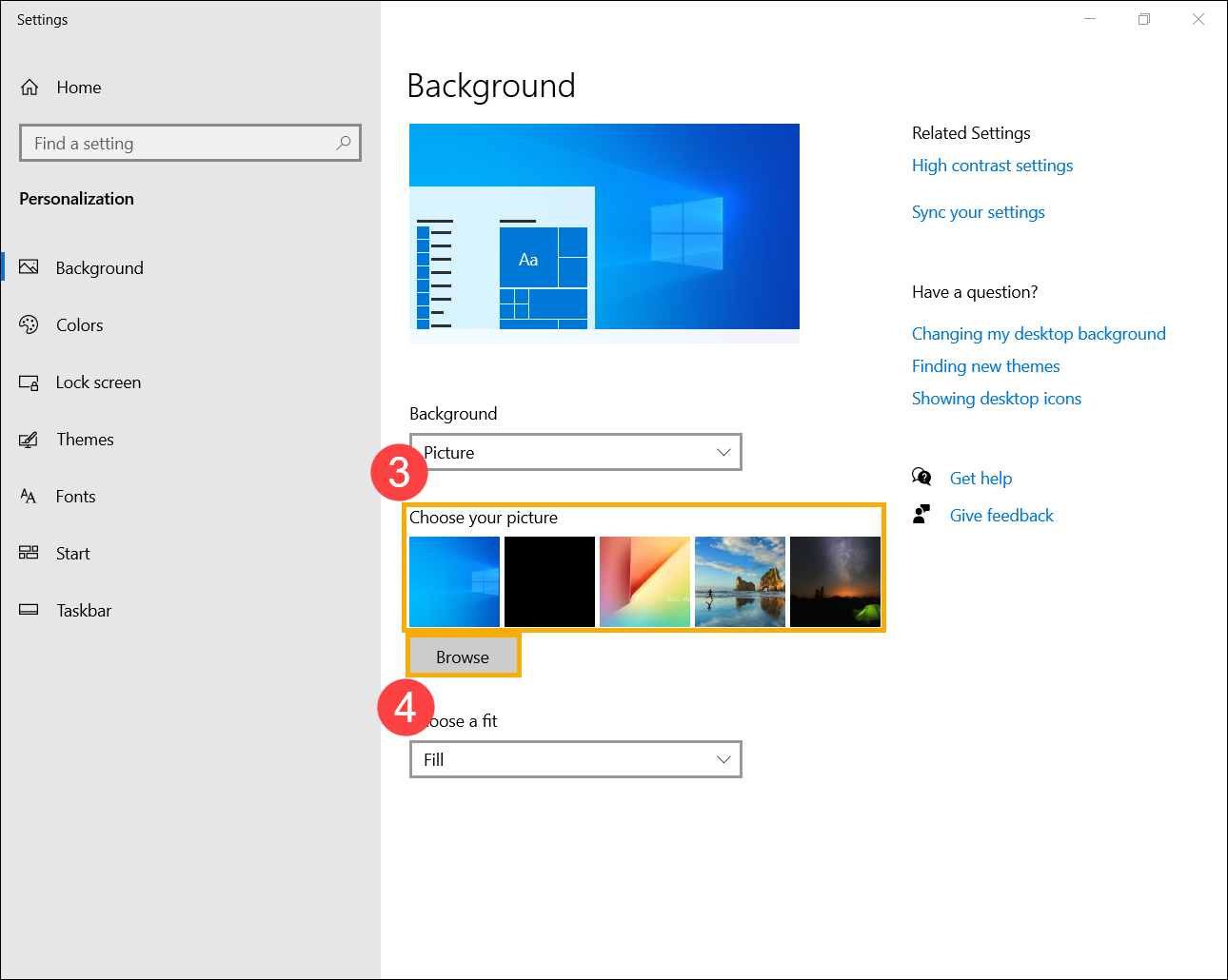
- Choose your picture③ or click [Browse]④ to choose the images from other paths to set as the desktop background. Here you can learn more about [Windows 11/10] Change Background image and Theme.
How to reset the ScreenPad background
The following takes ScreenPad as an example. Here you can learn more about ASUS ScreenXpert (Screenpad 2.0) Introduction, ScreenPad Plus with ScreenXpert 3 Introduction.
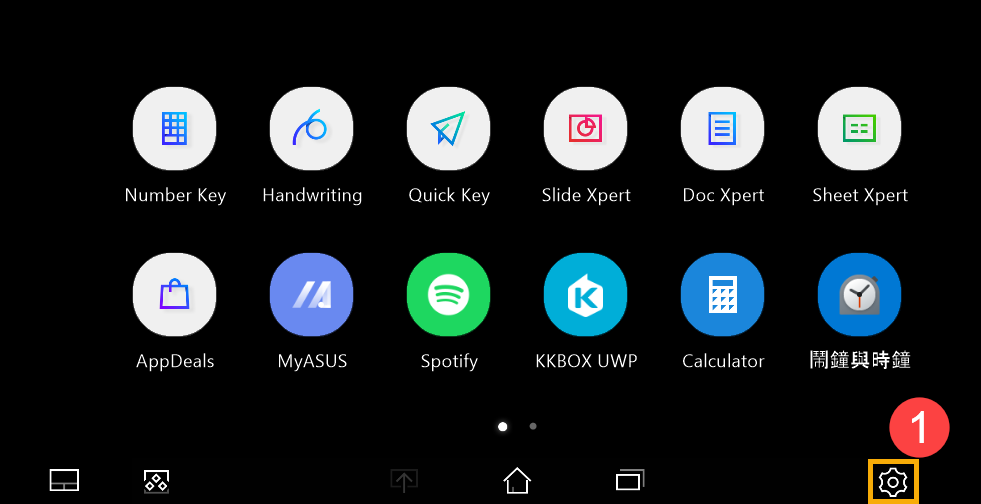
- In ScreenPad, click [Settings]① on the lower-right corner of the screen.
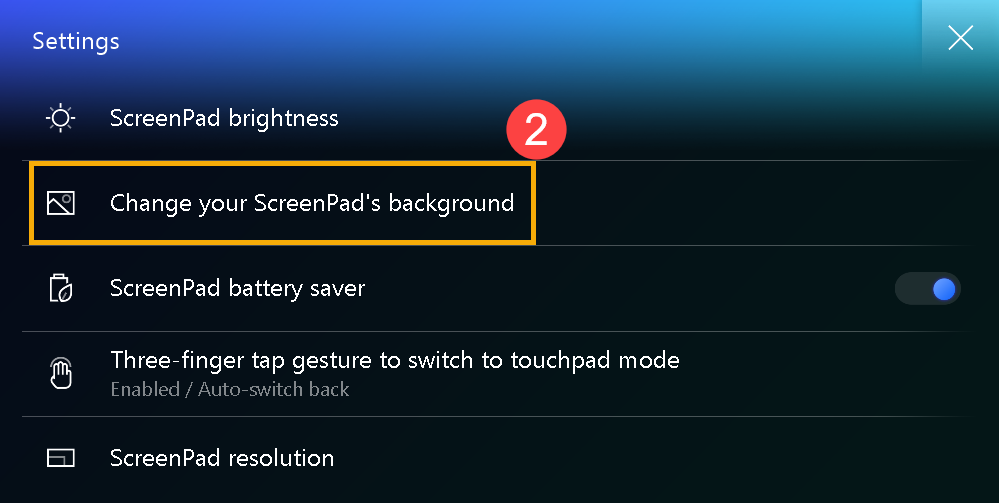
- Click [Change your ScreenPad's background]②.
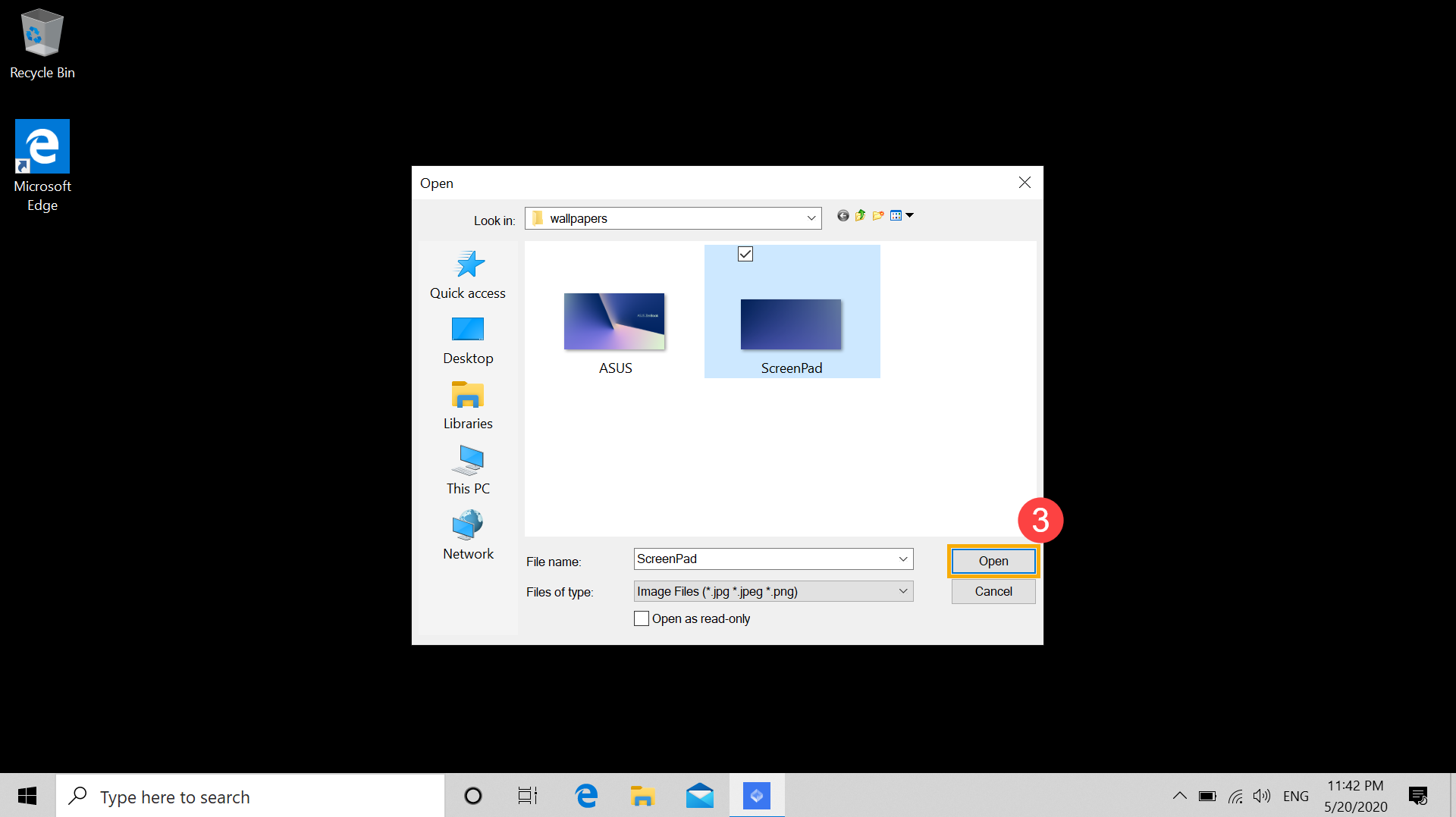
- Select a picture by using the file selector on your main screen or choose any other pictures you like, and then click [Open]③ to set as the ScreenPad's background.
If your problem cannot be resolved with the above solution and information, please contact ASUS customer service center for further information.


