[Windows 11/10] Troubleshooting - How to fix recovery failed problem when resetting the PC
Applicable Products: Notebook, Desktop, All-in-One PC, Gaming Handheld
If you experience the failure when resetting the PC, please try to update and confirm BIOS / Windows packages / drivers with the latest version on your device.
Updating software usually helps the system stability and optimization, so we recommend you check and often update to the latest version on your device. Here you can learn more about:
How to update the BIOS version in Windows system
How to use EZ Flash to update the BIOS version
(For desktop products, please refer to ASUS Motherboard EZ Flash 3 Introduction.)
For executing Windows update and drivers update, here you can learn more about:
How to execute Windows Update
How to update drivers via System Update in MyASUS
If the problem persists after you have updated BIOS/Windows packages/drivers to the date, please continue to the next chapter for troubleshooting.
According to Microsoft's statement, try to use the System File Checker tool to repair missing or corrupted system files.
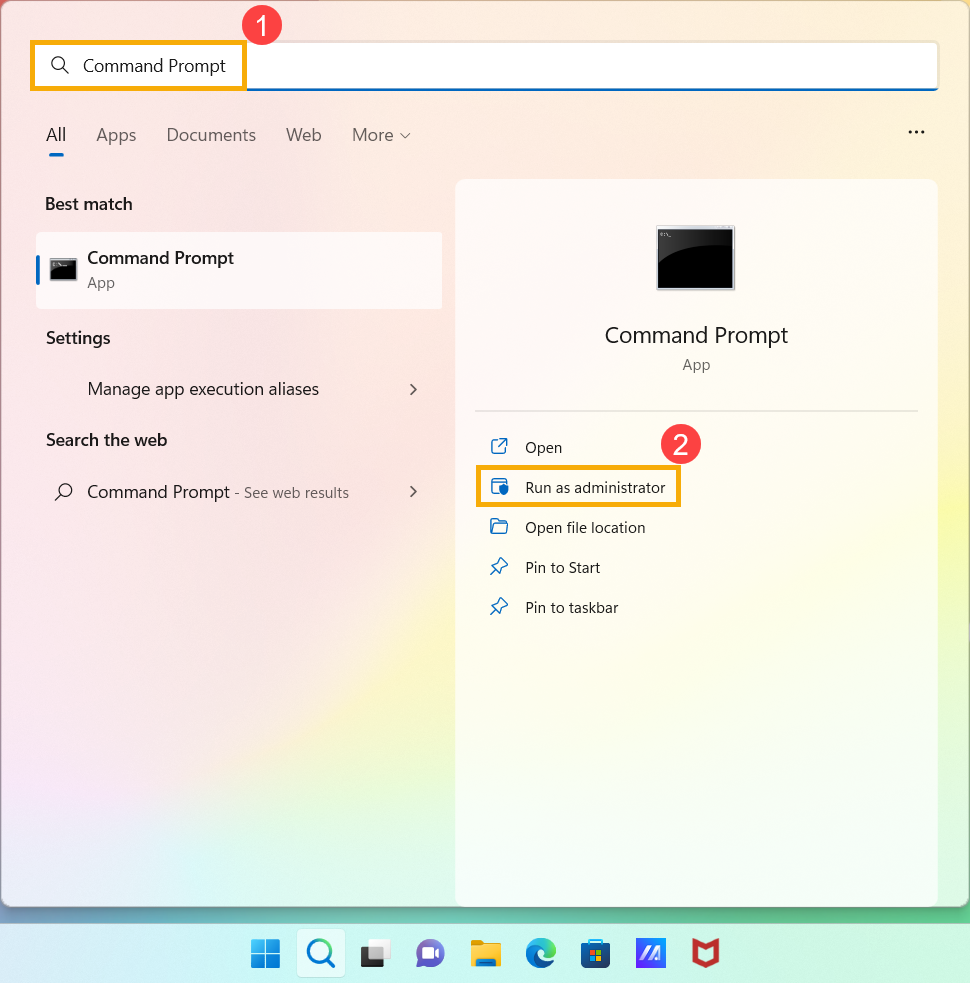
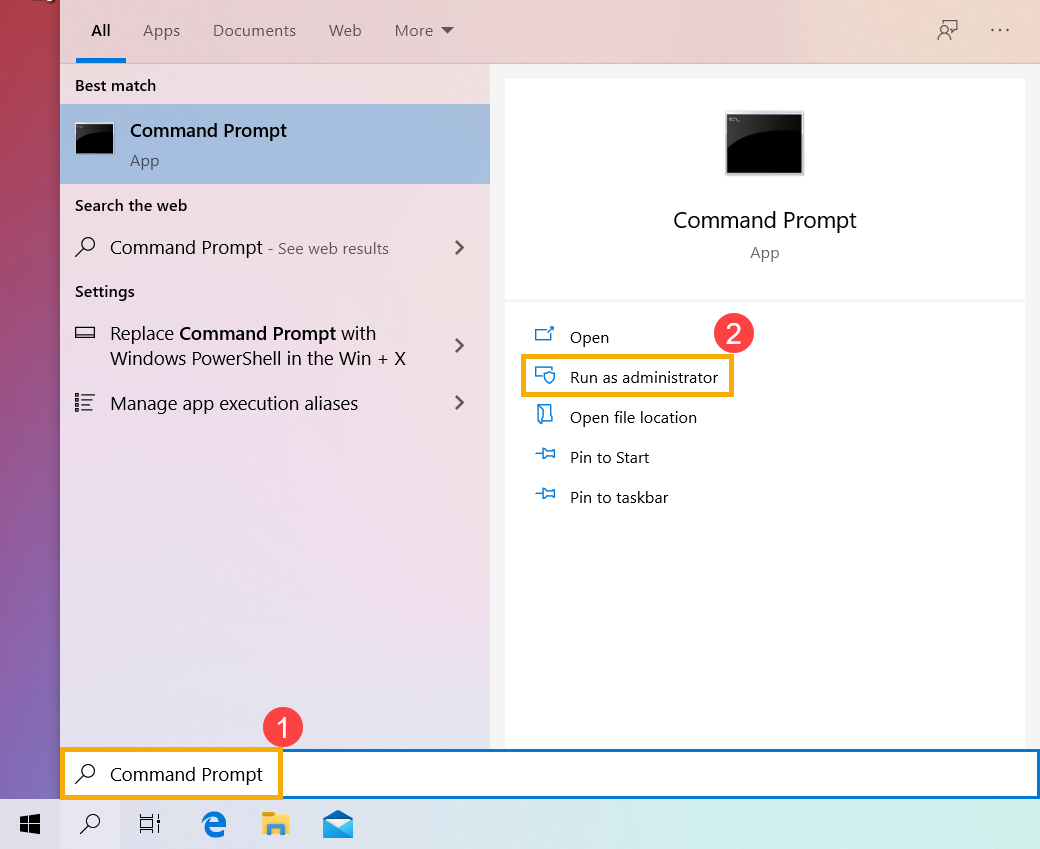
- Type and search [Command Prompt] in the Windows search bar①, then click [Run as administrator]②. (The left-side search illustration below is in Windows 11, and the right-side is Windows 10.)
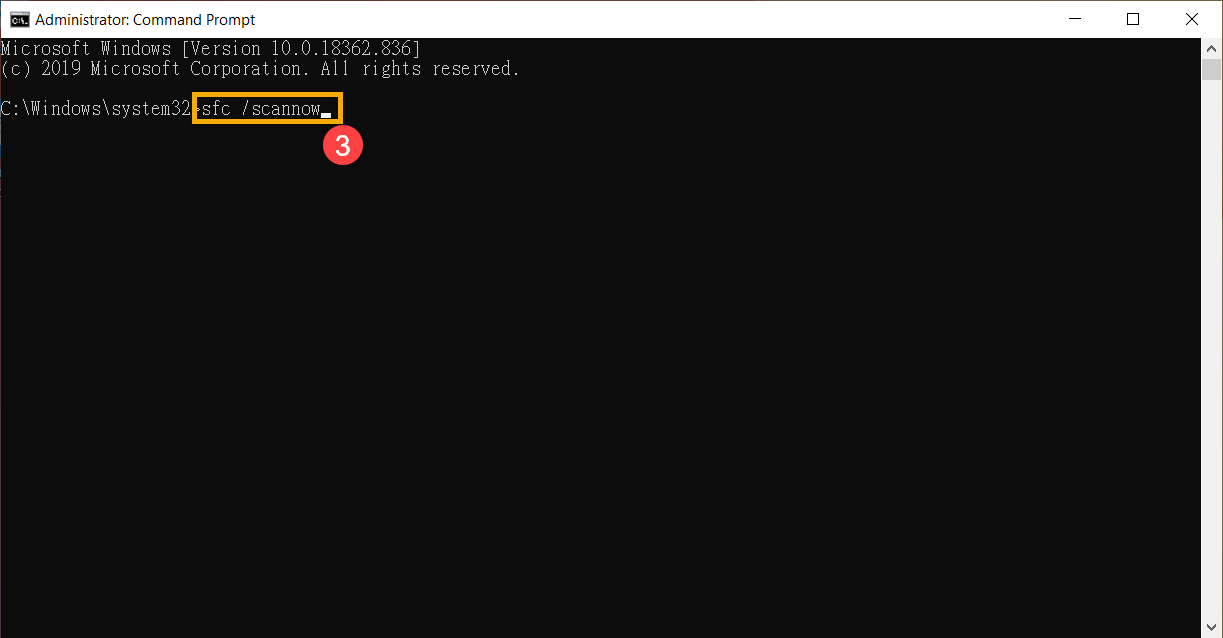
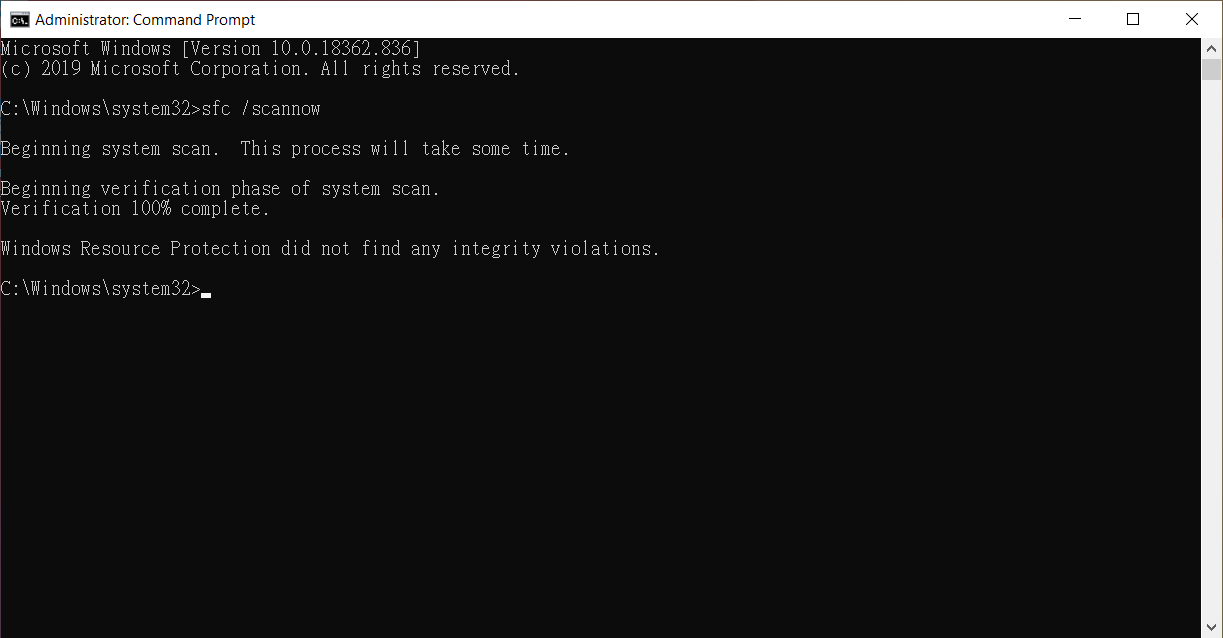
- In Command Prompt, type [sfc /scannow] and press Enter on the keyboard③.
- The device will start scanning.
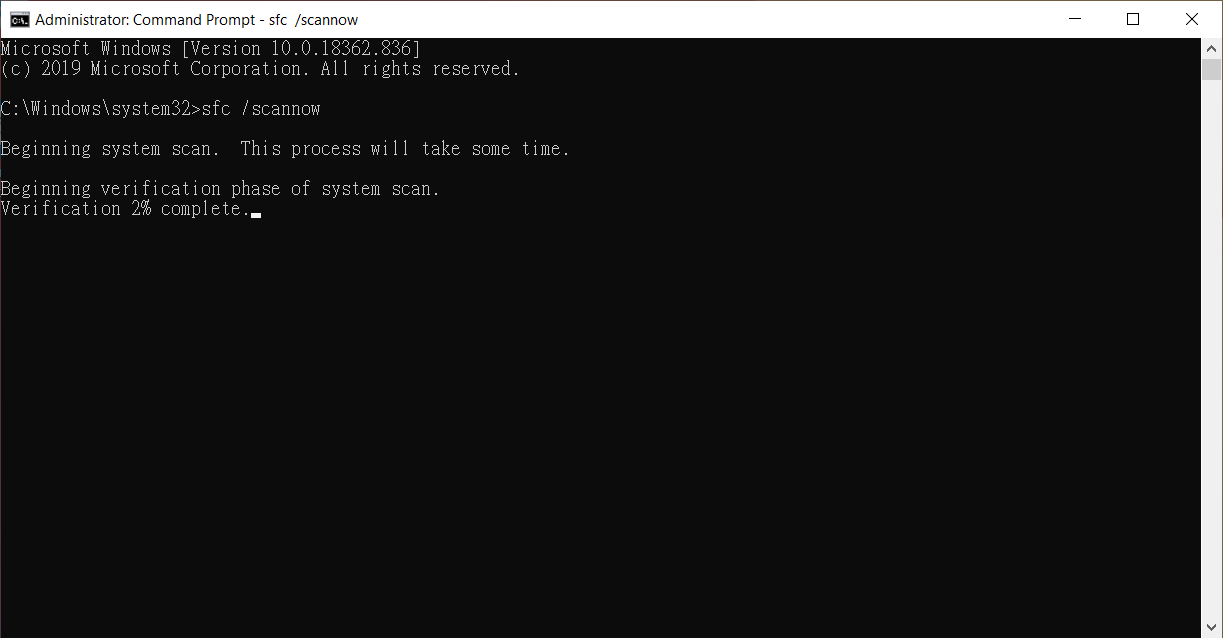
- Do not close this Command Prompt window until the verification is 100% complete.
Note: If Windows Resource Protection could not perform or found corrupt files, please refer to Microsoft’s instructions.
- Please try to reset the PC again and confirm whether the problem is resolved.
For more details, please refer to Windows support from Microsoft.
If your problem is not worked out with above solution and information, please contact ASUS customer service center for further information.


