This widget could not be displayed.
This widget could not be displayed.
Turn on suggestions
Auto-suggest helps you quickly narrow down your search results by suggesting possible matches as you type.
Showing results for
- English
- Other Products
- FAQ
- [Windows 11/10] How to set the application as the ...
Options
- Subscribe to RSS Feed
- Mark as New
- Mark as Read
- Bookmark
- Subscribe
- Printer Friendly Page
- Report Inappropriate Content

 FAQBot
Community Manager
Options
- Article History
- Subscribe to RSS Feed
- Mark as New
- Mark as Read
- Bookmark
- Subscribe
- Printer Friendly Page
- Report Inappropriate Content
on
01-29-2024
04:44 PM
- edited on
10-07-2025
04:41 AM
by
ZenBot
[Windows 11/10] How to set the application as the discrete graphics used
Applicable Products: Notebook, Desktop, All-in-One PC, Gaming Handheld, MiniPC
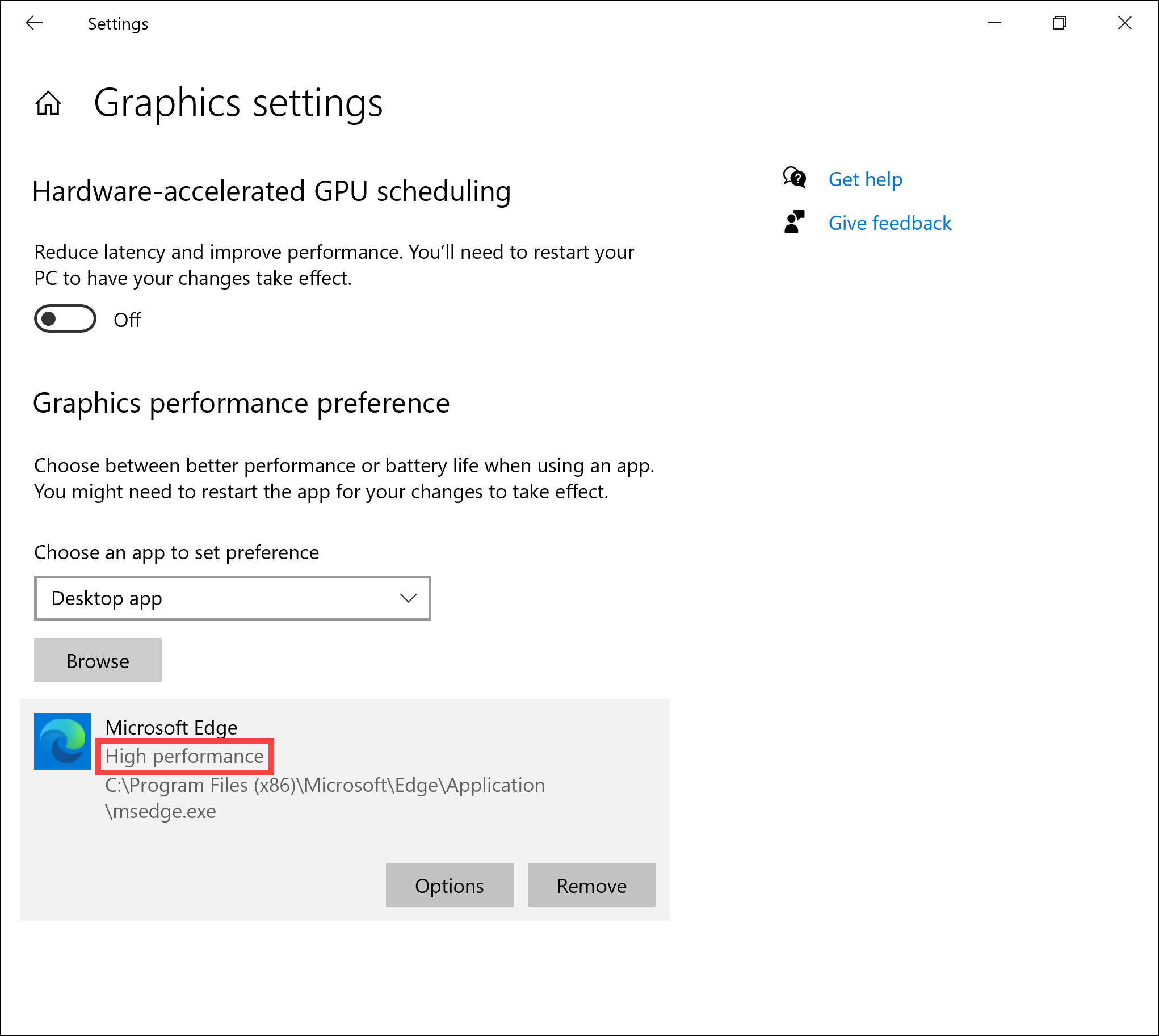
Microsoft has altered the priority settings for graphics processor selection in Windows 10 (version 2004) and later. If your operating system is Windows 10 (version 2004) or later, please refer to the following instructions and solutions.
In Windows 10 (version 2004) or later, some applications prioritize the graphics performance preference settings in Windows over the default selection settings in the graphics card manufacturer's control panel (such as NVIDIA Control Panel and AMD Radeon Software). For instance, if you set a specific application to use the NVIDIA graphics card as the preferred graphics processor in the NVIDIA Control Panel, but Windows defaults to using the integrated graphics card, the application will use the integrated graphics card as the preferred graphics processor based on Windows settings.
Note: Microsoft may continue to add applications to Windows backend lists and apply default graphics processor settings. If you need to change the graphics display selection settings for a particular application, it is recommended to synchronize settings in both Windows settings and the graphics card manufacturer's control panel.
The NVIDIA Control Panel also provides a prompt indicating that Windows OS now manages the selection of the graphics processors. If you do not see this prompt, it is advised to update your NVIDIA drivers to the latest version.
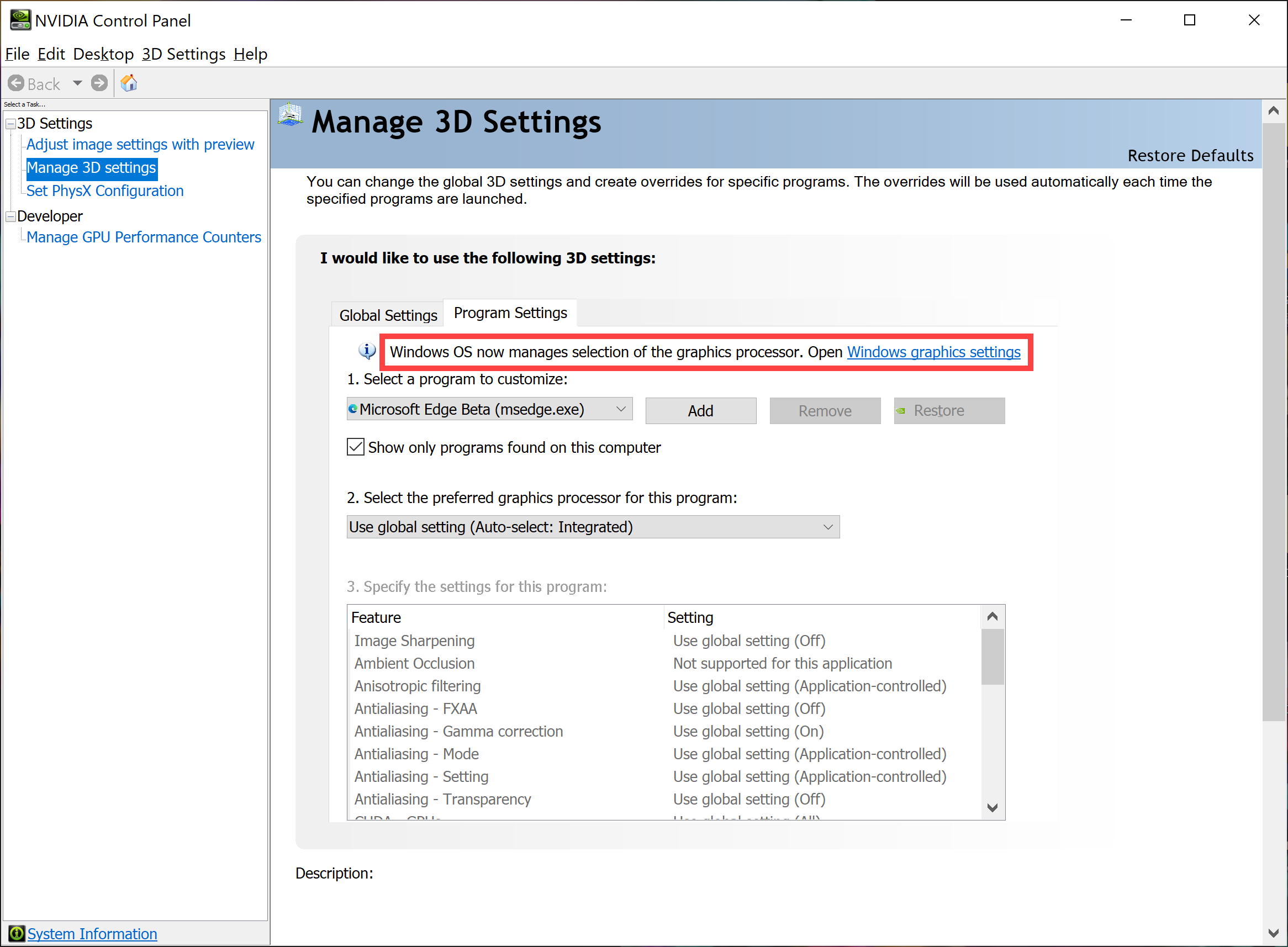
Please follow the instructions corresponding to the current Windows operating system version on your device:
Windows 11 operating system
How to set the preferred graphics processor for an application in Windows OS
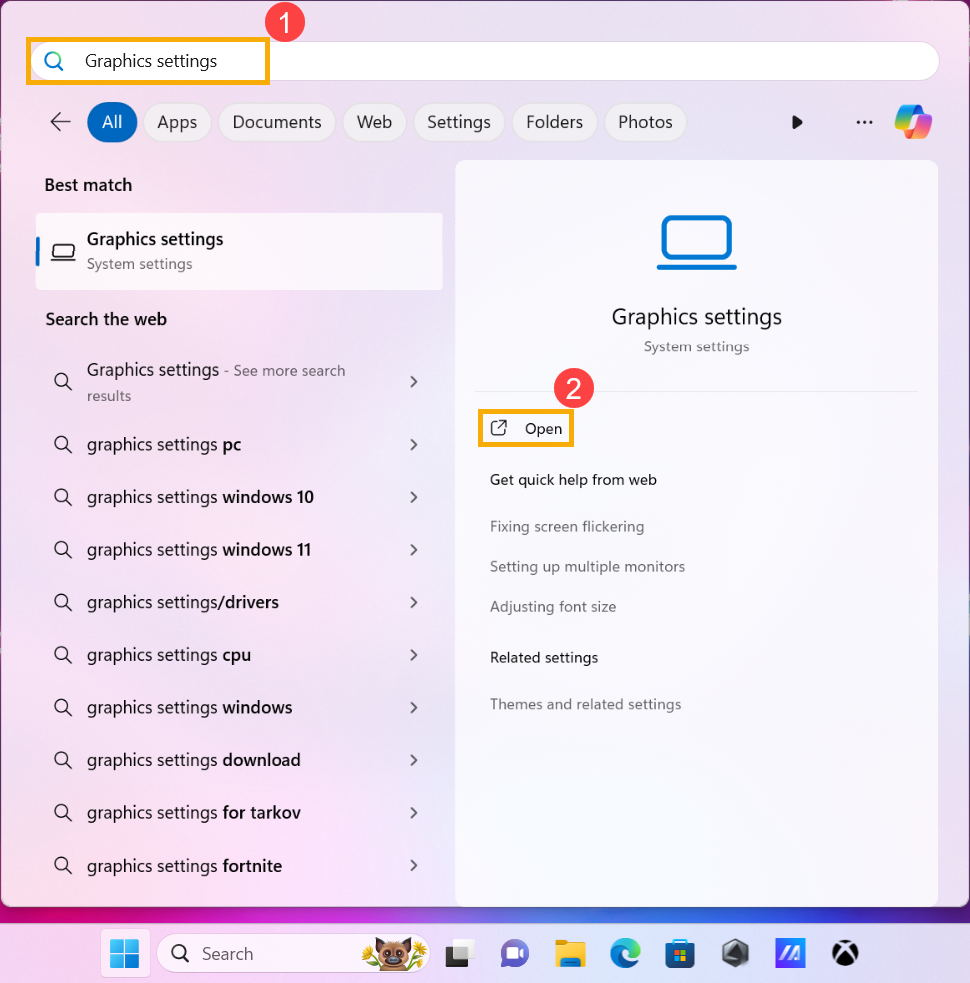
- Type and search [Graphics settings] in the Windows search bar①, then click [Open]②.
- In the Custom options for apps settings, you can select the application you want to configure from the drop-down menu for Desktop app or Microsoft Store app③.
If you cannot find the application you want to configure, click on [Browse]④ to select the application.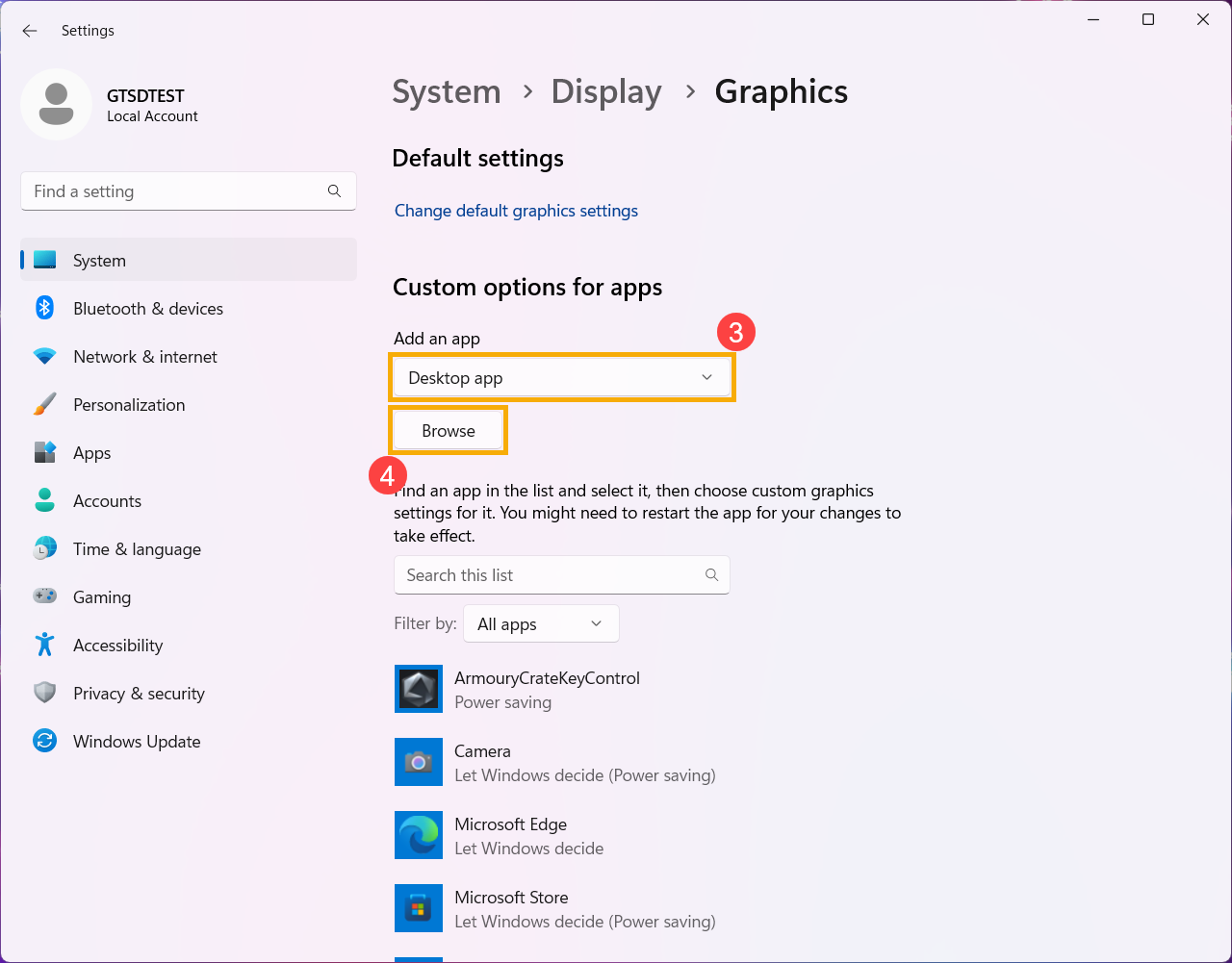
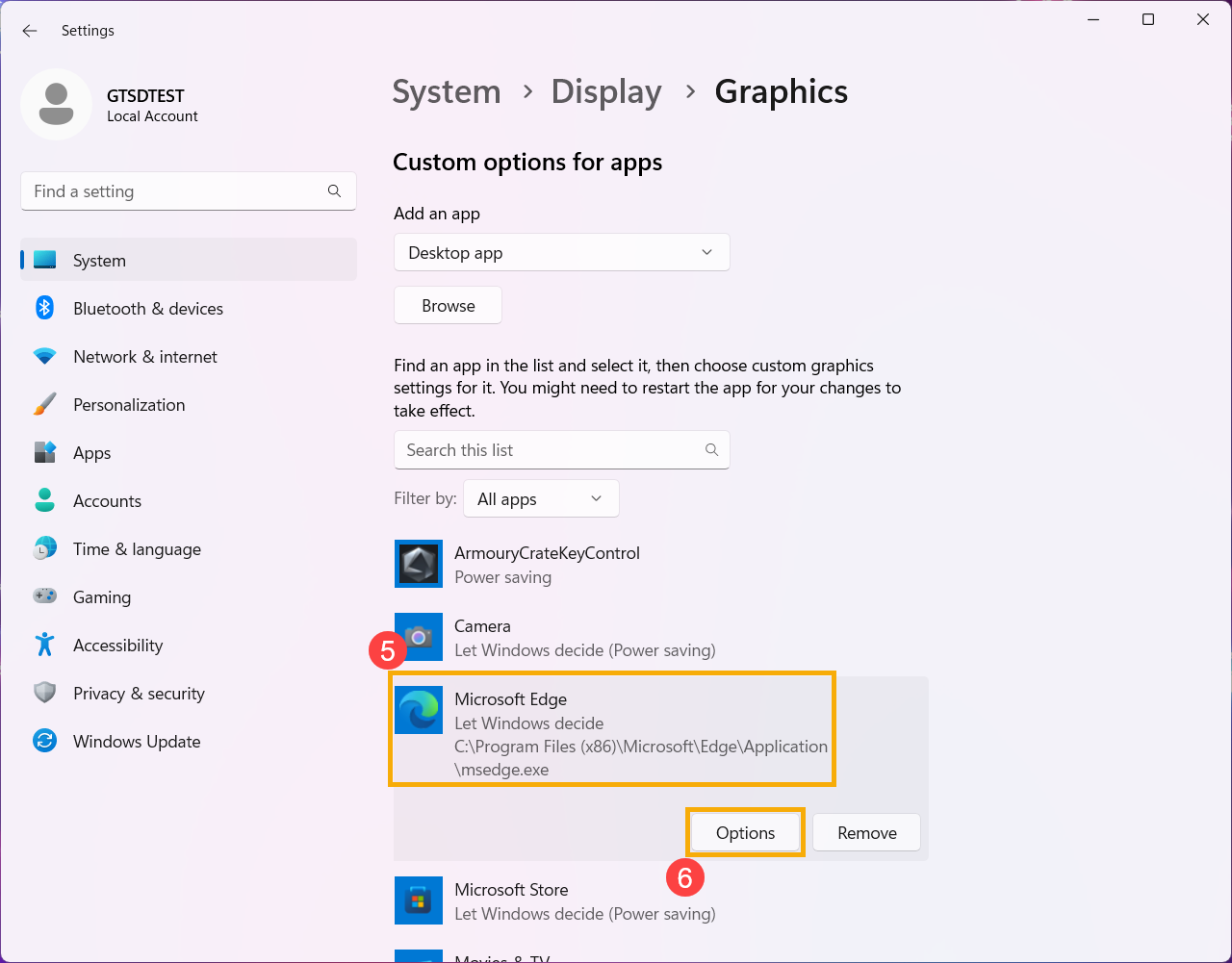
- After selecting or browsing for the new application, it will appear in the list below. Please select the application you want to configure⑤, and then click on [Options]⑥.
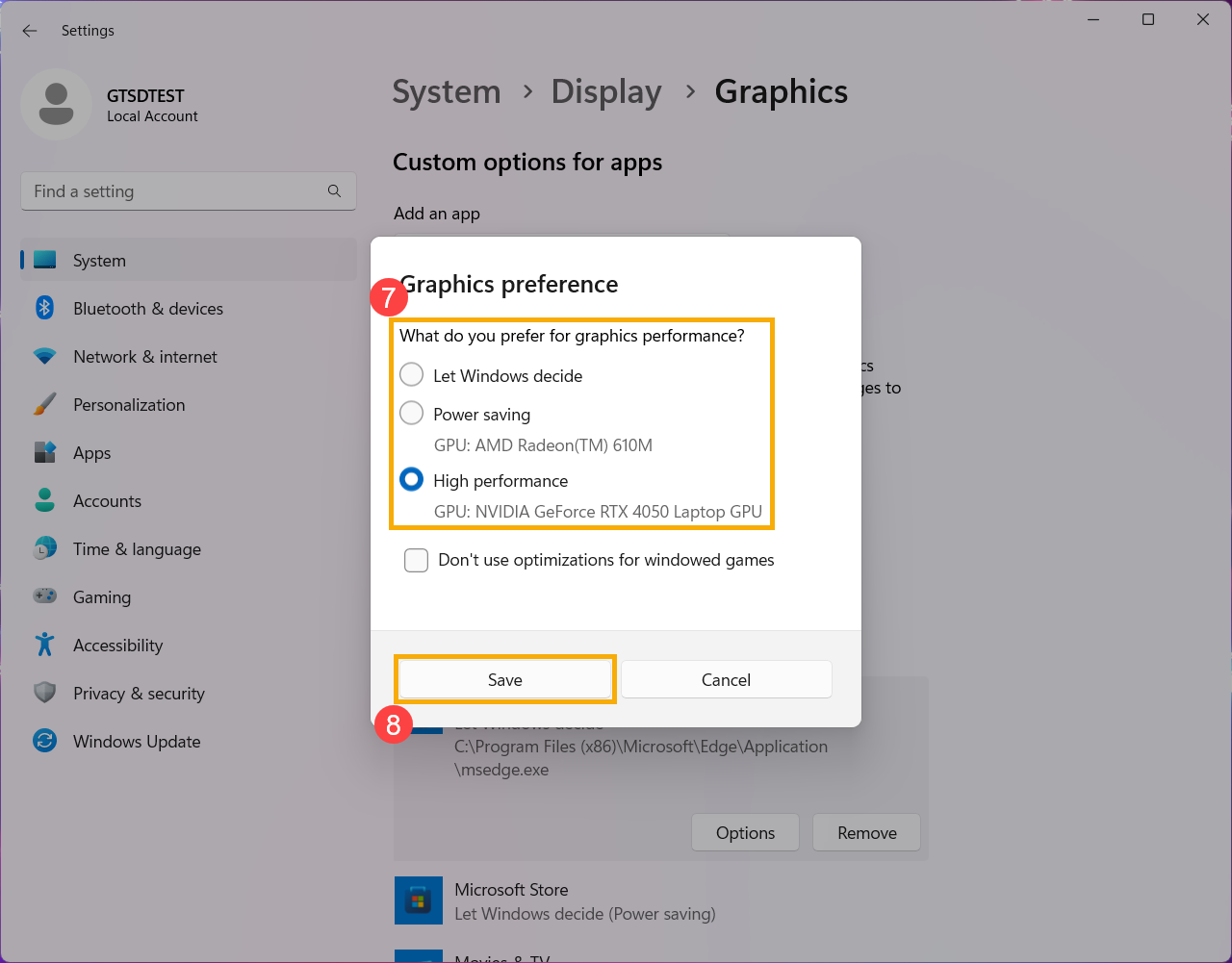
- Choose the graphics processor you prefer to use for the selected application⑦, and then click on [Save]⑧.
- The application is now configured to use your preferred graphics processor.

Windows 10 operating system
How to set the preferred graphics processor for an application in Windows OS
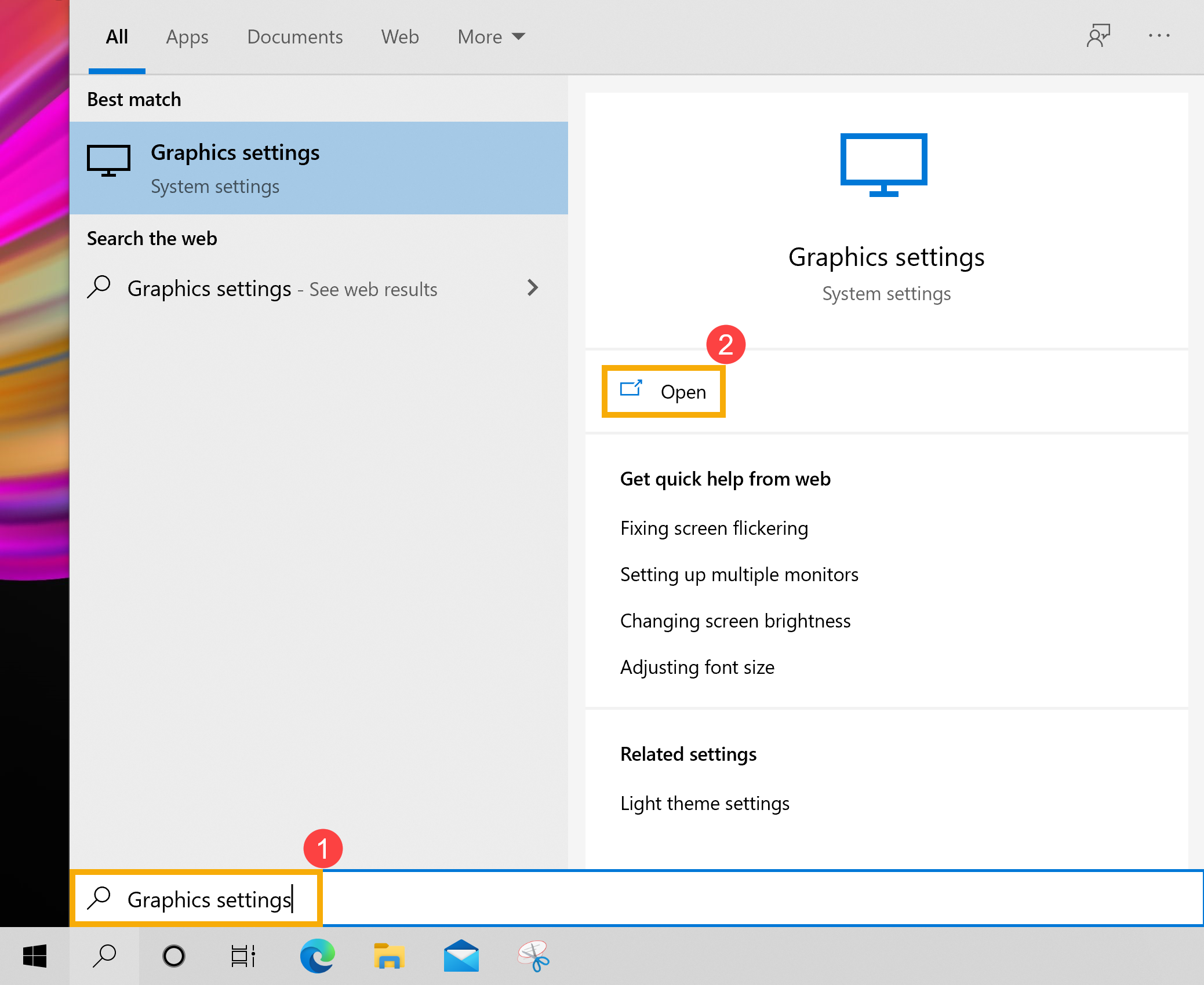
- Type and search [Graphics settings] in the Windows search bar①, then click [Open]②.
- In the Graphics performance preference settings, you can select the application you want to configure from the drop-down menu for Desktop app or Microsoft Store app③.
If you cannot find the application you want to configure, click on [Browse]④ to select the application.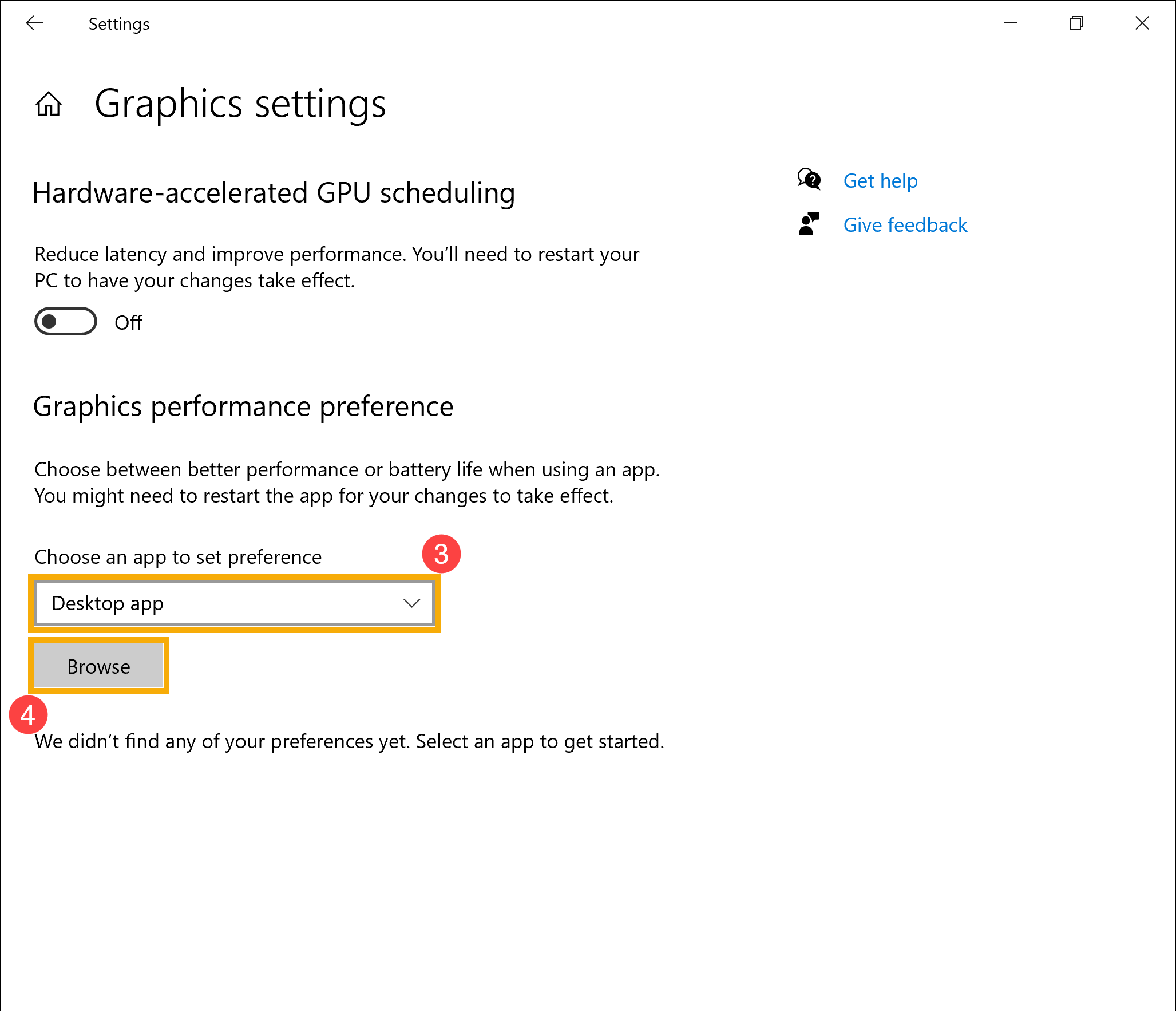
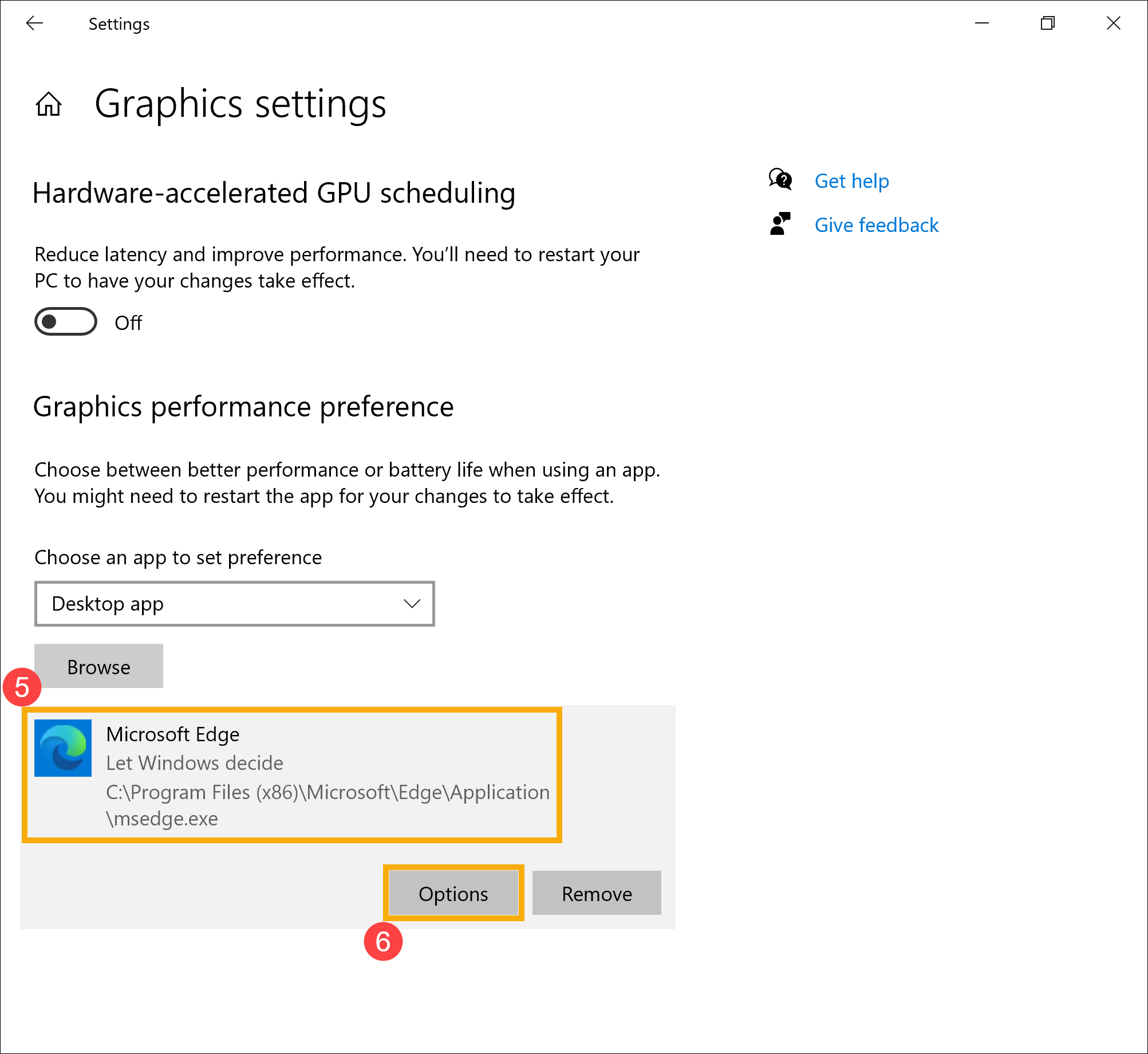
- After selecting or browsing for the new application, it will appear in the list below. Please select the application you want to configure⑤, and then click on [Options]⑥.
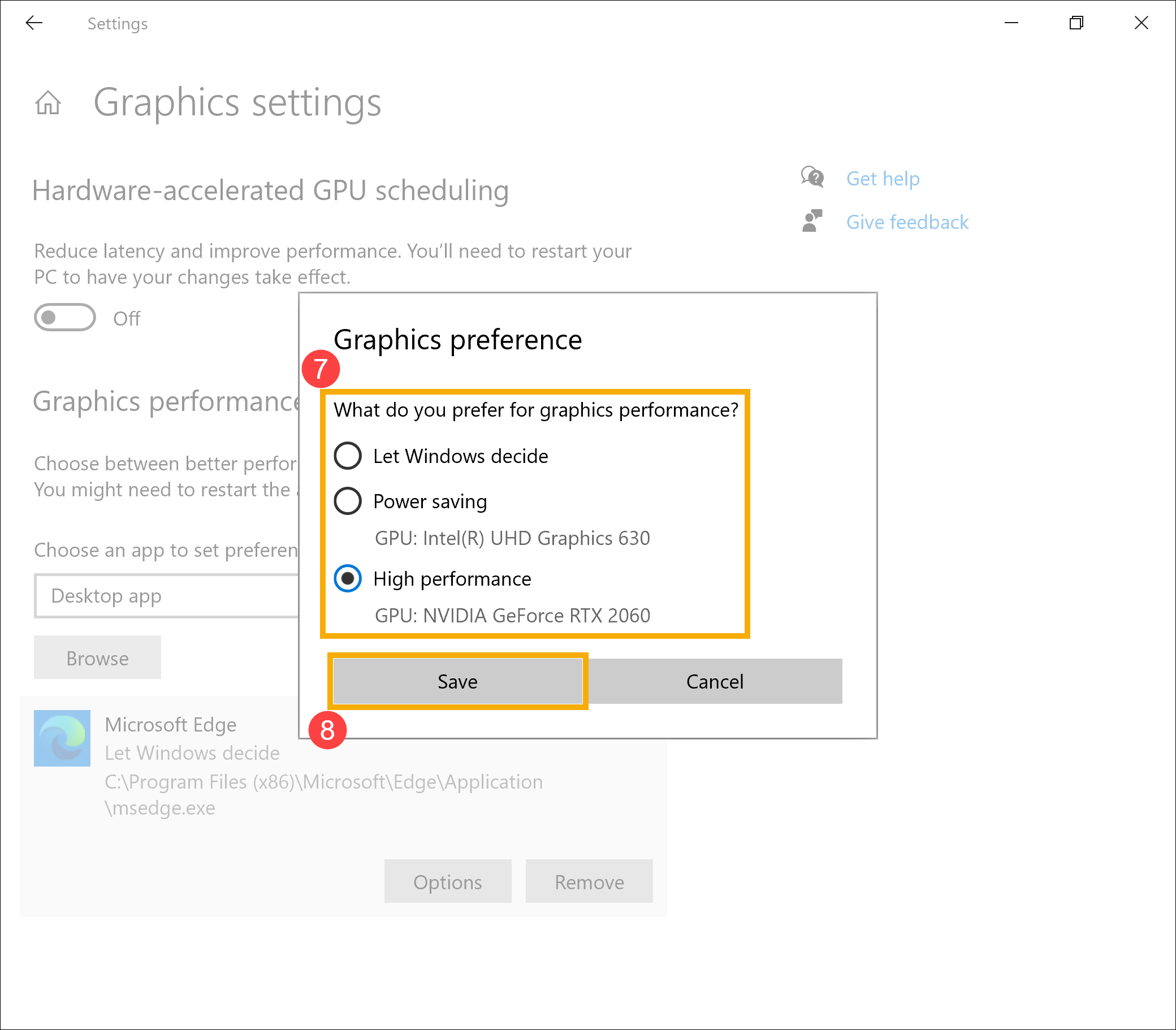
- Choose the graphics processor you prefer to use for the selected application⑦, and then click on [Save]⑧.
- The application is now configured to use your preferred graphics processor.