[Windows 11/10] How to enable/disable Internet Explorer mode in Microsoft Edge
Some sites are built to work with Internet Explorer and have functionality that isn't supported by modern browsers such as Microsoft Edge. If you need to view these sites, you can use Internet Explorer Mode in Microsoft Edge.
Enable/Disable Internet Explorer mode in Microsoft Edge
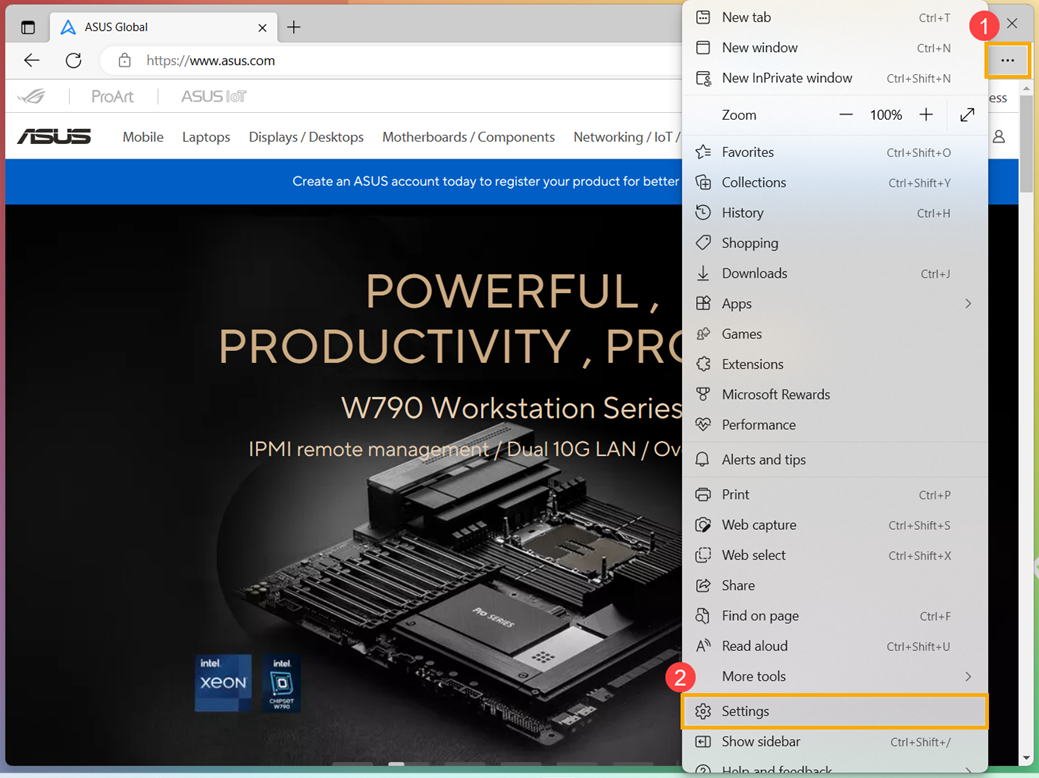
- Open Microsoft Edge. Click the [Settings and more] icon
 ① in the top-right corner, then click [Settings]②.
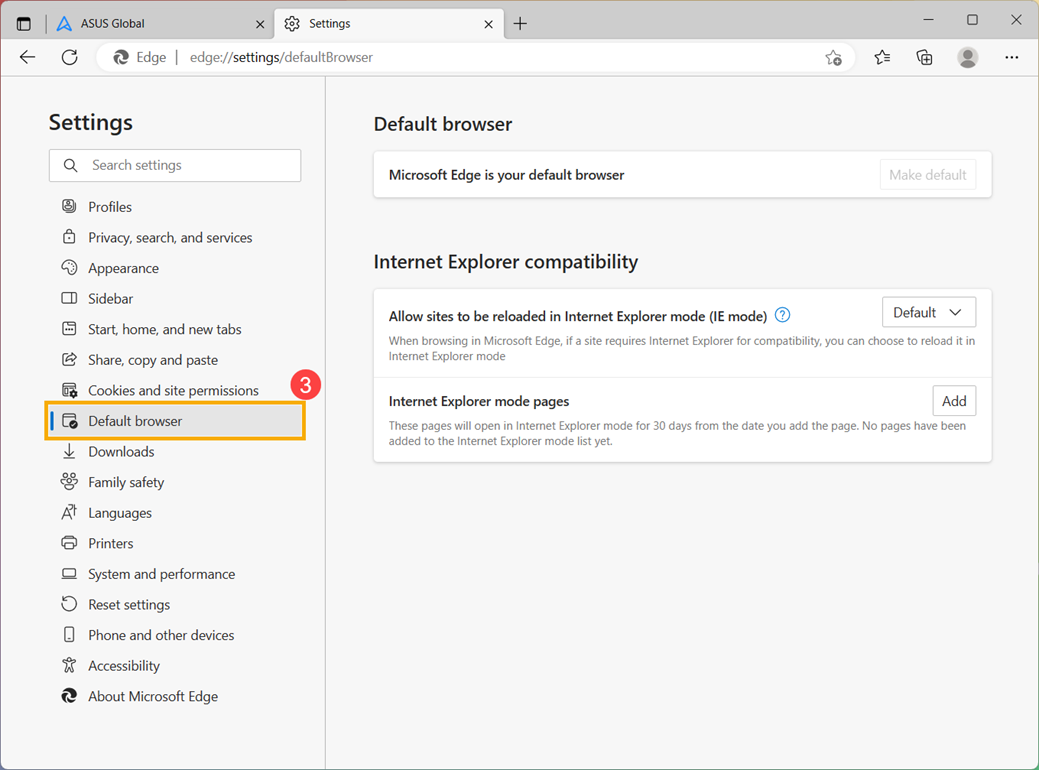
- Click [Default browser]③.
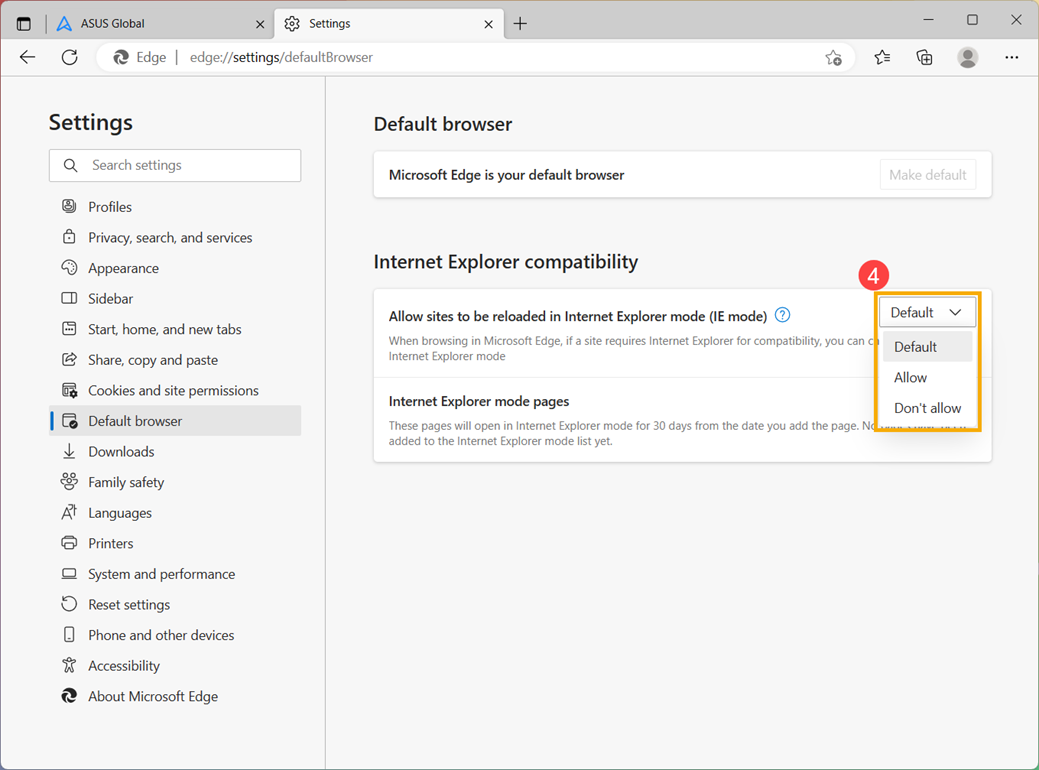
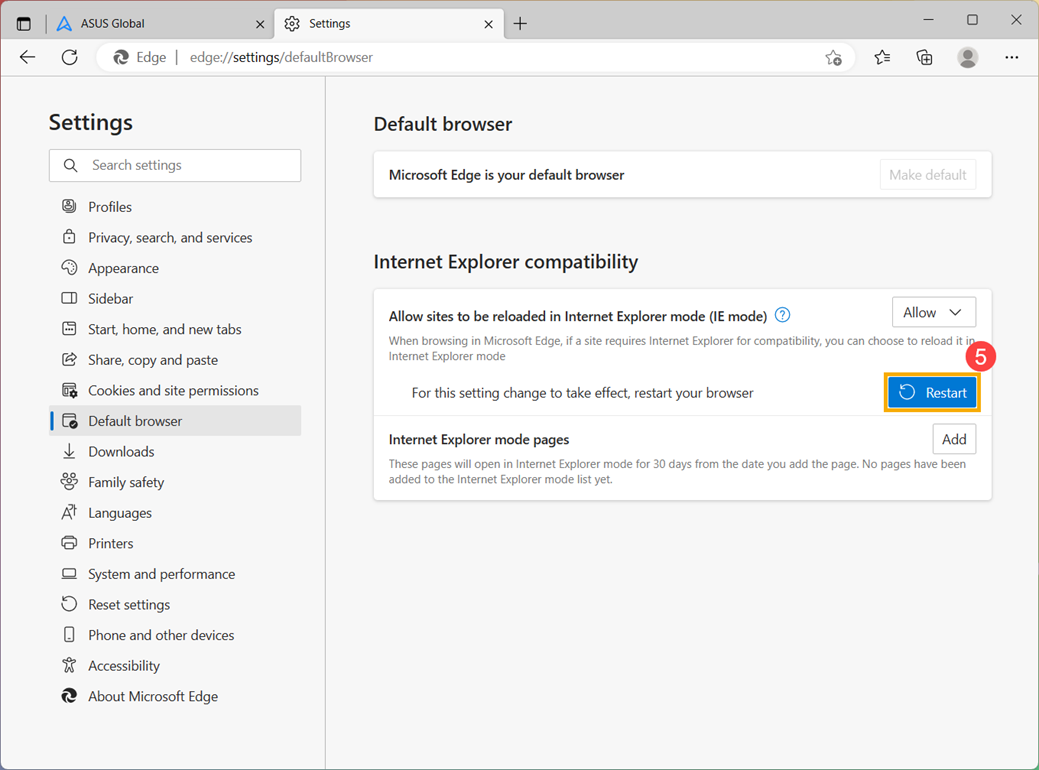
- Under Allow sites to be reloaded in Internet Explorer mode (IE mode)④, you can select the setting you need.
Select “Allow” to enable IE mode. Select “Don’t allow” to disable IE mode.
- After changing the setting, please click [Restart]⑤ to restart your browser for this setting change to take effect.
How to use Internet Explorer mode
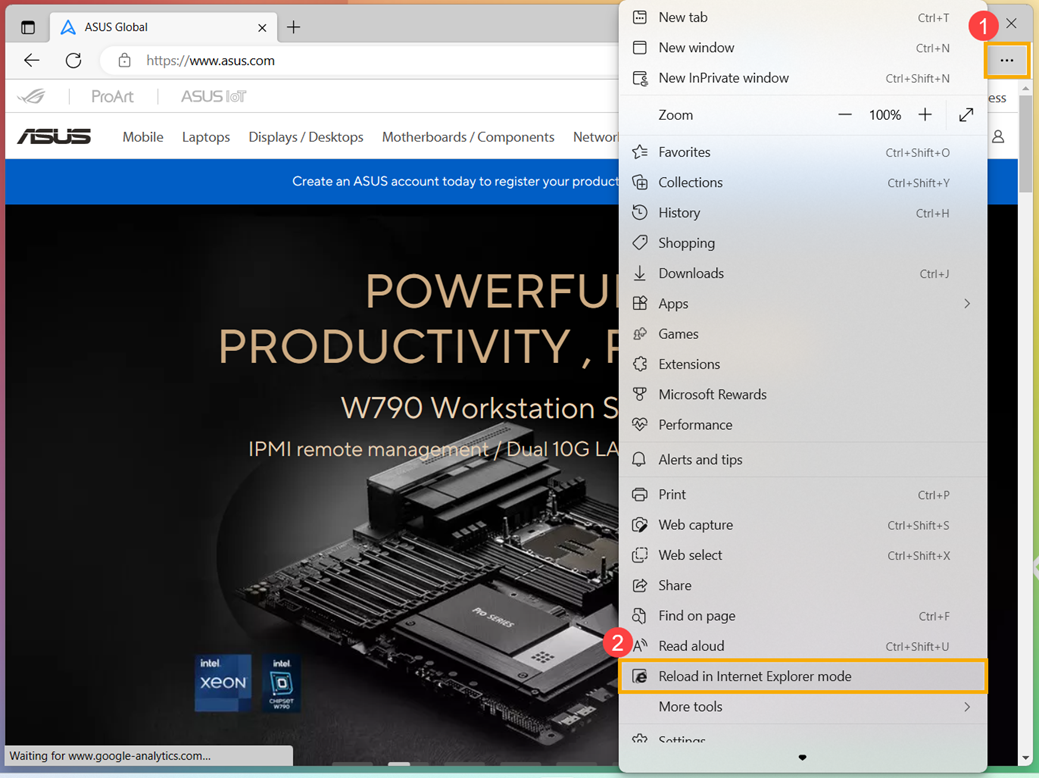
- After Allow sites to be reloaded in Internet Explorer mode (IE mode) be set to “Allow”, click the [Settings and more] icon① in the top-right corner, then click [Reload in Internet Explorer mode]②.
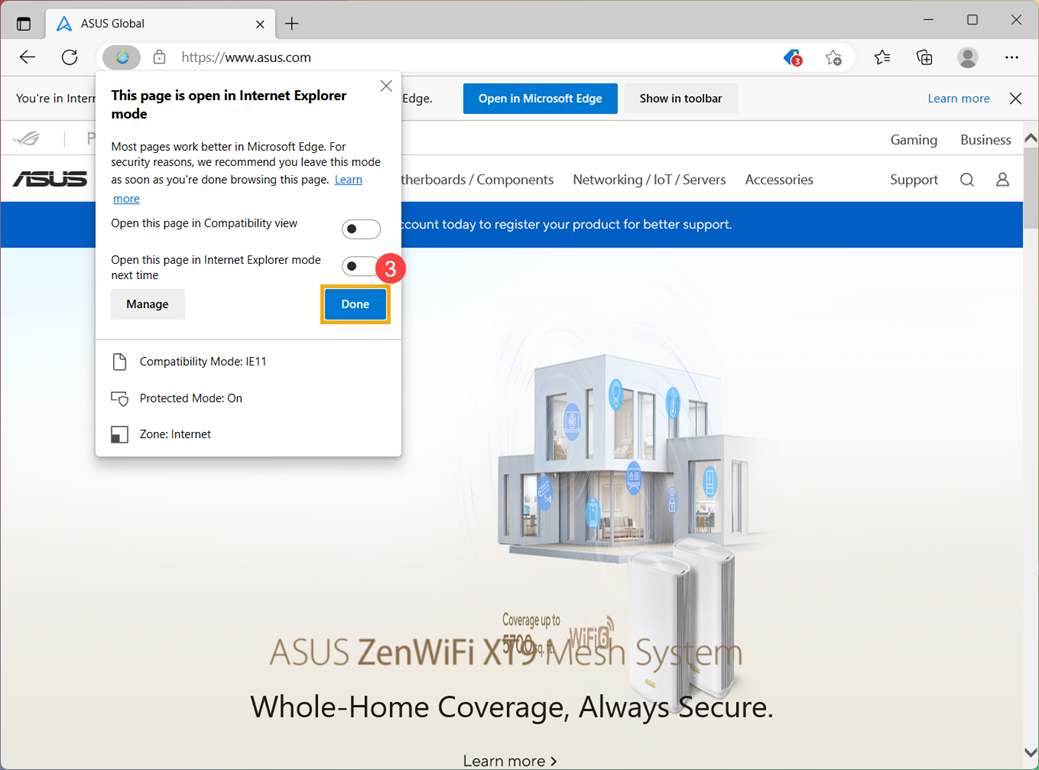
- When opening the page in Internet Explorer mode, it will display the IE icon in front of the address bar. Click [Done]③, you can browse this page in Internet Explorer mode.
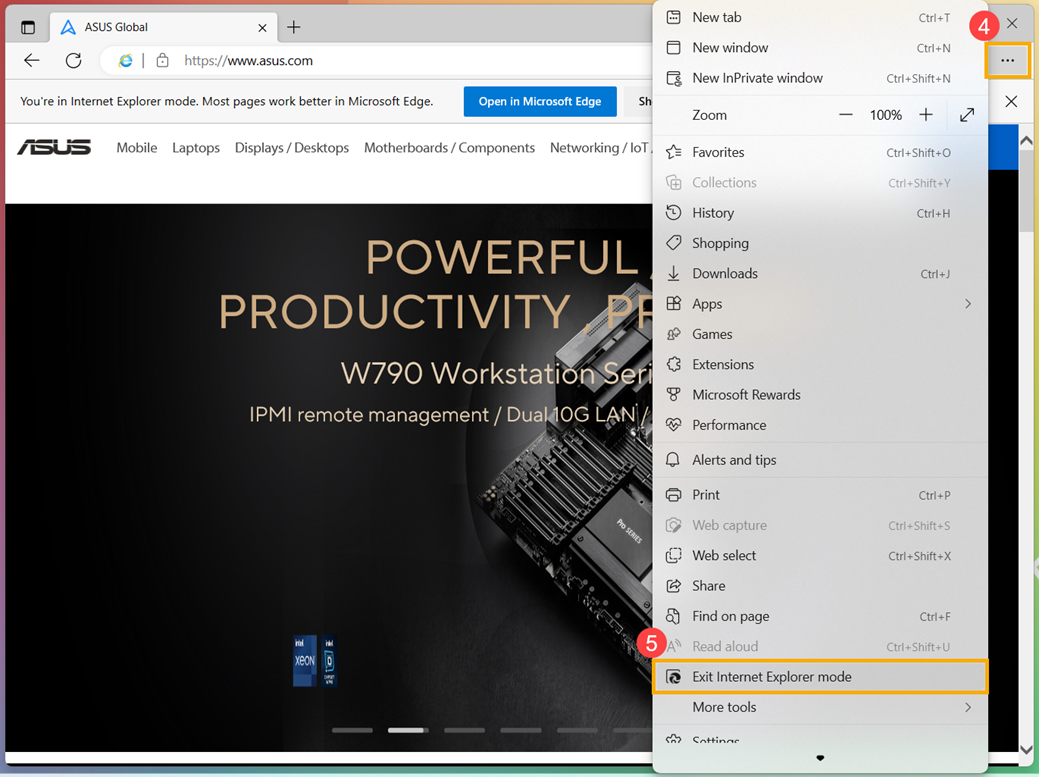
- If you want to return to browsing without Internet Explorer mode, click the [Settings and more] icon④ in the top-right corner, then click [Exit Internet Explorer mode]⑤.
Add specific pages to always open in Internet Explorer mode
- Open Microsoft Edge. Click the [Settings and more] icon① in the top-right corner, then click [Settings]②.
- Click [Default browser]③.
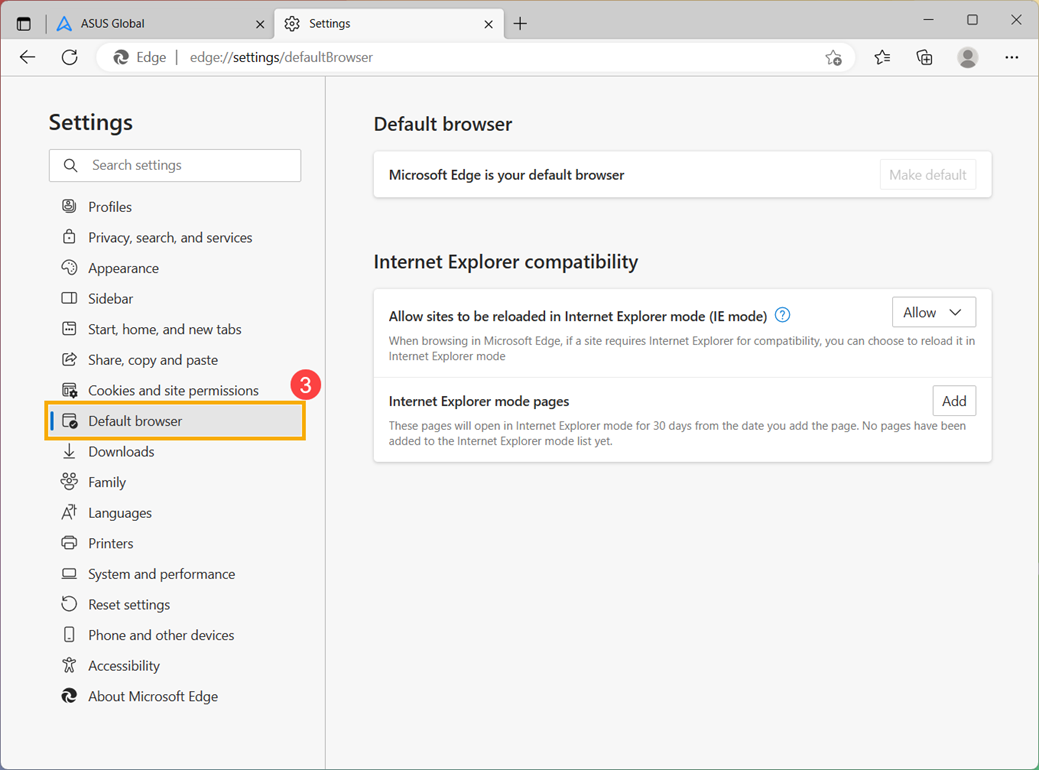
- Under Internet Explorer mode pages, click [Add]④.
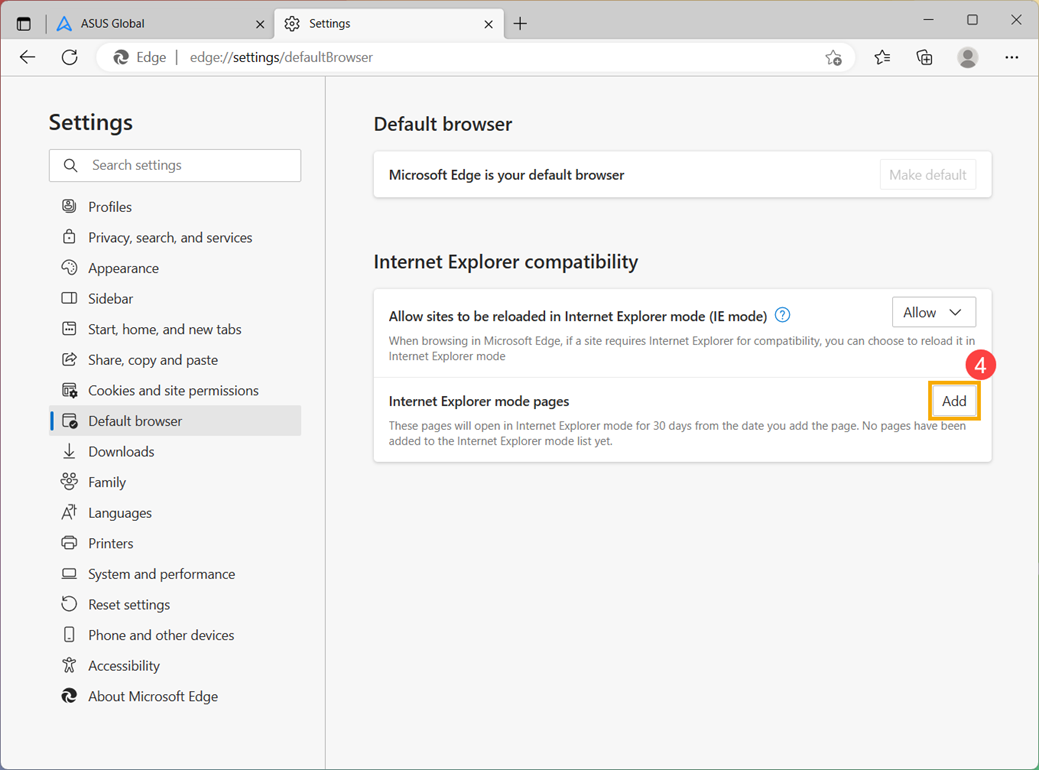
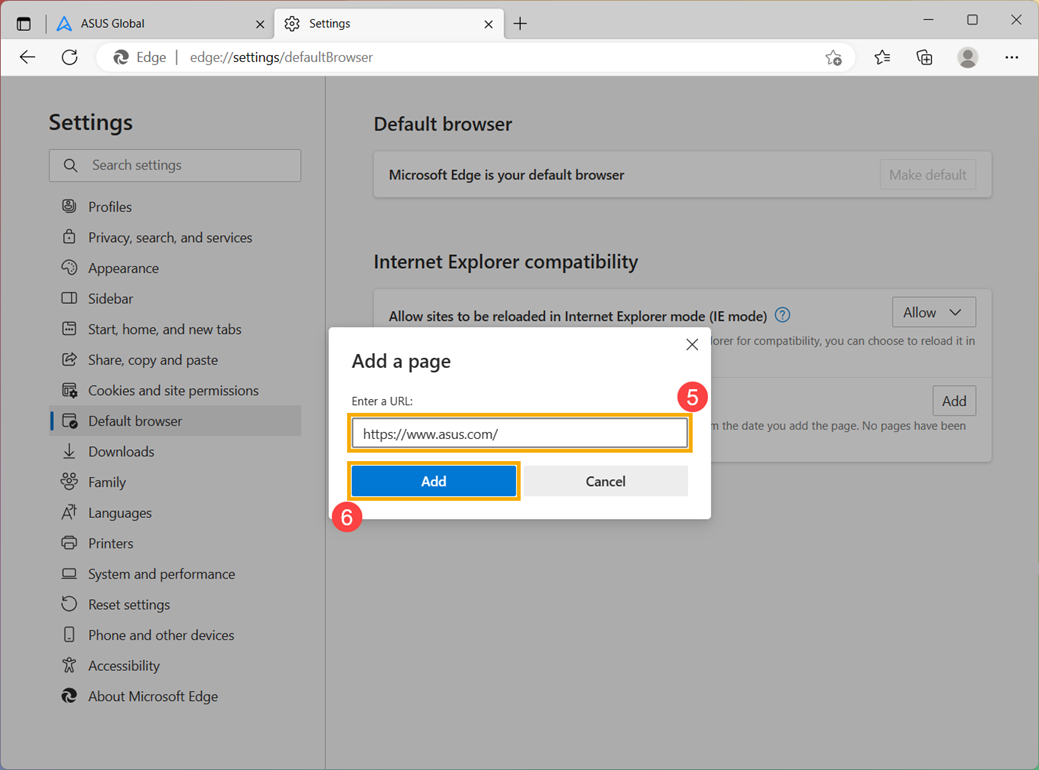
- Type in a URL you wish to always open in Internet Explorer⑤, then click [Add]⑥.
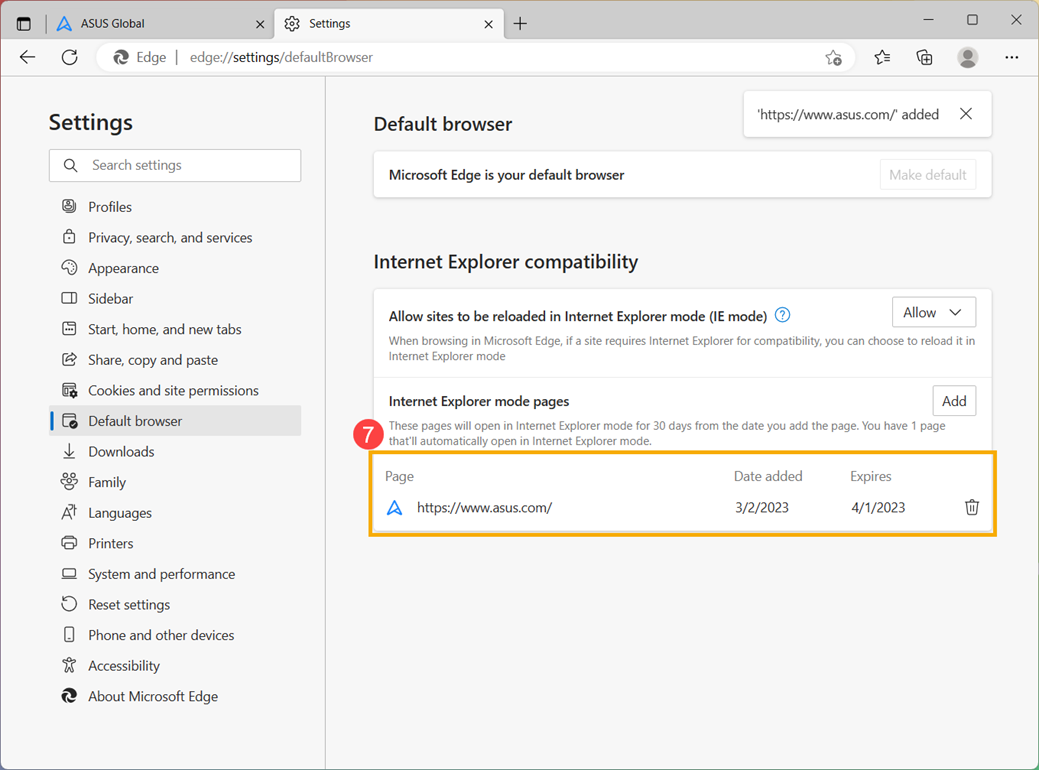
- After completing adding the page, the following will display the Date added and Expires of this page⑦.