[Windows 11/10] How to check Windows operating system version
Applicable Products: Notebook, Desktop, All-in-One PC, Gaming Handheld, MiniPC
If you would like to find out which version of Windows your device is running, the following provides two methods, and you can choose either one to perform it.
Method 1: Check the version of Windows via MyASUS
Please go to the corresponding instruction based on the current Windows operating system on your device:
Windows 11 operating system
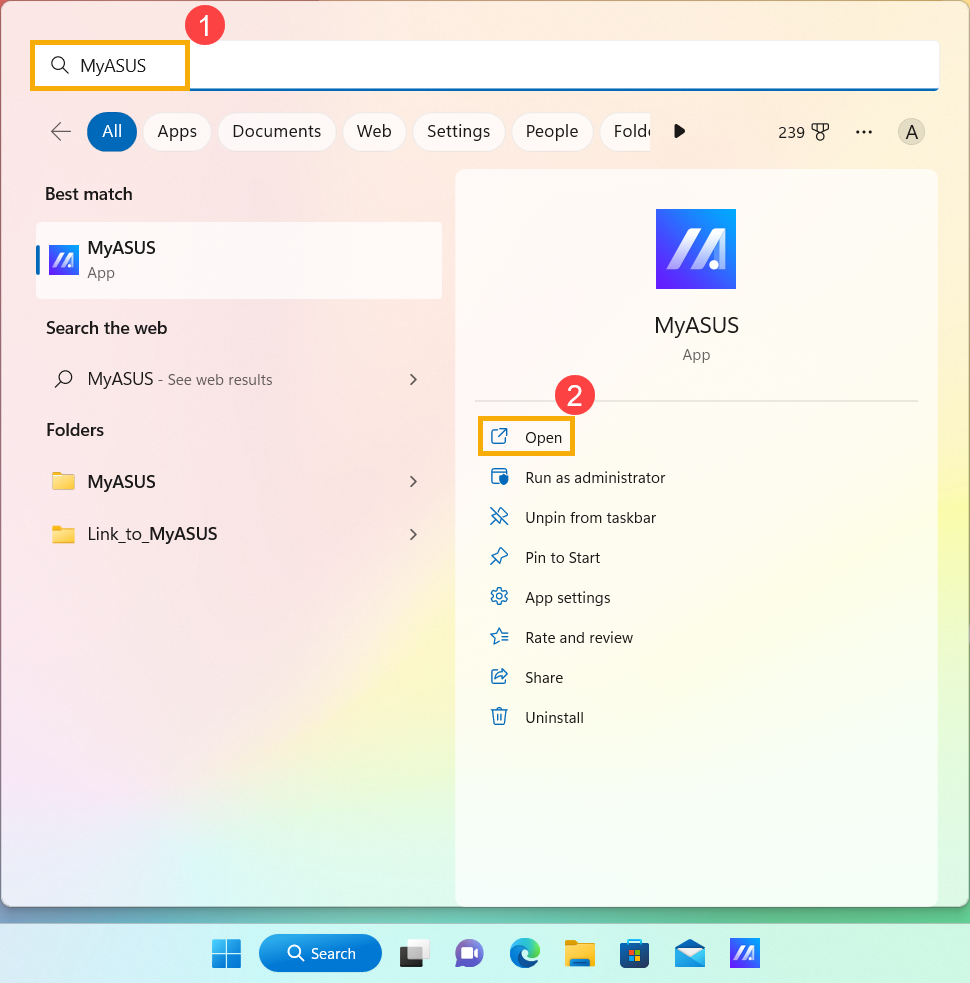
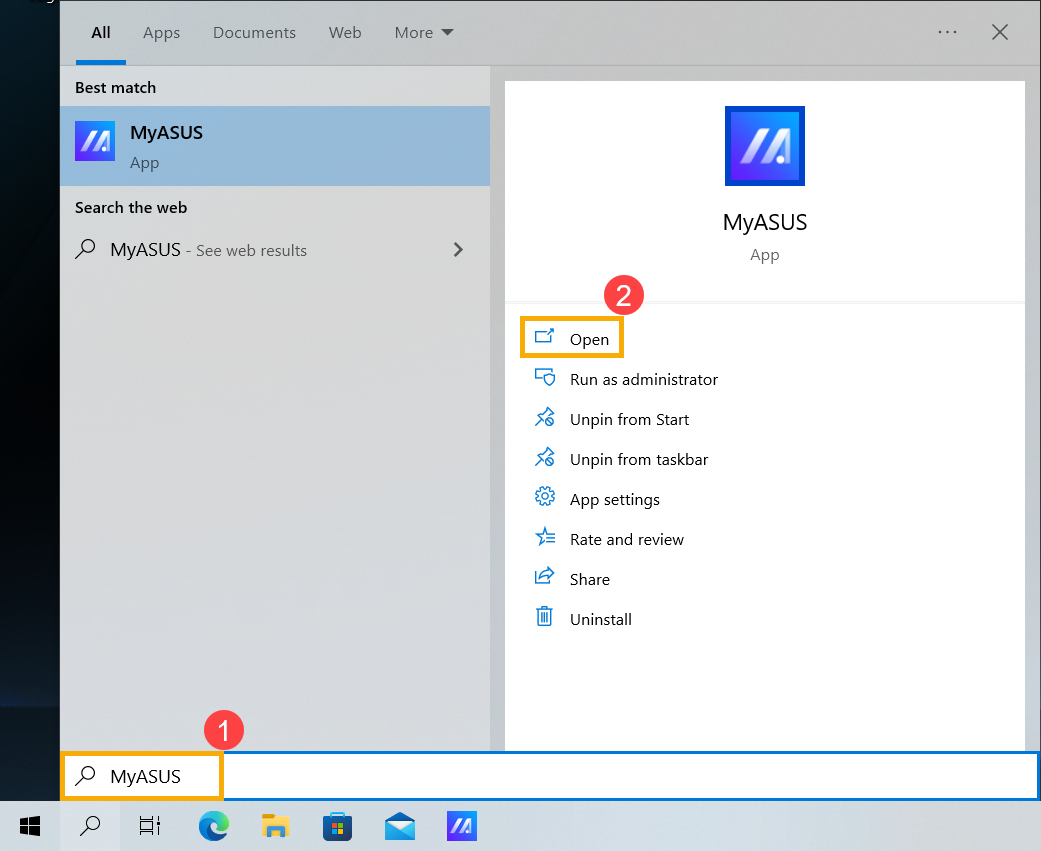
- Type and search [MyASUS] in the Windows search bar①, then click [Open]②.
Note: If you cannot find MyASUS, it may not be installed on your device. Refer to How to install MyASUS.
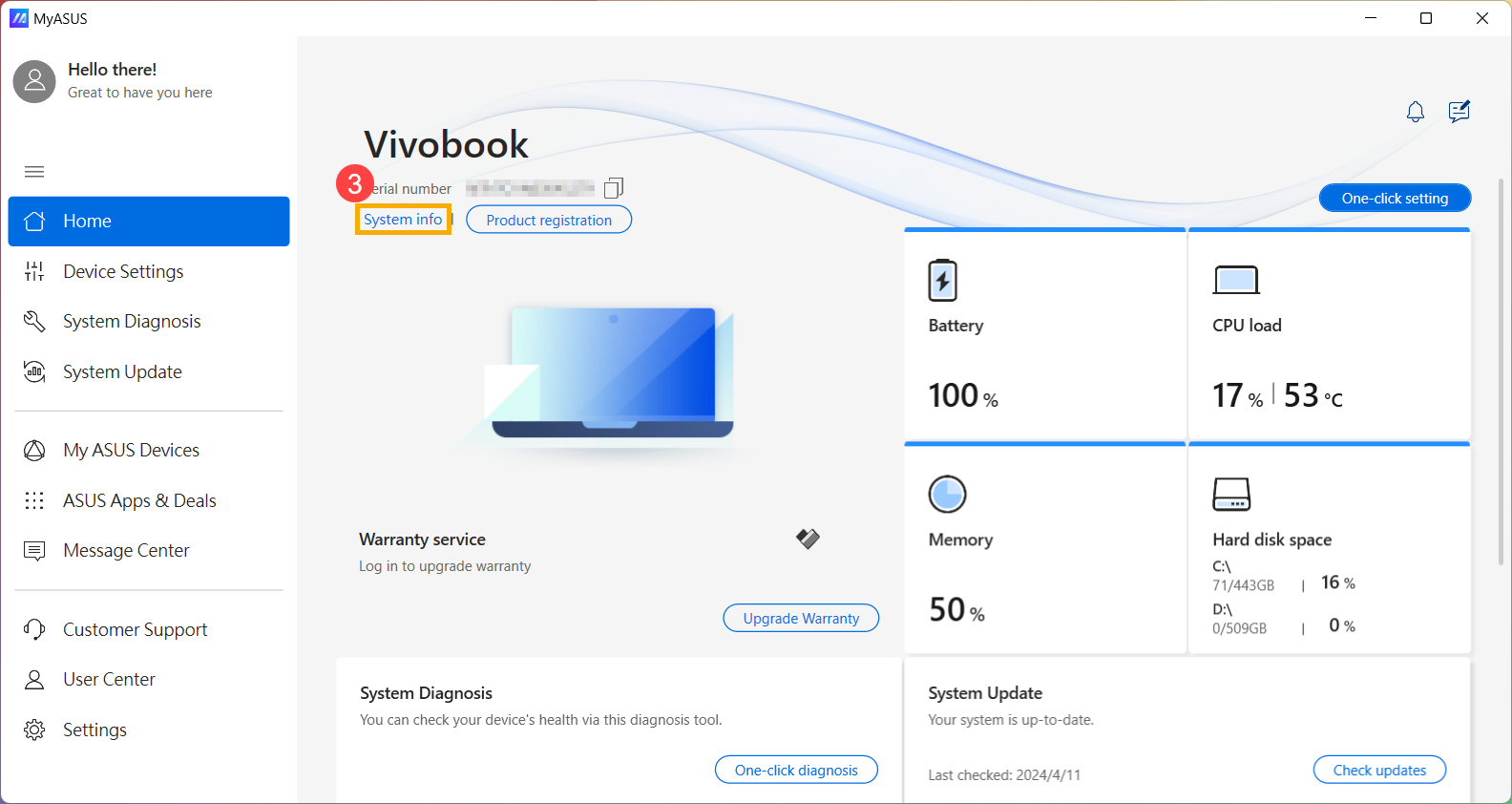
- Click [System info]③.
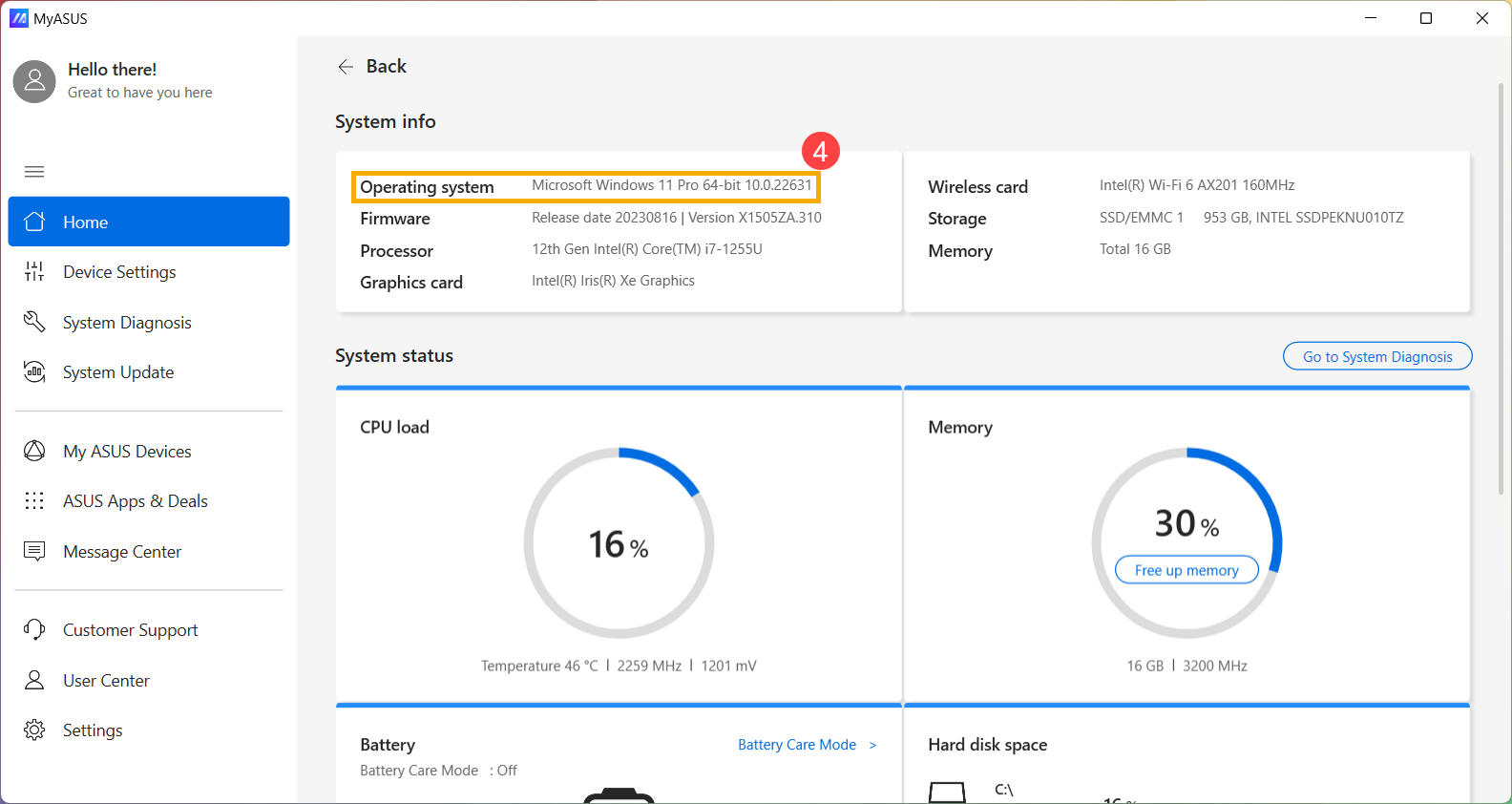
- Under System info, check which version of Windows your device is running④.
Windows 10 operating system
- Type and search [MyASUS] in the Windows search bar①, then click [Open]②.
Note: If you cannot find MyASUS, it may not be installed on your device. Refer to How to install MyASUS.
- Click [System info]③.
- Under System info, check which version of Windows your device is running④.
Method 2: Check the version of Windows in Windows Settings
Please go to the corresponding instruction based on the current Windows operating system on your device:
Windows 11 operating system
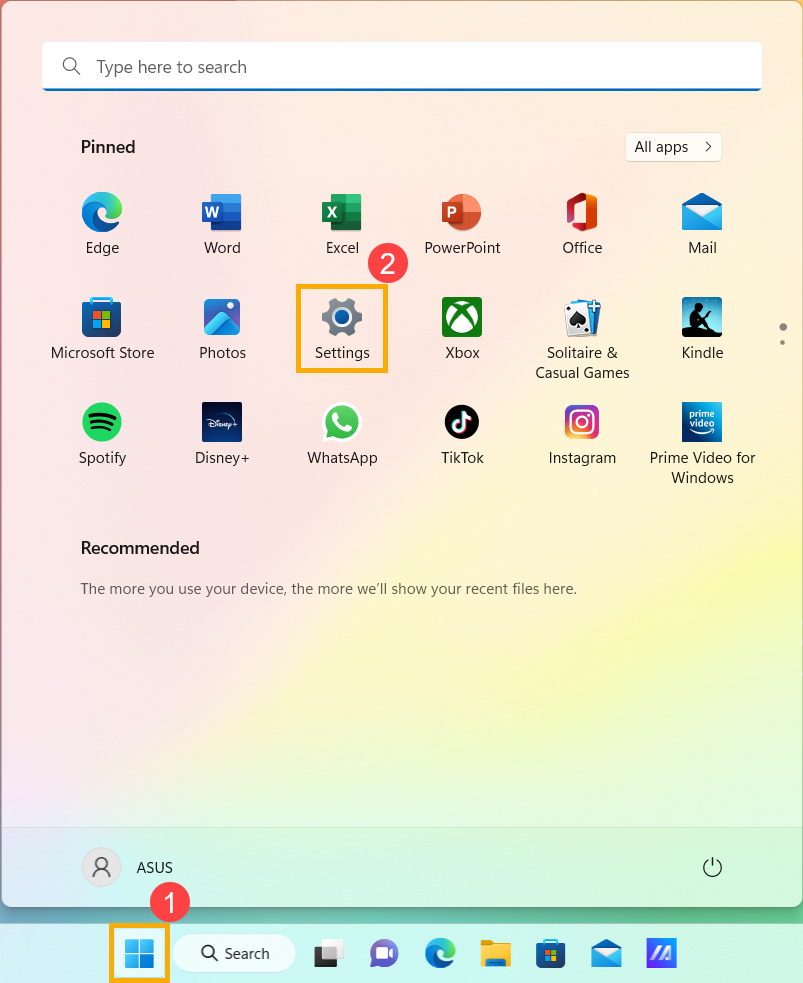
- Click the [Start] icon
 on the taskbar①, then select [Settings]
 ②.
②.
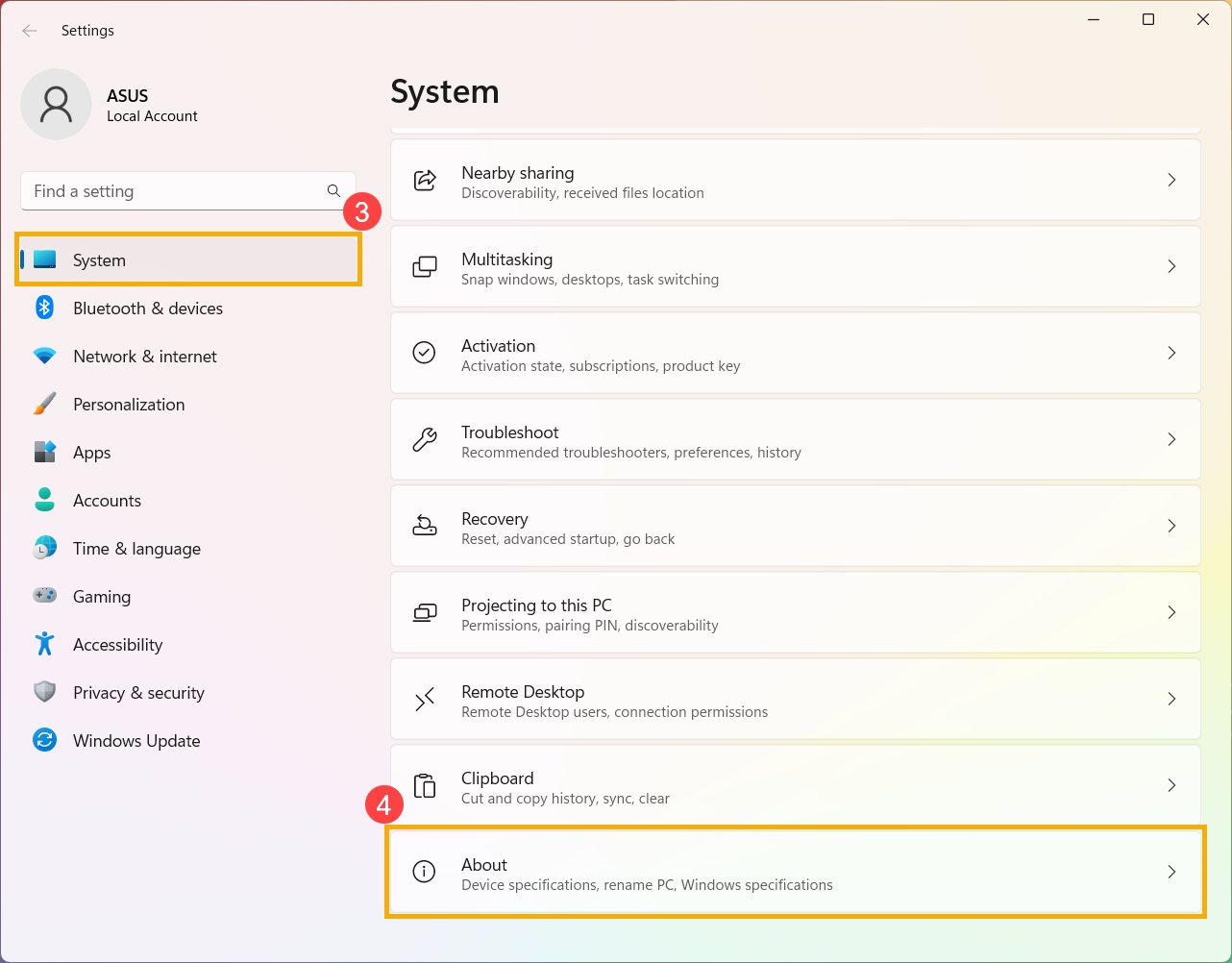
- Select [System]③, scroll down to the bottom of the page, then select [About]④.
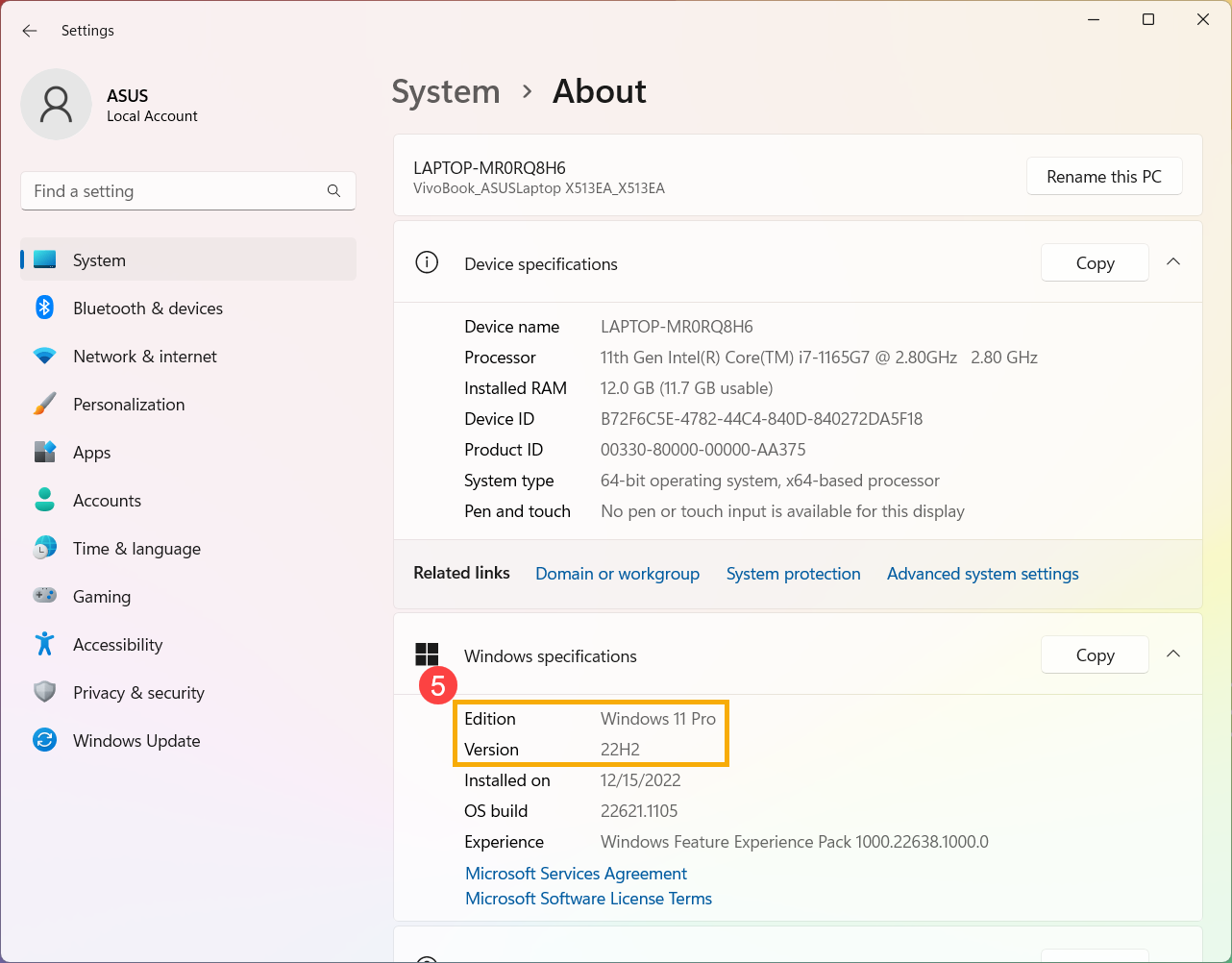
- Under Windows specifications, check which edition and version of Windows your device is running⑤.
Windows 10 operating system
- Click the [Start] icon on the taskbar①, then select [Settings]②.
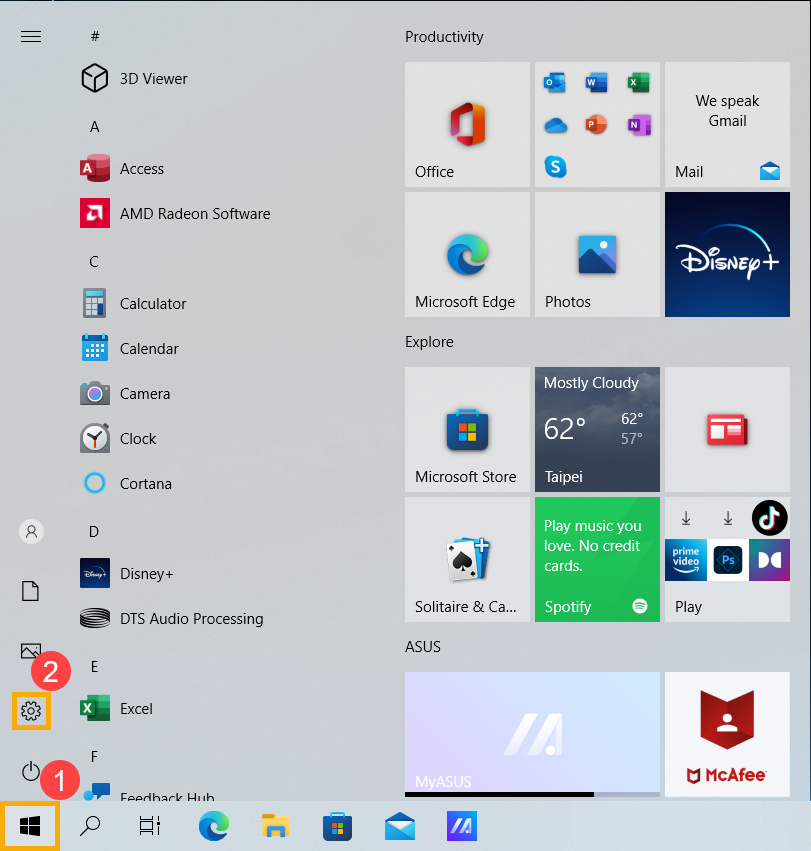
- Select [System]③.
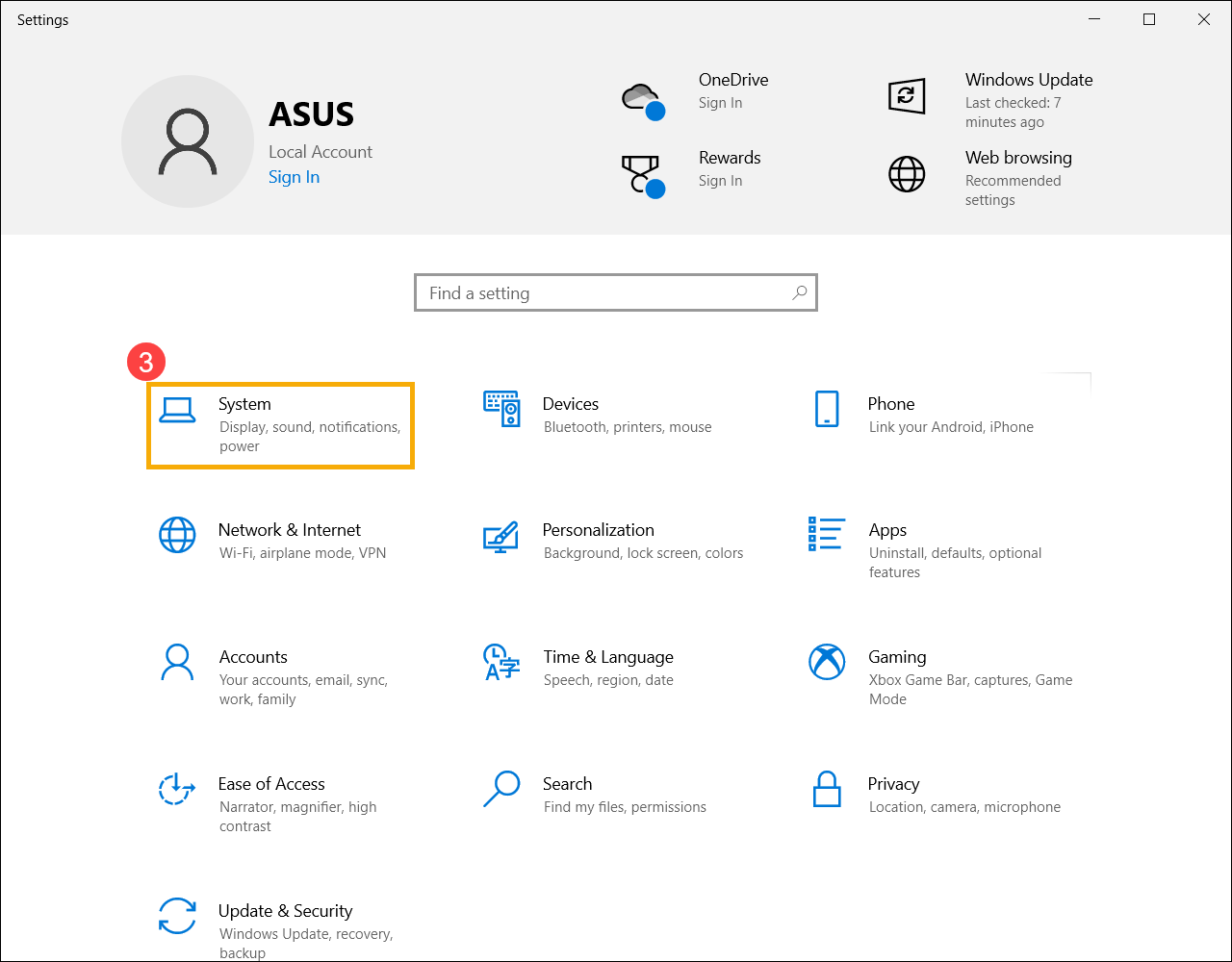
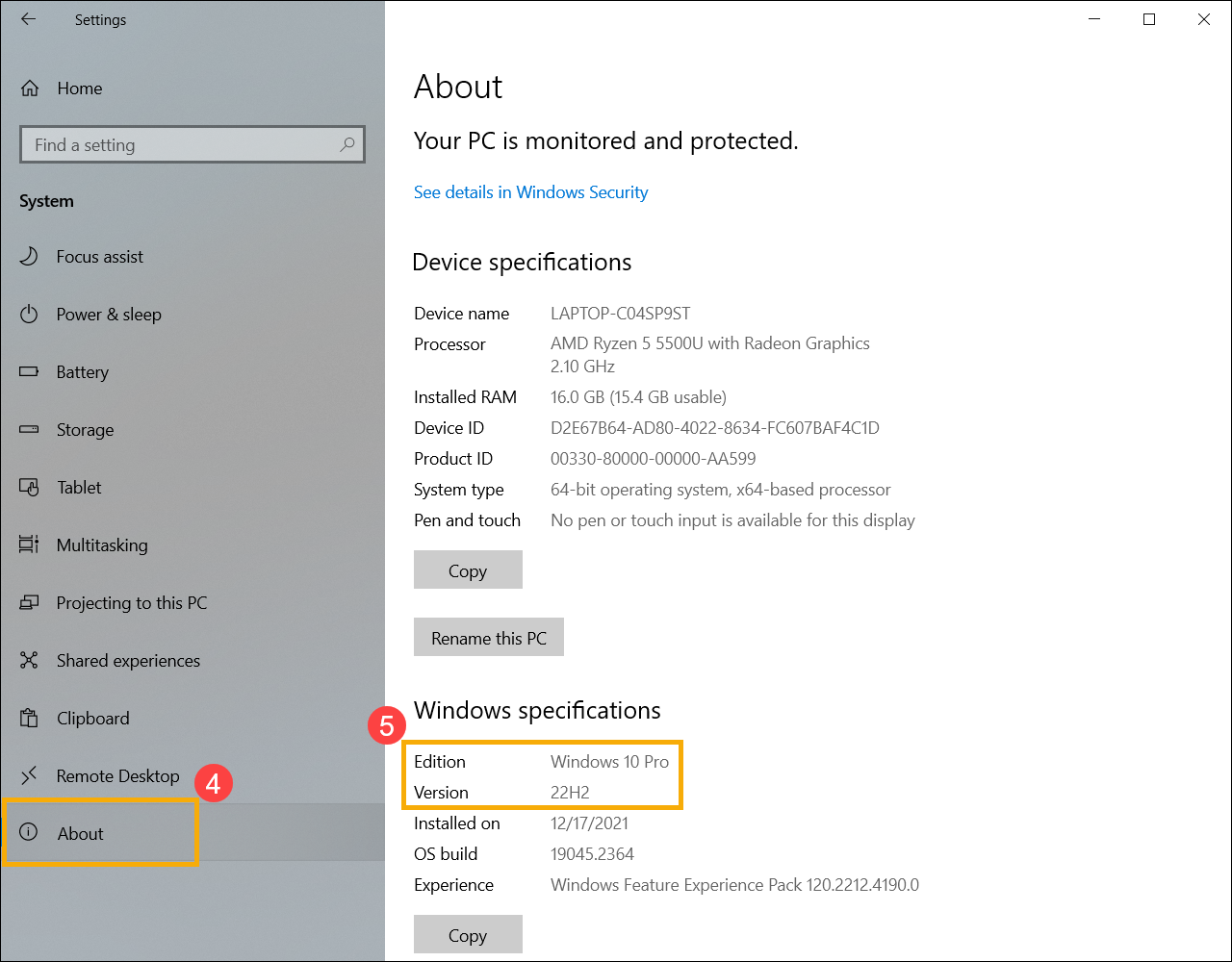
- Select [About]④. Under Windows specifications, check which edition and version of Windows your device is running⑤.