[Windows 11/10] Battery Remaining Usage Time
Applicable Products: Notebook, Gaming Handheld
Battery remaining usage time is a crucial factor affecting work efficiency and user experience. Understanding how to check the remaining battery time in the Windows system and taking measures to optimize battery usage can effectively extend battery life, ensuring sufficient power when needed.
Windows estimates the remaining battery time based on the current rate of power consumption. The displayed remaining battery time represents the approximate usage time left if the battery continues to be used at the current rate. For example, when the device is playing a video, the remaining usage time will decrease; when the video playback stops, the remaining usage time will increase.
Note: For tips on extending battery life, please refer to this article on How to resolve short battery usage time.
Note: The battery itself is a consumable, and lithium-ion batteries naturally degrade over time due to their continuous chemical reactions. Therefore, it is normal to experience a gradual decline in the expected usage time of the battery. Learn more at the ASUS Battery Information Center.
How to Check Remaining Battery Usage Time
Please follow the instructions corresponding to your device's current Windows operating system version:
Windows 11 Operating System
Method 1: Check Battery Status in the Taskbar
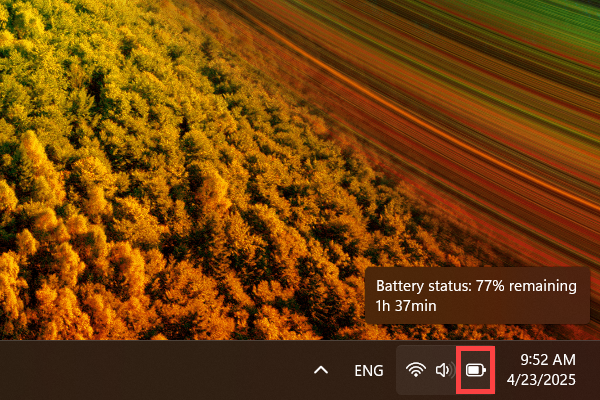
Hover the cursor over the battery icon at the bottom right corner of the desktop to see the current battery percentage and estimated remaining time.
Method 2: Check Battery Status in Windows Settings
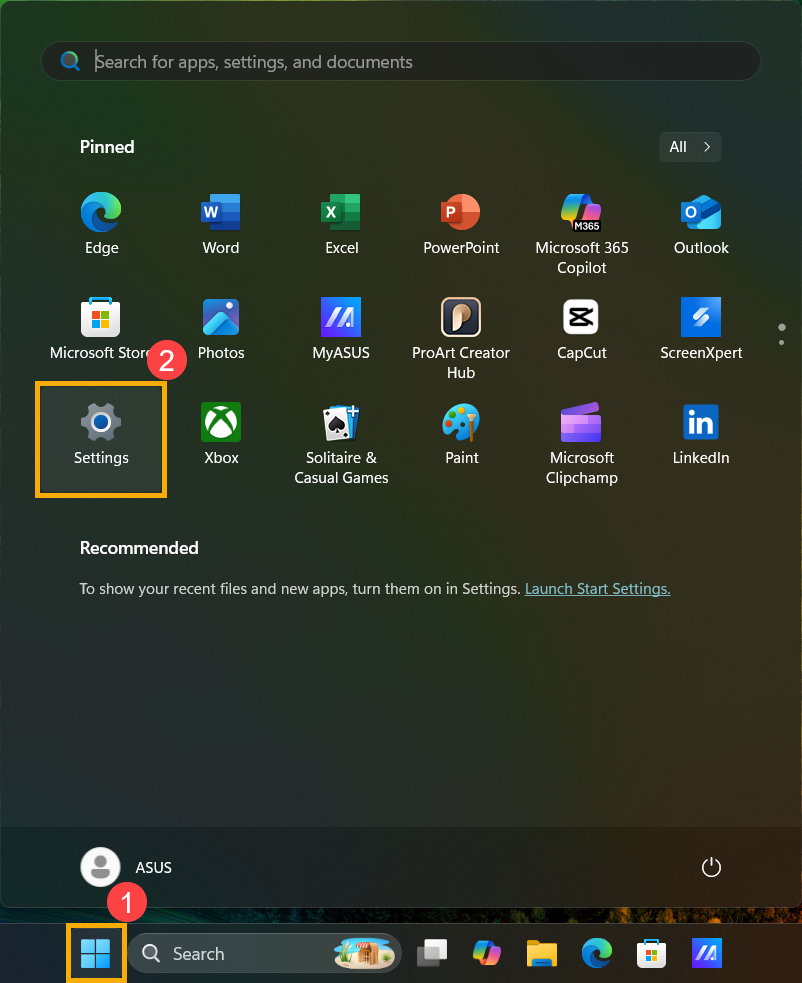
- Click the [Start] icon
 on the taskbar①, then click [Settings]
 ②.
②.
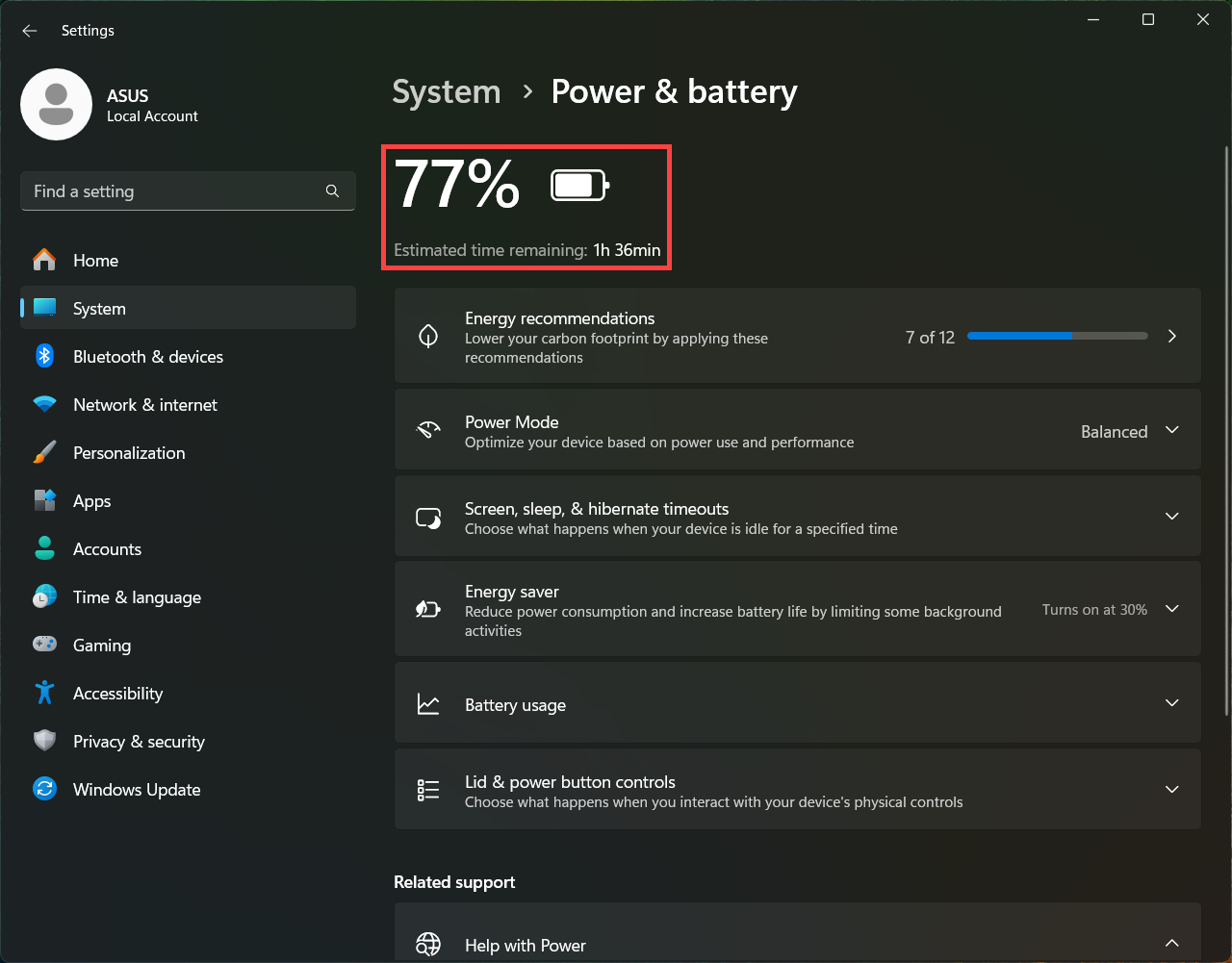
- In Windows Settings, click [System]③, then click [Power & battery]④.

- In the Power & battery settings, you can see the battery percentage and estimated remaining time.
Windows 10 Operating System
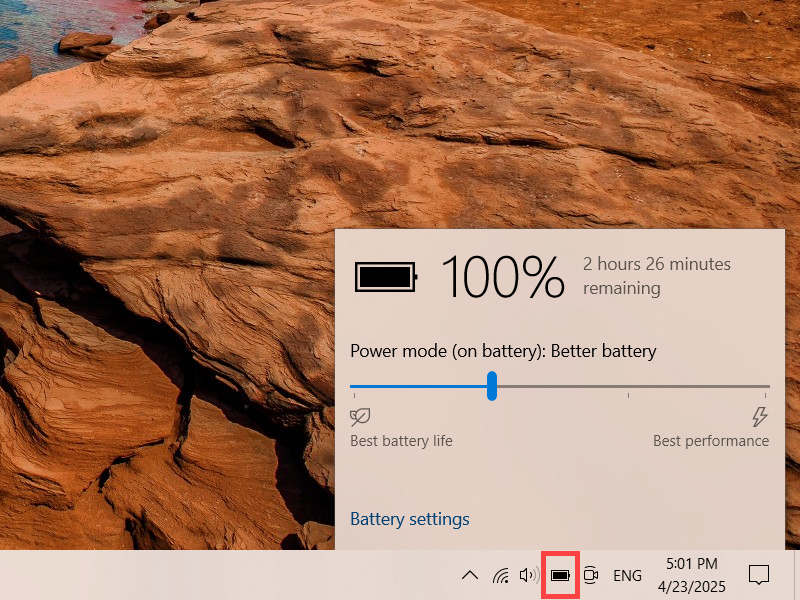
Method 1: Check Battery Status in the Taskbar
Hover the cursor over the battery icon at the bottom right corner of the desktop to see the current battery percentage and estimated remaining time.
Method 2: Check Battery Status in Windows Mobility Center
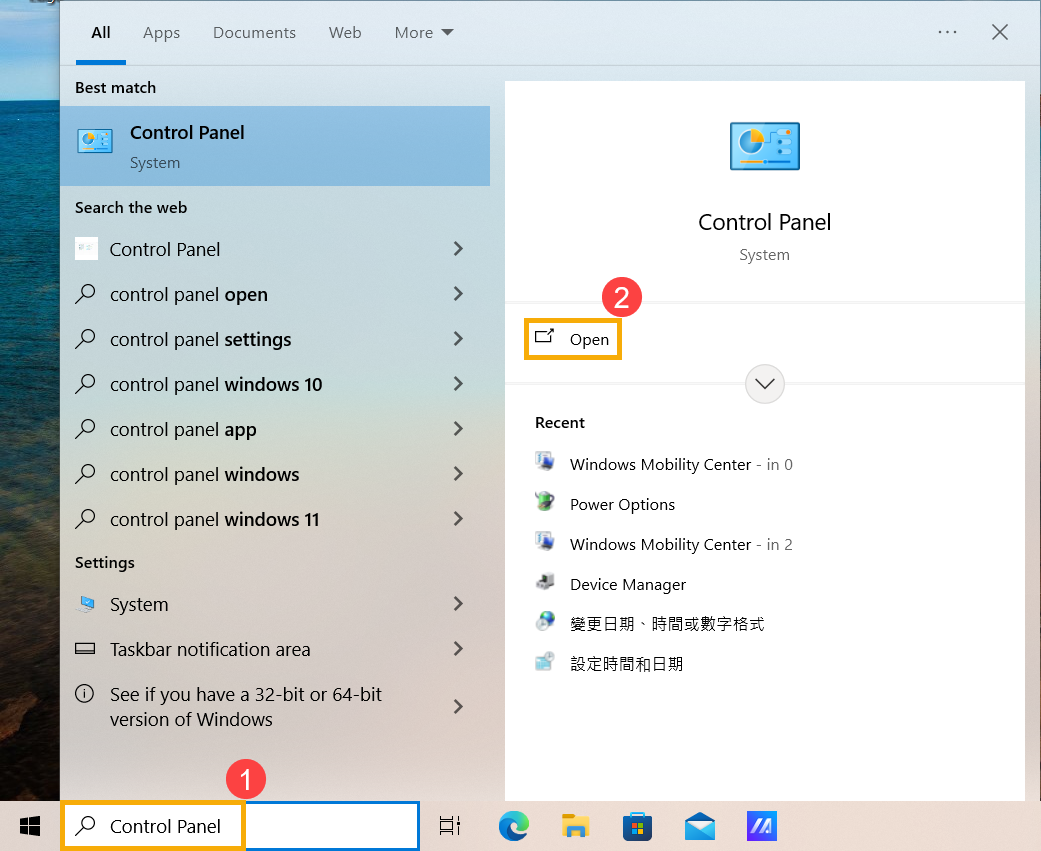
- Type [Control Panel] in the Windows search bar①, then click [Open]②.
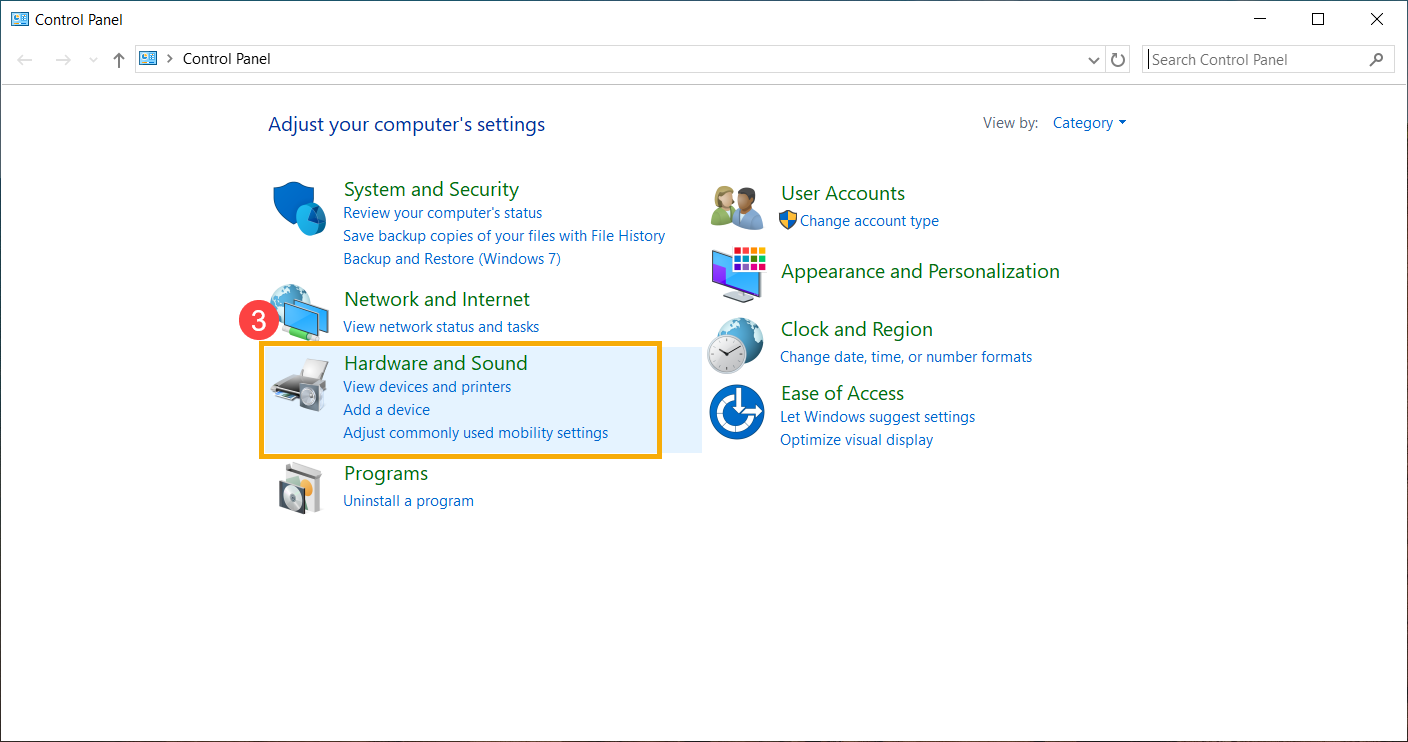
- In the Control Panel, click [Hardware and Sound]③.
- In the Hardware and Sound settings, click [Windows Mobility Center]④.
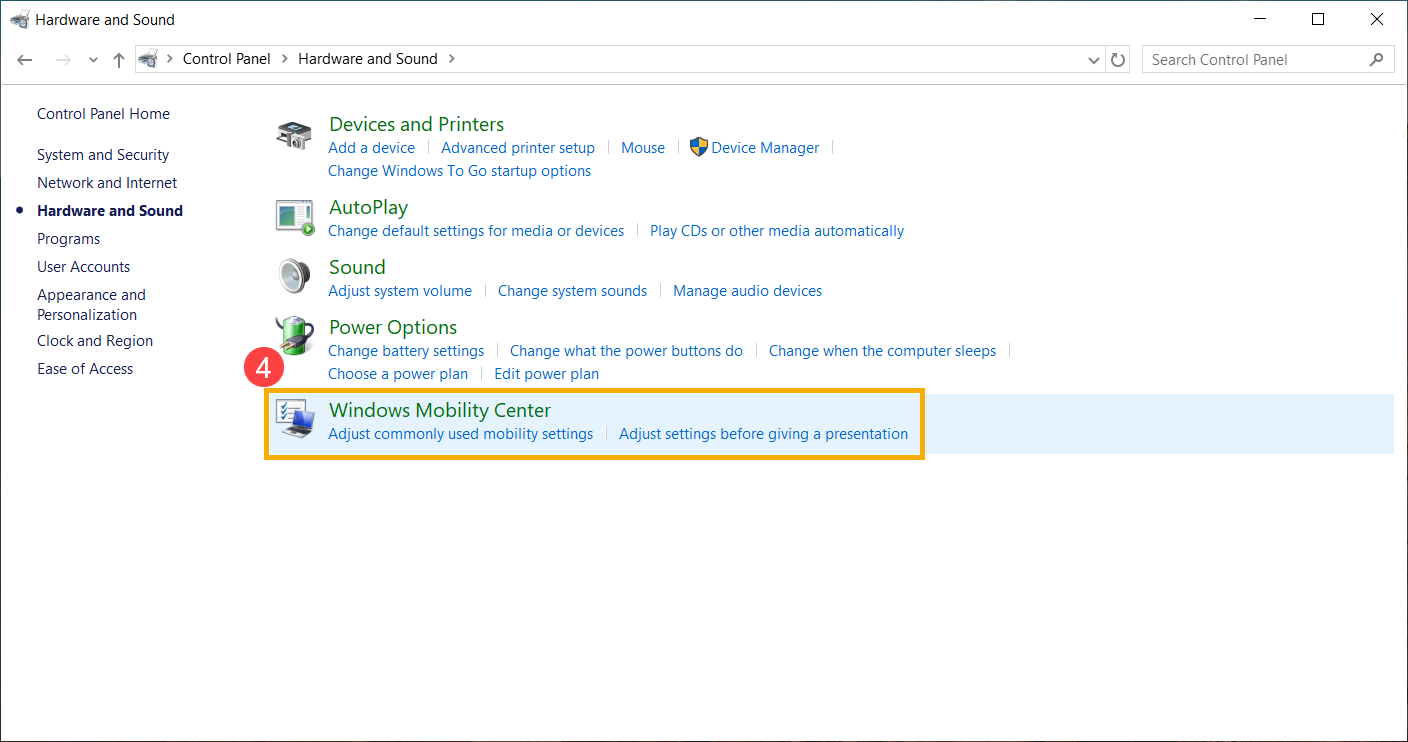
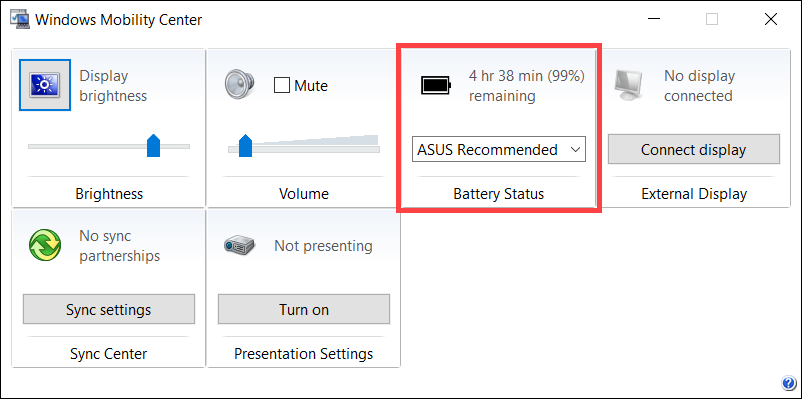
- In the Windows Mobility Center, you can see the current battery percentage and estimated remaining time.