Troubleshooting - Constant AI ClearVoice Notification During Communication Software Calls
Applicable Products: Notebook, Desktop, All-in-One PC
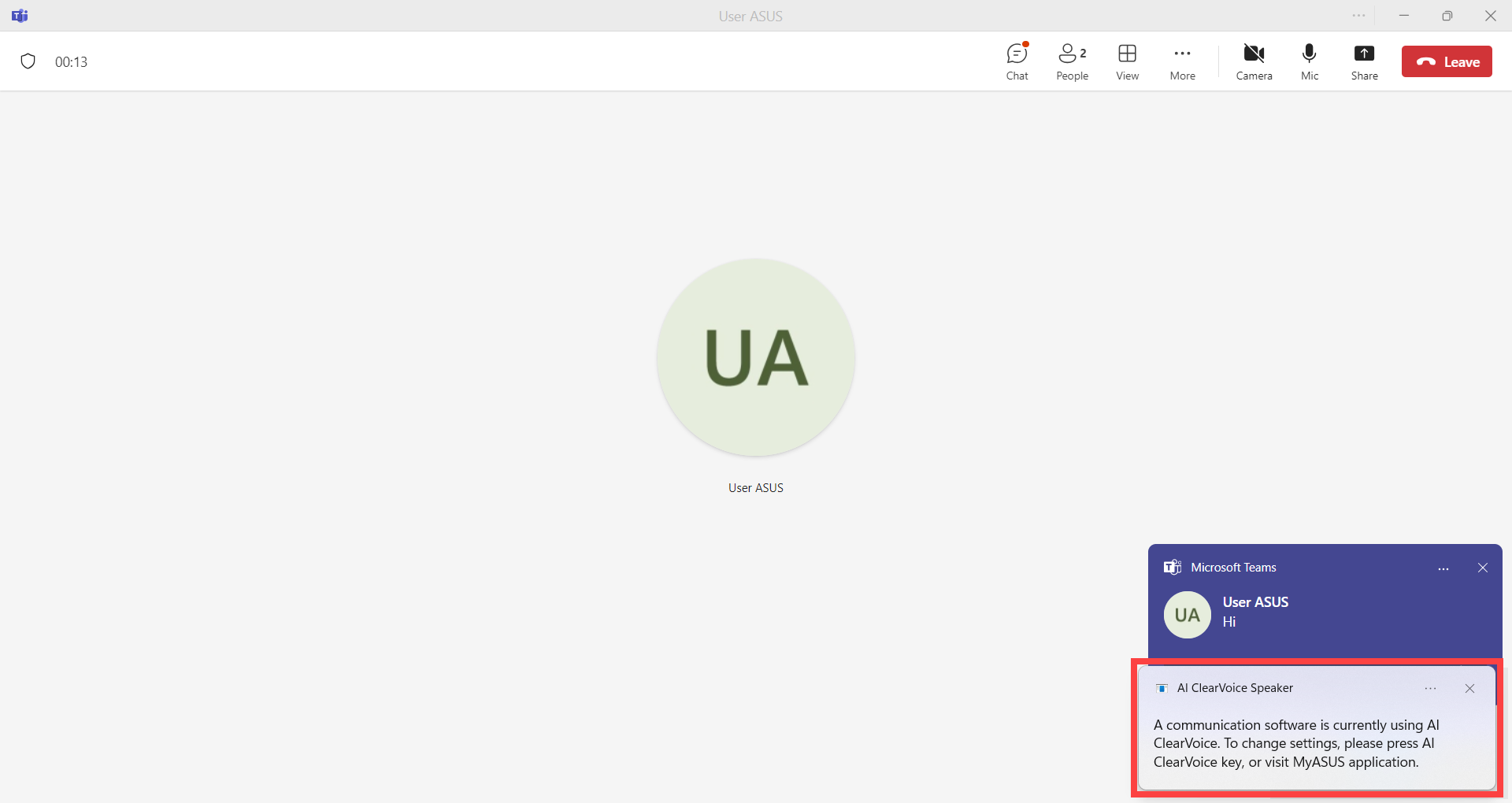
When using communication software such as Microsoft Teams, if your computer is equipped with the IntelliGo audio driver, you may encounter a situation where a notification pops up on your desktop whenever a message is received, indicating that ‘A communication software is currently using AI ClearVoice’. This article aims to provide two methods to help you resolve this issue.
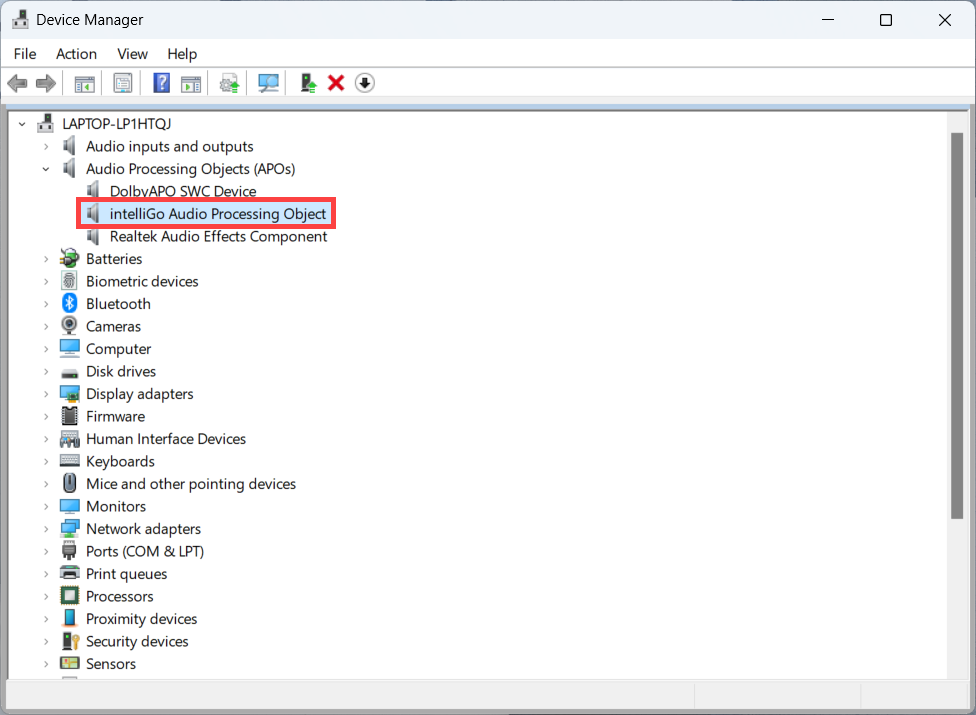
Before proceeding with the following steps, please confirm through Device Manager whether your computer supports the IntelliGo audio driver. (Right-click on the Start icon on the taskbar > select Device Manager > Audio Processing Objects)
If the device exists, it indicates that your computer supports the IntelliGo audio.
Please follow the instructions according to your current Windows operating system version:
Windows 11 operating system
Method 1: Disable the AI ClearVoice Speaker Function in MyASUS
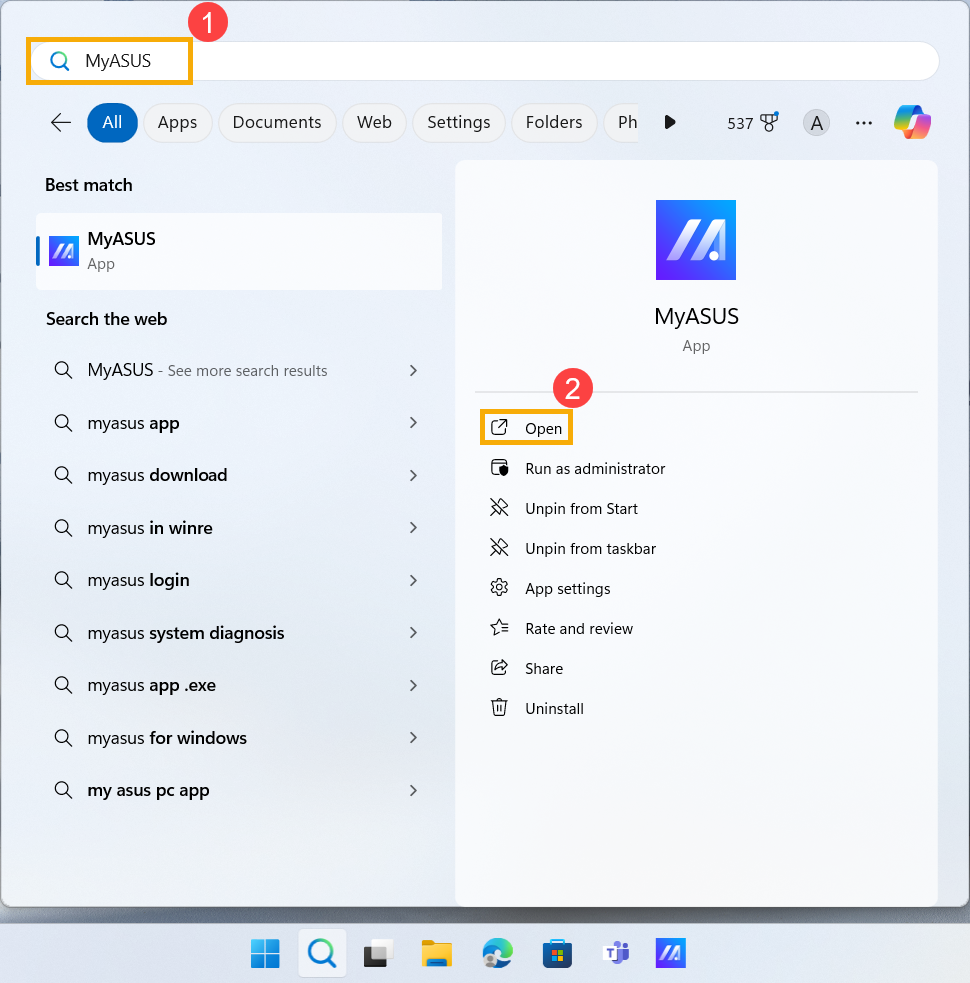
- Type and search [MyASUS] in the Windows search bar①, then click [Open]②.
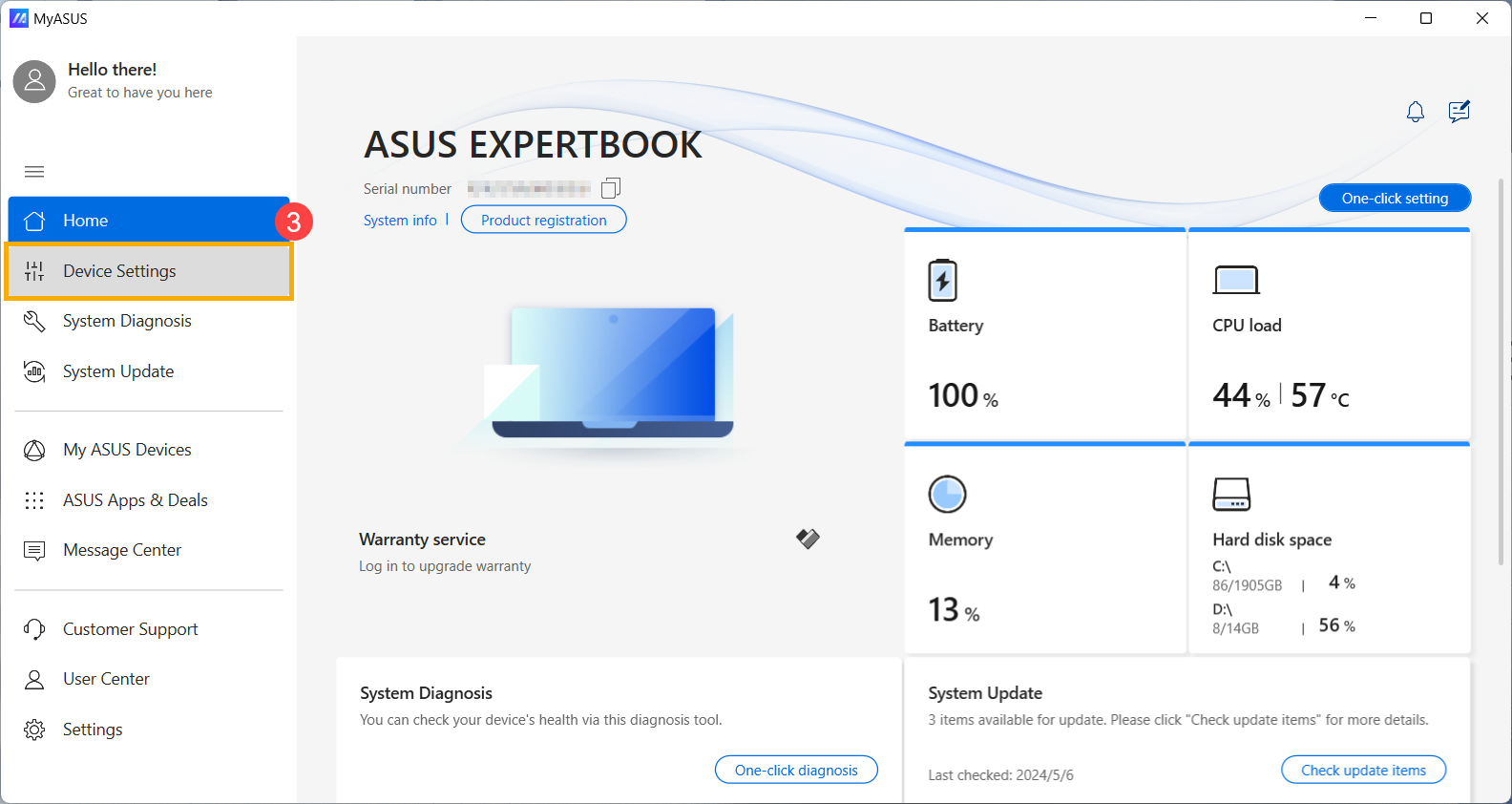
- In the MyASUS app, click [Device Settings]③.
- Under the [Audio & Visual]④ category, locate [AI ClearVoice Speaker]⑤.
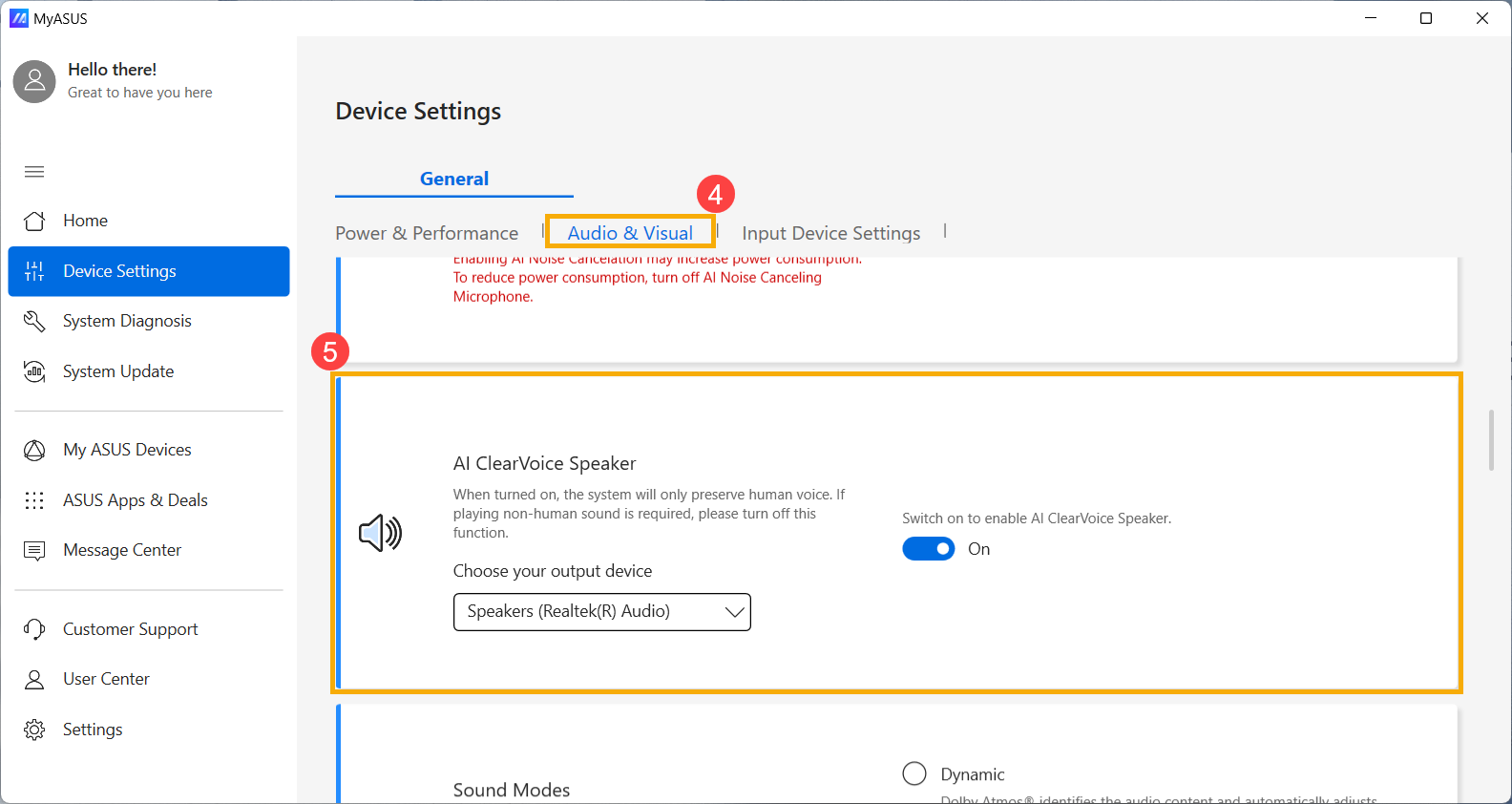
- Adjust the AI ClearVoice Speaker function to Off⑥.
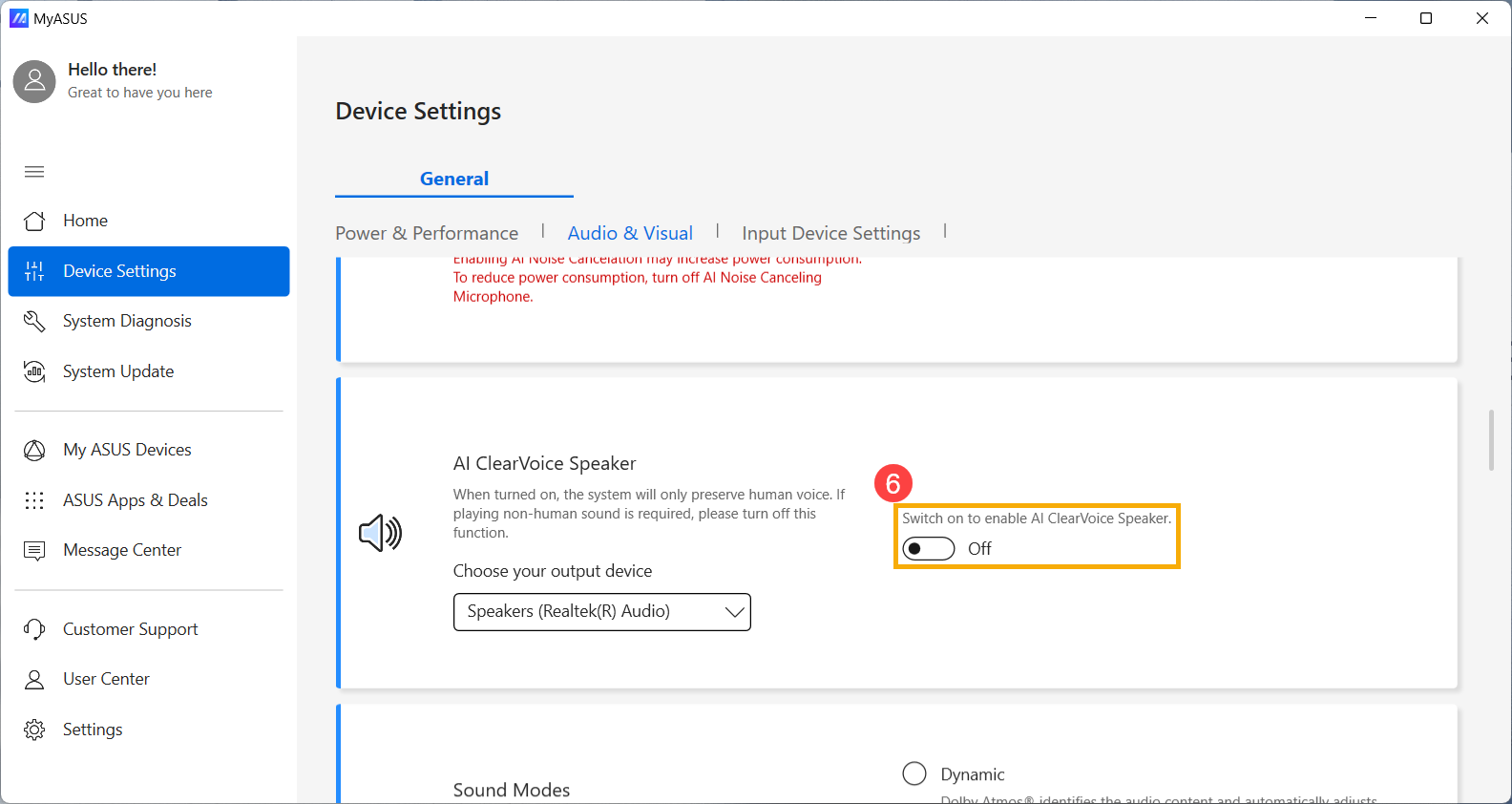
Method 2: Disable AI ClearVoice Speaker notifications in the Windows system
- Click on the [Start] icon
 on the taskbar①, then click [Settings]
 ②.
②.

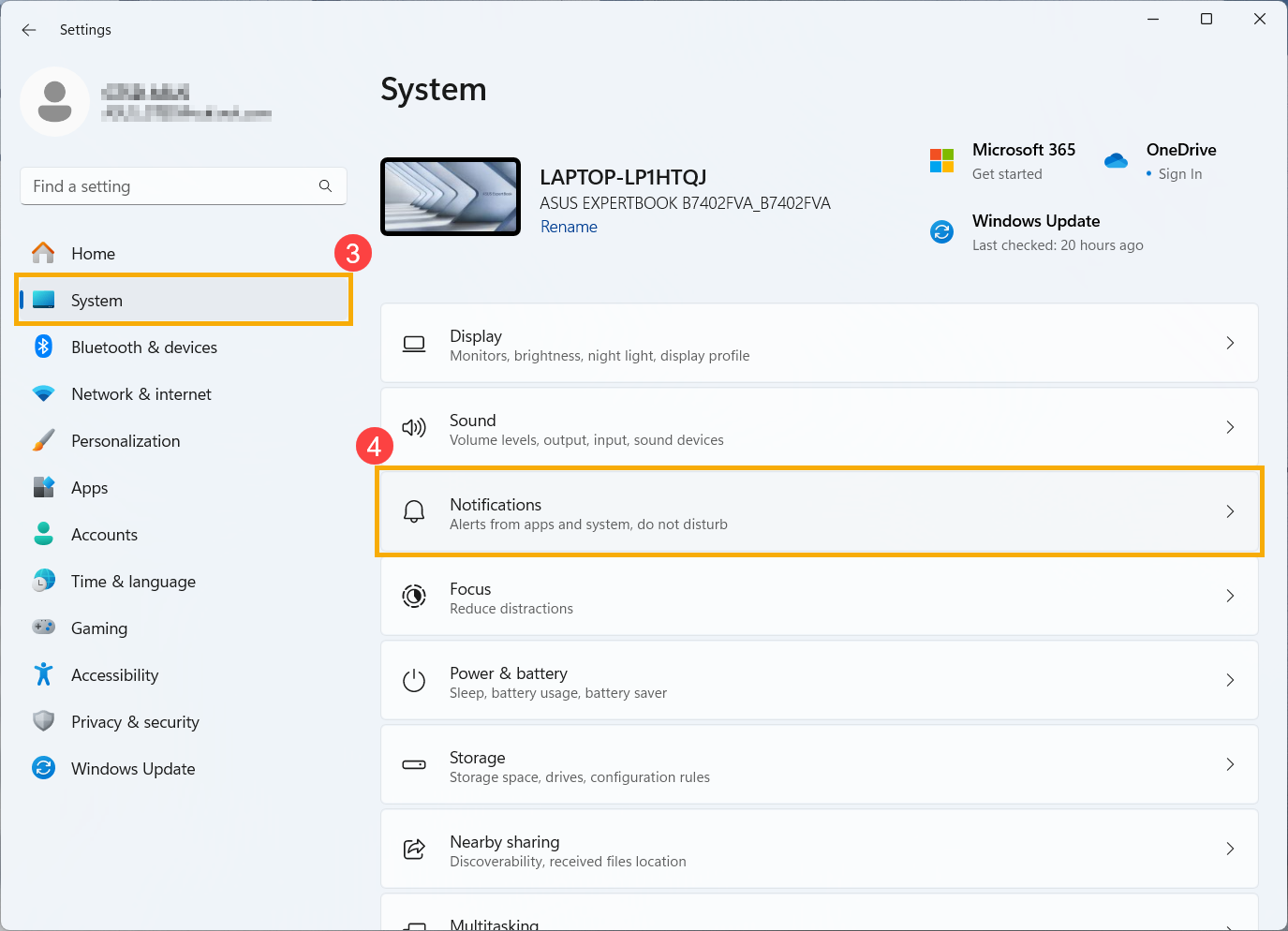
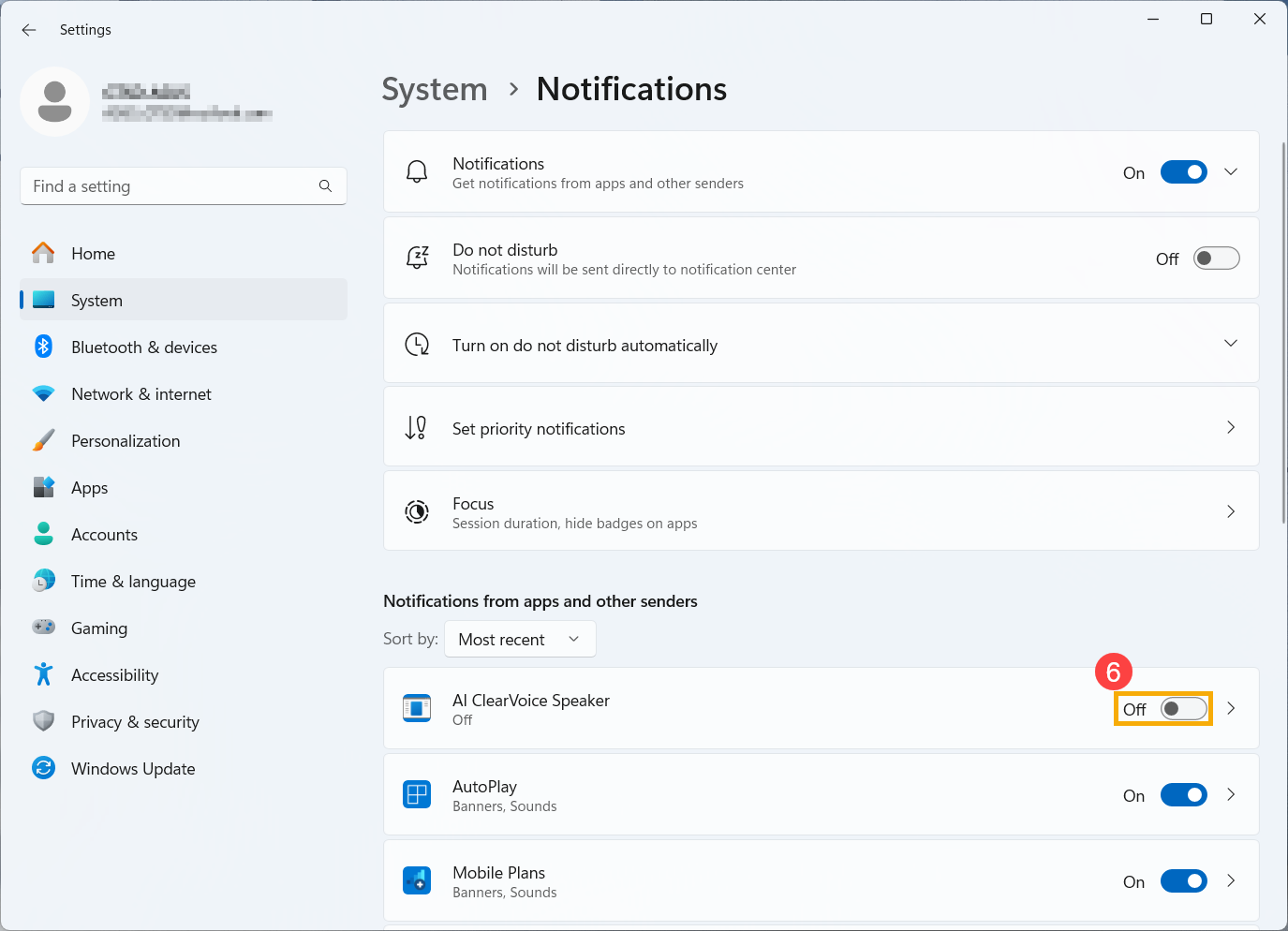
- In Settings, click on [System]③, then click on [Notifications]④.
- In the list of Notifications from apps and other senders, find [AI ClearVoice Speaker]⑤.
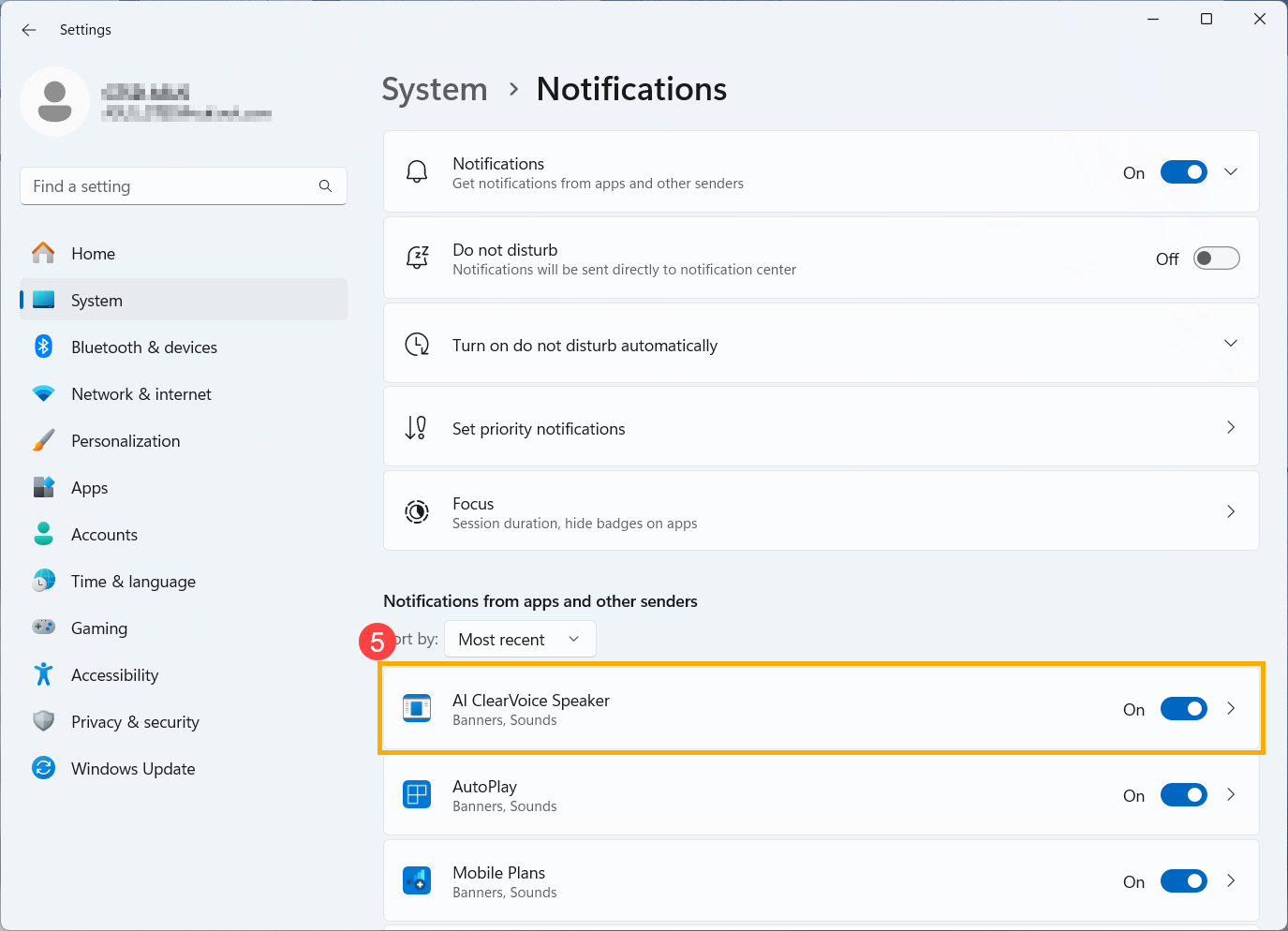
- Set the AI ClearVoice Speaker notification to Off⑥.
Windows 10 operating system
Method 1: Disable the AI ClearVoice Speaker Function in MyASUS
- Type and search [MyASUS] in the Windows search bar①, then click [Open]②.

- In the MyASUS app, click [Device Settings]③.
- Under the [Audio & Visual]④ category, locate [AI ClearVoice Speaker]⑤.
- Adjust the AI ClearVoice Speaker function to Off⑥.
Method 2: Disable AI ClearVoice Speaker notifications in the Windows system
- Click on the [Start] icon
 on the taskbar①, then click [Settings]
 ②.
②.
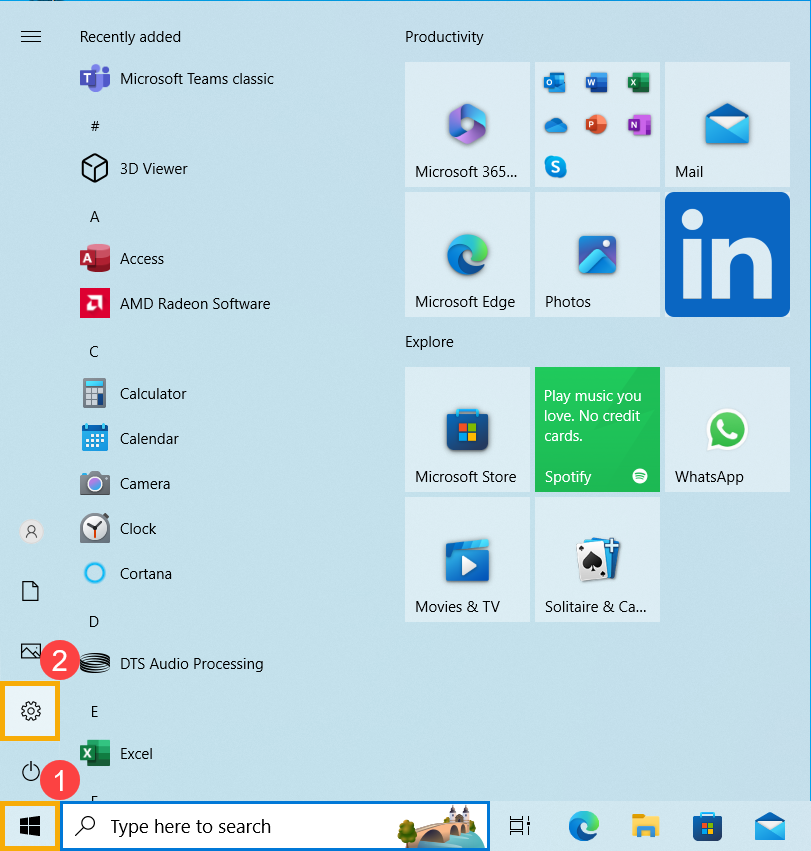
- In Settings, click on [System]③.

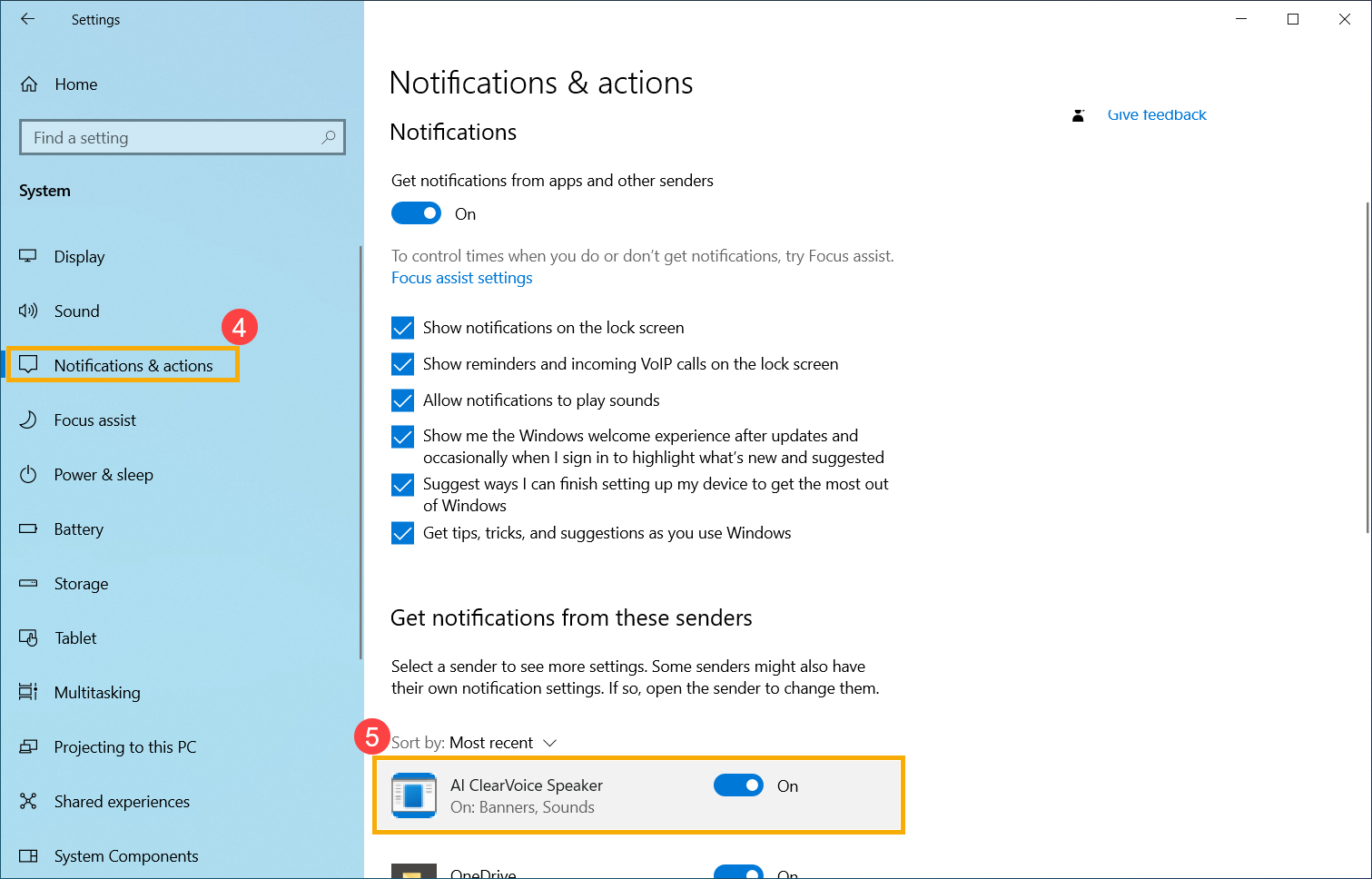
- Under System settings, click on [Notifications & actions]④, then in the list of Get notifications from these senders, find [AI ClearVoice Speaker]⑤.
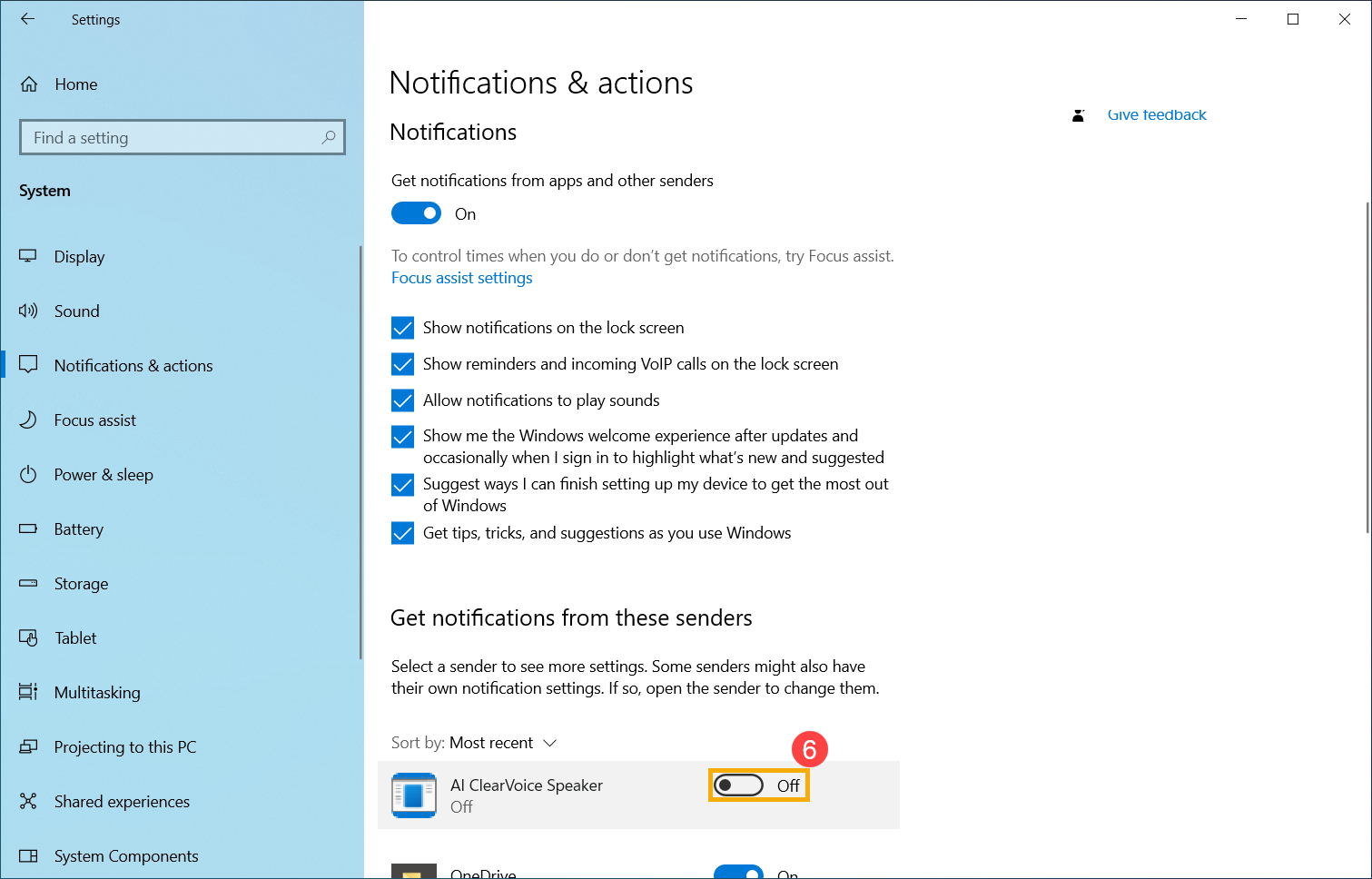
- Set the AI ClearVoice Speaker notification to Off⑥.
If your issue remains unresolved, please contact ASUS customer support for further assistance.


