Troubleshooting - AsIO3.sys Error Message During Startup
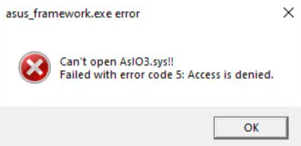
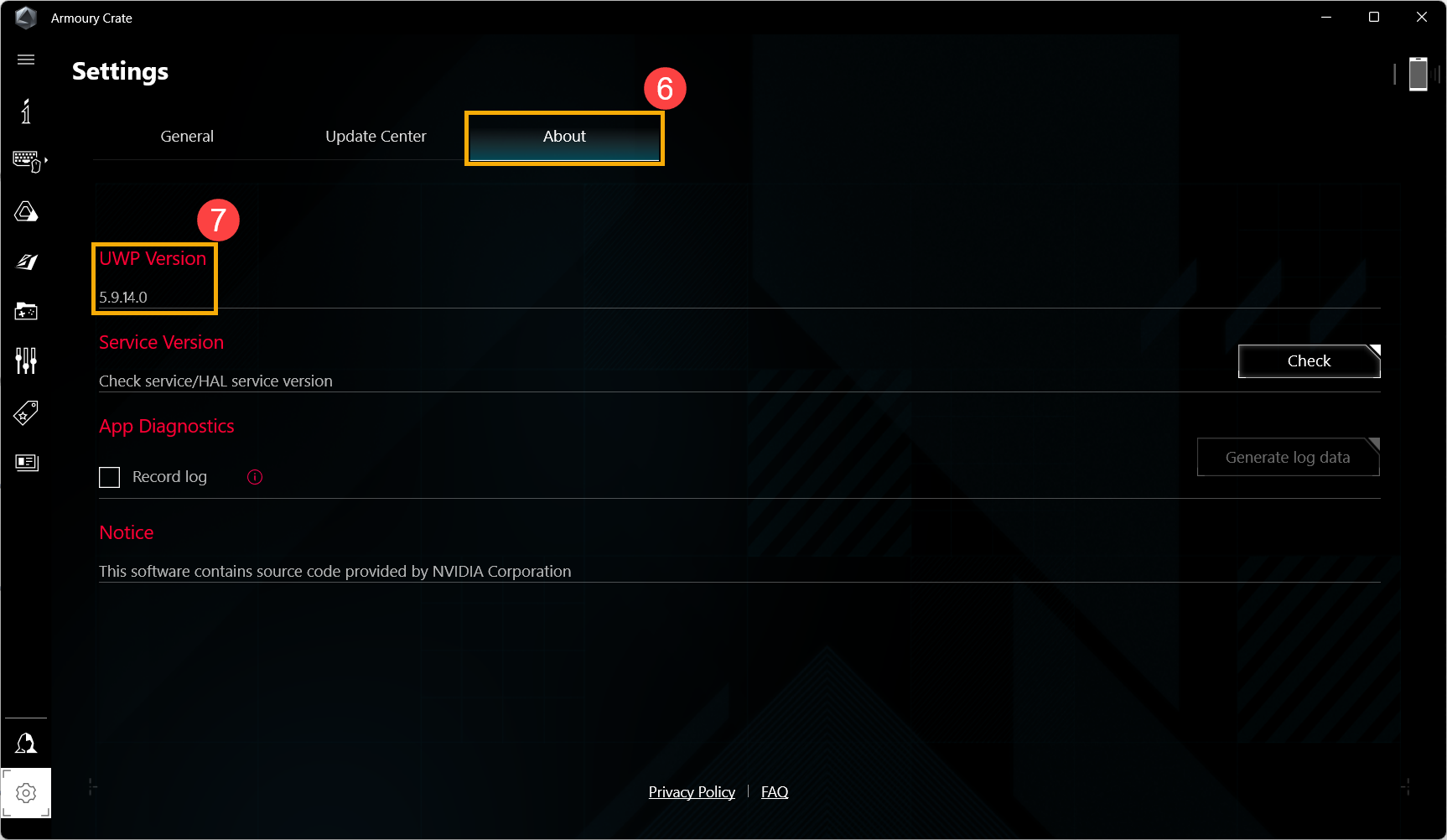
If you encounter the AsIO3.sys error message upon system startup, please try updating Armoury Crate to version 5.9.14.0 or above.
Method 1: Update Armoury Crate via Microsoft Store
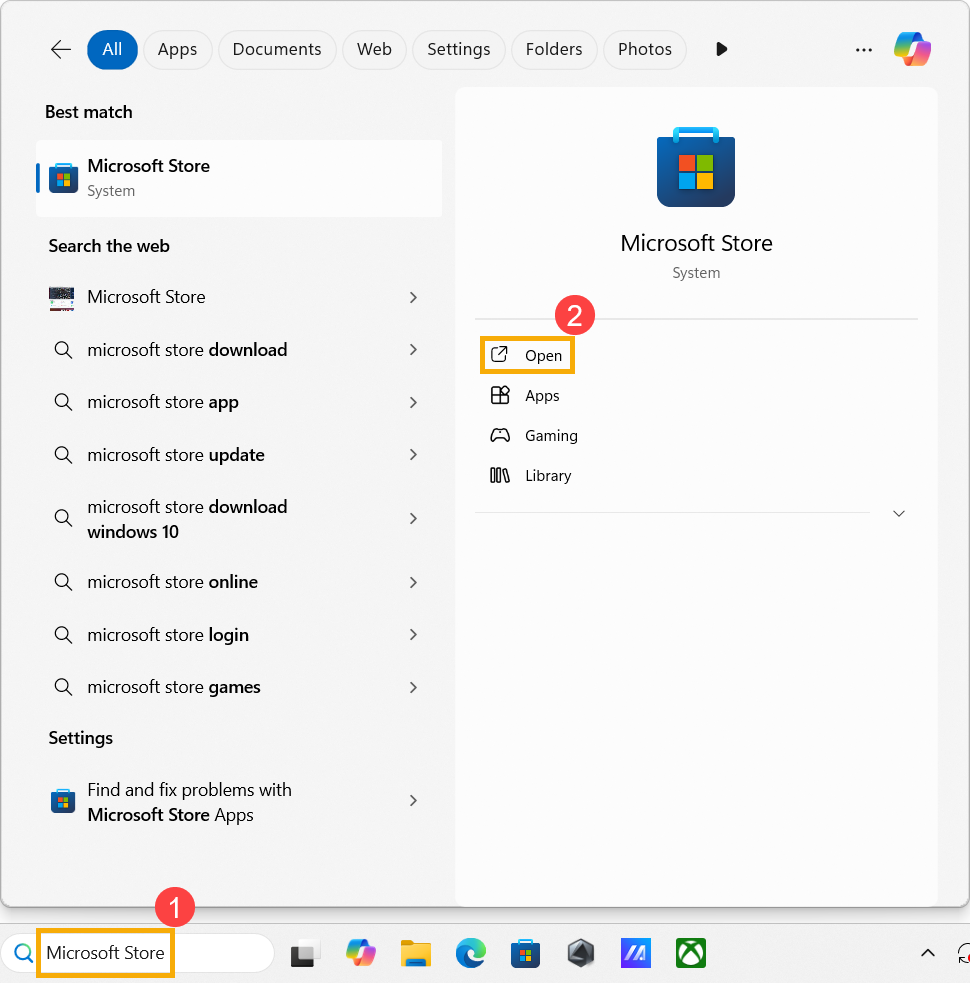
- In the Windows search bar, type [Microsoft Store]① and click [Open]②.
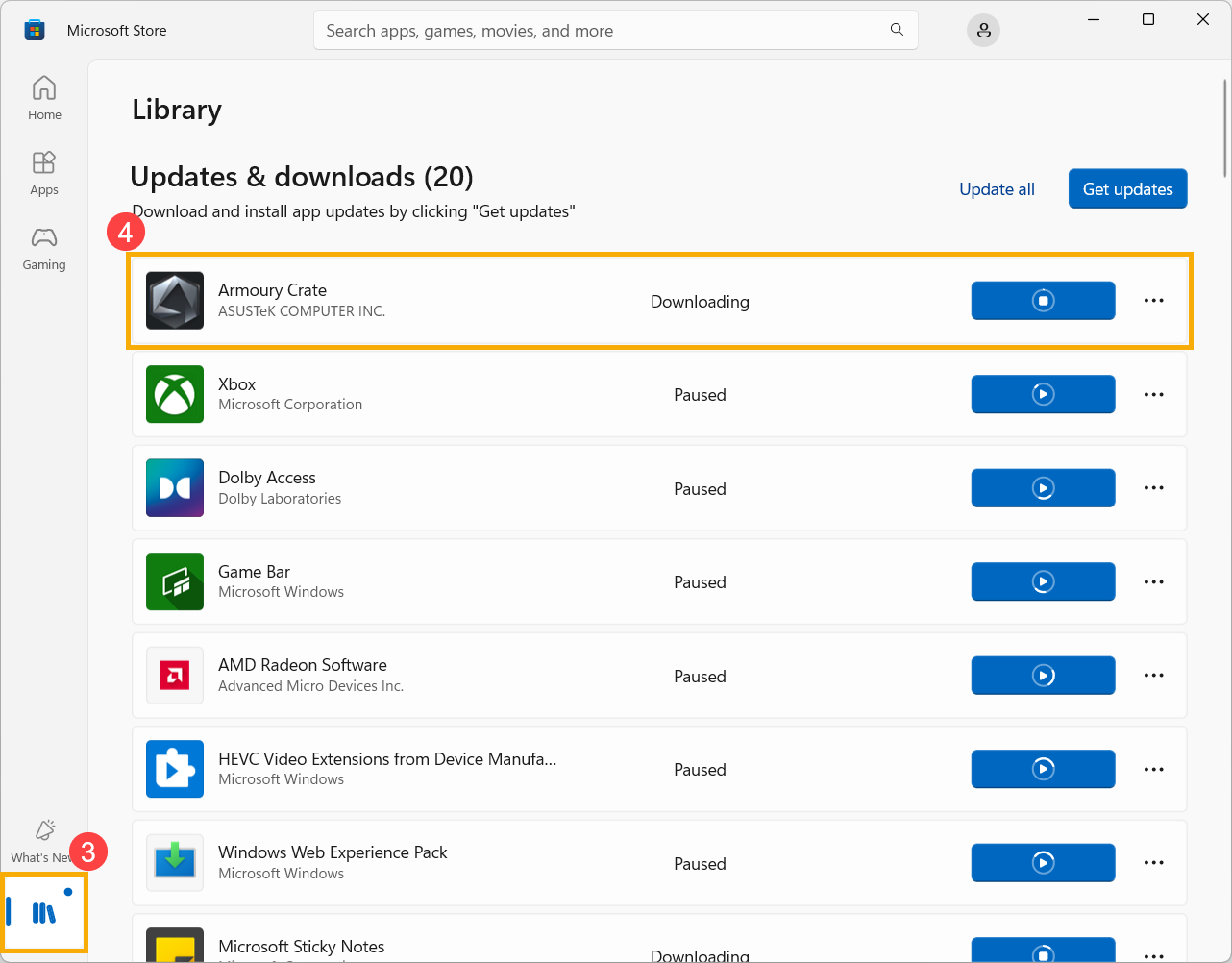
- Once in the Microsoft Store, click [Library]③, then locate Armoury Crate and update it④.
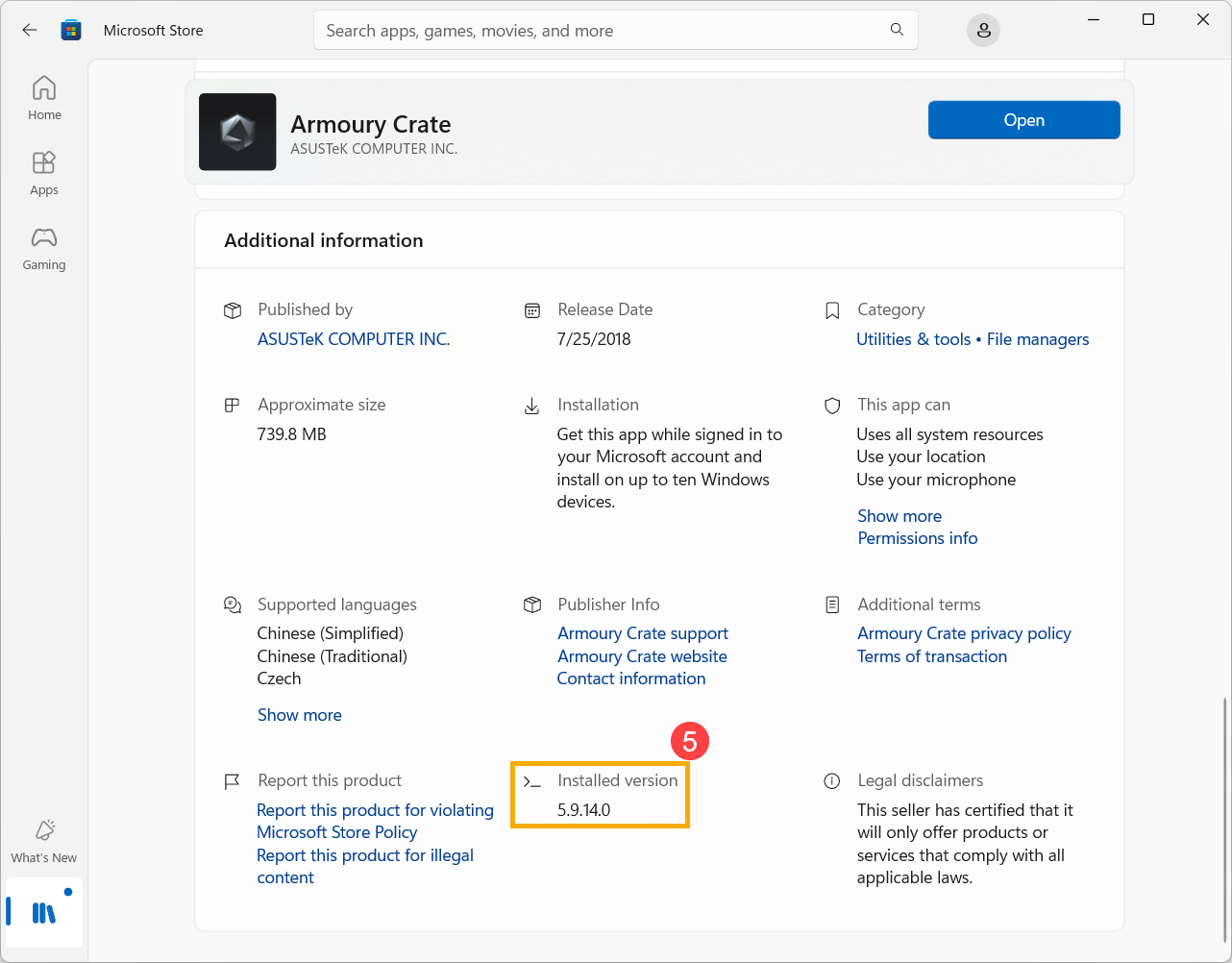
- After the update is complete, click Armoury Crate in the library to check the installed version⑤.
Method 2: Update via Armoury Crate Application
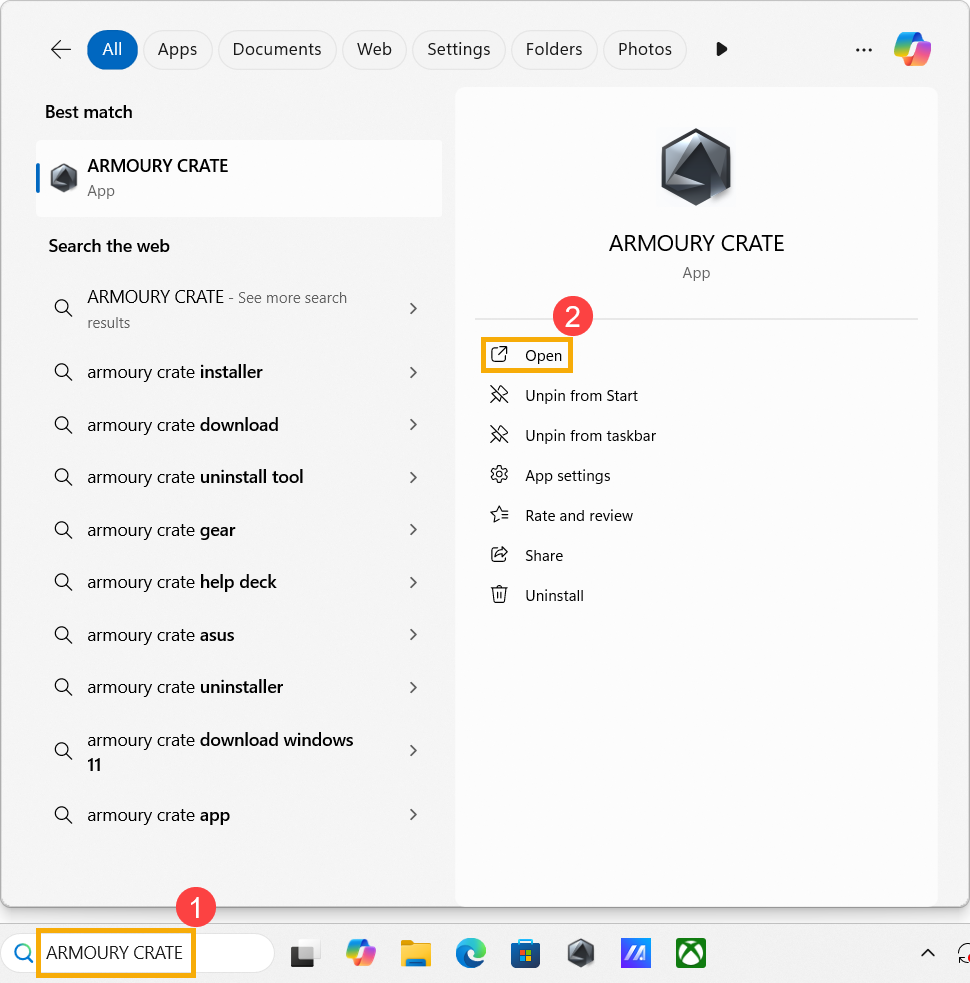
- In the Windows search bar, type [ARMOURY CRATE]① and click [Open]②.
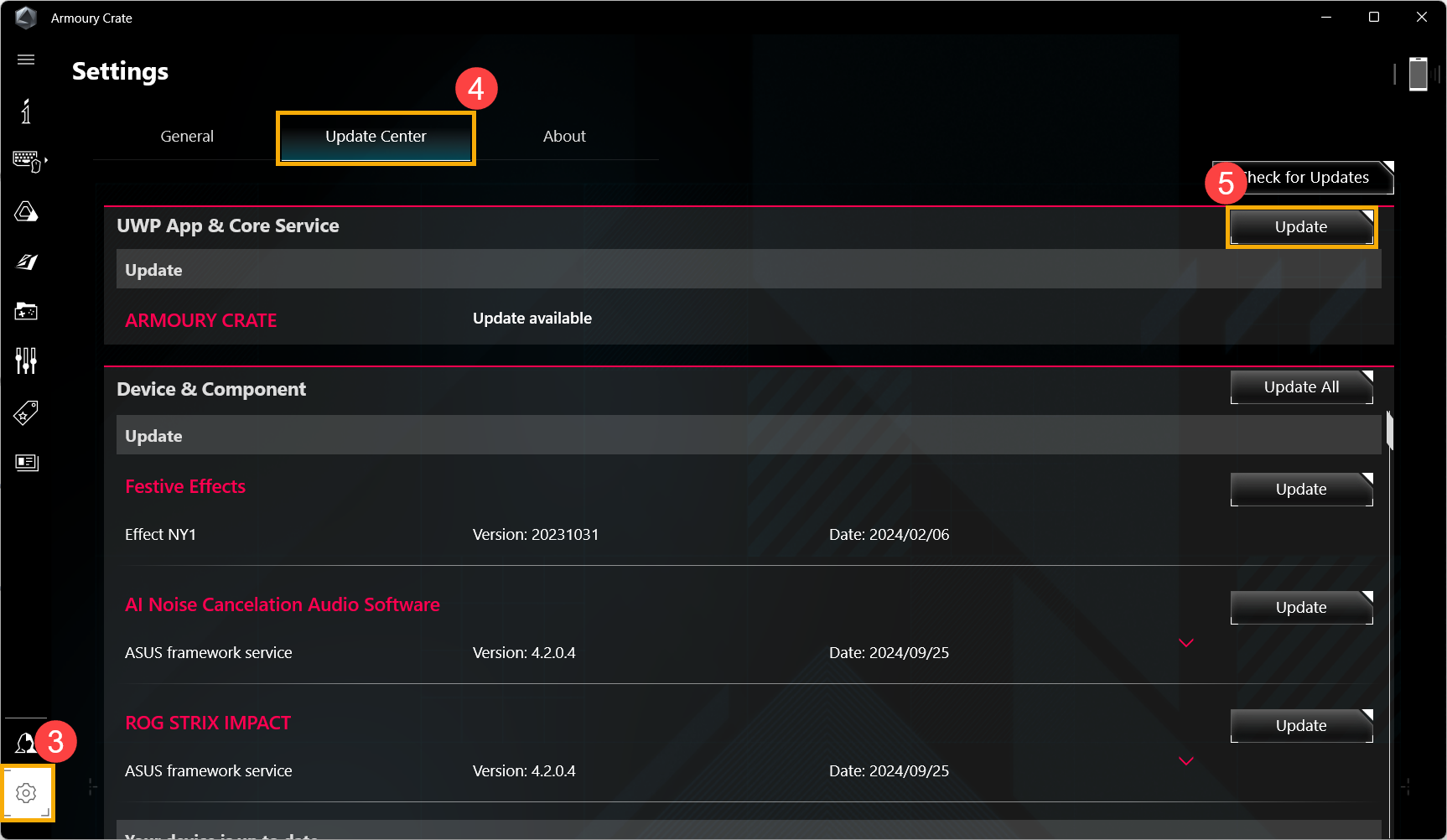
- Once in Armoury Crate, click [Settings]③, navigate to the [Update Center] tab④, and find ARMOURY CRATE under UWP App and Core Service, then click [Update]⑤.
- After the update is complete, go to the [About] tab⑥ to check the application version⑦.
If the issue persists, please contact ASUS customer service for further assistance.