This widget could not be displayed.
cancel
Showing results for 
Search instead for 
Did you mean: 
FAQBot
Community Manager
Community Manager

[T3304GA & T3304GAB / Notebook] How to enable/disable Wake On Touch feature

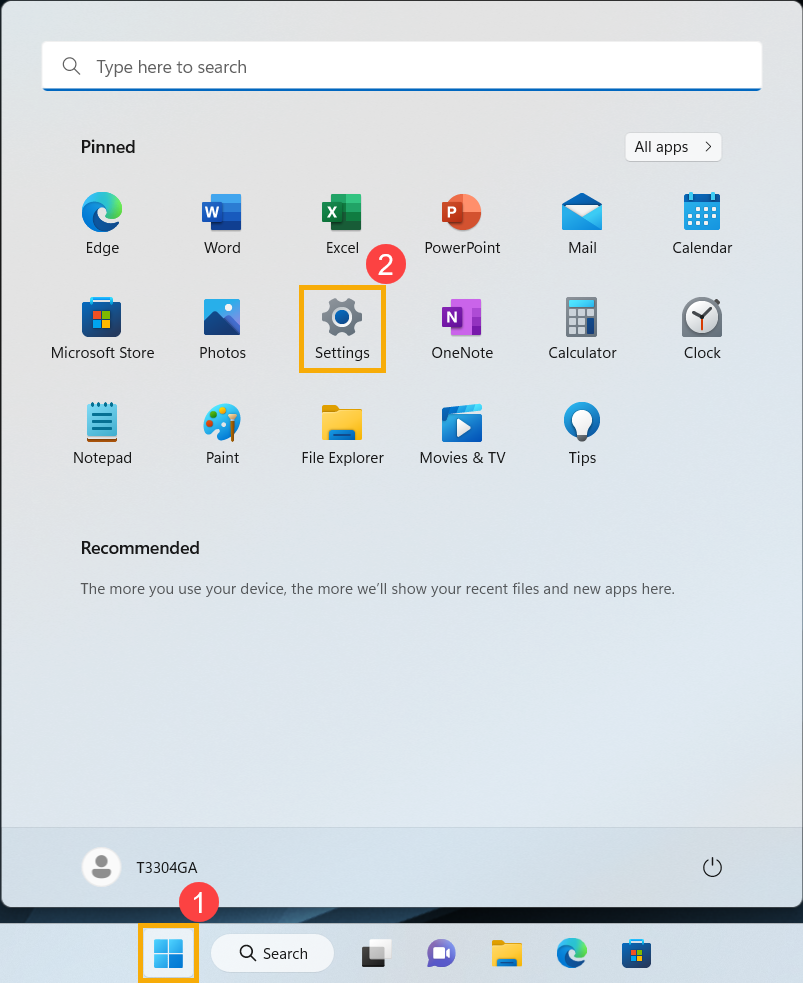
  1. Click the [Start] icon on the taskbar, then select [Settings].
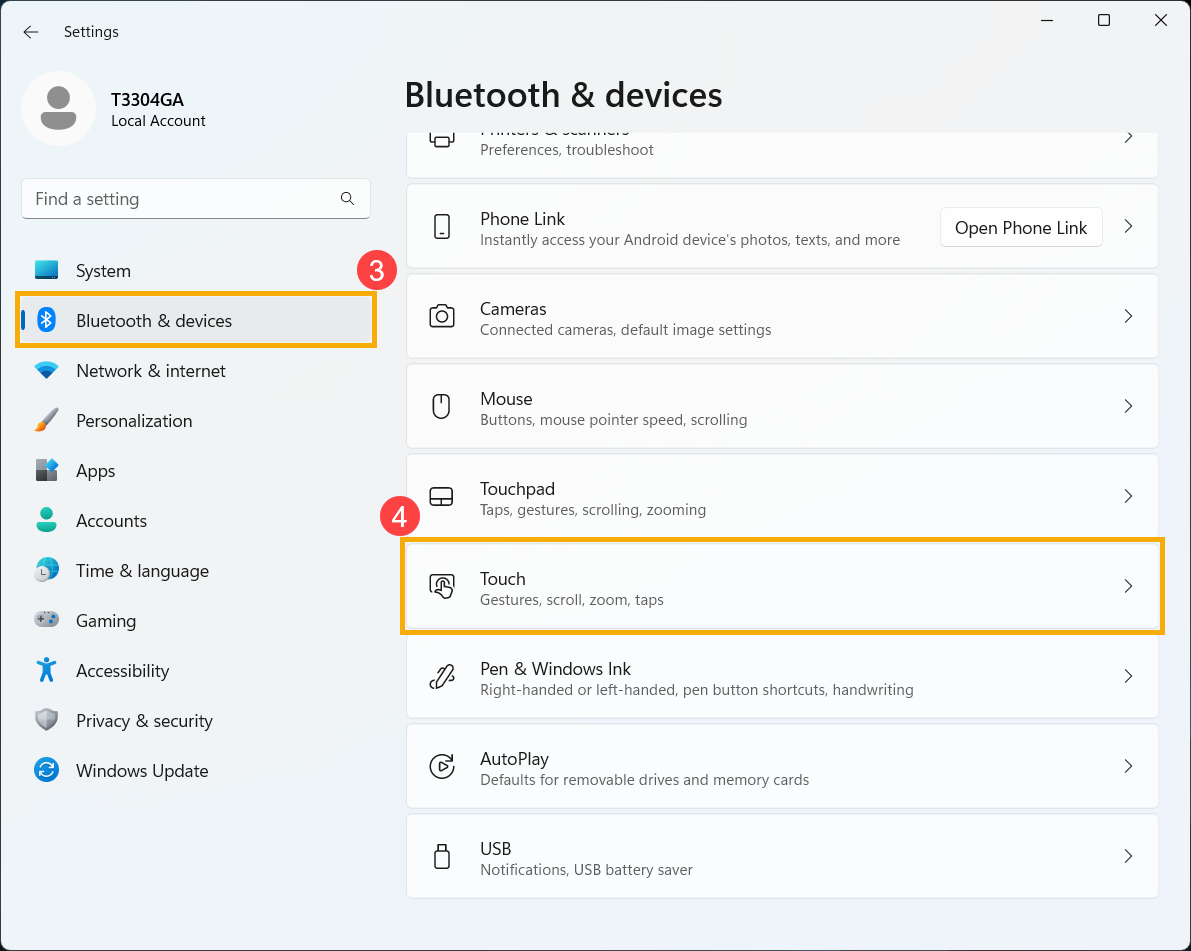
  2. Select [Bluetooth & devices], then select [Touch].
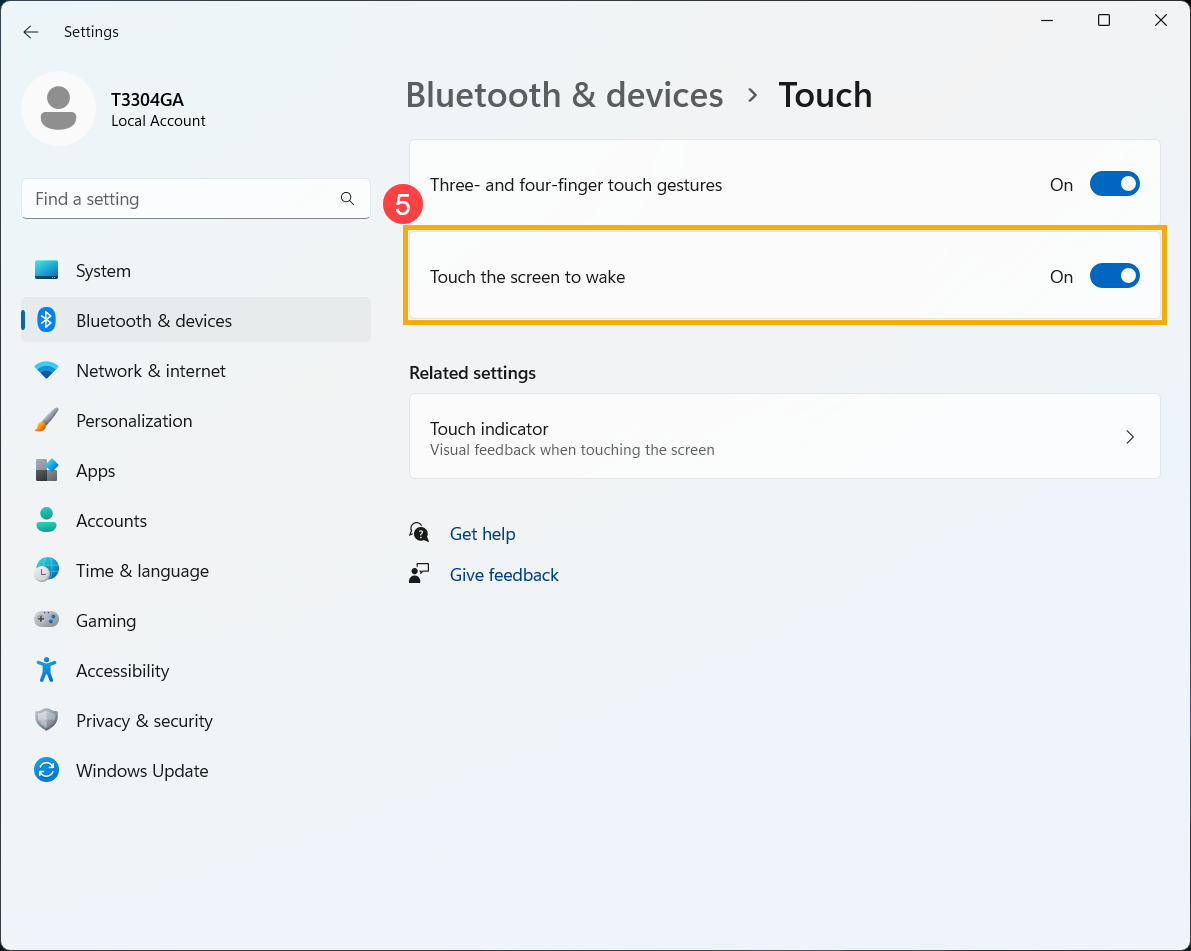
  3. On the [Touch the screen to wake] setting, you can turn it On or Off.

Version history
Last update:
‎10-07-2025 05:13 AM
Updated by: