[NUC] Multiple Display Configuration Options for NUC Kits NUC8i7HNK and NUC8i7HVK
This guide provides the most common multiple display configuration options.
NUC Kits NUC8i7HNK and NUC8i7HVK have the following:
- Two mini DisplayPorts (1.2-compliant)
- Two HDMI ports (2.0b-compliant)
- Two Type C ports
See the Processor Graphics subsystem section of the Technical Product Specification document for your NUC for additional information, including:
- Multi-stream transport daisy chaining
- DisplayPort via Type C
Before You Begin
We recommend you first update your NUC to the latest:
| Note | While in a multiple display configuration on NUC8i7HxK, the display with HDR functionality enabled will only support a refresh rate of 30Hz. |
Two displays
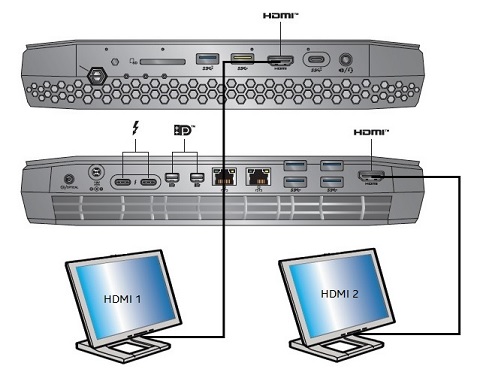
Display | NUC port | TV/monitor port | Maximum supported resolution |
| 1 | HDMI | HDMI | 4096x2160 at 60Hz |
| 2 | HDMI | HDMI | 4096x2160 at 60Hz |
Or
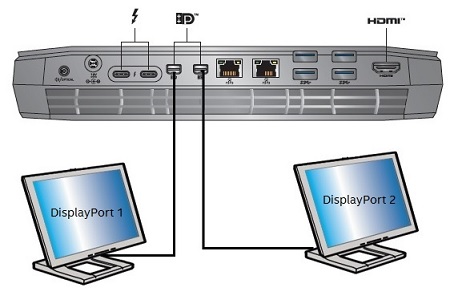
Display | NUC port | TV/monitor port | Maximum supported resolution |
| 1 | Mini DisplayPort | DisplayPort | 5120x2880 at 60Hz1 |
| 2 | Mini DisplayPort | DisplayPort | 5120x2880 at 60Hz1 |
Or
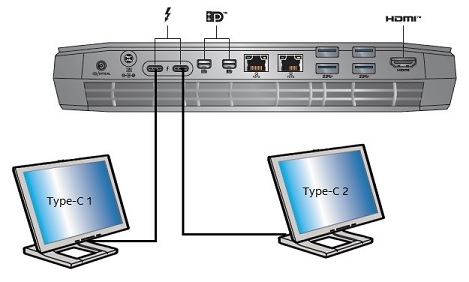
Display | NUC port | TV/monitor port | Maximum supported resolution |
| 1 | Type C | DisplayPort | 5120x2880 at 60Hz1 |
| 2 | Type C | DisplayPort | 5120x2880 at 60Hz1 |
1Dual DisplayPort 5120x2880 at 60 Hz refers to dual port monitors, and further requires two DisplayPort connections to enumerate at that resolution.
Three, four, or five displays
Any combination of available ports:
- Type C: 4096x2160 at 60Hz
- Mini DisplayPort: 4096x2160 at 60Hz
- HDMI: 4096x2160 at 60Hz
Six displays
Any combination of available ports:
- Type C: 4096x2160 at 30Hz
- Mini DisplayPort: 4096x2160 at 30Hz
- HDMI: 4096x2160 at 30Hz


