If you downloaded audio drivers from the ASUS official website and encountered no sound issues after installation, it might be due to installing audio drivers that are not compatible with your computer.
For models X415JA/JP, X515JA/JP, X712JA, E210MAB, there are two supported audio driver vendors. You need to confirm the hardware identifier through Device Manager and download the corresponding audio driver.
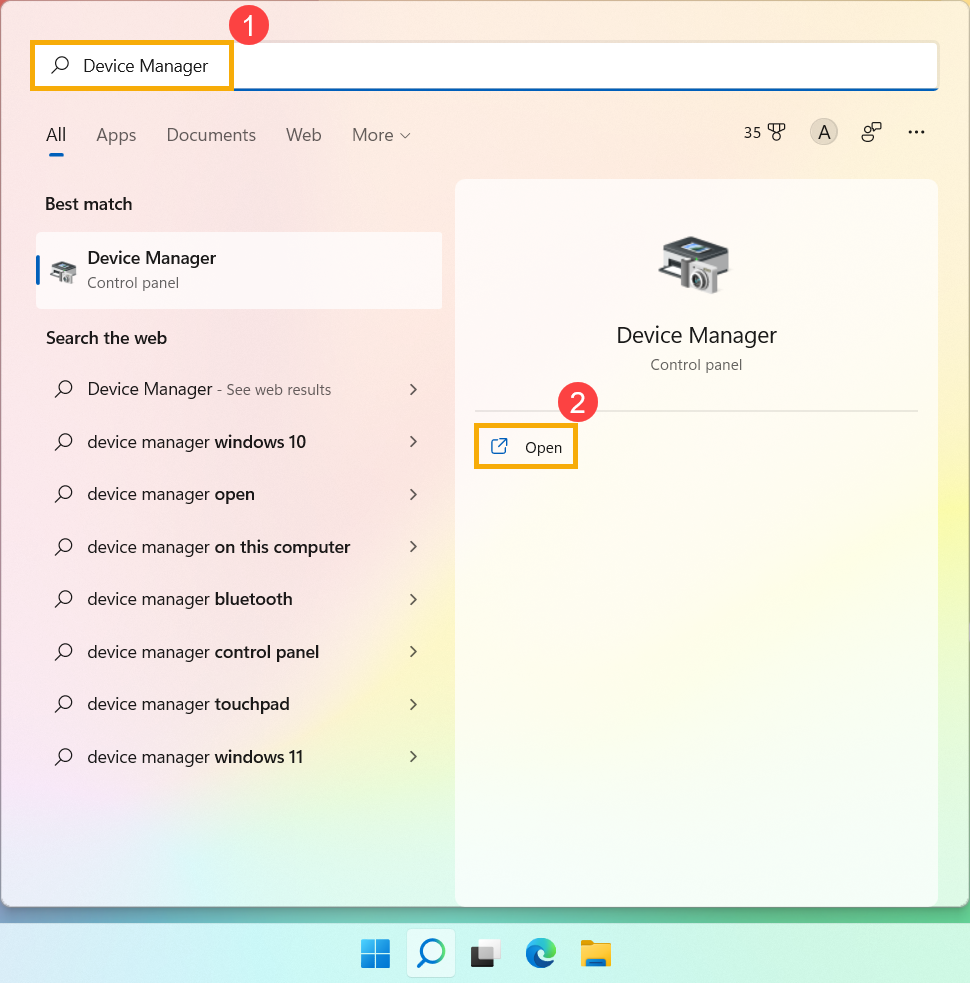
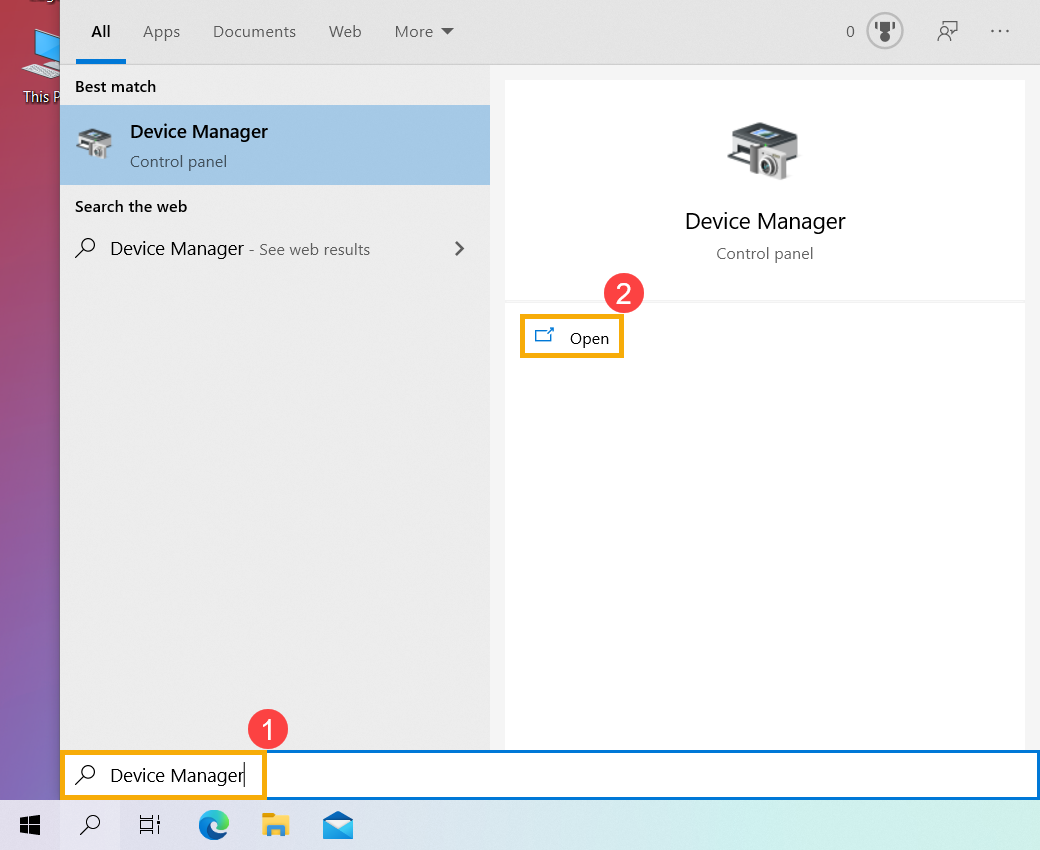
Type and search [Device Manager] in the Windows search bar①, and then click [Open]②. (Left image for Windows 11 search screen; right image for Windows 10 search screen)
Click the arrow next to the [Sound, video, and game controllers] device type③. Right-click on [Realtek(R) Audio]④, and then click [Properties]⑤.
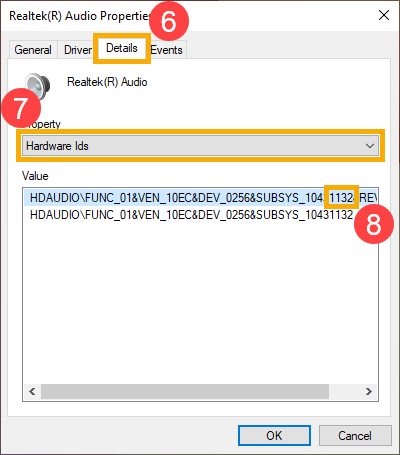
After opening the properties of Realtek(R) Audio, click [Details]⑥, then select [Hardware Ids]⑦, and confirm the hardware identifier with the last four digits of SUBSYS⑧. (Example for E210MAB model, the hardware identifier for this device is 1132)
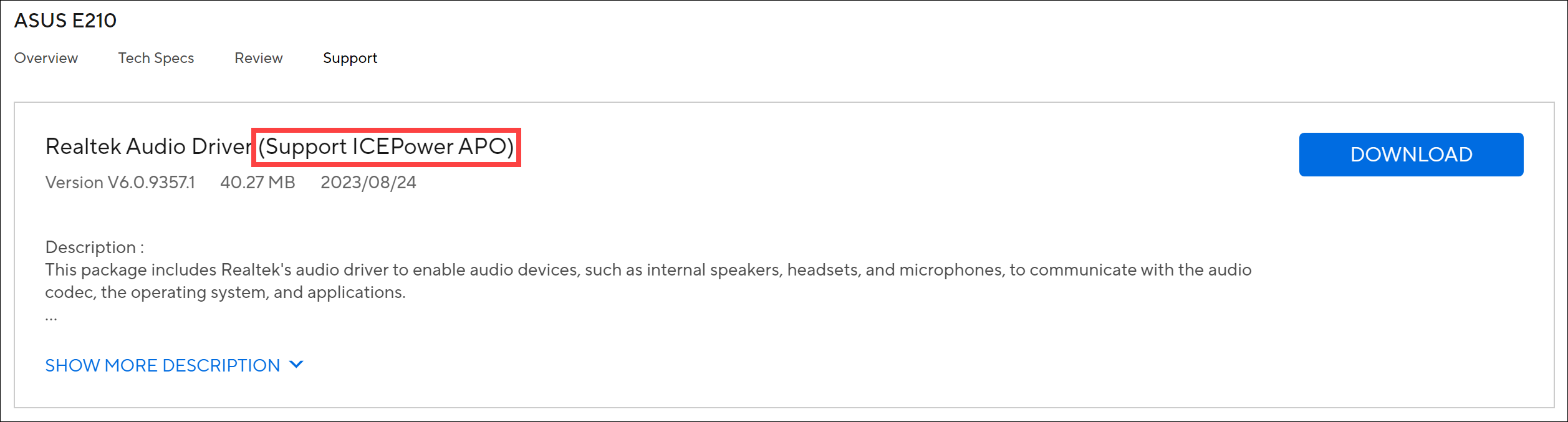
Refer to the Audio Driver Hardware Identifier Comparison Table, then go to the ASUS official website to download the latest version of the audio driver and reinstall it. Learn more about How to search for and download drivers. (In this example, the hardware identifier is 1132, so you need to install the audio driver that supports ICEPower APO.) Audio Driver Hardware Identifier Comparison Table:
Model
Audio Hardware Identifier Vendor
ICEPower APO
Xperi DTS
X415JA/JP
14E2
1DEE
X515JA/JP
14F2
1DFE
X712JA
19AE
1502
E210MAB
1132
1E22
After downloading, please refer to this article to install the driver: How to Install Drivers.
If your issue is not resolved, please contact ASUS Customer Service for further information.