[Notebook] How to install and use MyASUS on MacBook?
Installation steps:
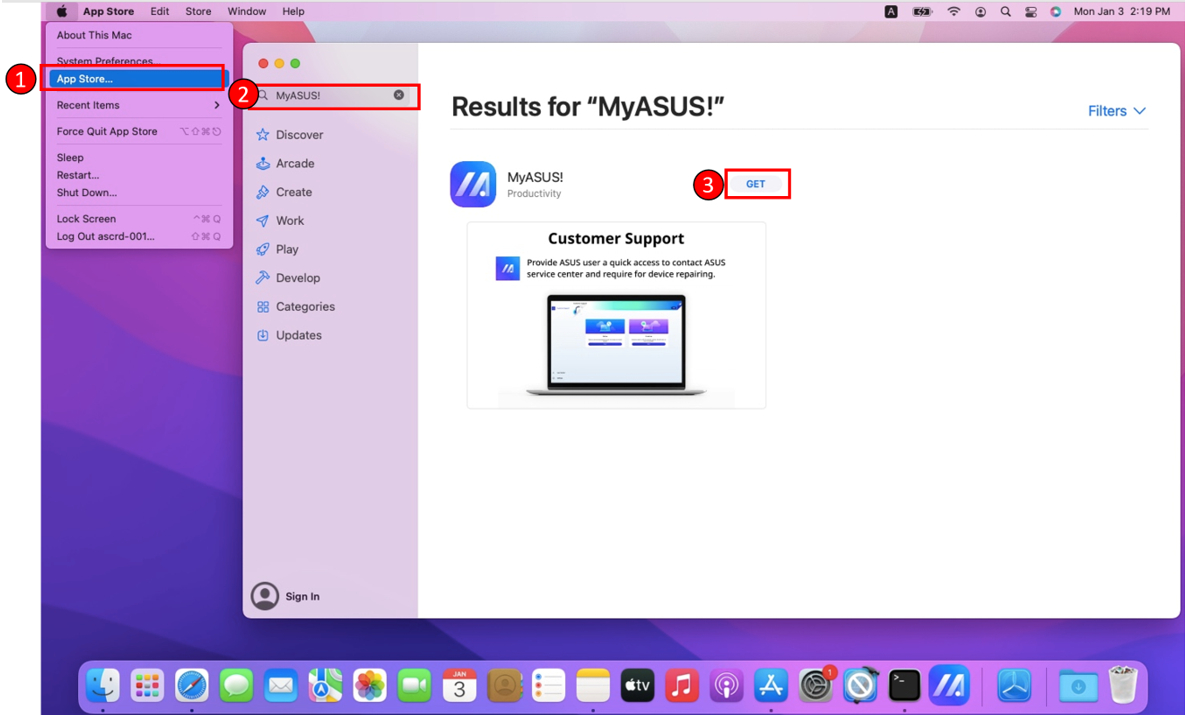
1. Click the Apple icon at the top left of the screen> Select "App Store" on the list.
2. Type "MyASUS" in the search bar to find the application.
3. Click "Get" and complete the installation.
After the installation completes, please refer to steps below and start exploring MyASUS!
1. Click the "Finder" app in your Dock.
2. Select "Applications" in the left sidebar.
3. Find "MyASUS" in the the listed applications or use search bar for quick search.
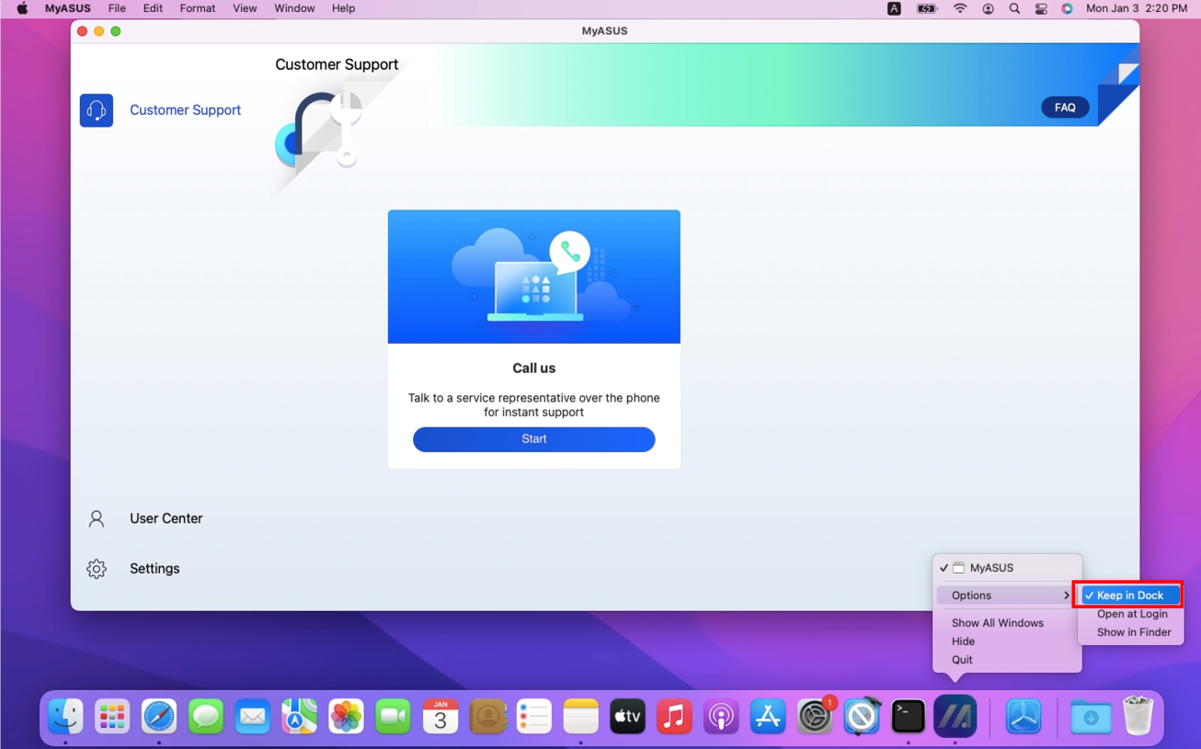
4. To make the next use more convenient, you can drag MyASUS application to pin in Dock.
Or hold on "Control" and right-click the application icon in your Dock > Select "Options" > "Keep in Dock." to complete the setting!