[Notebook] How to disable Fast Boot in BIOS configuration
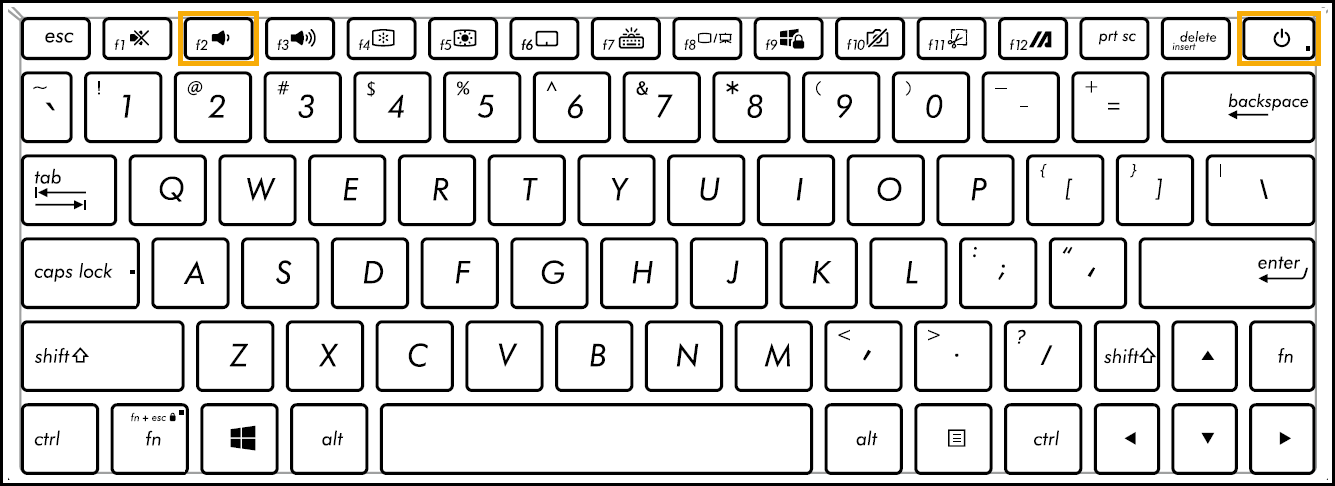
First of all, the computer needs to enter BIOS configuration. While the computer isn’t powered on yet, press and hold the F2 button of the keyboard, and then press the Power button
 to enter the BIOS configuration. Here you can learn more about How to enter the BIOS configuration.
Disable the Fast Boot function in BIOS - UEFI mode. In UEFI mode, you are able to select and choose the item via Arrow Keys and Enter of keyboard, Touchpad or Mouse.
※ Note: If your BIOS Utility screen is not the same as below, please refer to Disable the Fast Boot fuction in BIOS - Legacy mode.
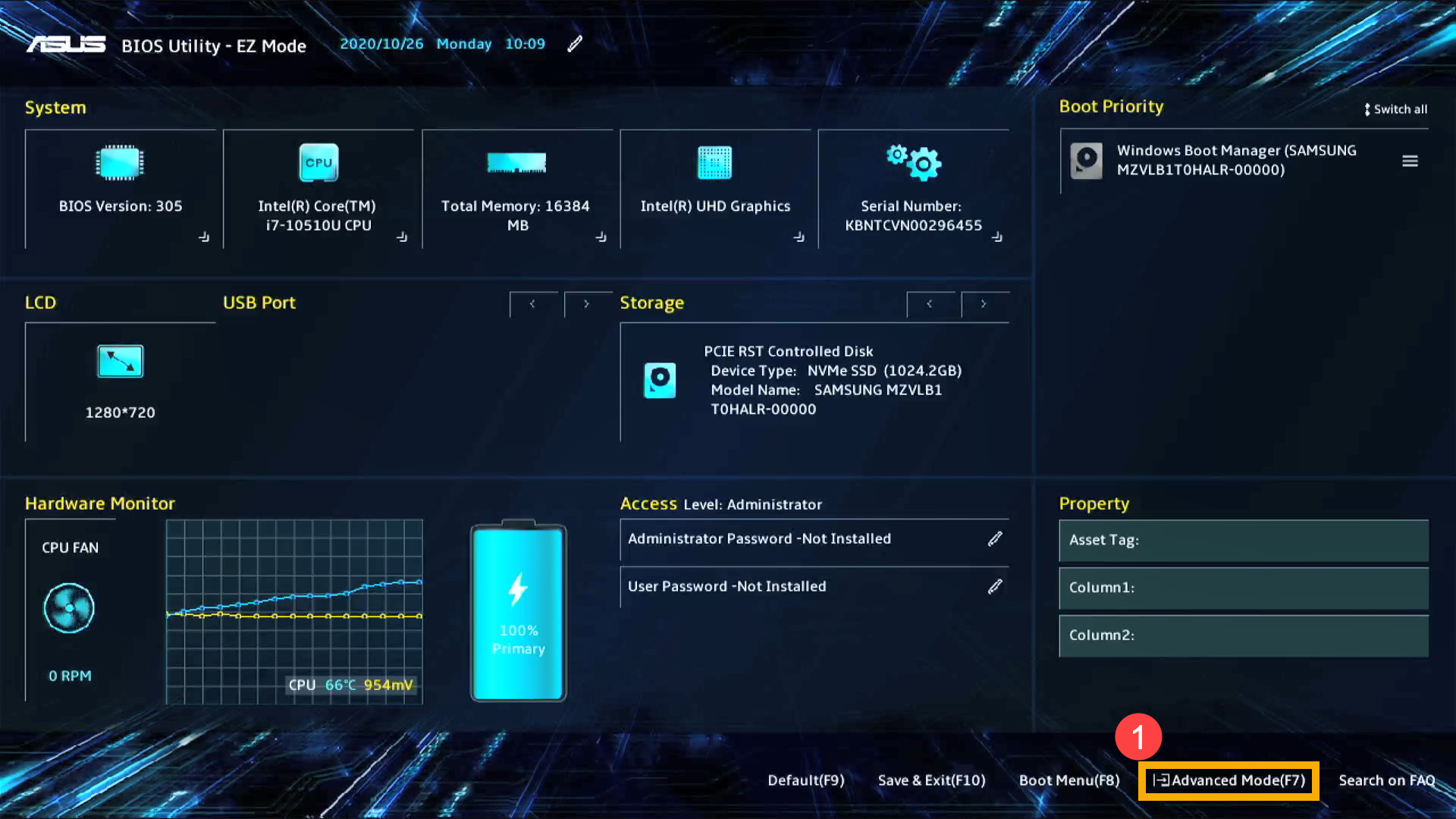
- Press Hotkey[F7], or use the cursor to click [Advanced Mode]① that the screen displayed.
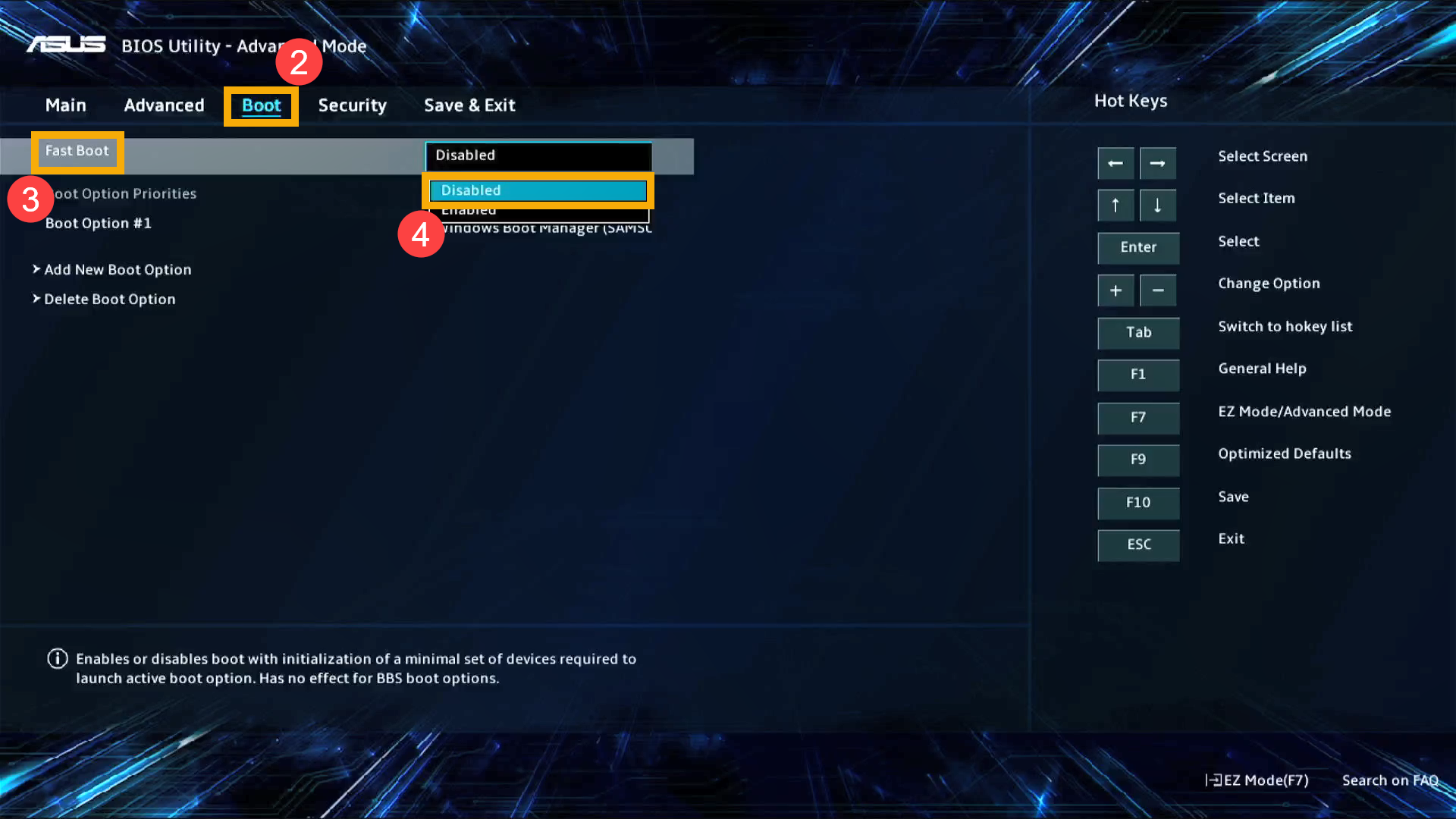
- Go to [Boot]② screen, select [Fast Boot]③ item and then select [Disabled]④ to disable the Fast Boot function.
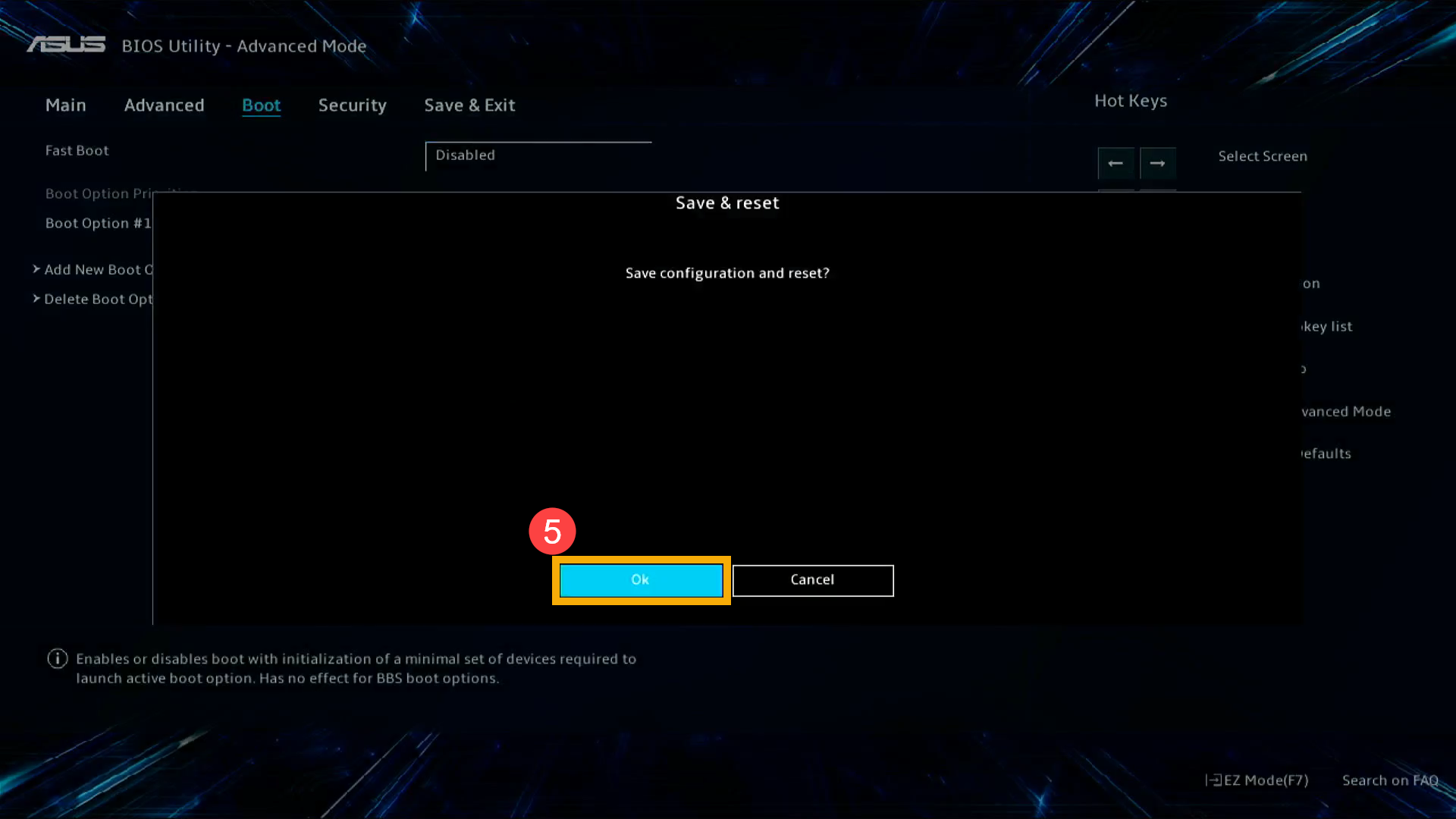
- Save & Exit Setup. Press Hotkey[F10] and select [Ok]⑤, the computer will restart and disable Fast Boot.
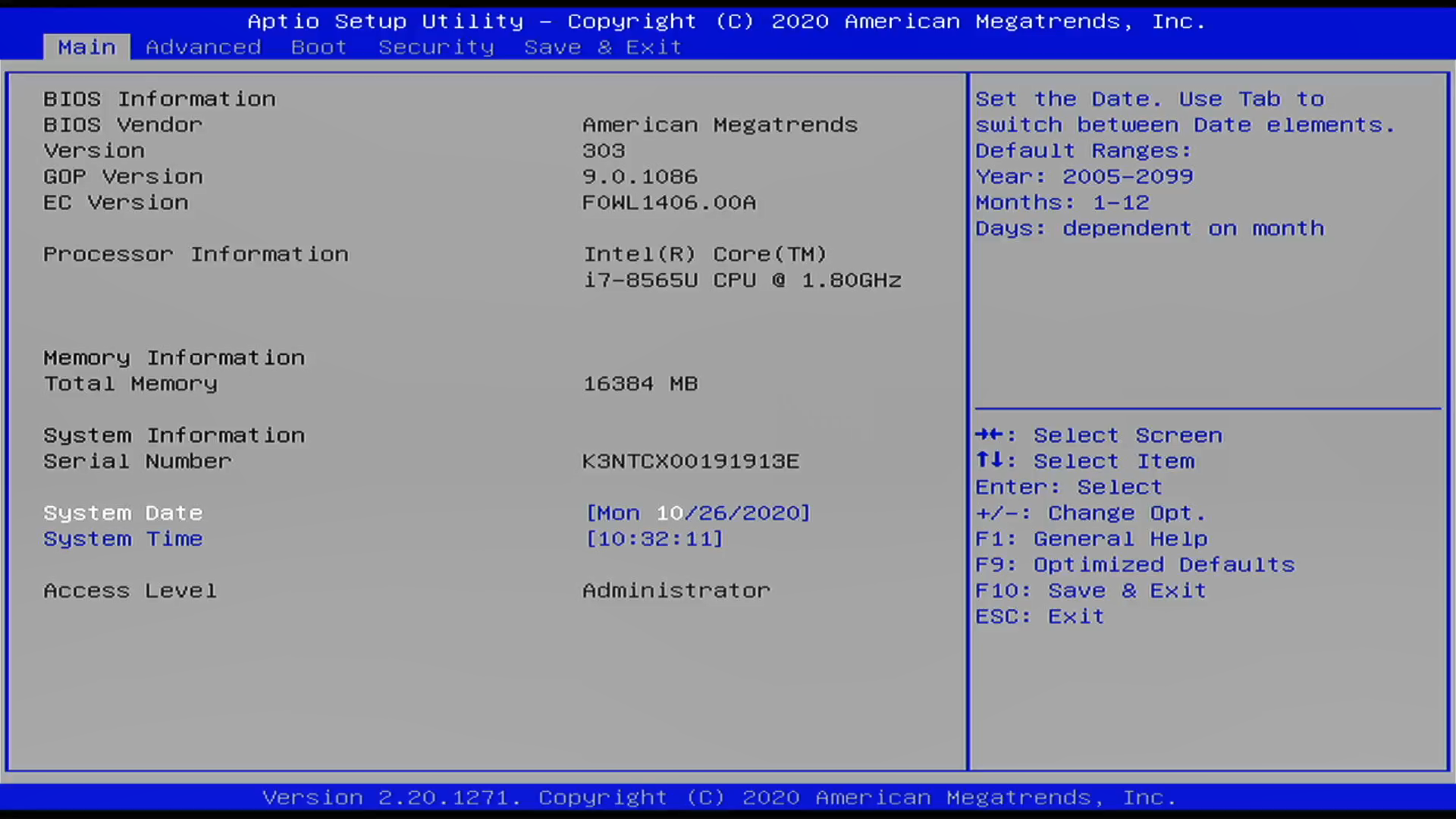
Disable the Fast Boot function in BIOS - Legacy mode. In Legacy mode, you only can select items by using Arrow Keys and Enter Key.
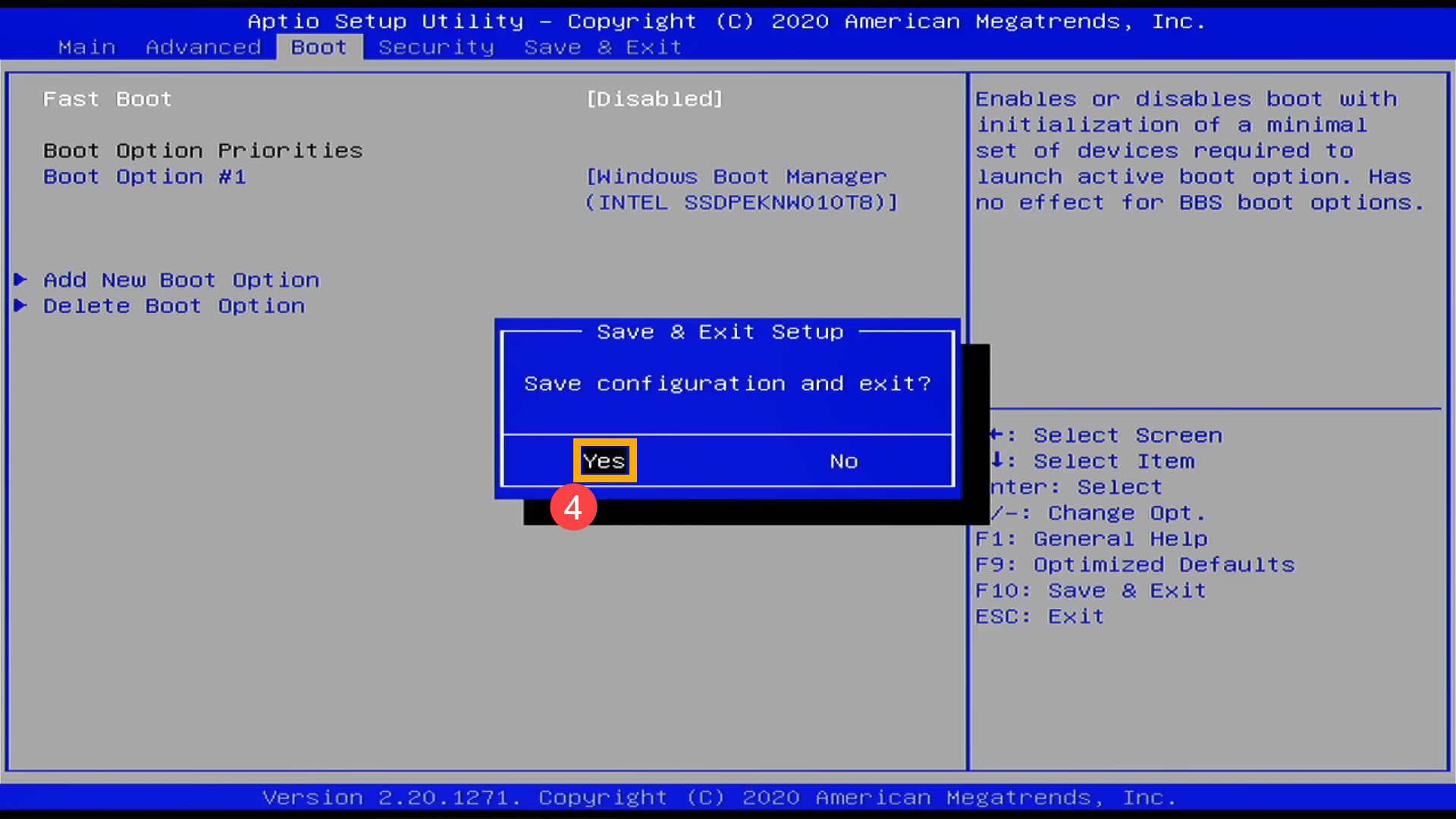
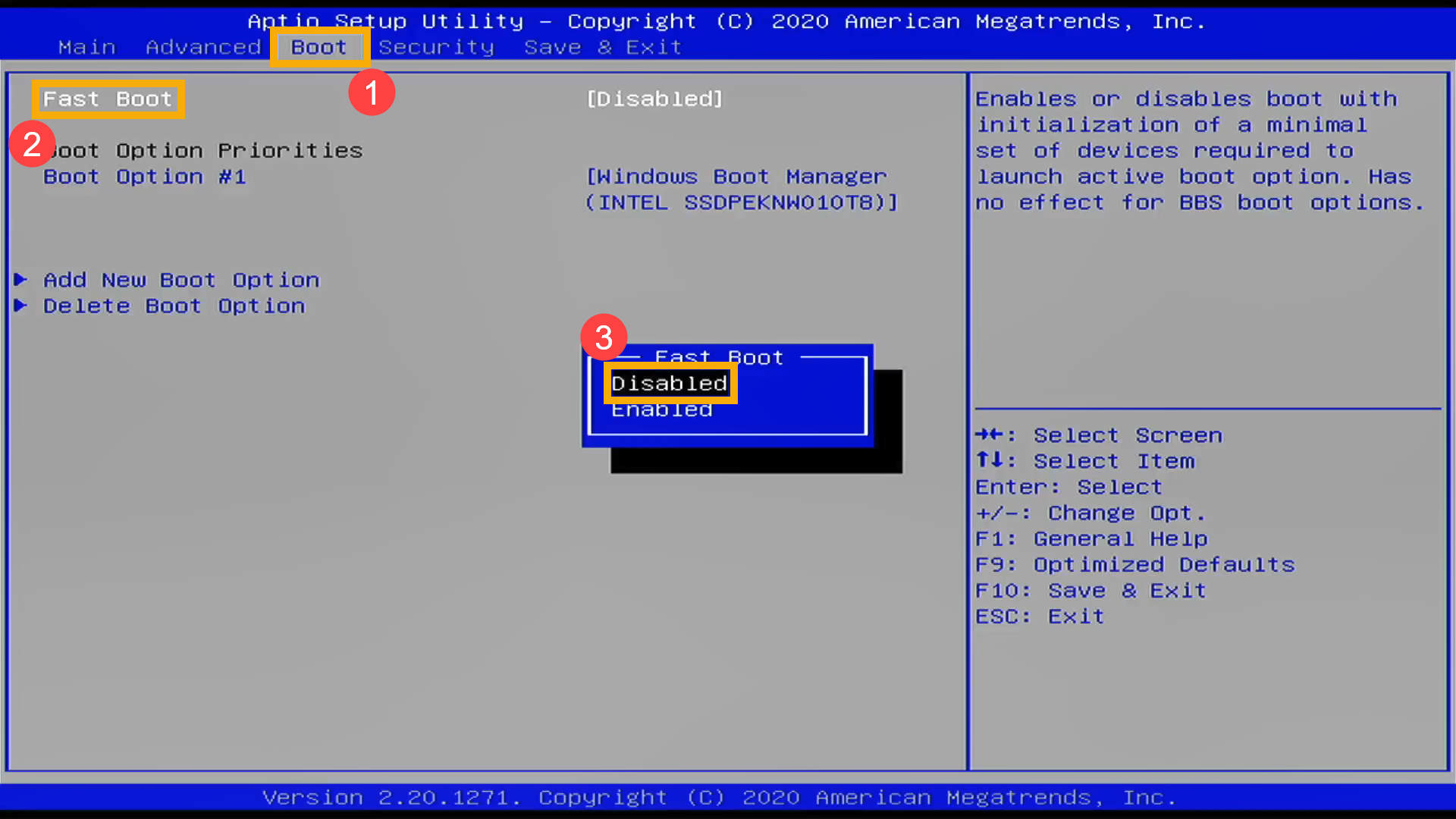
- Go to [Boot]① screen, select [Fast Boot]② item and then select [Disabled]③ to disable the Fast Boot function.
- Save & Exit Setup. Press Hotkey[F10] and select [Yes]⑤, the computer will restart and disable Fast Boot.