[Notebook/Desktop/AIO] How to check if your computer has antivirus software installed
Virus attacks can cause serious damage to your computer, such as deleting files, encrypting data, shutting down the computer, and even being controlled by hackers to steal sensitive information. Antivirus software can detect and remove viruses, protecting your computer system and files from virus attacks.
Although installing antivirus software is an important measure to protect your computer, installing multiple antivirus software may also lead to other adverse effects. For example, conflicts may arise between multiple antivirus software, or different antivirus software may run simultaneously in the system background, consuming a lot of computer resources and memory, causing the system to become slow and unstable. Therefore, it is recommended that you only install a reliable antivirus software and ensure regular updates and maintenance to protect your computer and personal data from threats.
If you want to check if your computer has antivirus software installed, please follow the steps below:
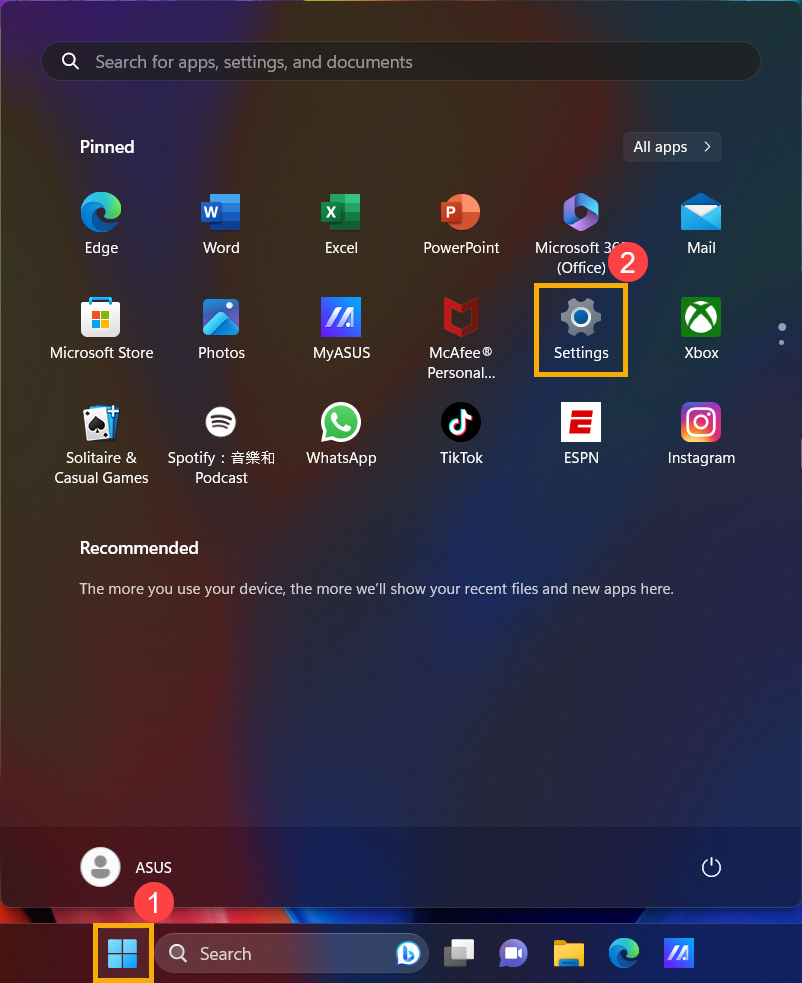
- Click the [Start] icon
 on the taskbar①, and then click [Settings]
 ②.
②.
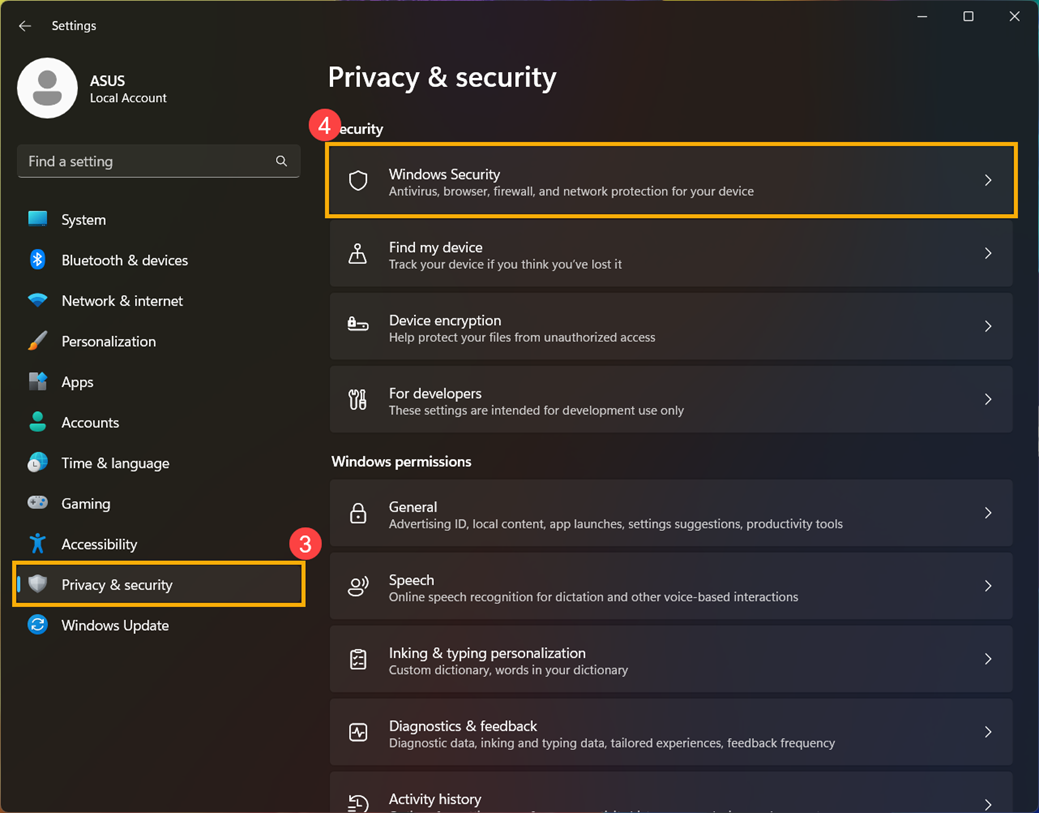
- Click [Privacy & security]③, and then click [Windows Security]④.
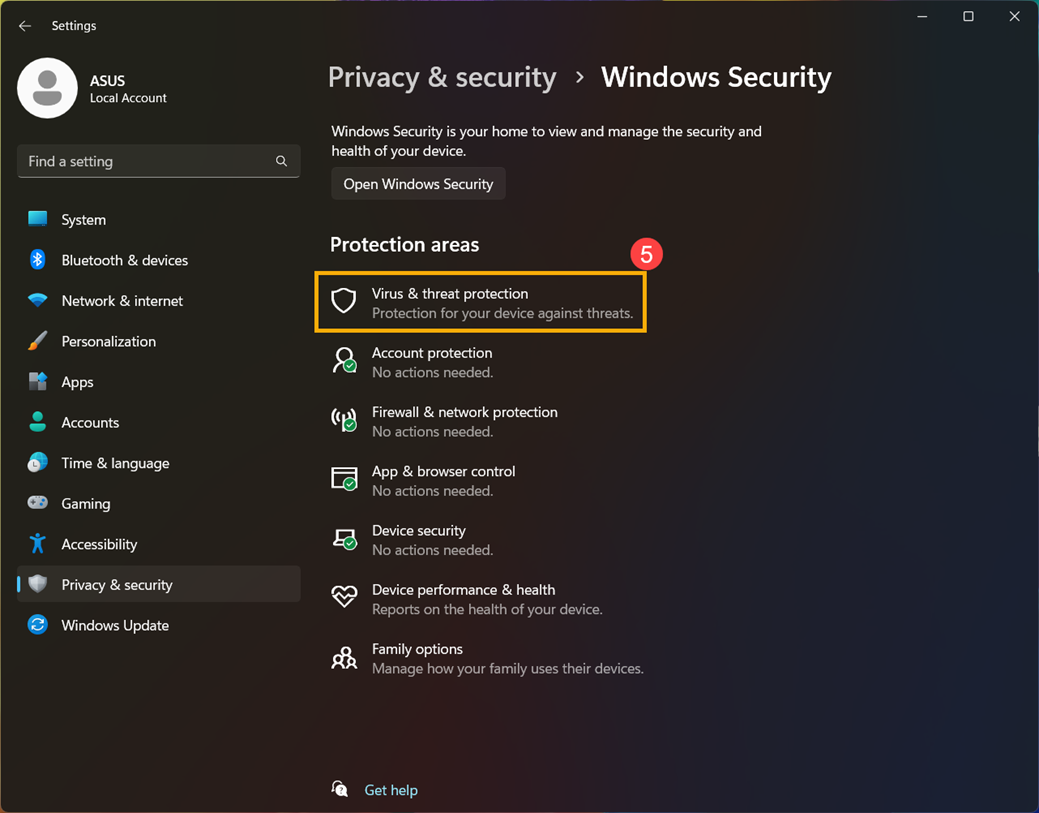
- Click [Virus & threat protection]⑤.
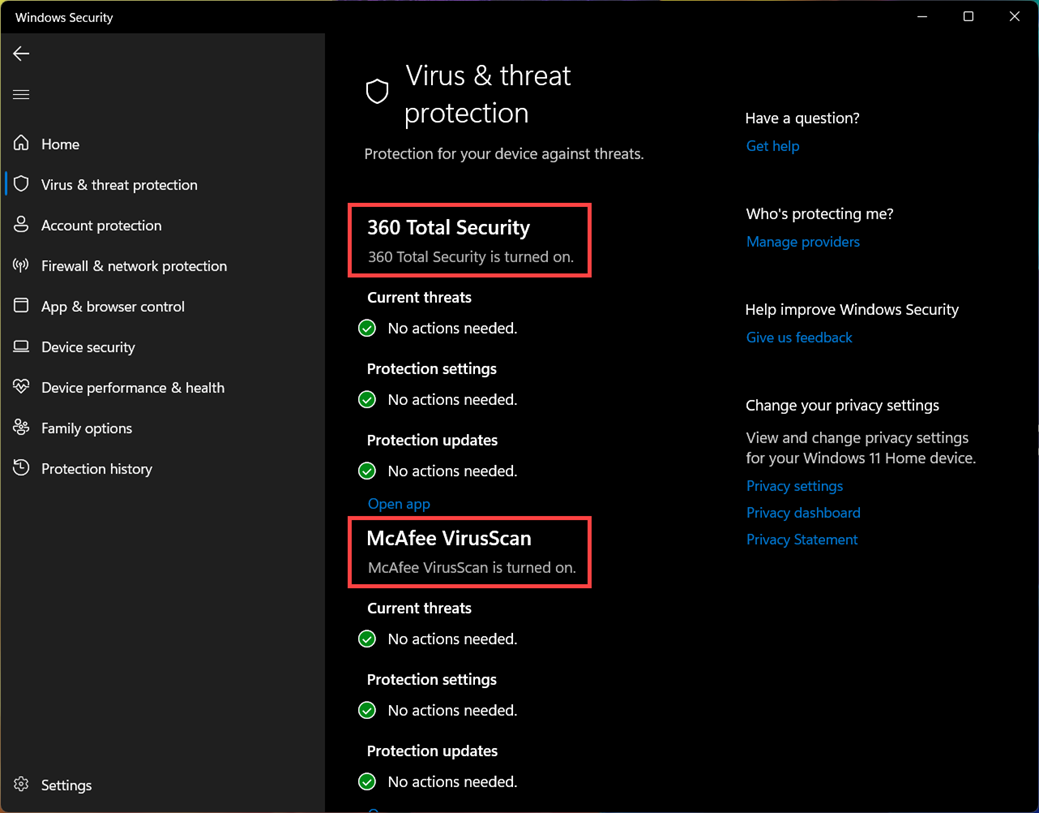
- In the Virus & threat protection section, it will display which antivirus software is currently installed on your computer. In the example below, this computer has installed two antivirus software.
Note: Please note that installing multiple antivirus software may cause unnecessary troubles and problems, so please try to avoid this situation.
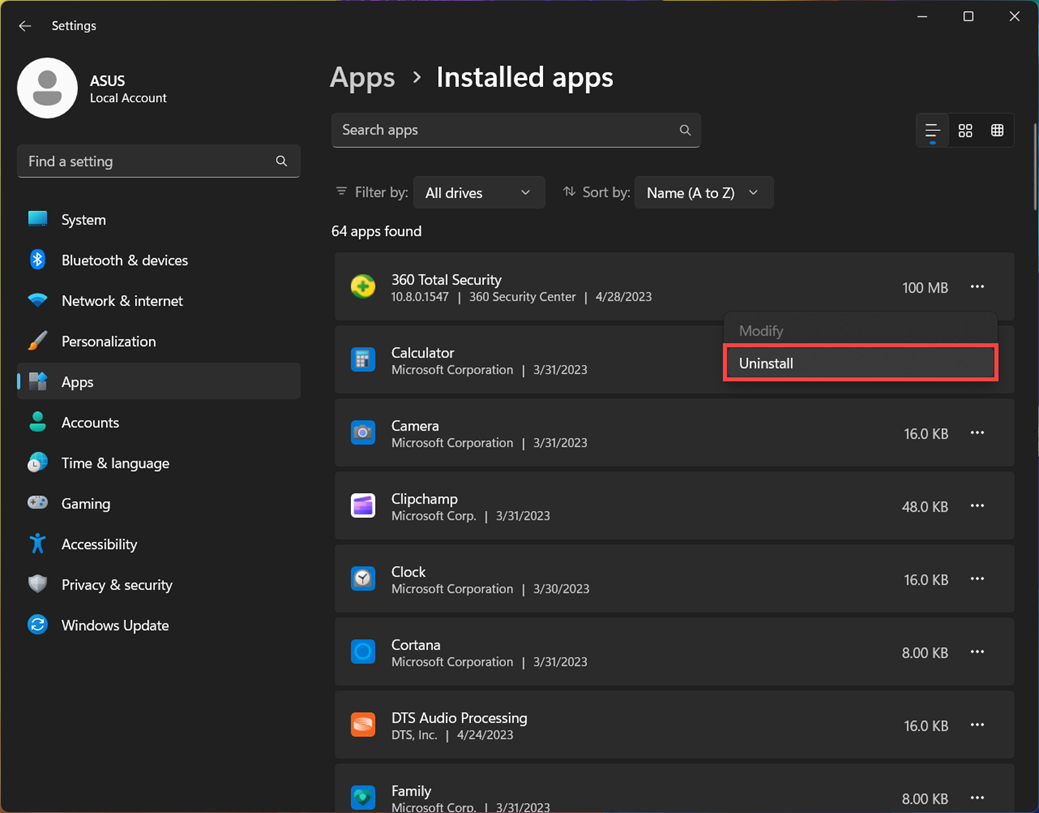
- If you need to remove antivirus software, please refer to the article on how to uninstall applications for operation steps: How to uninstall applications.