[Notebook/AIO] How can I determine if my computer supports TPM, the TPM version, and how to enable TPM?
This guide will instruct you on how to verify if your computer supports TPM (Trusted Platform Module), obtain TPM version information, and enable or disable TPM in the BIOS.
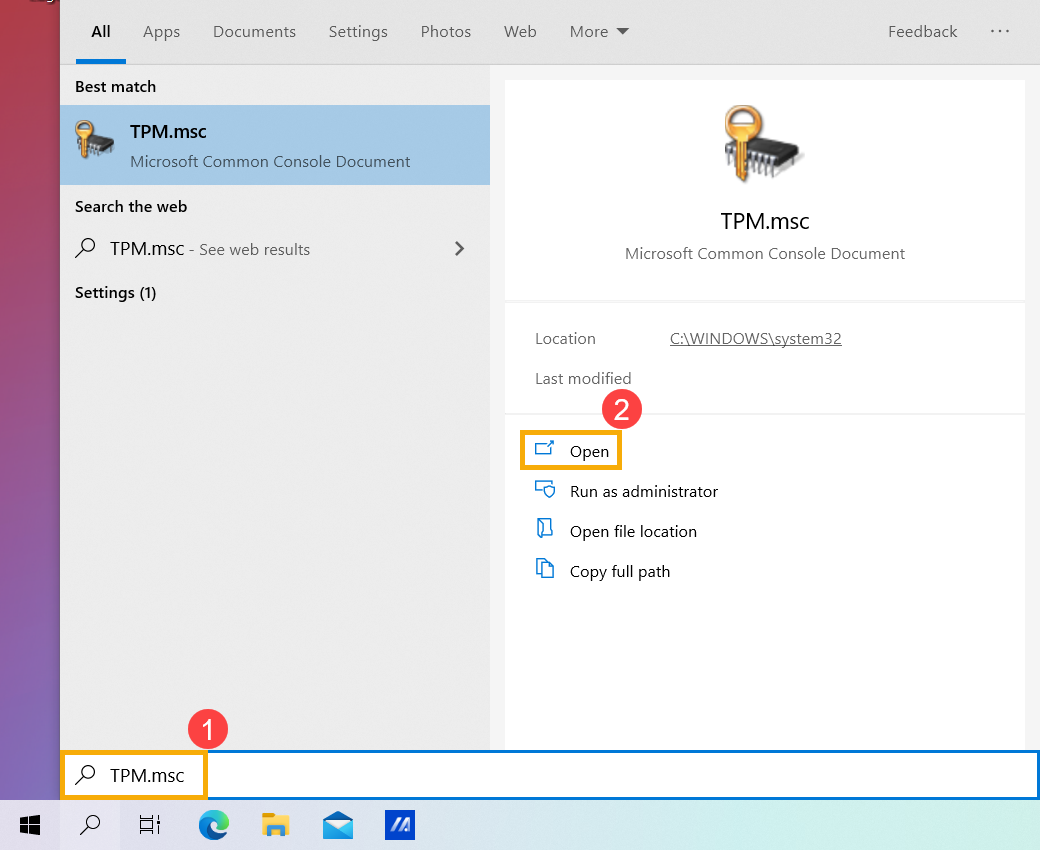
- Type and search [TPM.msc] in the Windows search bar①, and then click [Open]②.
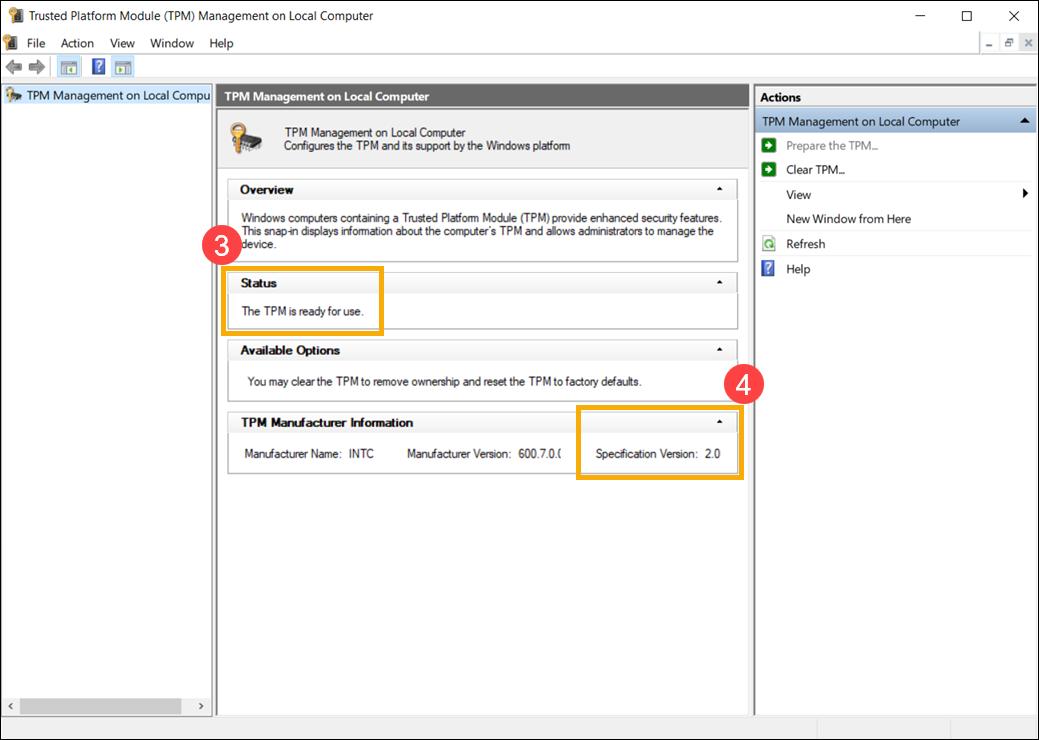
- After the Trusted Platform Module (TPM) Management on Local Computer window pops up, and if it shows [The TPM is ready for use] in the Status field③, then your computer supports the TPM function.
You can also check [Specification Version]④ in the TPM Manufacturer Information field, which means the TPM version on your computer.
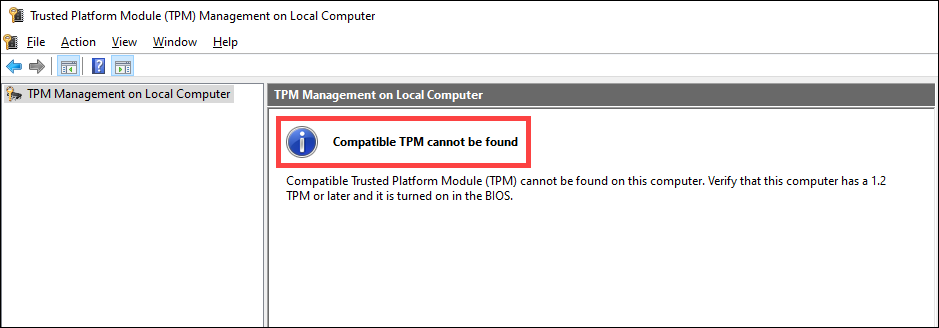
Note: If it displays Compatible TPM cannot be found, then your computer may not support TPM function. In addition, you can continue to the next step to check if the TPM function is enabled in the BIOS configuration.
How to enable or disable TPM in BIOS
- Firstly, the computer needs to enter BIOS configuration. While the computer isn’t powered on yet, press and hold the F2 button
 of the keyboard, and then press the Power button
 to enter the BIOS configuration. Here you can learn more about How to enter the BIOS configuration.
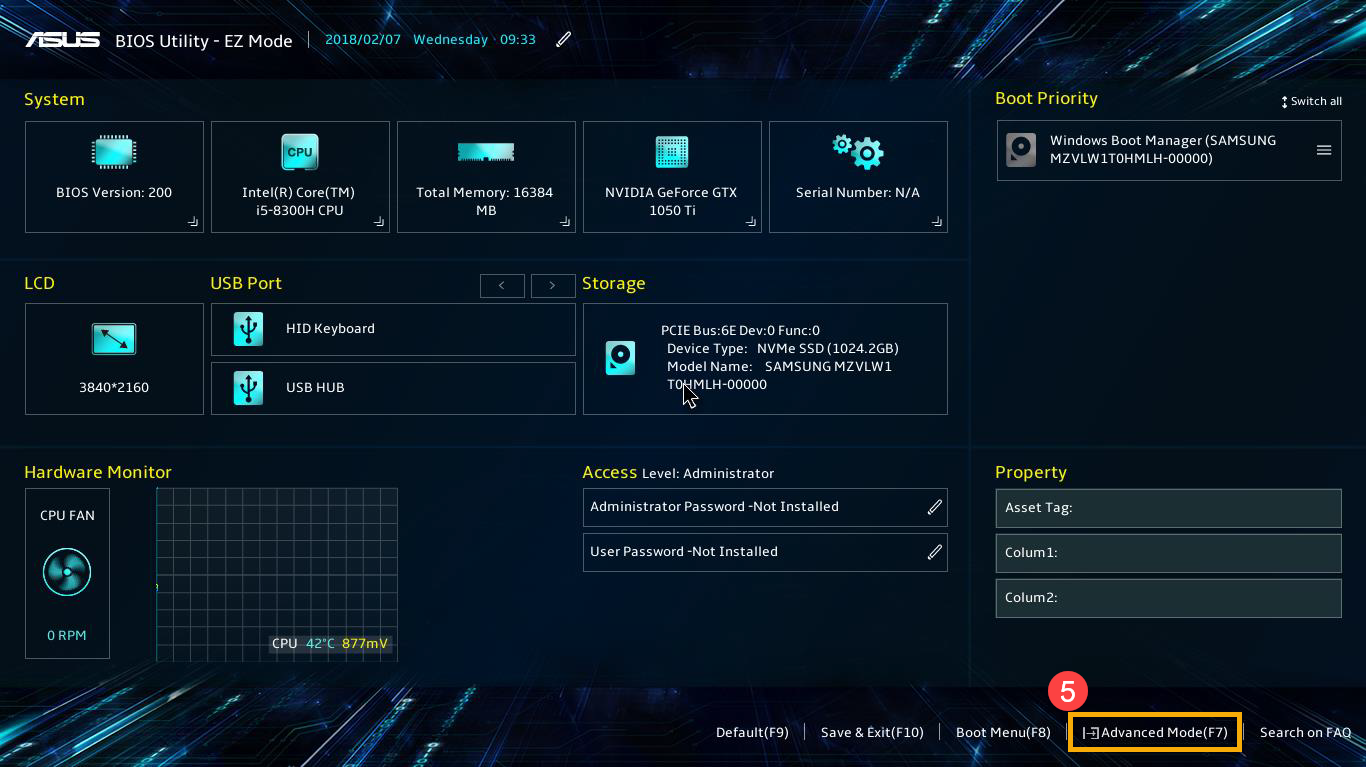
 - After entering the BIOS configuration, press Hotkey[F7], or use the cursor to click [Advanced Mode]⑤ on the screen.
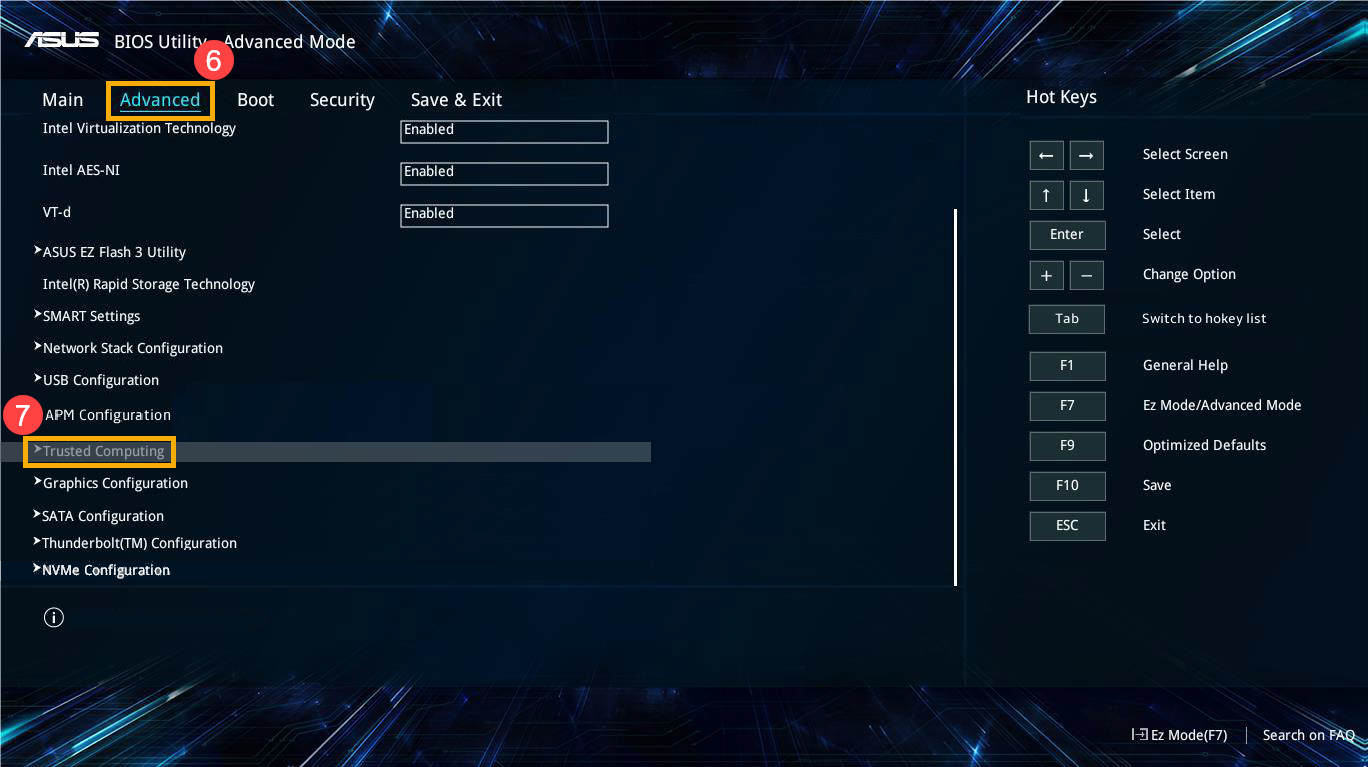
- Go to [Advanced]⑥ tab, and then select [Trusted Computing]⑦.
Note: If there is no Trusted Computing option in the Advanced tab, then it means your computer does not support to enable the TPM function in the BIOS configuration.
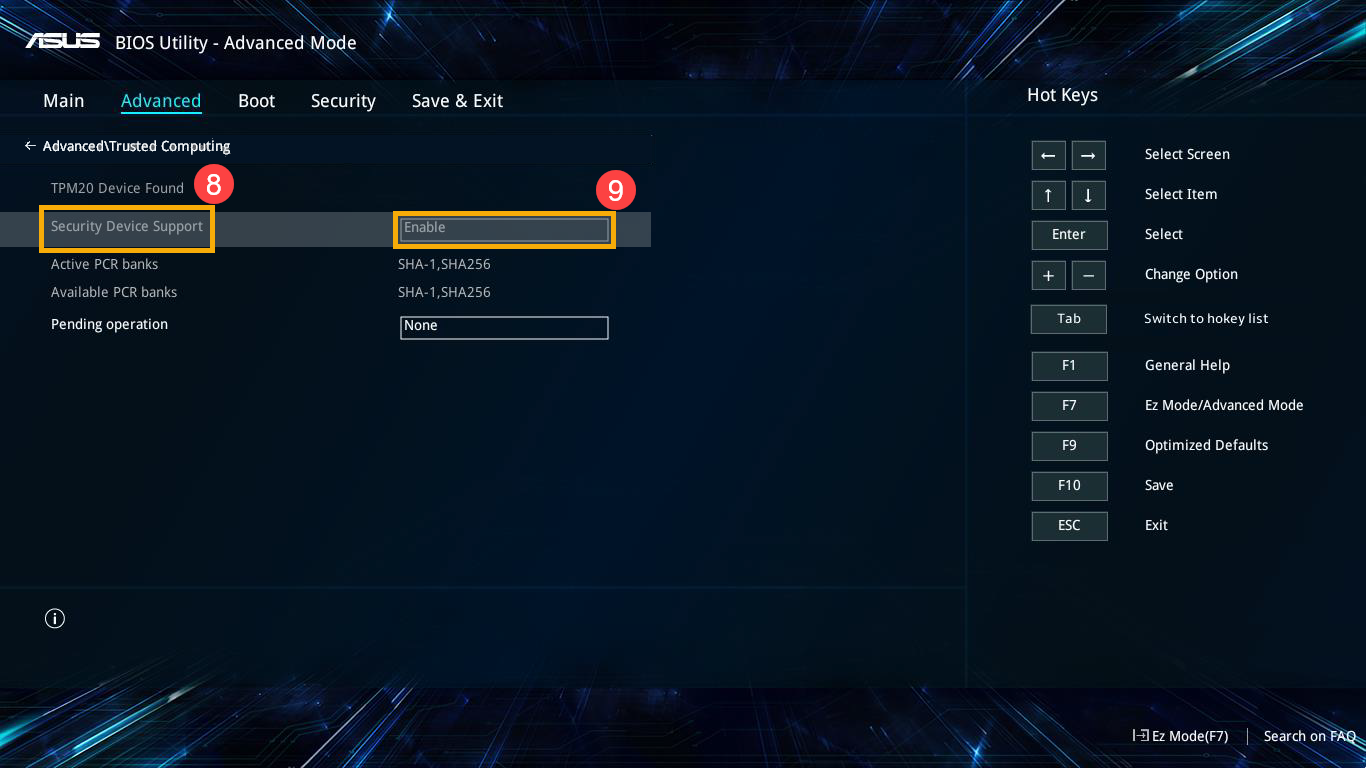
- Select [Security Device Support]⑧, and then select [Enable]⑨ to enable the TPM function in the BIOS configuration.
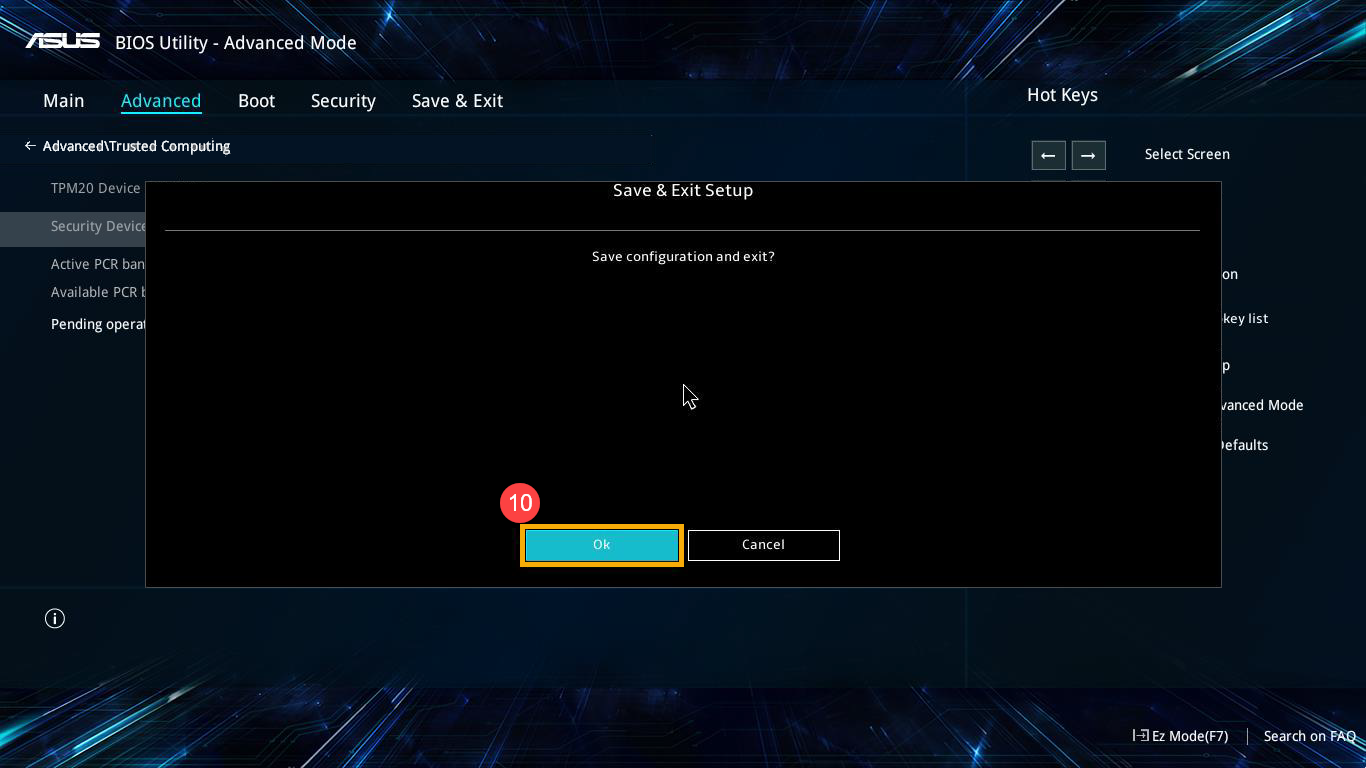
- Save & Exit Setup. Press Hotkey[F10] and select [Ok]⑩, the computer will restart. After that, you will be able to check if the TPM is ready for use via Step 1 and Step 2.
Q & A
Q1: If my computer does not support the TPM function, can I install it?
A1: There is no additional TPM slot to install it due to the design of Notebook and All-in-One PC.
Q2: If my computer only supports the TPM version 1.2, can it be upgraded to version 2.0?
A2: The TPM version depends on the installed chip and motherboard, and it cannot be upgraded from version 1.2 to 2.0.


