[Motherboard] How to switch (select) BIOS language
If you need to switch (select) the language displayed in the BIOS, you can refer to the following steps.
Step 1: Power on the system and press <delete> key to enter BIOS [EZ Mode] as below picture
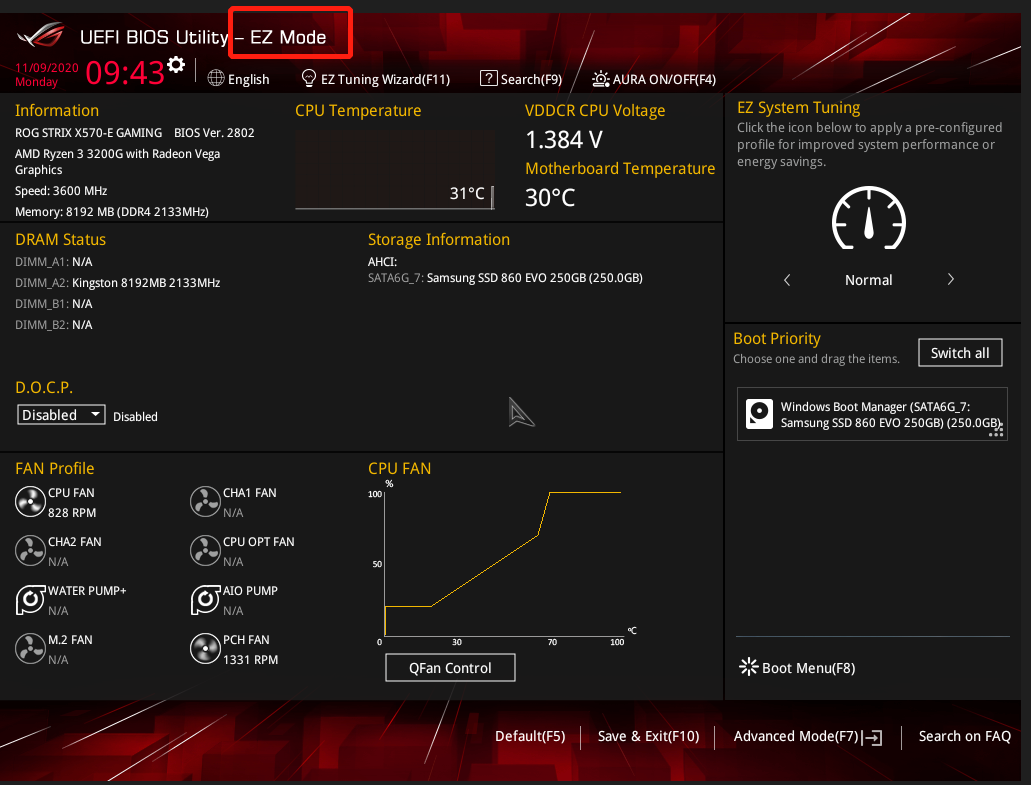
Step 2: Press <F7> key and go to [Advance Mode] as below picture
Under the "Main" page, switch (select) the "System Language" to the desired BIOS language
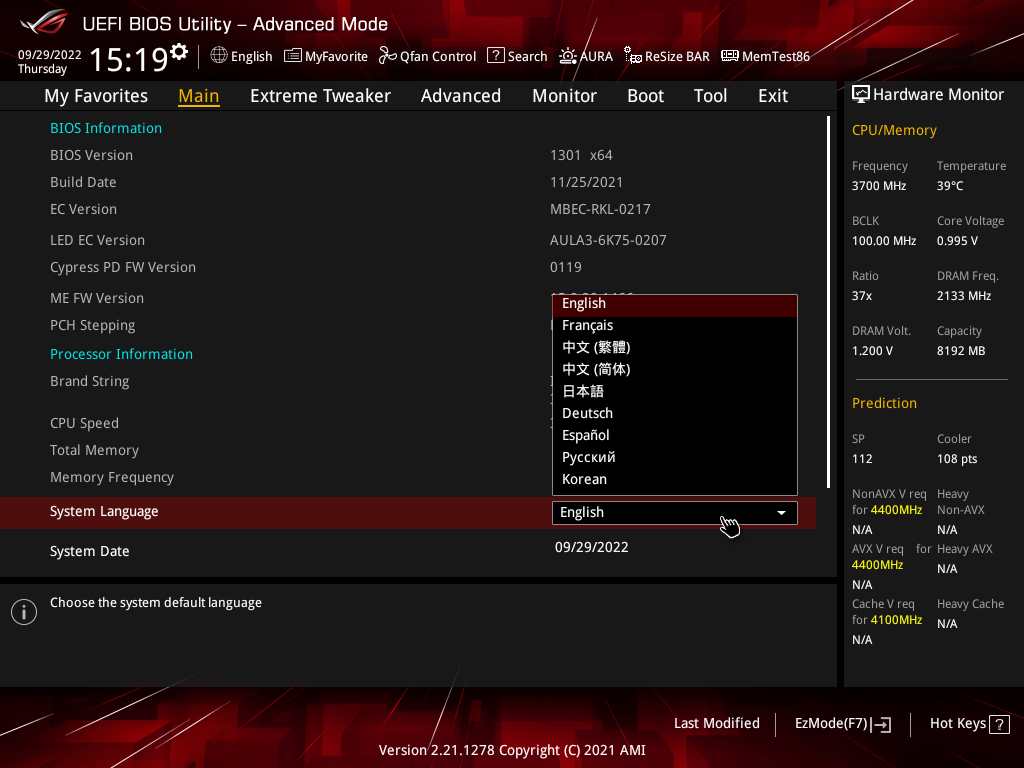
(If enter BIOS [Advanced Mode)] directly , and then no need to press <F7> key again)


