[MiniPC] How to stop USB ports from supplying power when computer is off
[MiniPC] How to stop USB ports from supplying power when computer is off
To stop USB ports from supplying power when the computer is of, please follow the steps below:
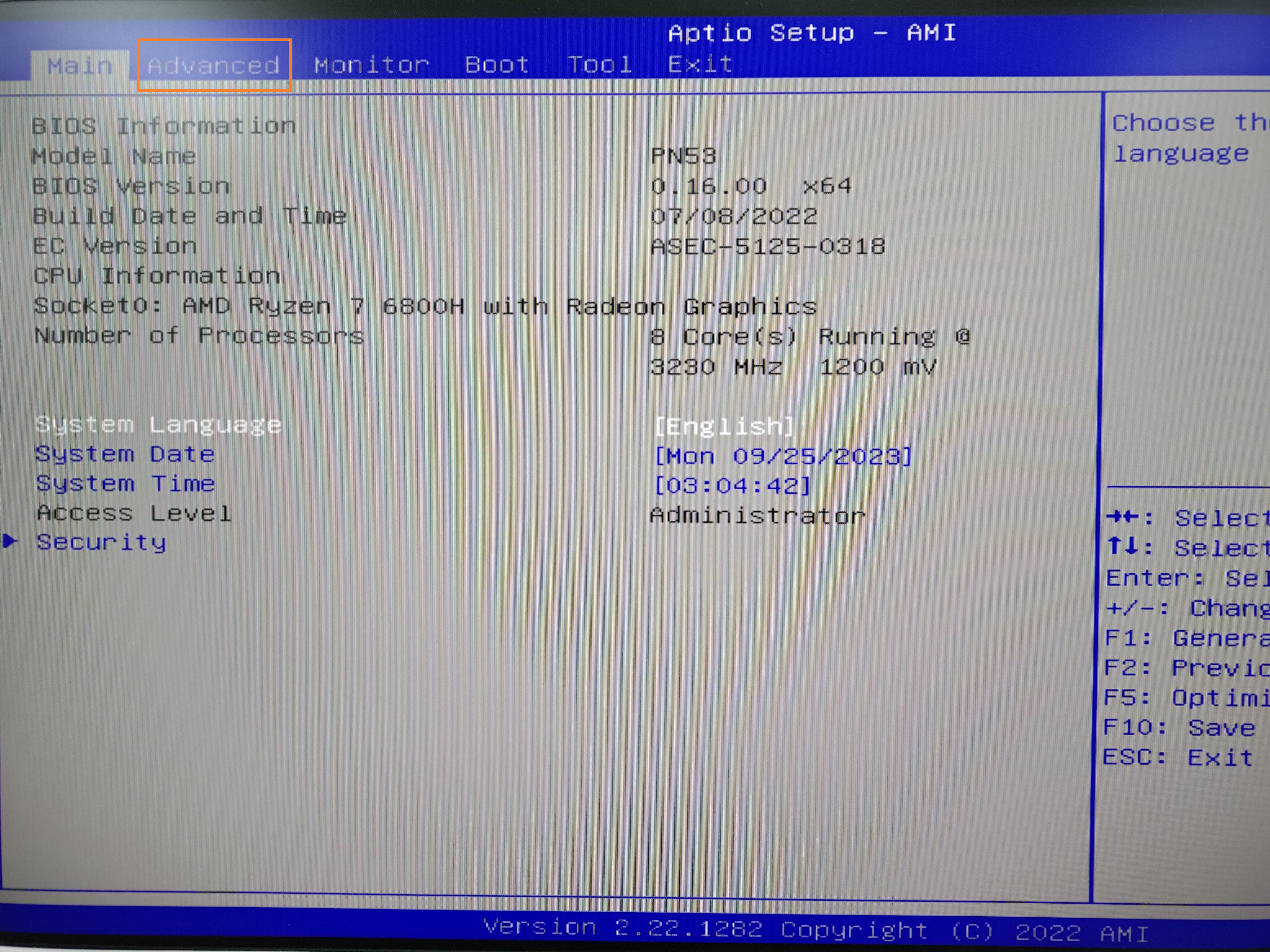
1. After the computer boots up, immediately press the "Delete" key on the keyboard to access the BIOS, and use the keyboard arrow keys to select "Advanced," then press "Enter" to enter.
2. Navigate to "APM Configuration" page.
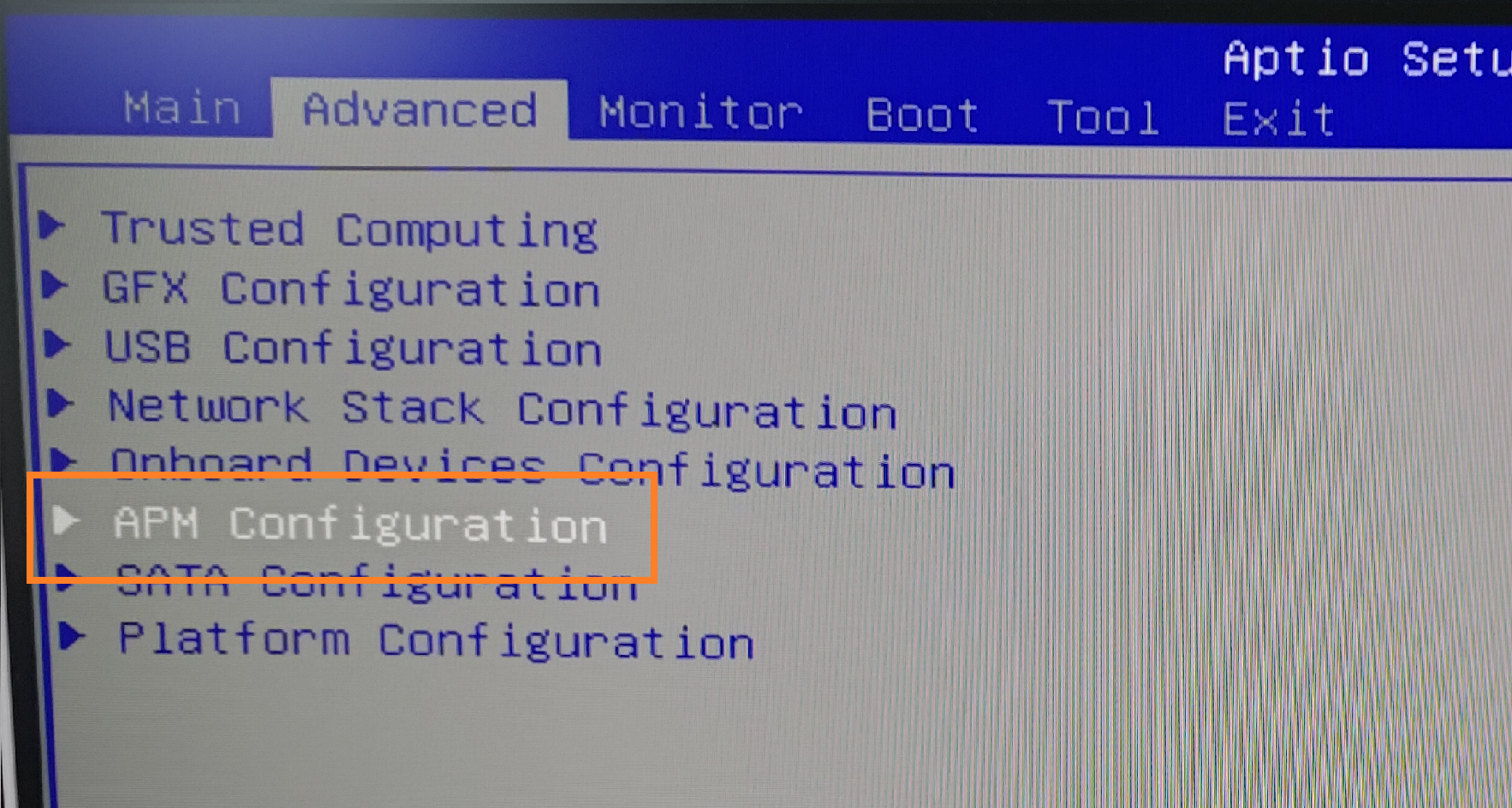
3. Change the "Erp Ready" option to "Enable (S4+S5)," press "Enter" to confirm, and once the modification is complete, press "Esc" to exit the "Advanced" page.

4. Navigate to the "Exit" page, select "Save Changes & Reset," save the settings, and reboot the computer.

If you have completed the above steps, the USB ports will no longer provide power when the computer is shut down.


