[Lyra][Application]How to add a Lyra node to the current Lyra WiFi network?
1. Power ON the next Lyra device and wait until it turns to the solid white light.
2. Make sure your phone is connected to your existing Lyra Wi-Fi network, then open the Lyra app.
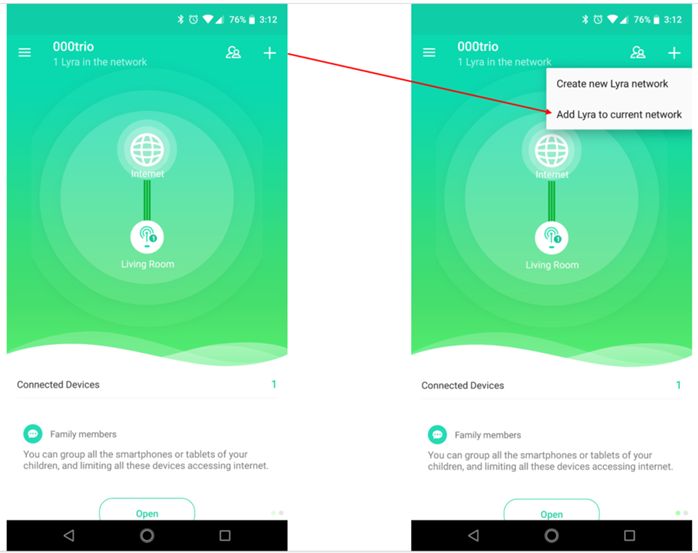
3. Click “+” at the top-right corner then select “Add Lyra to current network”.
4. Follow the steps to add the next Lyra node.
5. To ensure proper WiFi coverage, please do not put the secondary node too far away from the main node.