[External SSD] What if I forget my password?
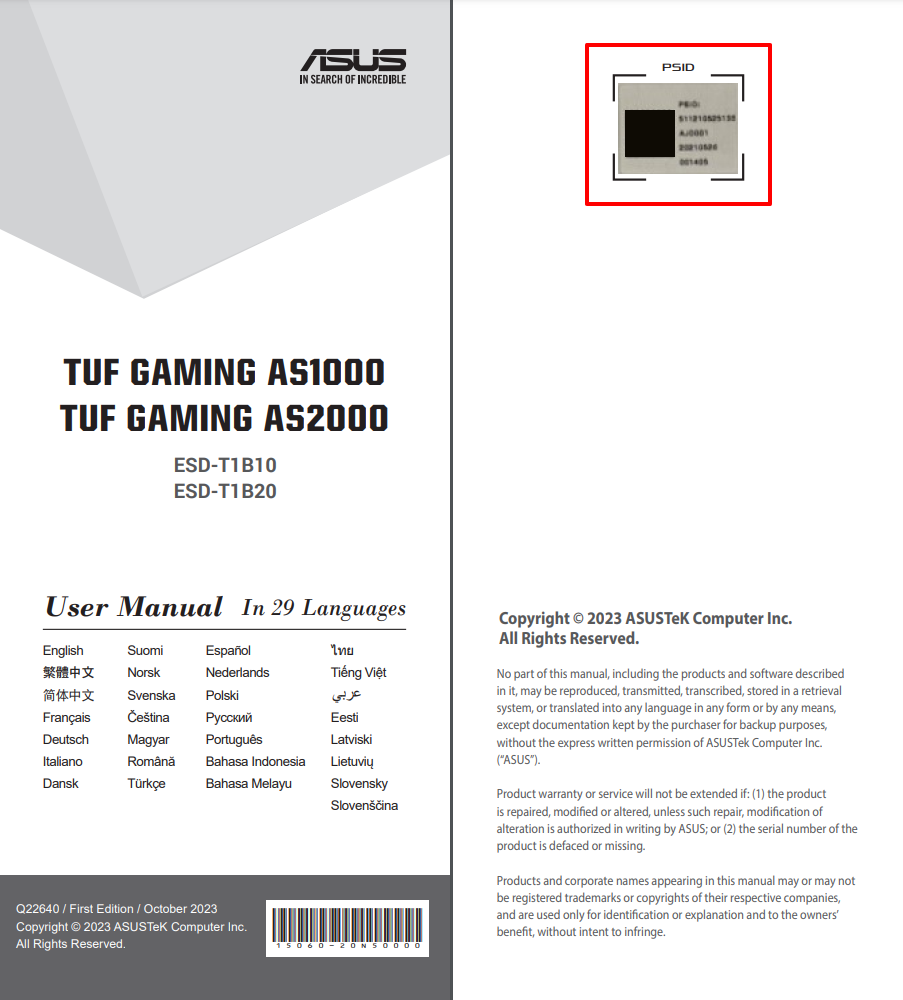
1. Please find your PSID code in the first page of user manual.
2. Select your product on support site and go to the [Driver & Utility] section.
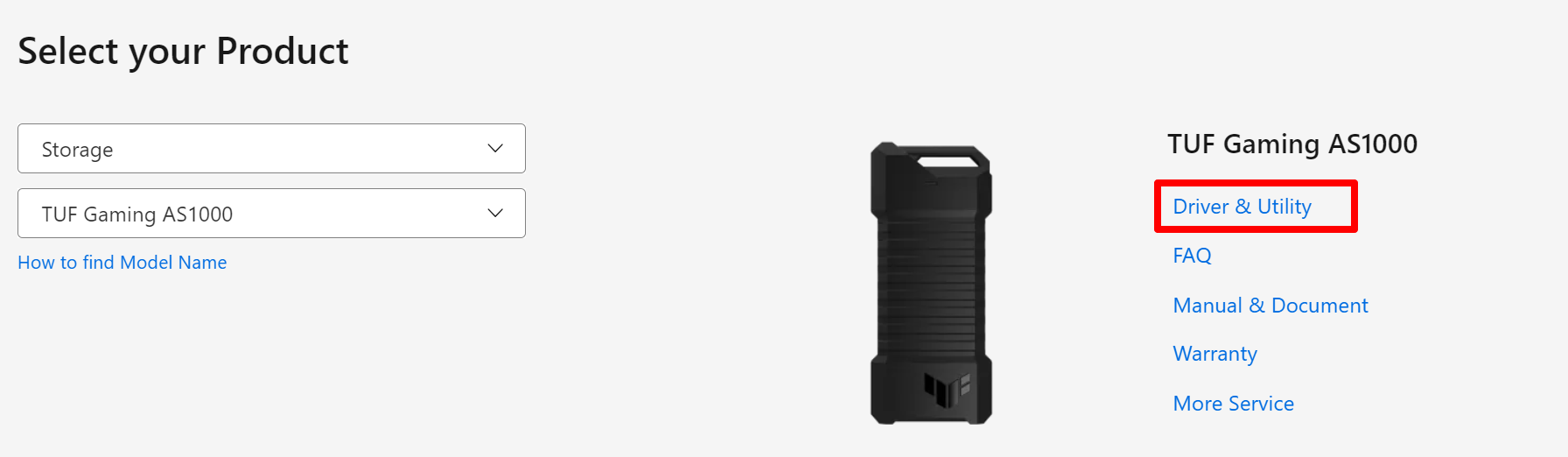
3. Download the file [ASUS_RevertTool]
Note: This program will erase the data on your SSD.
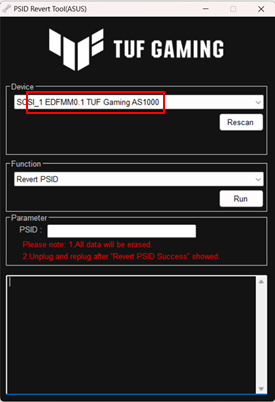
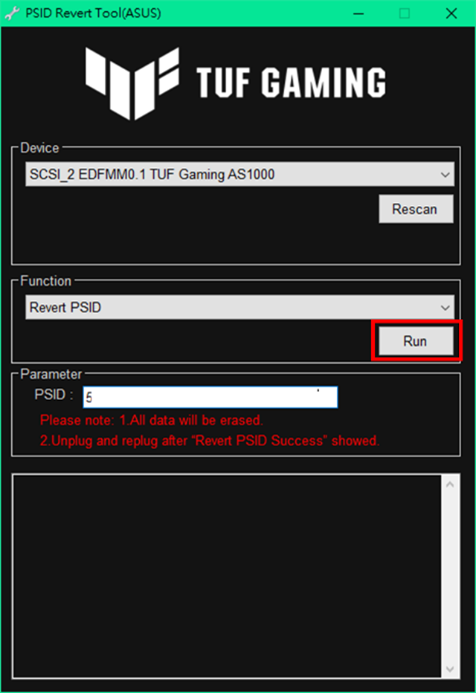
4. Once the app is opened as below, the app will automatically recognize your device and show the name of your external SSD.
5. Enter your PSID code from Step 1 to PSID cell under Parameter.
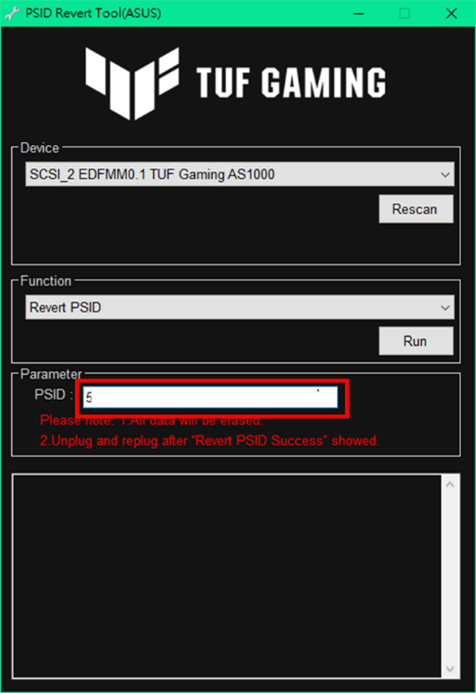
6. Click on [Run] to start to revert PSID.
7. Once finishes reverting PSID, the message column on the bottom of the window will show [Revert PSID Success].
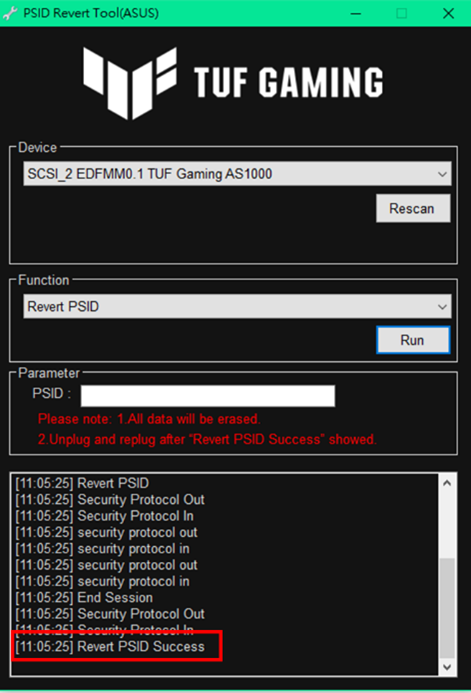
8. Once the program is finished, please remove your external SSD from USB port and plug it to the computer again.
9. Please note that you will need to partition your external SSD again after reverting PSID.


