[Chromebook] Troubleshooting - Garage Rechargeable Stylus doesn't respond
If your Chromebook features a stylus with garage and rechargeable, then when using the built-in Stylus that is not working, please refer to the troubleshooting below.
Check the Stylus power is enough
If Stylus is not working suddenly when you are using it, it may be the Stylus battery is running out of power. Please insert Stylus into Chromebook to charge for 30 seconds or above, and then check Stylus again.
Note: Stylus needs to be fully inserted into Chromebook when garaged to prevent the charging incomplete.
Check pop-up information after Stylus is removed
First, please refer to the following step to make sure the stylus icon sets to On.
- Click [Status Bar]① at the bottom-right of the screen, and then click [Settings]
 ②.
②.
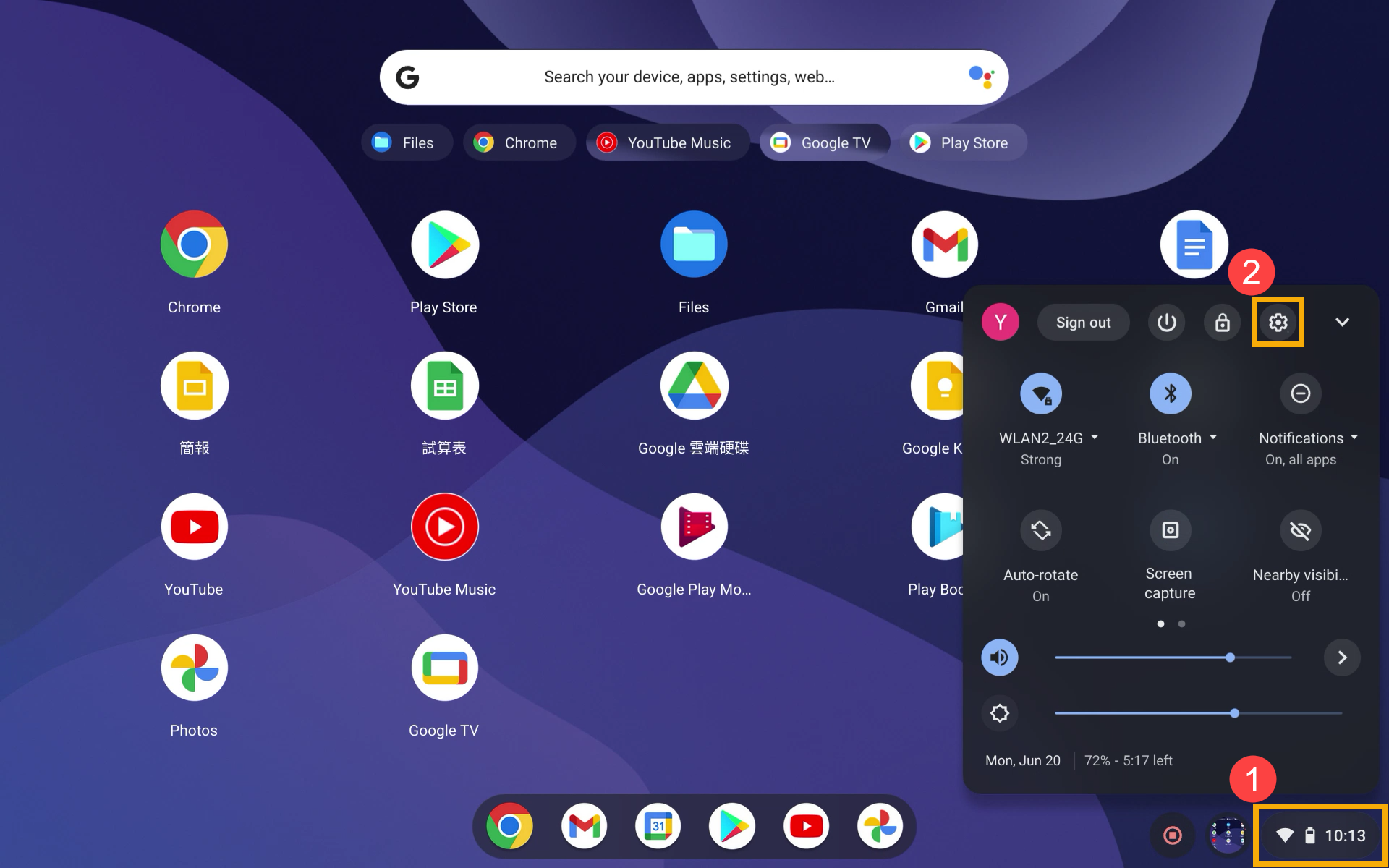
- After opening Settings, select [Device]③ and then select [Stylus]④.

- Enable [Show stylus tools in the shelf]⑤.
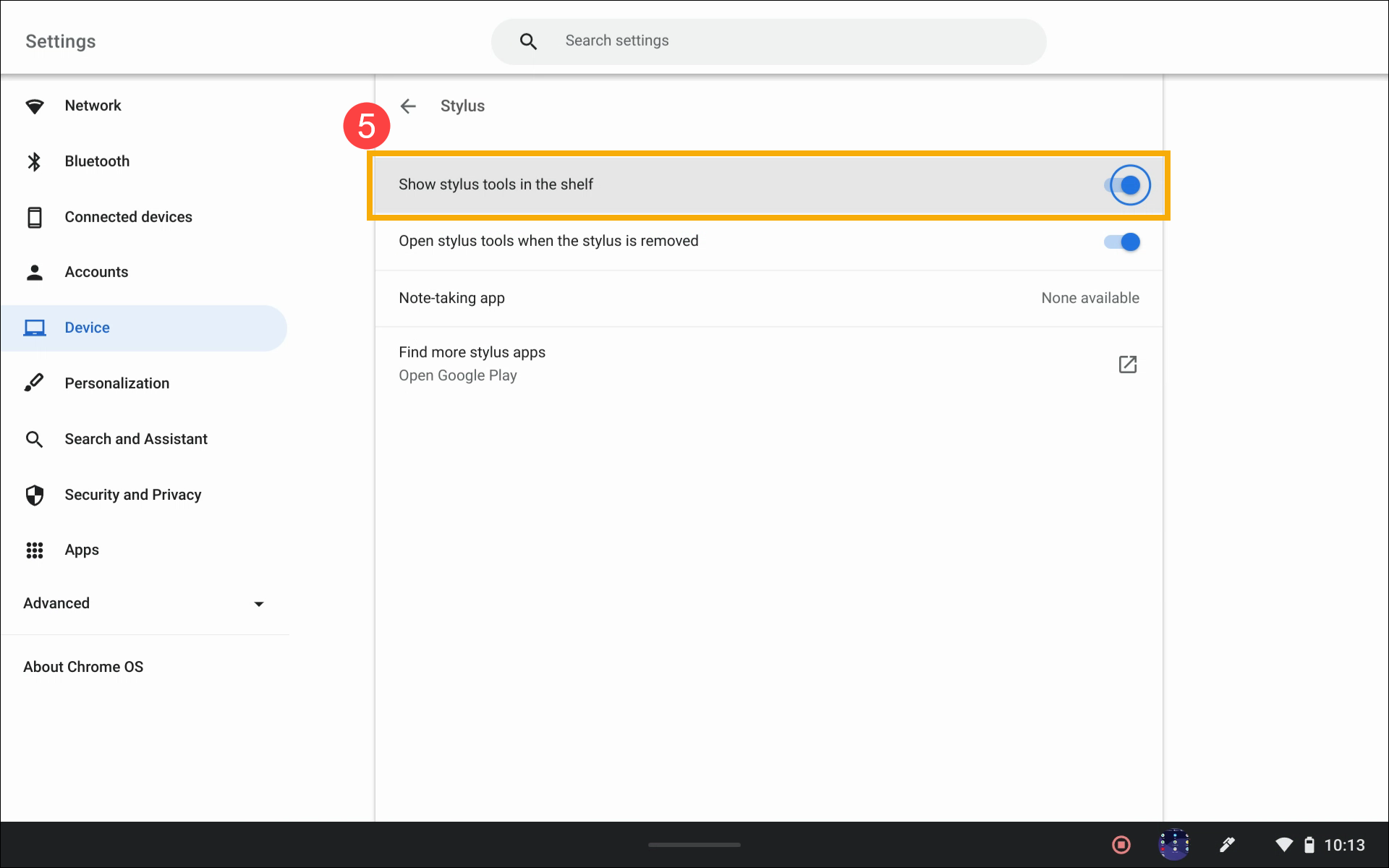
- After enabling the stylus tools setting, please insert Stylus into Chromebook and remove it, then check if you can see the information below.

Note: If you have another same Stylus and it's full functional, you can switch them to do the cross-check whether your Stylus has a problem or not. If you can’t do the cross-check, please contact the authorized ASUS service center for further check.
If you can see the stylus tools information after switching them, the problem points to your Stylus.
If the information doesn't pop up no matter using which stylus pen, please contact the authorized ASUS service center for further check.
If your problem is not resolved, please contact ASUS customer service center for further information.


