[Chromebook] How to back up & restore your Linux files and apps
Back up your current files & apps
- Click [Status Bar]① at the bottom-right of the screen, and then click [Settings]
 ②.
②.
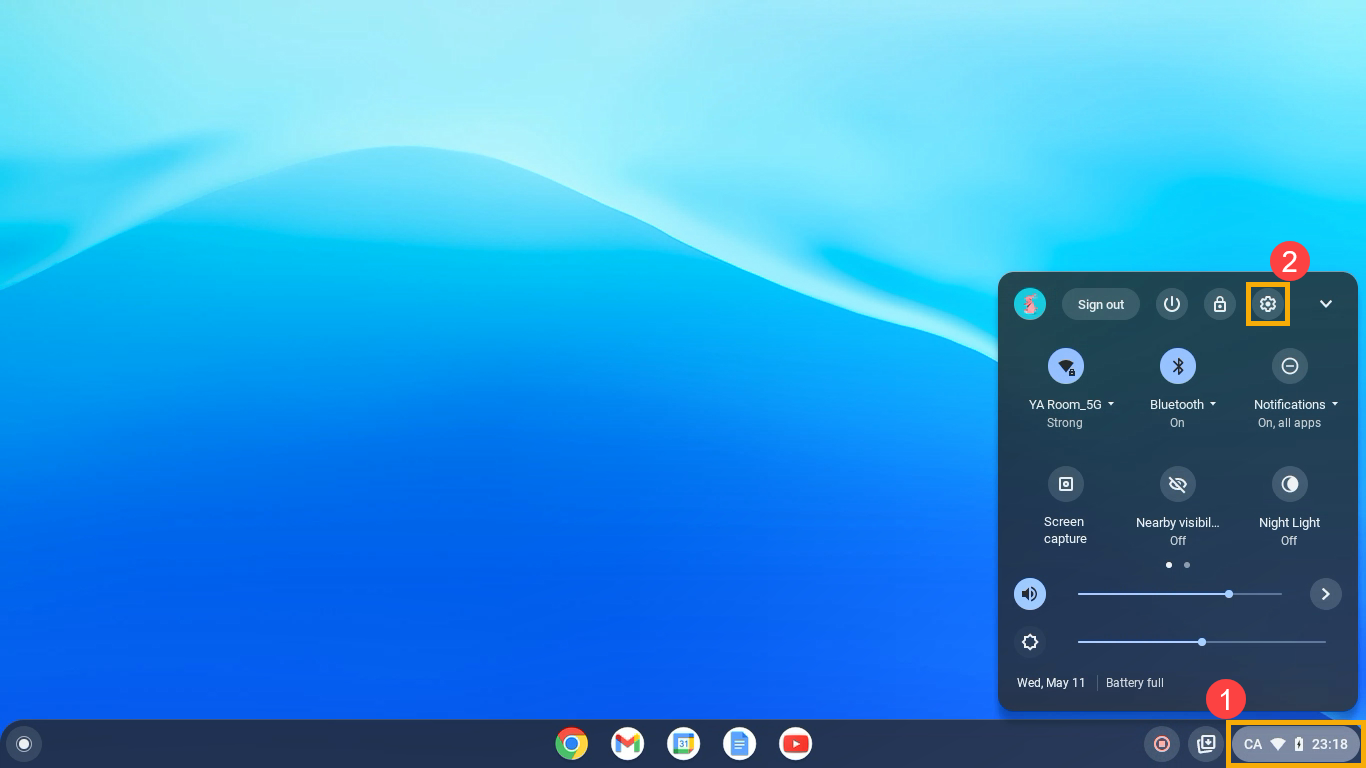
- After opening Settings, select [Advanced]③.
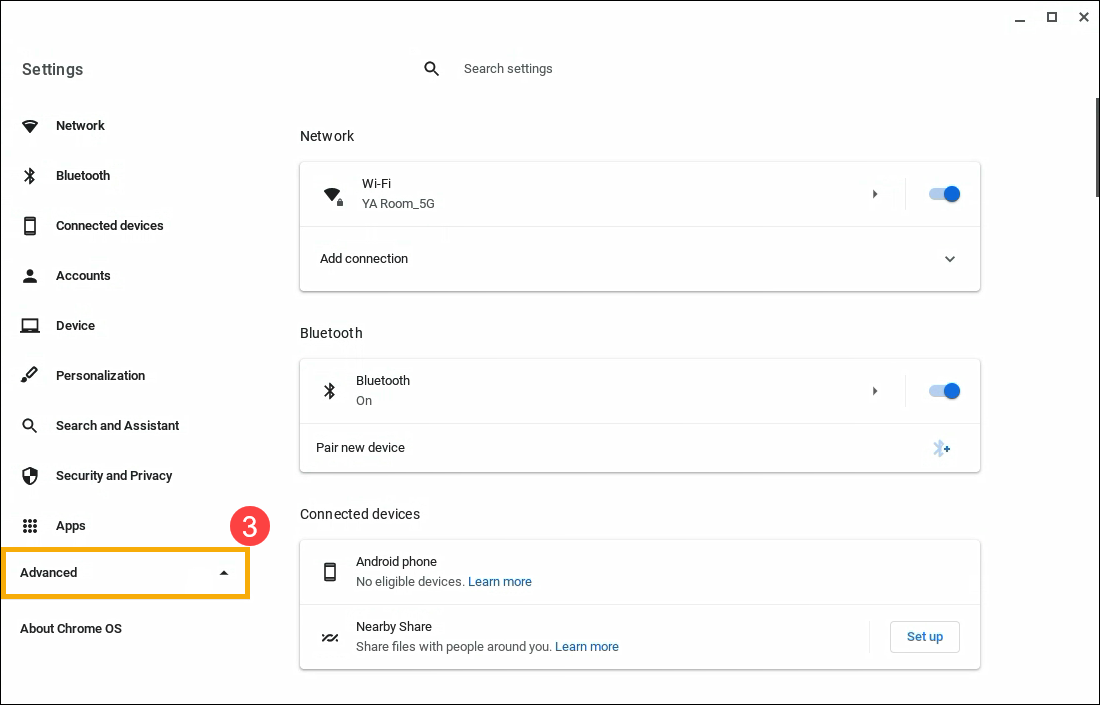
- Select [Developers]④, and then select [Linux development environment]⑤.
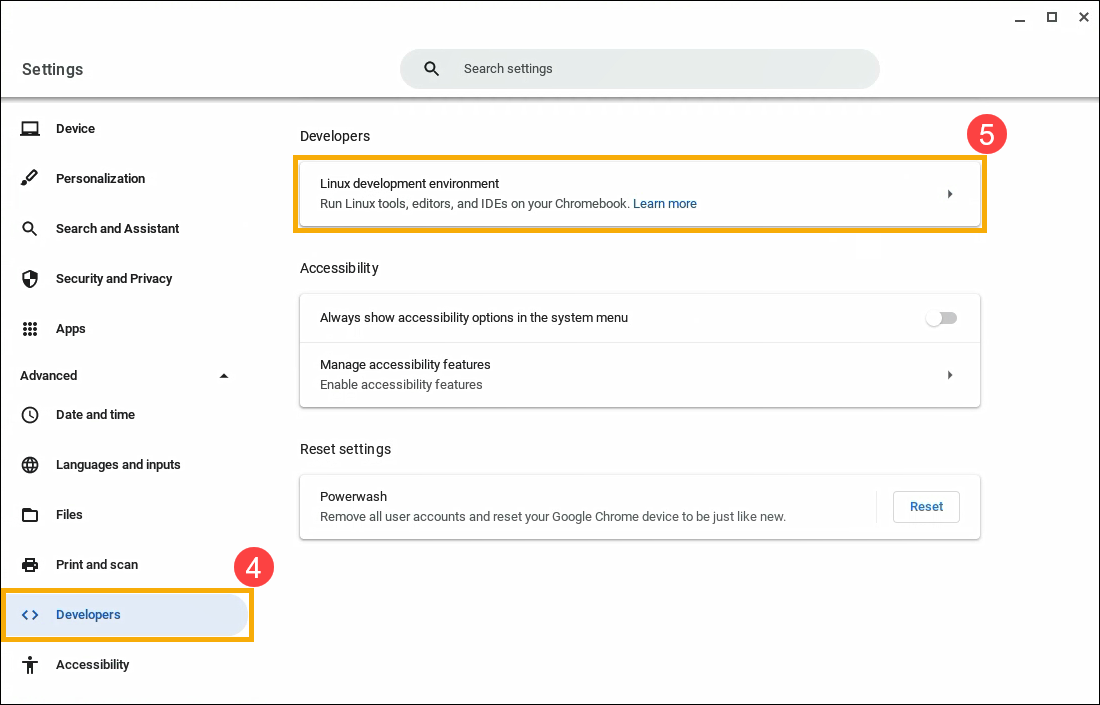
- Select [Backup & restore]⑥.
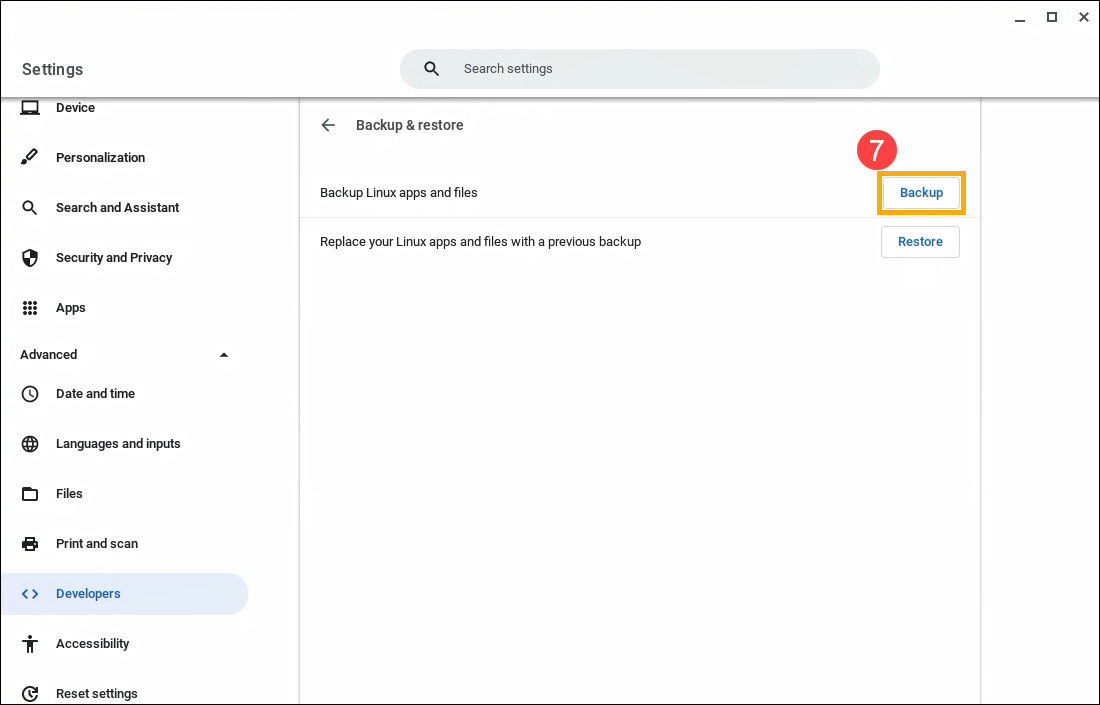
- Click [Backup]⑦ on the Backup Linux apps and files item.
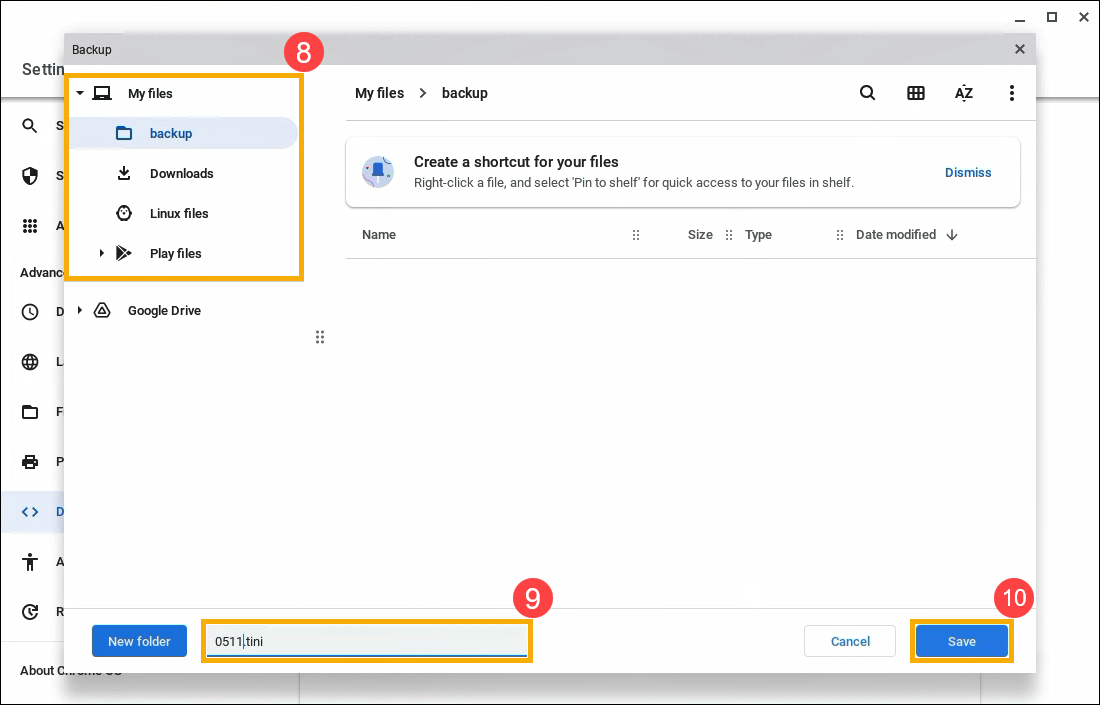
- At the left, under "My files," choose where to save your files⑧. Write your file name⑨ and select [Save]⑩.
- At the bottom right, a backup progress notification will appear.

Tip: Once backup is complete, you can click the notification to view your files in the Files app .
.
Replace your apps & files with a previous backup
- Click [Status Bar]① at the bottom-right of the screen, and then click [Settings]②.
- After opening Settings, select [Advanced]③.
- Select [Developers]④, and then select [Linux development environment]⑤.
- Select [Backup & restore]⑥.
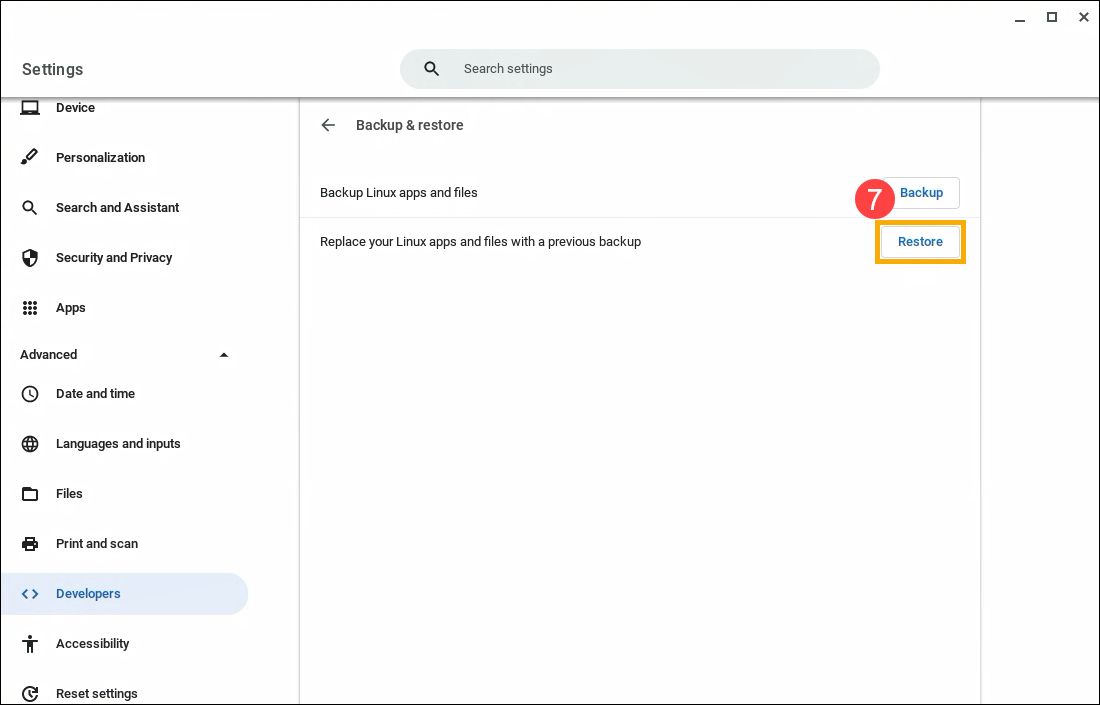
- Click [Restore]⑦ on the Replace your Linux apps and files with a previous backup item.
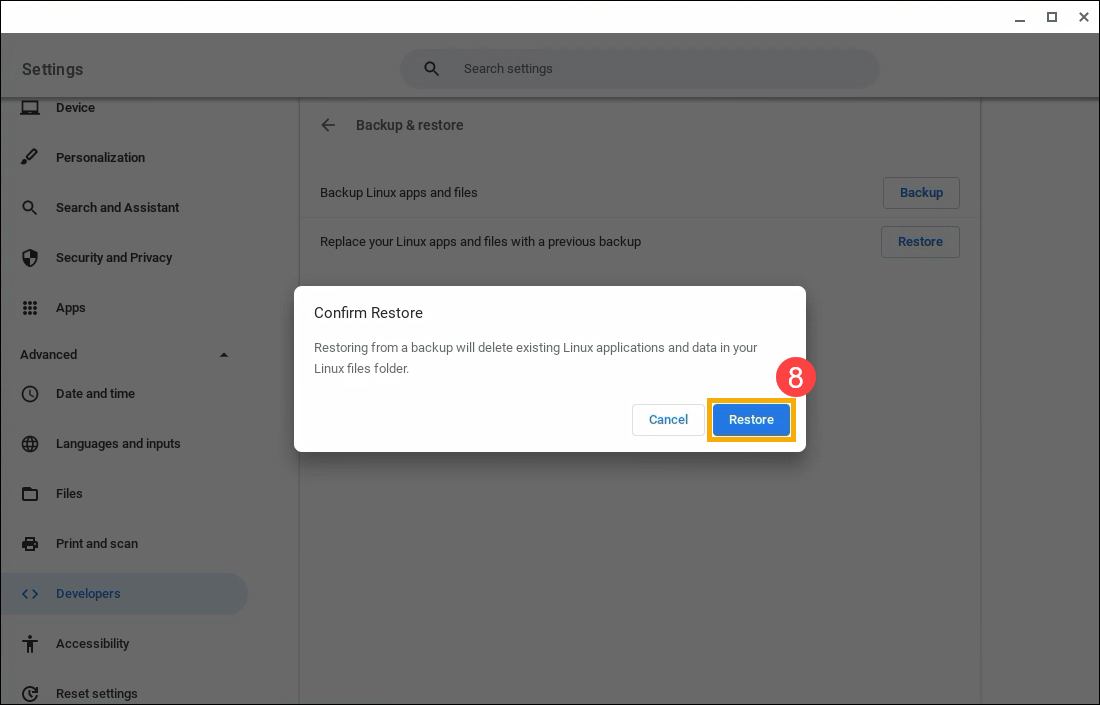
- A confirmation window will appear that states your current Linux apps and data will be deleted. Select [Restore]⑧.
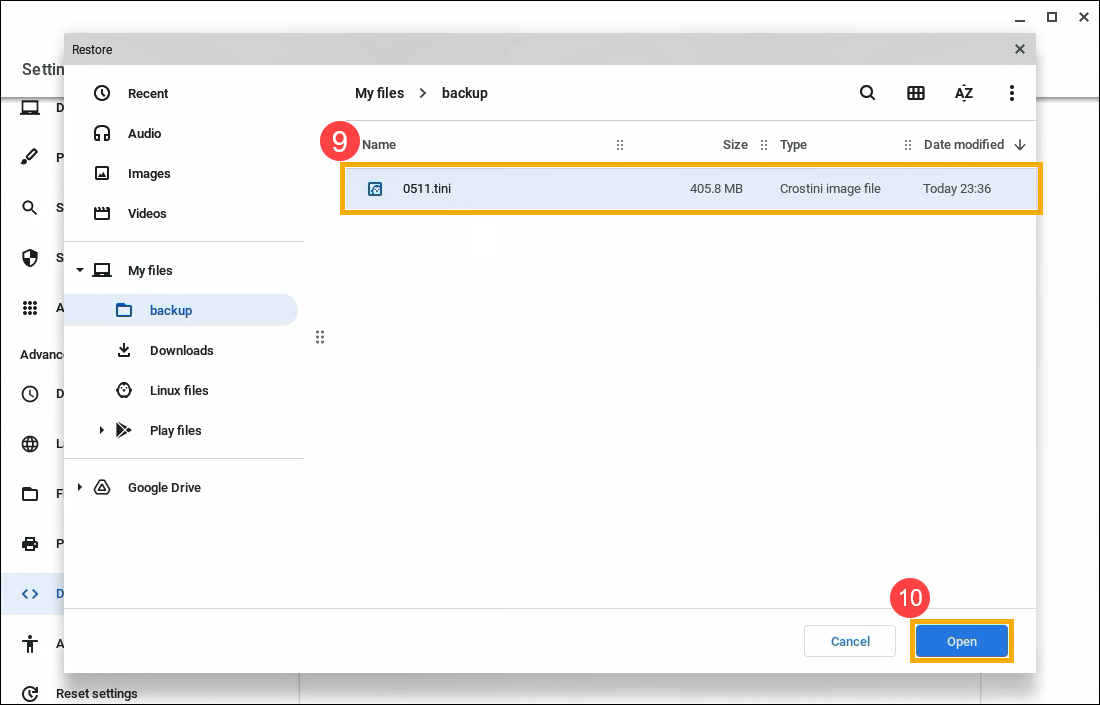
- Within "My files," select the backup you want to restore⑨, and then select [Open]⑩.
Important: The backup should be a .tini file.
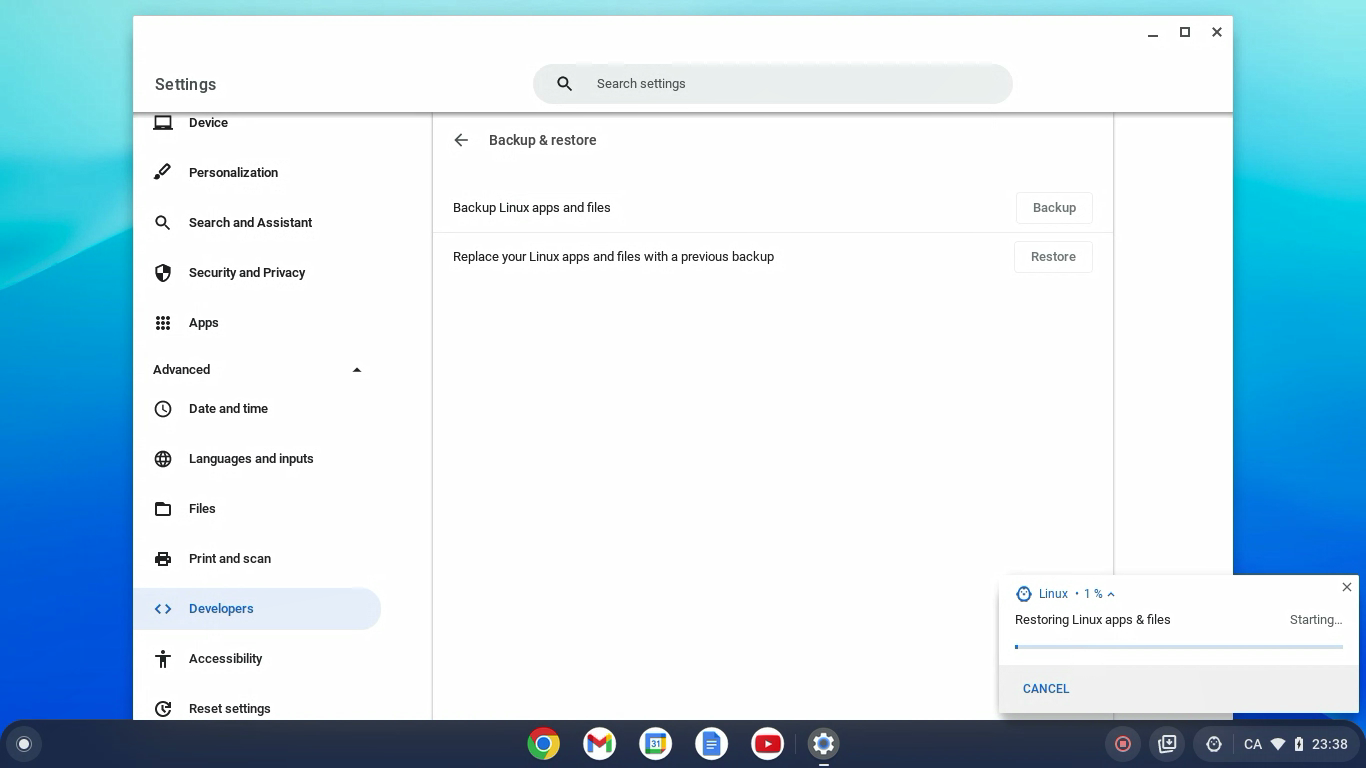
- At the bottom right, a restore progress notification will appear.
Fix problems with back up & restore
“More storage space needed”
To back up and restore your Linux files and apps uses a lot of disk space.
- To make space: delete files from the Files app
 .
. - To check what is taking up space: go to Settings

 Device Storage management.
“Can’t restore backup with architecture type”
To restore a backup on another Chromebook, both Chromebooks must have the same architecture, like x86 or ARM. If your Chromebooks don’t have the same architecture, you can still copy the files from your backup.
- Install the Wicked Good Unarchiver.
- In the Files app, rename your backup from .tini to .tar.gz.
- Use the Wicked Good Unarchiver to open your backup and copy files to your new Linux files.
“Couldn’t back up / Couldn’t restore Linux apps & files”
An unknown error occurred, try to back up or restore again.
Give feedback about this article
Above contents are from Google official website, you also can refer to Chromebook Help for more details.
If your problem is not worked out with above solution and information, please contact Google for further information.


