[AiMesh] How to change the location name of my AiMesh node?
For more AiMesh information, please go to: https://www.asus.com/Microsite/AiMesh/en/index.html
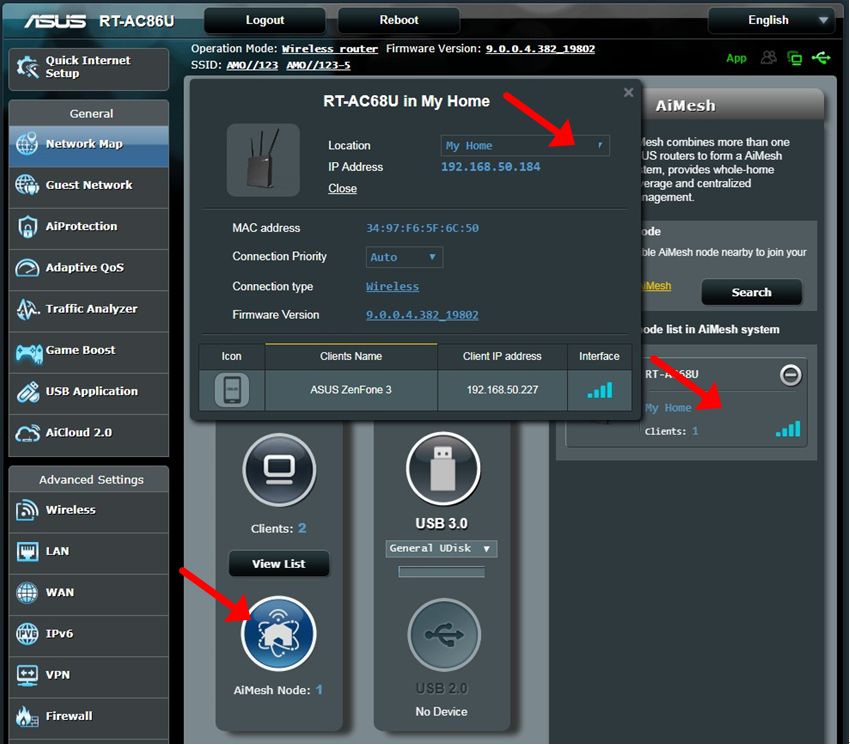
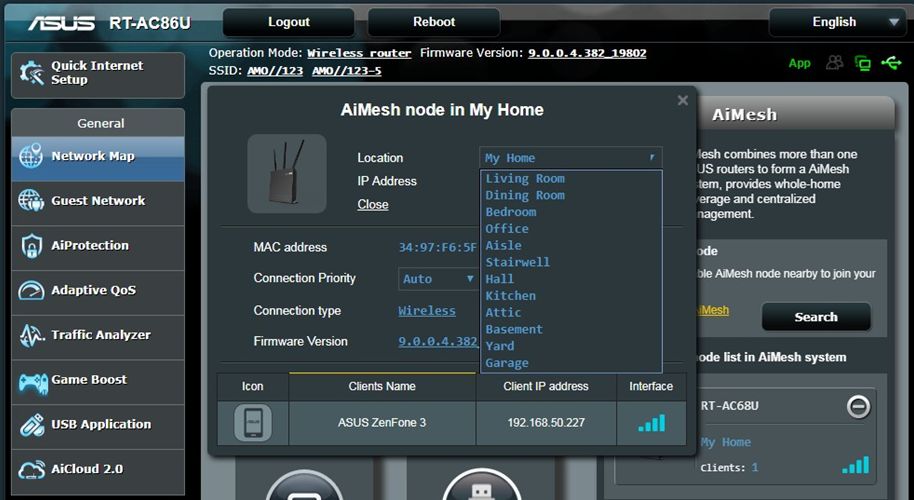
Click on the AiMesh icon, then find your AiMesh node list displayed at the right side. More information will be shown when you click on the AiMesh node picture.
You can choose a suitable location from the list, or customize it from the drop-down menu.
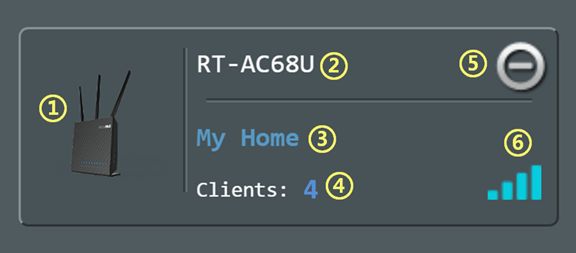
The diagram below describes each area of the AiMesh node list:
- Picture of AiMesh node
- Model name of AiMesh node
- AiMesh location (default)
- Numbers of devices connecting to this AiMesh node
- Remove AiMesh node from your AiMesh system
- The signal strength between your AiMesh router and AiMesh node
How to get the (Utility / Firmware)?
You can download the latest drivers, software, firmware and user manuals in the ASUS Download Center.
If you need more information about the ASUS Download Center, please refer this link.


