[NUC] Error 0xe000020b or 0x80070103 When Installing the Consumer Infrared (CIR) Driver on NUC
Note
The issue and solution in this article apply only to NUC products.
If you have a laptop or desktop system from another manufacturer such as Dell, HP, Lenovo, ASUS, ACER, etc., contact them for assistance in resolving the error message you're seeing. Click here for a list of popular system manufacturer’s and their support websites.
What are you seeing?
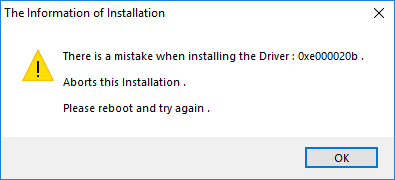
You get either of the following errors when installing the consumer infrared driver (CIR) on an NUC:
There is a mistake when installing the Driver: 0xe000020b.
There is a mistake when installing the Driver: 0x80070103.
Example:
Why are you seeing it?
The CIR device is disabled in the BIOS.
How to fix it.
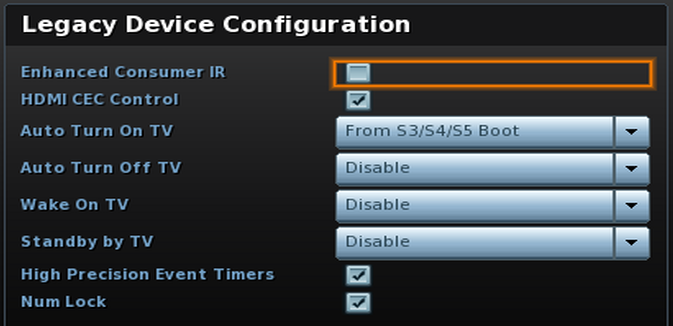
Press F2 during start to enter BIOS Setup
Go toAdvanced > Devices > Onboard Devices
Enable Enhanced ConsumerIR
Enable IR Receiver
Press F10 to save and exit BIOS Setup
Install the CIR driver
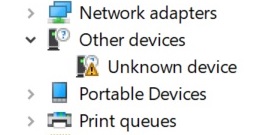
If you follow the steps above and then see the error "There is a mistake when installing the Driver: 0xe000020b when installing the CIR driver",check your Device Manager for errors:
Press the Windows and X keys together to open the Start menu
Select Device Manager
Look for an Unknown Device under Other Devices
Double-click the Unknown Device to open its properties
On the Driver tab, select Uninstall Device
On the confirmation box, chooseDelete the driver software for this device