This widget could not be displayed.
This widget could not be displayed.
Turn on suggestions
Auto-suggest helps you quickly narrow down your search results by suggesting possible matches as you type.
Showing results for
- English
- Other Products
- Laptop
- 2 in 1
- Re: Asus ProArt PX13 windows bar in tablet mode
Options
- Subscribe to RSS Feed
- Mark Topic as New
- Mark Topic as Read
- Float this Topic for Current User
- Bookmark
- Subscribe
- Mute
- Printer Friendly Page
Asus ProArt PX13 windows bar in tablet mode

Options
- Mark as New
- Bookmark
- Subscribe
- Mute
- Subscribe to RSS Feed
- Permalink
- Report Inappropriate Content
09-29-2025 04:19 AM
Hi, I would love to know if there is a way to totally hide the windows bar when the screen is flipped around in table mode. I found annoying when using the pen aside to use unnecessary space to already a 13inc screen. Check image for better understanding.
Thanks in advance.

3 REPLIES 3


Options
- Mark as New
- Bookmark
- Subscribe
- Mute
- Subscribe to RSS Feed
- Permalink
- Report Inappropriate Content
09-29-2025 05:43 PM
@Piux
Regarding your question, we recommend referring to the FAQ provided by Microsoft for the relevant settings.
Customize the Taskbar in Windows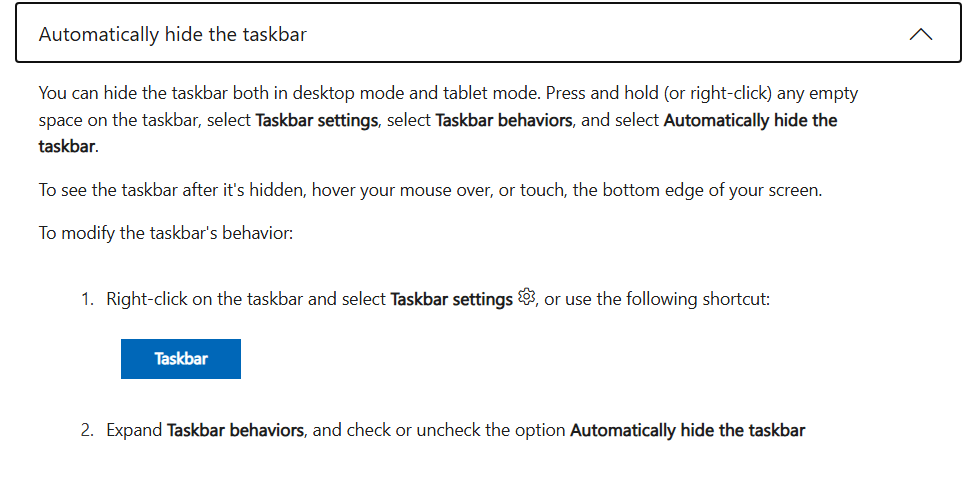
Options
- Mark as New
- Bookmark
- Subscribe
- Mute
- Subscribe to RSS Feed
- Permalink
- Report Inappropriate Content
09-30-2025 01:27 AM
Hi Falcon,
I am not a new windows user, of course I have go through all option windows bar has to offer but, when the PX13 goes into tablet mode the bar is not the same type and classic style so, there is not an obvious way to deal with it ... But, you could show me since, this issue I only have encounter with an ASUS laptop and not else where.
Thanks in advance.
Options
- Mark as New
- Bookmark
- Subscribe
- Mute
- Subscribe to RSS Feed
- Permalink
- Report Inappropriate Content
09-30-2025 06:06 PM
@Piux
Could you please provide the full model of your laptop, BIOS version, system version, and OS build?
I will then forward the information to the technical team for further assistance.
Thank you.

Related Content
- Asus ProArt PX13 windows bar in tablet mode in 2 in 1
- Asus Zenbook Duo UX8406: 2026/Future development suggestions in ZenBook
- ASUSTek COMPUTER INC. - Extension - 2.0.1.0 offered by Windows Update in Others
- [ProArt P16] New SSD not showing in BIOS or Disk Management in Others
- ProArt PX13 HN7306WV won't wake up from sleep mode in Others
